You opened Synthesia, produced two videos, and something feels off. The render is clean, the voice holds, the lip sync never slips. It is still not the video you had in mind. Searching for Synthesia alternatives, free or paid, almost always starts there: not from a technical flaw, but from a gap between what the tool builds and what you wanted to publish.
This comparison covers nine tools, sorted by family rather than by brand, because the family decides what lands on screen. You get what each one is built for, what free actually means across editors, and a grid to decide in minutes. If your question is about the original tool first, our detailed Synthesia review covers its strengths and its structural limits.
Short answer: three families, one question to settle
There is no single Synthesia alternative, but three families of tools that do not produce the same video. Avatar platforms replace Synthesia feature for feature: a person on camera says your text. Text to video tools built on stock libraries dress your script with licensed shots and a voice over. Narrative studios build every scene from the script, visuals included. Decide which of the three matches your project before you compare interfaces. The budget orders of magnitude behind each approach sit in our breakdown of what an AI video really costs.
Why people look for a Synthesia alternative
Synthesia is a serious platform, and that deserves saying even from a competing editor. According to the vendor's public presentation, its library goes beyond two hundred avatars for more than a hundred languages and regional variants, with a stated consent framework and features built for teams. On its own ground, spokesperson video produced at scale, few tools do better.
So the reasons for leaving are rarely technical. Three come back constantly. The type of video: you wanted a story told in scenes, you got a presenter in front of a slide. The level of commitment: an enterprise platform is bought yearly and defended to a procurement team, which makes no sense for a channel that is just starting. And rights: creating an avatar in your own image requires, according to the Synthesia help centre, a recorded consent sequence that is checked before activation. A real safeguard, and also a procedure.
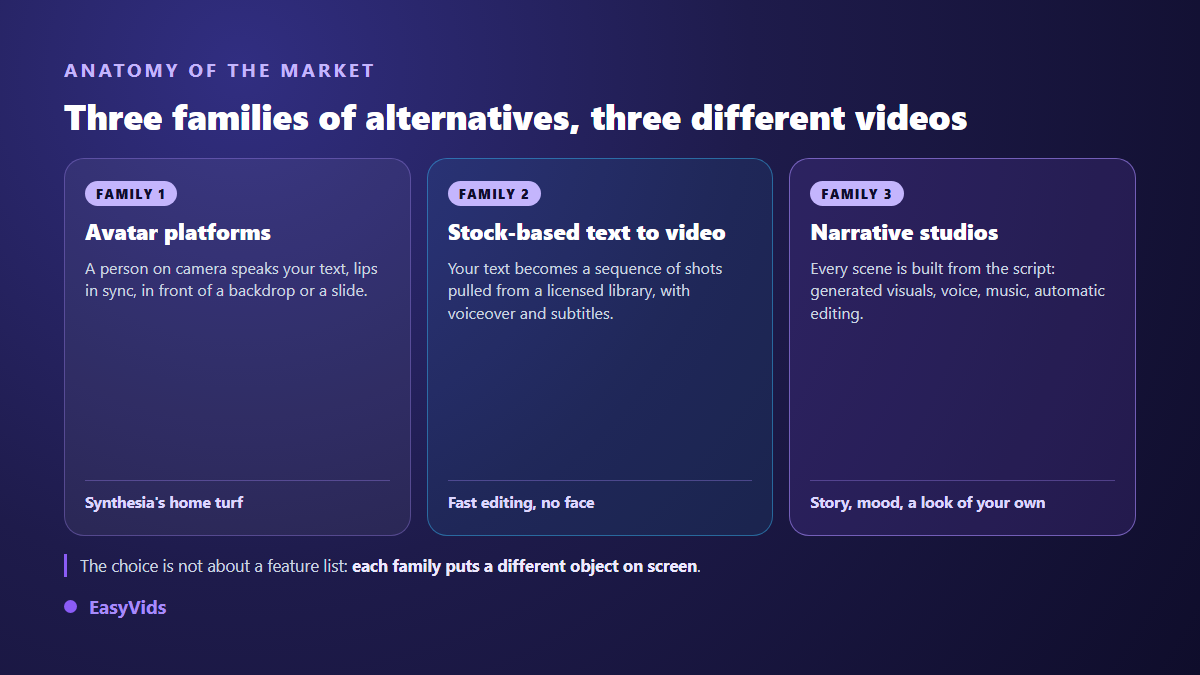
Family 1: avatar platforms, the direct replacement
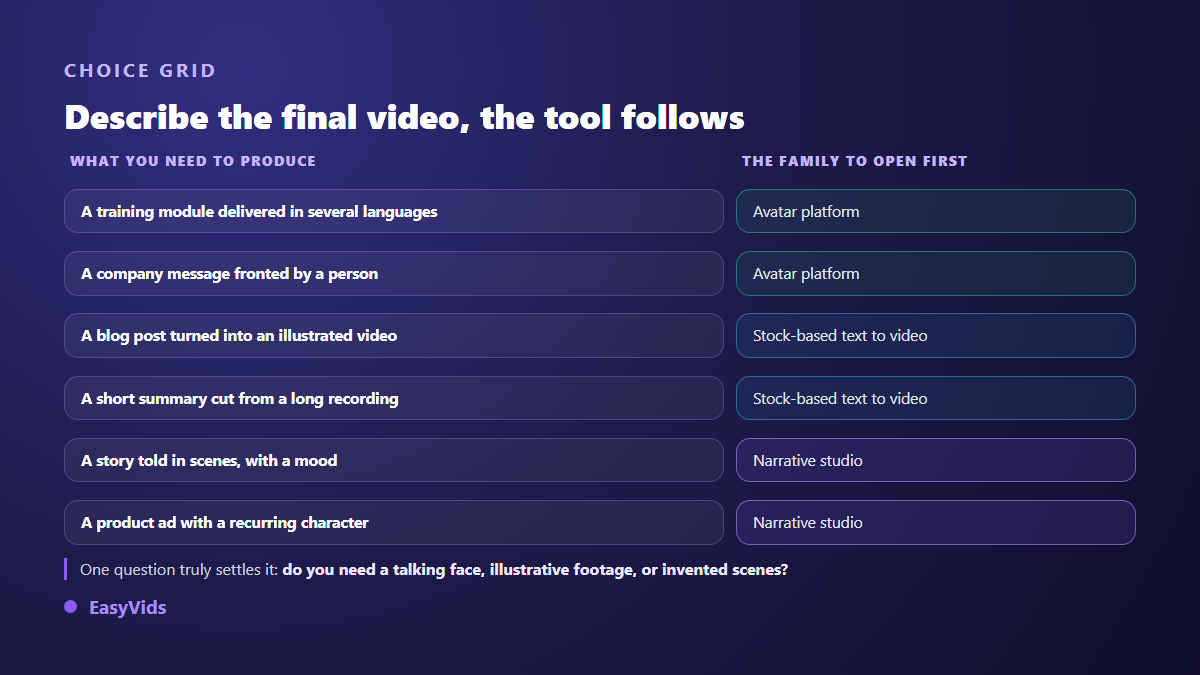
Open this family if your video rests on someone speaking. The principle never changes: paste a text, pick a presenter from a library, pick a voice and a language, and the tool renders a shot where that presenter says your words. The differences come down to three things only: realism on longer shots, the size of the language catalogue, and the team features built around the video.
HeyGen is the most quoted competitor, clearly more creator oriented than Synthesia, with a custom avatar and video translation that rebuilds the voice. Colossyan targets the same audience as Synthesia, online training and internal communication, with branching scenarios designed for e-learning. Both remain avatar platforms: you are not directing shots, you are building an animated presentation around a talking person.
D-ID starts elsewhere: from a photo, animated into a talking face, with real time agents pushed hard by the vendor. Vidnoz sits at the entry level, with a very visible free offer whose real content we examined in our Vidnoz review. The answer, as usual, comes down to the watermark and the duration caps.
Family 2: text to video built on stock libraries
Here nobody speaks on screen. Your text is cut into sentences, each sentence gets a licensed stock shot, a voice over reads it, captions appear. The result looks like a classic brand video and it is produced very fast. InVideo and Pictory are the two references: the first starts from a one line idea and dresses it heavily, the second takes a long article or recording and cuts it down. We put them side by side in our InVideo versus Pictory comparison.
Fliki sits next door, with the emphasis on voice over and on the number of reading languages. It is the simplest option for publishing a spoken format without filming yourself, and our Fliki review shows where the ceiling appears. The limit shared by this whole family shows up by the third video: the shots come from a library used by thousands of accounts, so your channel ends up looking like everyone else's.
Family 3: online editors and narrative studios
VEED plays a different game: it is first an in browser video editor with automatic captions, trimming and branding, with generative features added around it. You arrive with an existing file rather than an idea. That is the right reflex when you already film and simply want to finish fast, and our VEED review separates what belongs to editing from what belongs to generation.
Then come narrative studios, and EasyVids belongs to that family. The difference is structural: the script is cut into scenes, each scene gets a visual generated for it, a voice, music, and the edit locks every shot to the exact length of its voice. You do not pick a presenter from a catalogue, you describe a world. The full chain is laid out in our AI video generator guide. Our studio also produces a presenter on camera when the subject calls for it, cutting the script into shots of six to ten seconds of speech.
The nine tools, one line each
Here is the summary, with no price column: pricing grids move every quarter, while what a tool is for barely moves at all. Check each vendor's pricing page on the day you choose.
- HeyGen: creator oriented avatar platform, custom avatar and translation of existing videos.
- Colossyan: avatar platform aimed at training, with branching paths for e-learning.
- D-ID: turns a photo into a talking face, including live answering agents.
- Vidnoz: entry level avatar tool, visible free tier but heavily capped.
- InVideo: text to video from a short idea, strong advertising styling, stock library.
- Pictory: turns a long article or recording into a short video, plain framing.
- Fliki: text to video centred on voice over, wide language catalogue, immediate to learn.
- VEED: full online editor, automatic captions, generative features added around it.
- EasyVids: narrative studio, scenes generated from the script, voice, music, editing in one place.
What the word free actually covers
Looking for a free alternative runs into vague vocabulary. Three different mechanics share the same word. A limited trial opens everything briefly: you judge quality, never how a tool holds across twenty publications. A permanent free plan lets you produce, but usually adds a watermark, a reduced resolution or a restricted catalogue. Welcome credits let you spend a starting balance on whatever you want, and the file comes out clean.
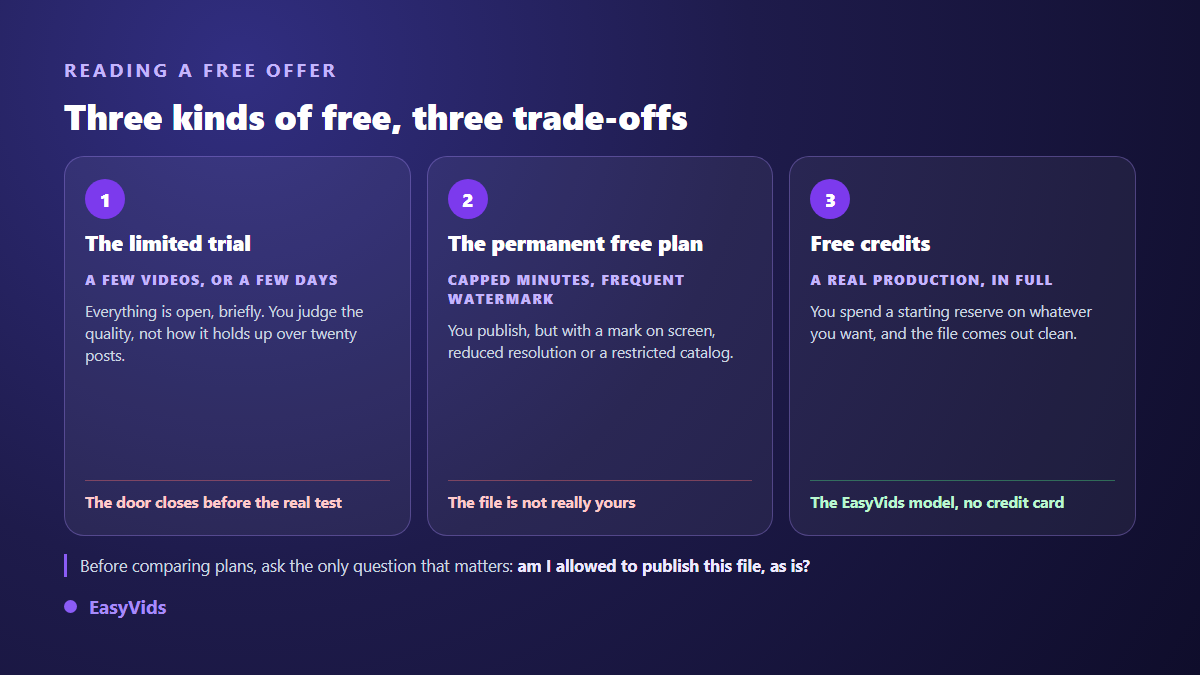
That third model is the one we chose: every account receives welcome credits once the email address is confirmed, with no bank card, and those credits are spent freely on a video, a voice over, images or a book. Exports carry no EasyVids watermark. The plans themselves live on the pricing page, which stays current, unlike any comparison article.
Six criteria that actually decide
Sales pages compare feature lists. In practice, six points separate a tool you keep from a subscription you cancel after a month. Test them in this order, they are ranked by how badly they can wreck a project.
- Control: can you regenerate a single scene without rerunning the whole video?
- Series consistency: does the same character hold from one video to the next?
- Native format: is vertical produced as such, or cropped from a horizontal shot?
- Watermark and rights: is the export publishable and monetisable as it stands?
- The full chain: script, visuals, voice, music and editing in one place, or five services to stitch?
- Working language: a tool built for your language writes better scripts than a translated one.
What does not transfer when you switch tools
One point is systematically left out of comparisons, and it costs real money: your visual identity does not follow you. The library avatar you used belongs to the platform, your audience has tied it to your channel, and it disappears the day you leave. So does the voice, if it came from the vendor's catalogue. Settle that question before publishing ten episodes, especially if you are building a recurring host: our guide to virtual presenters explains why an invented face, defined once, leaves you freer than a catalogue actor.
Frequently asked questions
What is the best free Synthesia alternative?
None of them hands you the equivalent of an enterprise platform for nothing, and it helps to know that up front. Free tiers in the avatar family are paid for in watermarks and duration caps. The useful question is not which free tier is most generous, but which trade off bothers you least: a watermark is unacceptable for a brand, irrelevant for an internal test.
Can I get a custom avatar outside Synthesia?
Yes, several avatar platforms offer it, with comparable consent procedures: a filmed sequence where the person explicitly authorises the use of their face. Another path is often calmer for a brand: build an invented presenter who never existed and belongs to nobody, then reuse the same reference image from one video to the next.
Can an alternative translate an existing video?
The most advanced avatar platforms rebuild both the voice and the lip movement in the target language, which remains their strongest argument against other families. A narrative studio works differently: it regenerates the voice over from the translated script, which comes out very clean since no face has to be resynchronised.
Are these videos usable commercially?
In most cases yes, but free plans are often excluded from that permission, and each vendor's terms are what count. Read the commercial use clause and the ownership clause before building a business on top. Check where the music comes from too, since that is the most frequent source of claims on sharing platforms.
The best way to choose is not to read one more ranking, it is to push the same thirty second script through the two or three tools that match your family, then watch the result on a phone, first without sound. If your project tells a story rather than presenting one, start with a narrative studio: creating an account opens the full chain with welcome credits and no bank card, and the EasyVids studio keeps script, visuals, voice, music and editing in one place.