A gift is unwrapped in thirty seconds, then lives on a shelf. A song does not. A custom song generator gives you a track someone replays, forwards to friends, and puts on again a year later on the same date. It carries their name in the chorus, one true detail nobody else knows, and a style they already listen to. That is what makes it impossible to mistake for something bought the day before.
Producing one used to require a lyricist, a composer, a singer and studio time. Now an online studio writes the lyrics from a handful of facts, composes the music in the genre you pick, and hands you an audio file to download. The full mechanism is covered in our guide to AI music generation. This article answers the question that comes first: which song for which occasion, and what to write in the brief so the result sounds like you.
The short answer
Making a personalized song takes four moves. Pick the occasion, give the name to be sung plus one true detail about the person, choose the genre they actually listen to, then have the lyrics written and read them out loud before you launch the composition. The engine works for one to four minutes, and you leave with an audio file ready to send, to play in a room, or to lay under a photo montage. No musical skill is involved. Your only real advantage is what you know about the person.
Ten occasions, and the one that fits yours
The Music Studio does not open on an empty field. It opens on a grid of occasions, because that single choice drives the wording of the lyrics, the tempo, the mood and where the name lands. Ten situations are one click away, and an eleventh button leaves the field open when yours fits none of them.
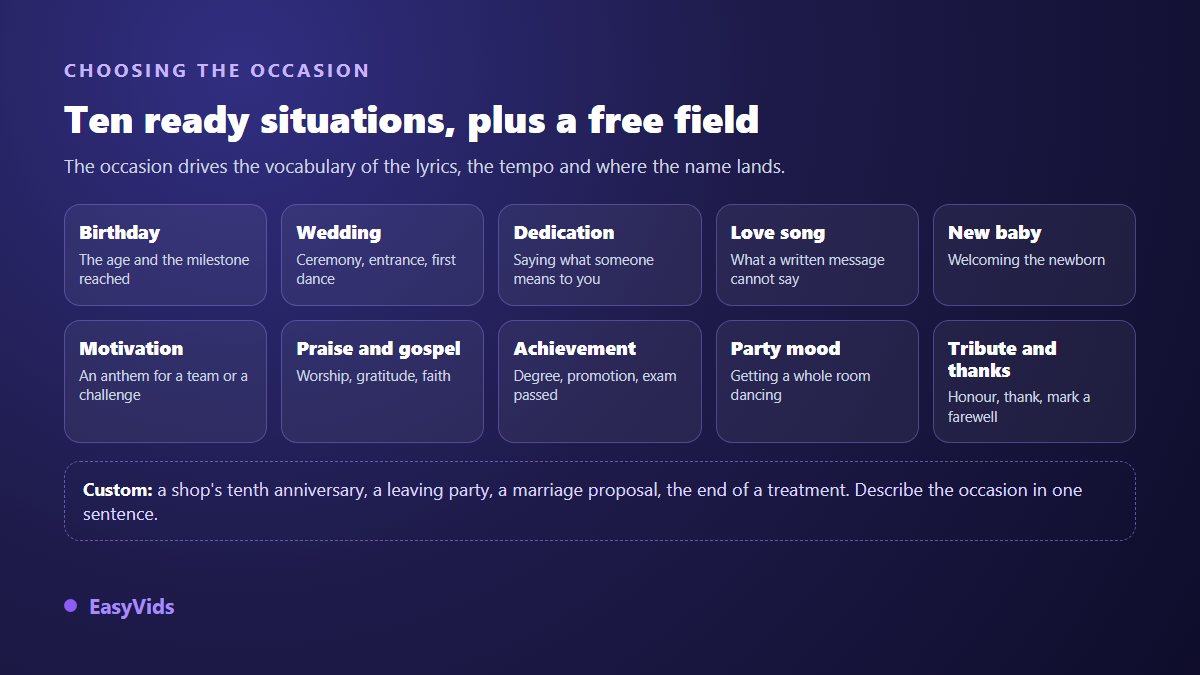
- Birthday. A celebration song built around the age and what this year means.
- Wedding. For the ceremony, the entrance or the first dance.
- Dedication. Telling someone what they mean to you, with no date required.
- Love declaration. The track that says what a written message never quite says.
- New baby. Welcoming a newborn, slow tempo and a soft voice.
- Motivation. An anthem for a team, a comeback, a personal challenge.
- Praise and gospel. Worship, gratitude, songs of faith.
- Achievement. A degree, a promotion, an exam finally passed.
- Party and vibe. Getting a room dancing, with no single recipient.
- Tribute and thanks. Honouring someone, marking a departure, saluting a career.
The eleventh button, Custom, opens a free text field: a shop's tenth anniversary, a leaving party, a proposal, the end of a treatment. Birthdays remain by far the most common request, and our step by step birthday song method follows that case from the brief to the moment you press play.
What changes between occasions, and what never does
Three things move. The recipient first: one person, a couple, a whole family, or a room that only half knows you. The listening moment next, because a song sent in a private message does not face the same constraints as a track played on a venue sound system. The register last, between a wink and real gravity. A tribute takes a joke badly, a party song takes solemnity badly.
Two occasions need their own preparation. Weddings, because there are two names and two families listening: our guide to a personalized wedding song covers the timeline and the sound check. Christmas next, because the surprise runs on a tight calendar and a December track follows its own conventions, which the end of year version sets out.
What never changes comes down to three points. One true fact beats ten compliments. The name belongs in the chorus, not buried mid verse. And reading the lyrics out loud fixes three quarters of the awkward lines, whatever the occasion.
The brief: five fields, and only one that nobody else can fill
The studio invents nothing on your behalf. It sets to music what you give it. Gather your material before you open the page: the writing then takes seconds, and you avoid the lukewarm text an empty brief always produces.
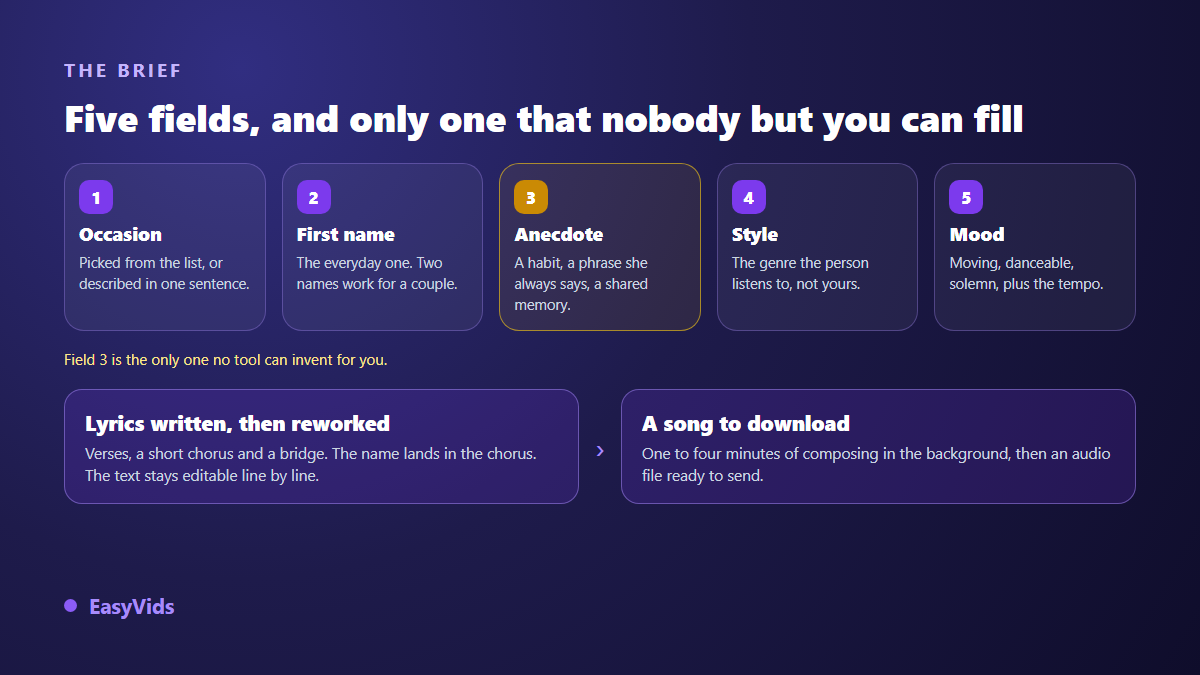
- The occasion. Picked from the grid, or described in one sentence in the free field.
- The name. The everyday one, nickname included. Two names fit in the same field for a couple.
- The message or anecdote. A habit, a phrase they always use, a shared memory, a project starting. Nobody else can supply it.
- The musical style. The genre they actually listen to, not the one you prefer.
- Mood and tempo. Joyful, moving, danceable, romantic, solemn or epic, at a slow, medium or fast pace.
The anecdote field takes several lines, and that is where your time belongs. Turning twenty five, dances until closing time, leaving to study abroad in September already gives you a full verse. A wonderful person gives you nothing, because it fits everybody, and music never rescues an empty text.
Style: pick what the listener plays, not what you play
A personalized song misses when it is composed in the taste of the person giving it. The studio offers clickable genres, from pop to acoustic, gospel to jazz, rap to reggae, afrobeat to zouk. The field stays open: type makossa, rumba, bossa nova or melodic drill, and your description goes straight to the composition engine.
Add the mood and the tempo, then a note on the voice if it matters to you. There is no dedicated voice selector, but a phrase such as warm female voice or deep male voice in the style field is usually taken into account, without an absolute guarantee. If the voice misses, run it again: two takes on the same brief never sound quite alike.
Lyrics: written in one click, then rewritten by you
A button drafts the lyrics from your brief. The text comes back structured, with section markers for verses, chorus and bridge, a short repeated chorus, and the name placed in that chorus and in at least one verse. The target length matches a song of roughly one and a half to three minutes of singing. A title is suggested at the same time, and it names both your file and your history entry.
Those lyrics are a starting point, never a verdict. The field stays editable: cut a hollow line, swap a word for the one your family uses, adjust the spelling of an unusual name to steer the pronunciation. Every draft is kept in the page history and reloads in one click, with no new charge, so you can restart from an earlier version instead of paying for a fresh one.
Composition, and what you are free to close
Generation runs as a background task. Once launched it continues on the server: close the tab, lock your phone, come back later, the page picks the tracking back up on its own. Expect one to four minutes. The result plays straight in the browser, then downloads as an audio file ready to send or to drop into an edit.
Two engines sit side by side. One composes a sung track from your lyrics, or from your brief if you leave the lyrics empty. The other produces an instrumental with no vocals, useful under a speech, beneath a slideshow, or while guests arrive. An instrumental checkbox also exists on the sung engine when you want the melody without the words. Previous songs stay playable and downloadable in the page history.
What separates a keeper from a sung greeting card
The most common flaw is not musical, it is textual. Lyrics that could apply to anyone produce a track played once out of politeness. The fix fits in one sentence: replace every general compliment with a specific fact.
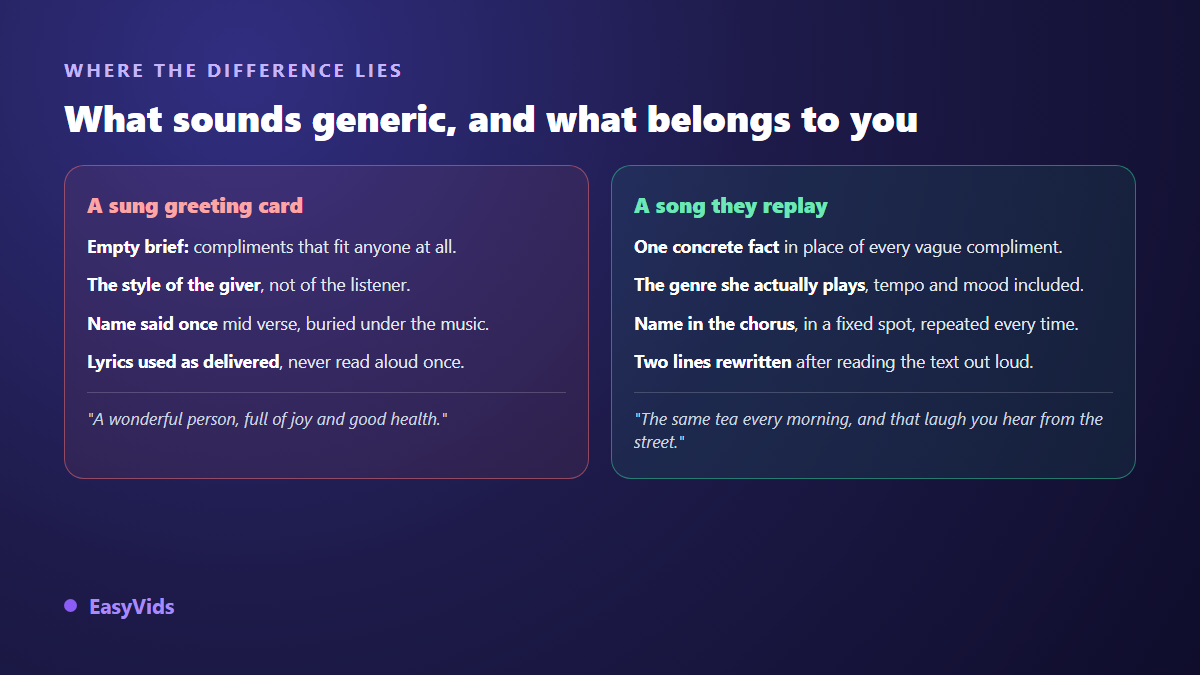
- An empty brief: with no anecdote, the text stays polite and interchangeable.
- The giver's taste instead of the taste of the person being celebrated.
- A name mentioned once, mid verse, where the music covers it.
- Lyrics used exactly as delivered, never read out loud.
- A song that runs long: past three minutes, a room drifts away.
- A first listen discovered on the day itself, on a speaker nobody tested.
Giving the song: four ways that work
The file alone already works, sent by message with one short line. Three other stagings work better. The dinner table, when the music starts with no warning and the room catches on by the second line. Headphones, sitting opposite the person, so you see the reaction. And the photo montage, where the song becomes the soundtrack of a memory video: our guide to photo slideshows with music explains how to land the images on the chorus.
Rights, publishing and transparency
For private use, an original song composed from your brief raises no cover question: you are not covering anything. Caution applies the other way round, if you plan to have a chart hit resung with new words, since the original work stays protected until it enters the public domain.
One obligation does target generated content. The European Union Artificial Intelligence Act, in its article 50, has required since 2 August 2026 that providers of systems producing synthetic audio mark those outputs in a machine readable format. For a family dinner this changes nothing. If you publish the song on a platform, our article on AI music and copyright sets out what to declare, and to whom.
The business case: a song in a brand's name
Not every occasion is intimate. A shop turns ten, a team says goodbye, a charity thanks its volunteers, a brand sends season's greetings. The brief barely changes: the first name becomes a company name, the anecdote becomes a verifiable in house fact, and the message ends on what you want listeners to remember. For a short format opening a video or an advert, our advertising jingle method fits better than a full song. Plans and how the credit system works are on the pricing page.
Frequently asked questions
Do I need to write or sing to create a personalized song?
No. You supply facts, not a finished text. The built in lyricist writes the verses and chorus, the composition engine sings and plays. Your job is to give true details, then read the lyrics out loud to catch the lines that ring false.
How long does the whole thing take?
Count five to ten minutes overall: two minutes to gather the brief, two or three to review and adjust the lyrics, one to four minutes of composition. Compute time is not the main cost, review is, and review is what you hear in the result.
Can a song cover two people, or a group?
Yes. The name field takes two names, which covers couples and duos, and the anecdote field lets you name a family, a team or a whole class. Past three or four names the chorus stops being singable: name the group once, and lean on shared details instead.
What language are the lyrics written in?
The built in lyricist writes in French. For another language, write or paste your own lyrics in the field provided: the composition engine sings the text you hand it, whatever the language, and the style field also accepts your own wording.
What if the result is nothing like what I pictured?
Revisit the brief before running it again. The cause is almost always a vague style or a text that stayed general. Sharpen the genre, add one concrete fact, shorten the chorus, then generate again. Your earlier lyrics stay in the history and reload without paying for the writing twice.
A personalized song needs no instrument and no gift for writing: ten minutes and one good anecdote are enough. Pick the occasion, write down what only you know about the person, let the composition handle the rest, then review before you give it. To try it on your next important date, create your account and open the Music Studio from the EasyVids studio.