A birthday in four days, a wedding on Saturday, a shop turning ten. You want to give a song, not another card. A real one, with the person's name in the chorus and a detail only your family will catch. No studio, no session musician, no singing required. Making a song with AI puts that within reach in about ten minutes, provided you work in the right order.
Most disappointing AI songs fail for the same reason: three words dropped into a box, one click, and the hope of a miracle. The engine knows nothing about the person, the story or the right tone. This tutorial walks the four steps between an intention and a file you can actually play, with what to write at each one. For the wider view of music engines and what they can produce, our guide to AI music generation sets the scene. Here, we build.
The short version
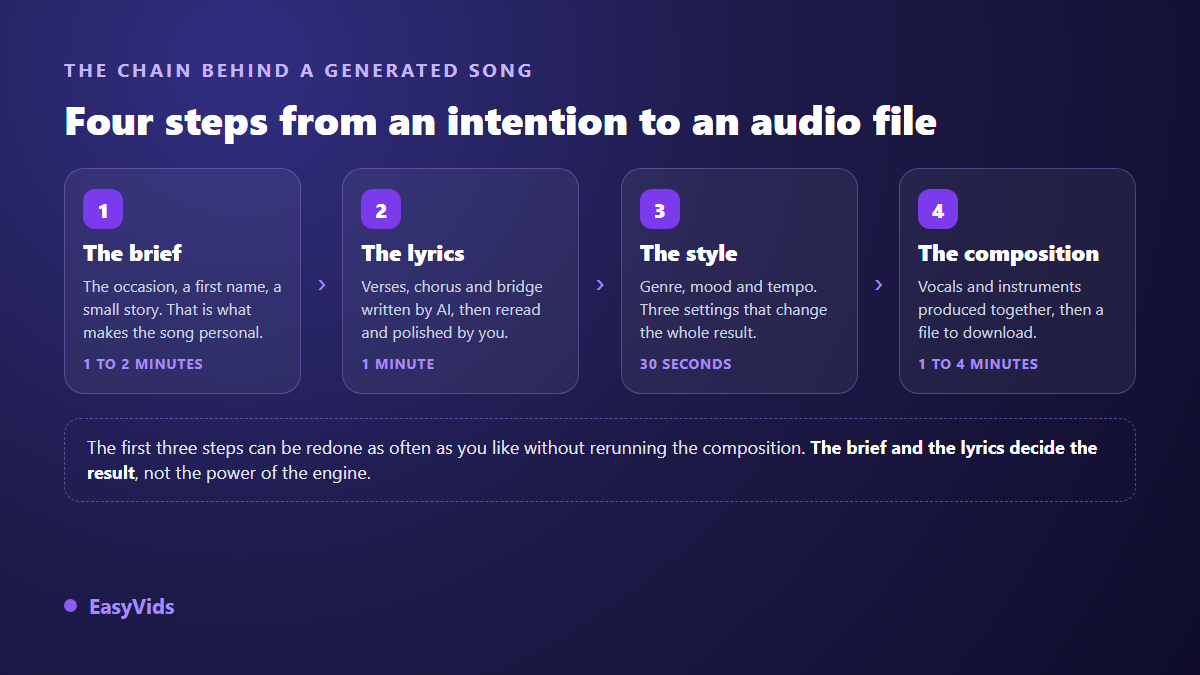
Pick the occasion, give a name and two or three true details. Have the lyrics written, read them out loud, cut whatever cannot be sung. Choose a genre, a mood and a tempo. Start the composition, wait one to four minutes, download the file. The brief and the lyrics decide most of the result: the engine only performs what you hand it.
What to prepare before you open the tool
Nothing technical, but three concrete things. The exact name, spelled the way it sounds. Two or three true details about the person or the event: a job, a habit, a phrase they always repeat, a place. And your intention in one sentence, something like « thank them without being solemn » or « make the whole table laugh before dessert ».
Those details are the only fuel the writing engine has. Without them it produces interchangeable compliments that could be addressed to anyone, which is the number one cause of lukewarm AI songs, long before voice quality or arrangement.
Step 1: the brief is what makes the song personal
The Music Studio starts from an occasion. Ten are offered ready to use, from birthday to wedding, from a new baby to praise, from a dedication to a tribute, plus a free field for everything else, professional uses included. Two fields follow: the name to weave into the song, and a message or an anecdote. They are optional on paper. In practice they are what separates generic filler from a song that belongs to someone.
A brief that works reads like this: « turning 25, loves dancing, off to study abroad, calls her mother before every exam ». Four facts, and suddenly the chorus has material to work with. Across our generations, briefs carrying at least one dated or located anecdote produce the sharpest lyrics, while briefs reduced to a first name produce polite, forgettable text.
Step 2: lyrics written by AI, then rewritten by you
One button asks the writing engine for lyrics based on the brief. The result comes back structured, with its section markers in brackets: verse, chorus, second verse, bridge. The internal instruction calls for a short, memorable chorus, concrete images instead of filler, and the name appearing naturally in the chorus and in at least one verse. The target length matches roughly ninety seconds to three minutes of singing. A title comes with it, and that title names your file and your entry in the history.
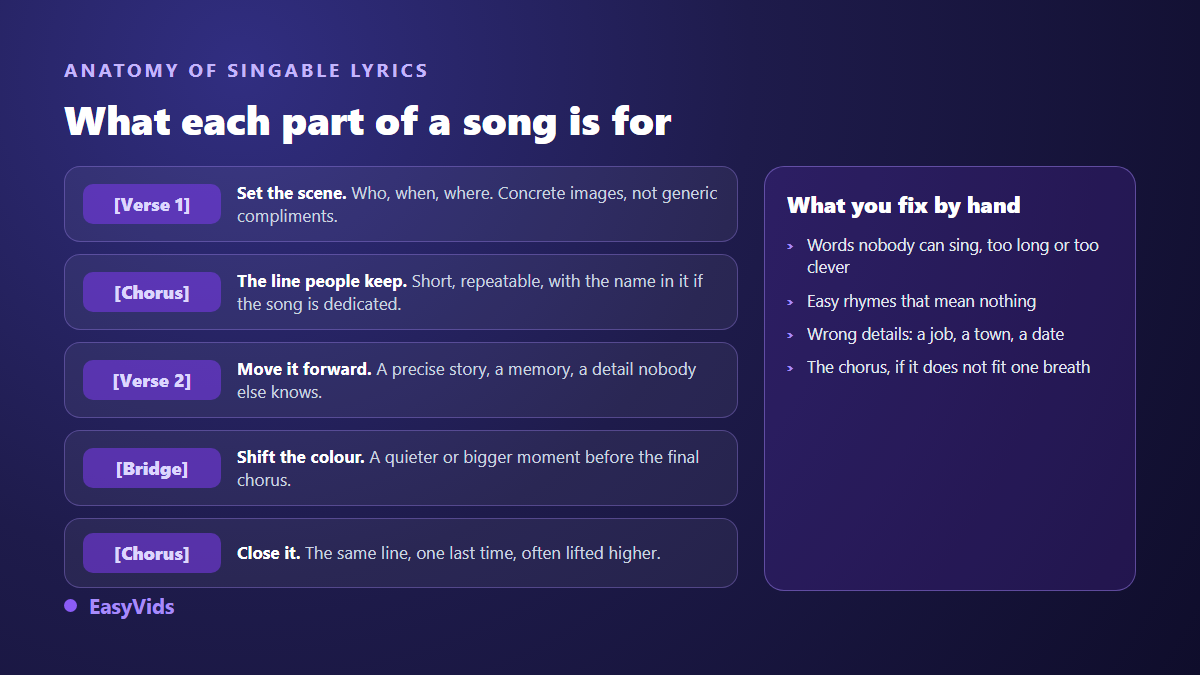
Do not regenerate three times in a row hoping for better. Read the text out loud, at the speed it will be sung. It is the most reliable test there is, and it takes a minute. Here is what it exposes almost every time.
- Words that are too long or too clever: they sing badly, swap them for short ones.
- Rhymes that sound good and mean nothing: cut them, even at the cost of the rhyme.
- False details: an invented job, a vague city, an age that does not add up.
- A chorus that will not fit in one breath: shorten it until it does.
- Identical line openings: three verses starting on the same word are heard instantly.
- Decorated section labels: keep the brackets plain, they guide the composition engine.
Every paid draft stays in your account history. You reload it later in one click, edit it and reuse it without paying for the writing again. Nothing forces you through the AI either: the field accepts your own lyrics, written entirely by hand, which is the better option whenever you already know what to say.
Step 3: genre, mood and tempo
Three settings, and they weigh as much as the text. The genre is picked from clickable suggestions, pop, gospel, RnB, rap, reggae, jazz, acoustic and a few more, or typed freely: nothing stops you asking for a rumba, a waltz or melodic drill. The mood works the same way: joyful, moving, danceable, romantic, solemn, epic. Tempo is slow, medium, fast, or left automatic.
The rule that avoids mush is short: one genre, one mood, one tempo. Stacking five contradictory adjectives produces a limp track that resembles nothing. If you are unsure how to phrase a musical intention, our music prompt examples sorted by genre give you wording to copy.
Step 4: composition, then critical listening
The generate button starts a task on the server side. You can close the page, shut the computer down and come back later: production continues without you and you find it in the same place. Expect one to four minutes. The delivered file is an MP3 at 44.1 kHz, named after your title, playable straight in the browser with a download button. A composition is only charged after it succeeds, so a technical failure costs you nothing. Plan details live on the pricing page, because they change.
Listen to the whole track before judging it. Then play it back on the device it will be heard on: a phone speaker is nothing like headphones, and a room PA even less. If the result misses, change one thing at a time, regenerate, compare. Changing genre, mood and lyrics at once tells you nothing about what fixed what.
Sung song or instrumental: decide before you generate
The same page makes both. A checkbox switches to instrumental, composing a track with no vocals from your brief. That is the right call when the music sits under a voice over, under a slideshow or behind an intro. For a brand sound signature, our method for building an advertising jingle shows how to say something in a handful of seconds.
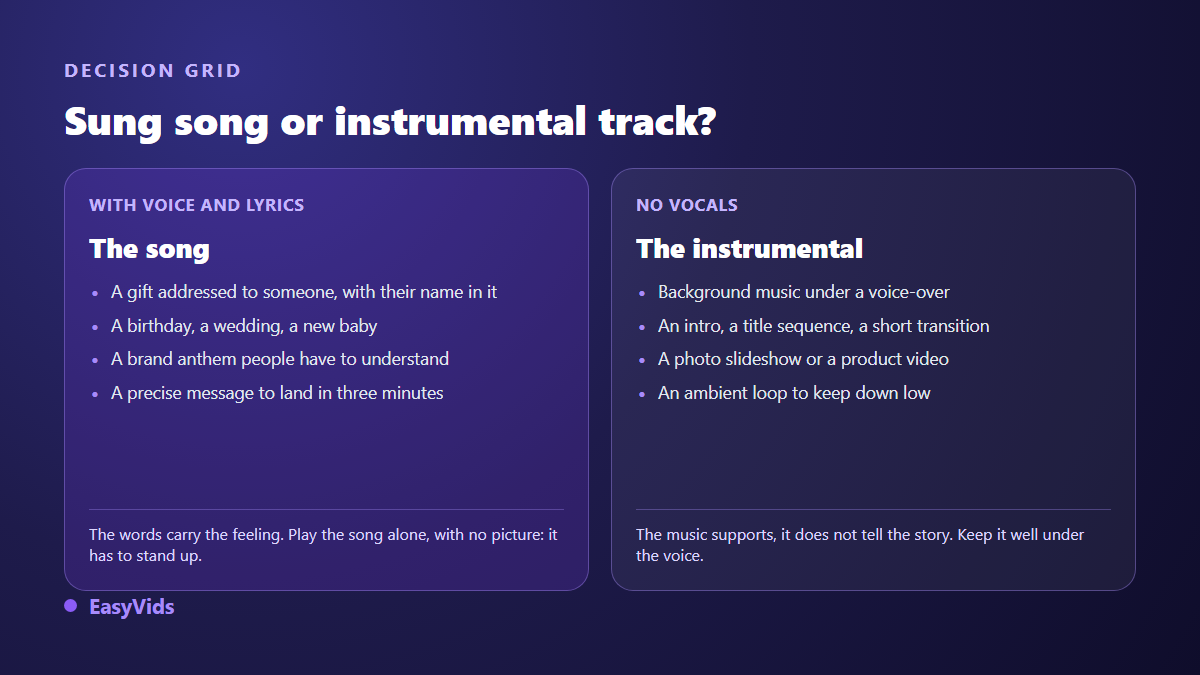
The deciding test is simple. A song has to stand up played alone, with no images and no context. An instrumental has to go unnoticed on first listen and make you want to stay on the second.
What AI gets right, and what it still misses
Plainly said: current engines deliver convincing sung vocals, clean arrangements and choruses that stick on first listen. They still stumble on three things. Rare names and place names sometimes come out mispronounced. Exact duration stays approximate. And sharp rhythm breaks in the middle of a track tend to get smoothed over.
The workarounds are easy. Spell a difficult name phonetically inside the lyrics, however ugly it looks on the page: nobody reads the text, everybody hears it, a trick that pays off just as well when you turn a written script into a natural sounding voice, and even more so when that narration has to carry your own timbre, since cloning a voice runs through five clear steps where the recorded sample decides how faithful the result is. Aim for a song slightly shorter than you need rather than longer. And if a single passage bothers you, cut it in the editor instead of recomposing everything.
What to do with the file once it is downloaded
An MP3 can be sent as it is, copied to a USB stick for a venue, or dropped into a video. In the online editor, dropping the file onto the timeline creates an audio track with volume and fade controls. The most requested edit stays the simplest: a run of photos, the song over them, a closing line of text. Our guide to photo slideshows with music walks that edit end to end.
Usage rights and publishing platforms
Two different questions, often confused. First, what are you allowed to do with the song? The answer sits in the terms of use of the service that produced it, worth reading once before building anything commercial on top. Second, what happens when you publish? According to the YouTube help centre, Content ID compares the soundtrack of every uploaded video against a catalogue of references filed by rights holders, then flags the matches. A track composed for you is not in that catalogue, which never removes the need to check before a high stakes upload. What you are allowed to publish with AI music covers the question in detail.
Frequently asked questions
Do I need to sing or play an instrument?
No. You write a brief, the tool handles the words, the voice and the instrumentation. The only useful skill is your ear: being able to say whether a chorus sticks. It sharpens quickly by listening to two versions back to back.
Can the song include someone's name?
Yes, and that is the heart of the method. A dedicated field takes the name, which then returns in the chorus and in at least one verse. If it is rare or awkward to pronounce, write it phonetically in the lyrics before composing.
How long does a complete song take?
Composition runs one to four minutes. Counting the brief, the lyric review and a second attempt if the first misses, plan for about ten minutes end to end. Most of that time goes into reading, not computing.
Can I close the page while it composes?
Yes. Production runs on our servers, not in your browser. Leave the page, switch device or come back the next day: the song waits in your account history, ready to play again and download.
The gap between an AI song that lands and one that gets forgotten has nothing to do with the engine. It comes down to the two or three true details you bothered to put in the brief, and the five minutes spent reading the lyrics out loud. Take those minutes. To compose yours now, creating an account opens the Music Studio, and the EasyVids studio keeps songs, voice over and video editing in one place.