You have a flow in your head and nothing to put it on. No MIDI keyboard, no DAW, no music theory, and no appetite for commissioning an instrumental you may never finish. That is where almost everyone starts with an AI beat maker: a clear idea, zero gear, and the feeling that the technical step is too high.
That step has moved. It no longer sits in the equipment, it sits in how you describe what you want to hear. A music engine does not guess your intent: it reads your description and quietly fills in every box you left empty. This guide covers what these engines really produce, how to write a brief that grooves, and what remains to be done afterwards to turn a clip into a usable instrumental. If the field is new to you, our complete guide to AI music generation sets the scene before we get into beats.
AI beat maker: the short answer
Describe the track in five blocks: genre, tempo, the instruments that carry it, the mood, and the role of the beat. Turn on the instrumental option to cut the vocals. Generate, listen on headphones, then rerun after changing a single word if the result drifts. You get an audio file you load into an editor to loop it, extend it and lay a vocal on top. Minutes separate the idea from the file, with no microphone, no keyboard and no sheet music.
What a music engine makes, and what it does not
An AI beat maker returns a track that is already mixed. You receive a finished blend, not an open session. That distinction explains nearly every disappointment among people arriving from traditional production. There are no separate stems to rebalance, no MIDI file to rewrite, no grid where you can drag a note. Whatever the engine decides, it decides in one pass.
This changes your working method. Everything you want must be requested before generation, not fixed afterwards. A producer used to pulling the snare down at the end will look for a fader that does not exist. Write restrained snare, sitting back in the mix in the description instead, then rerun. The controls are words, and that skill takes one evening to pick up.
The five block brief, the only skill that matters
A beat brief fits into five pieces of information. Every block you leave out will be filled by the engine, and it will pick the most ordinary option available.
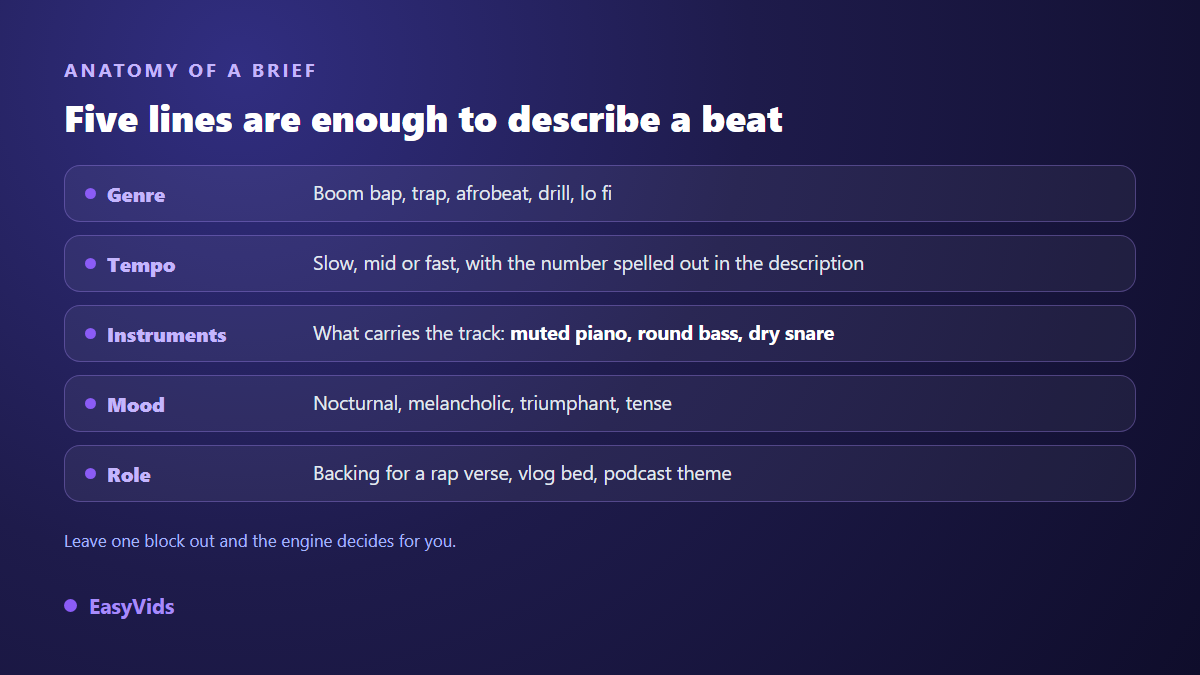
- Genre: boom bap, trap, drill, afrobeat, lo fi, house. One precise word beats « modern », which means nothing to an engine.
- Tempo: slow, medium or fast in the form, plus the figure written out in the description when you have one in mind.
- Carrying instruments: two or three are enough. Muted piano, round bass, dry snare, distant string pad.
- Mood: nocturnal, melancholic, triumphant, tense. This is what sets the colour of the whole track.
- Role: instrumental for a rap verse, vlog bed, podcast theme. The arrangement changes with the job the track has to do.
A complete example reads: boom bap instrumental, slow tempo around 88 beats per minute, muted piano on a short loop, round bass, dry drums, nocturnal and melancholic mood, sparse arrangement to leave room for a rap verse. Thirty words, five blocks, and a result that has nothing to do with what a two word request returns.
Tempo and genre, the two words that decide everything else
Tempo is the field beginners skip most often, even though it defines the identity of the track. Genre conventions are a useful starting point: boom bap usually sits between 85 and 95 beats per minute, trap is written around 140 but heard in half time, drill runs slightly higher, house stays near 125. These are listening habits your audience has absorbed, not rules.
Exact tempo is still not guaranteed. Current engines read your figure as a strong hint, not as a clock setting. Write it anyway, then check by tapping your foot: if the track pulls you elsewhere, rerun rather than settle. On phrasing itself, our library of music prompts by genre and mood offers wordings you can adapt directly.
From brief to a file sitting in your project
Six steps separate the urge from a usable instrumental. None of them requires technical skill, and each one can be redone on its own: a single disappointing detail never forces you back to the brief.
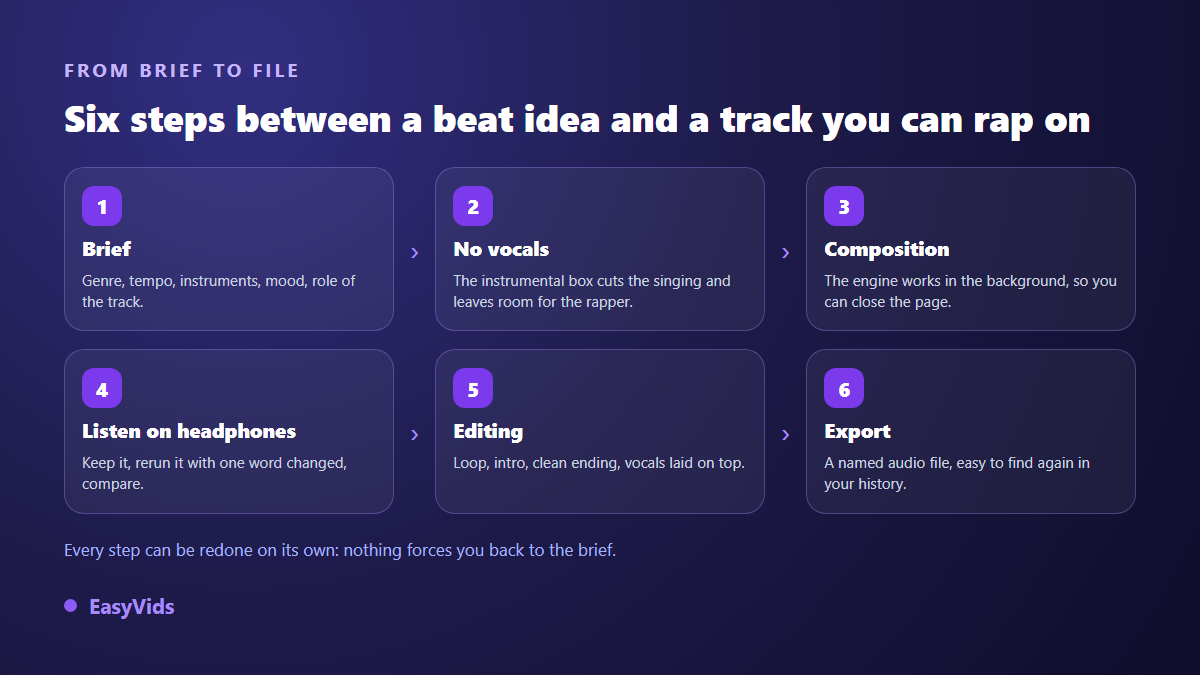
Inside the EasyVids Music Studio the path is linear. You start from a brief, pick a genre from the suggestions or type your own, add a mood and a tempo, then tick the instrumental option to get a track without vocals. Generation runs as a background job: the page can be closed and picks the job back up when you return. Past tracks stay in a history where you replay and download them again at no extra cost.
The title you give a track is not decoration: it names the downloaded file and the history entry. Across a session where you produce eight variants of one idea, it is the only thing that lets you find the good one three days later. The EasyVids studio keeps music, voice over and editing in one place, which saves juggling three services for a single track.
Short instrumental or full track: which one to pick
Two different objects hide behind the word beat. The first is a short instrumental, around thirty seconds, composed purely from your description. That is the format for a theme, a transition, a video bed or a loop you will repeat in the edit. The second is a full track, where the engine builds a whole structure and will sing unless you tell it not to.
For a beat that will carry a vocal, always take the version without singing. A generated song occupies the midrange, exactly where your voice needs to sit, and no amount of mixing fully rescues that overlap. The instrumental switch is not a convenience: it is what frees the space.
The two formats work well together. Many creators generate a short instrumental first to validate a direction, then run a full track once they know what they are after. The first pass is a sketch, the second is the master. What each plan includes is listed on the pricing page, which stays the up to date reference.
Looping and extending happens in the edit, not in the brief
A thirty second instrumental will not fill a three minute song, and that is fine. Extending is editing work, not generation work. You load the audio into an editor, find a clean loop, and repeat it as many times as needed. The EasyVids online editor accepts audio imports the same way it accepts images and video: your beat becomes a track you cut, duplicate and move.
One habit makes all the difference: cut on the downbeat. A loop chopped at random is heard instantly, because the ear waits for an accent that never lands. Spot the peaks in the waveform, place your cut just before one of them, and the repetition disappears. That is the only technical idea in this guide, and it takes ten minutes to learn.
To smooth the joins, a sound library ships with the editor: musical stingers, transitions and short impacts produced in house. The catalogue covers musical glue, not realistic sound effects. You will find what you need to link two loops, not a door slam or breaking glass.
Leaving room for the voice
A beat that sounds great alone often buries the vocal placed on top of it. Ask for a sparse arrangement right in the brief: fewer simultaneous instruments, a cleared midrange, pads kept in the background. An experienced producer fixes this at the mixing stage, you fix it with words, and for creator work the outcome is comparable.
The second habit belongs to the edit. Voice in front, music well below it, around a fifth of its level for spoken narration and a little higher for a sung verse. Always check on headphones and on a phone speaker, because that is where most of your audience will listen. Worth knowing for the release stage: Spotify documentation for artists states that tracks are loudness normalised on playback around -14 LUFS, which removes any benefit from artificially pushing your export.
The mistakes that make a generated beat fall flat
A weak AI beat is easy to spot, and the engine is rarely to blame. Four habits show up again and again, all fixable in one generation.
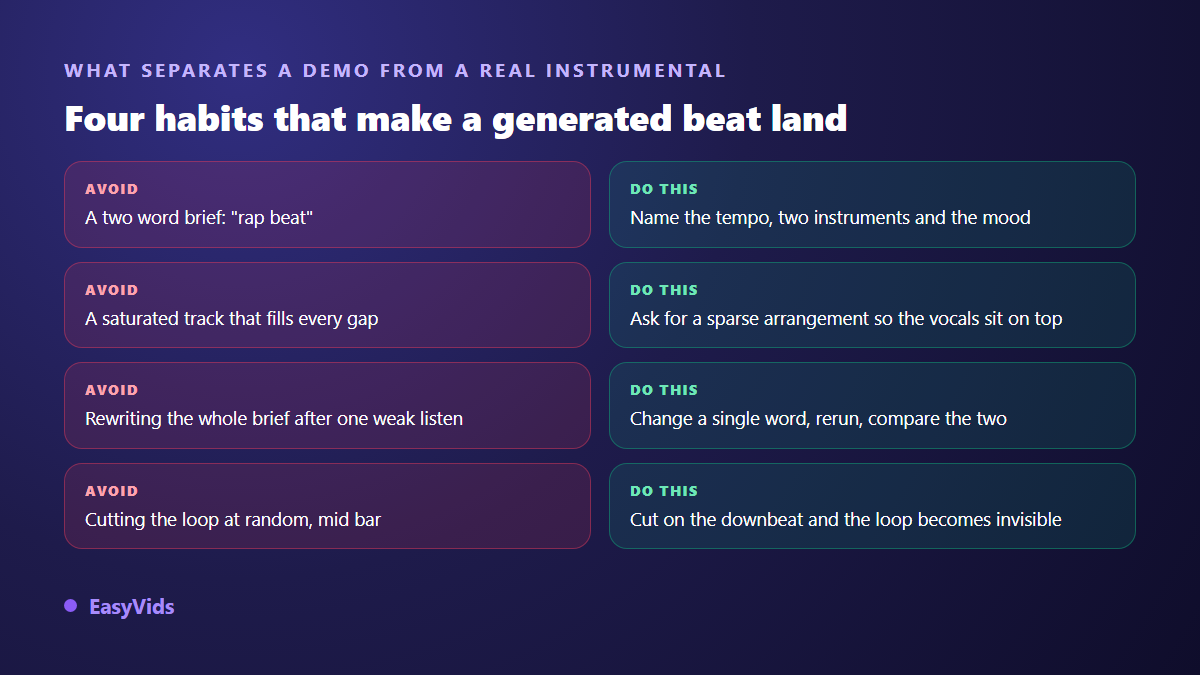
- A two word brief, which leaves four parameters out of five to the engine.
- Piling up contradictory adjectives: epic, intimate, danceable, melancholic describes nothing at all.
- Rewriting the whole brief after a disappointing take, which loses what already worked.
- Listening on laptop speakers, which hides the low end completely.
- Generating with no title, then failing to find the track in the history the next day.
The method that works runs against instinct: one variable at a time. Change the tempo and nothing else, rerun, compare the two takes. Four runs done that way teach you what drives your sound. Four random runs leave you with four tracks and no favourite.
Releasing, selling and monetising a generated beat
The question arrives with the first good track, and it deserves a precise answer. On ownership, the guidance published in March 2023 by the United States Copyright Office states that the portion of a work produced without human creative input is not registrable. That does not stop you using your beat or licensing it under the terms of the tool that made it, but it limits what you can protect. The three overlapping rights on any track are unpacked in our file on AI music and copyright.
On distribution, two points are worth knowing before you publish. The YouTube help centre explains that a Content ID claim does not remove the video but can redirect its revenue to the declared rights holder, which happens more often than expected when a generated track resembles something already registered. And the European Union artificial intelligence regulation has applied its transparency obligations since 2 August 2026, including labelling of synthetic content. The video platform case is covered in our guide to monetising AI music on YouTube.
Frequently asked questions
Do I need music theory to use an AI beat maker?
No. You describe the track in plain words and judge the result by ear. No scales, no chords, no notation. The useful vocabulary is a handful of descriptive terms: slow, dry, muted, sparse, nocturnal.
Can I set an exact tempo in beats per minute?
You can state it in the description, and engines treat it as a strong hint. The form itself offers three levels: slow, medium and fast. Exact tempo is not guaranteed, so check by ear before building a whole song on it.
Can I get the separate stems of my beat?
No. The engine returns a finished mix, not a session with drums on one track and bass on another. If you want an element pushed back, ask for it in the brief and rerun. That is the only lever available today, and it works better than it sounds.
How long does generating a beat take?
Expect anywhere from a few dozen seconds to a few minutes depending on the length requested. Composition runs server side: you can close the page, do something else and come back to find the track waiting in your history.
Can I sell an AI generated beat?
It depends on the licence of the tool you used, and that is the first document to read. Note that the machine generated portion is not registrable as a protected work in the United States, according to the Copyright Office guidance of March 2023: you are selling a file and its use, not exclusivity.
Learning to make beats with AI is not about software or theory: it is about the precision of your words and your patience in comparing two takes. Spend one evening writing five briefs that differ by a single variable, listen on headphones, and you will describe your sound better than most people who own a studio. To start your first instrumental with no gear at all, creating a free account opens the Music Studio and the editor that goes with it.