You have a story idea, and it fits in one sentence. A woman opens a letter meant for someone else. A village empties out although nobody leaves. The idea is not the hard part. What stops you comes next: finding a structure, holding tension for three minutes, writing a text that sounds spoken rather than read. An AI story generator exists to close that gap, provided you know what to ask it for.
Most tools stop at the text. You get a few decent paragraphs, and the real question stays open: how do you turn them into images, a voice, a film. This guide walks the whole chain, from the one line idea to a story cut into scenes ready to illustrate.
The short answer
An AI story generator turns a one sentence idea into a complete narrative sized to a duration. You supply the idea, a tone and a length; the tool writes for the ear, then splits the result into paragraphs that become scenes. A story is ready to film when three things are true: every paragraph runs five to fifteen seconds of voice over, characters keep the same name from start to finish, and each scene is easy to picture. Until then you have a text, not a film in the making.
What separates a good text from a filmable story
An article and a spoken story follow different rules. Readers scroll back when they lose the thread; viewers simply leave. A filmable story therefore moves in small self contained units, each carried by one clear mental image, the same discipline that makes a sixty second explainer video land. That constraint should shape your brief long before any question of style.
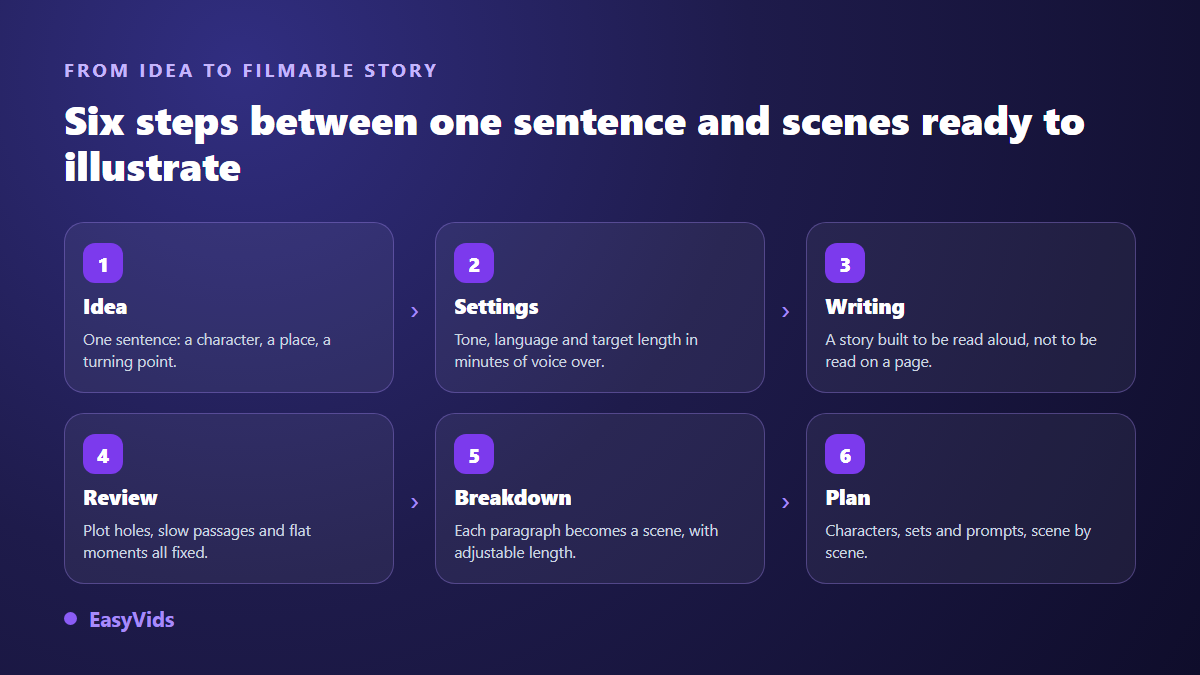
There are six steps, and each one shapes the next. Skip the length setting and you get a text you will have to amputate. Skip the review and a character quietly changes name halfway through. Skip the scene split and you are left with a wall of text nobody knows how to illustrate.
Step 1: write the one line idea
A one line idea is not a summary, it is an engine. The best ones carry three things: a character, a situation that tips over, and a stake the viewer grasps immediately. "A grandmother finds a light at the far end of her garden" beats "a mystery story in a village", because the first sentence already forces an image, a place and a question. The generator does not guess what interests you, it expands what you give it.
Resist the urge to write a paragraph of instructions to compensate for a vague idea. One short precise sentence, followed by two or three separate notes on pace, period or ending, beats a block where everything blurs together.
Step 2: set length, tone and language before you run it
This is the highest return setting, and the one most people skip. Think in minutes of video rather than word counts: one minute of voice over is roughly 150 words, about 1,000 characters. A three minute story therefore aims at around 450 words. A text sized from the start spares you the brutal cuts that wreck the rhythm during editing.
- Target length, expressed in minutes of voice over rather than words.
- Tone: narrative, dramatic, inspiring, documentary, suspense. Left on automatic, it is picked from the idea itself.
- Writing language, which need not match the language of your idea.
- Fact lookup, valuable for biography or history, unhelpful for pure fiction.
- A closing call to action, when the video ends on an invitation to subscribe.
- Your standing instructions: quote precise dates, avoid certain words, end on a question.
Step 3: have the draft reviewed before you keep it
A first draft is rarely good, even when it reads smoothly. The typical flaws only surface on review: a timeline that contradicts itself, a character whose name drifts, a sagging middle, a length far above the brief. The fix is a critical pass over the text, followed by a rewrite of the flagged passages only. Those same flaws double as a test when you compare tools: the seven observable signs of a solid script generator turns them into criteria you can check.
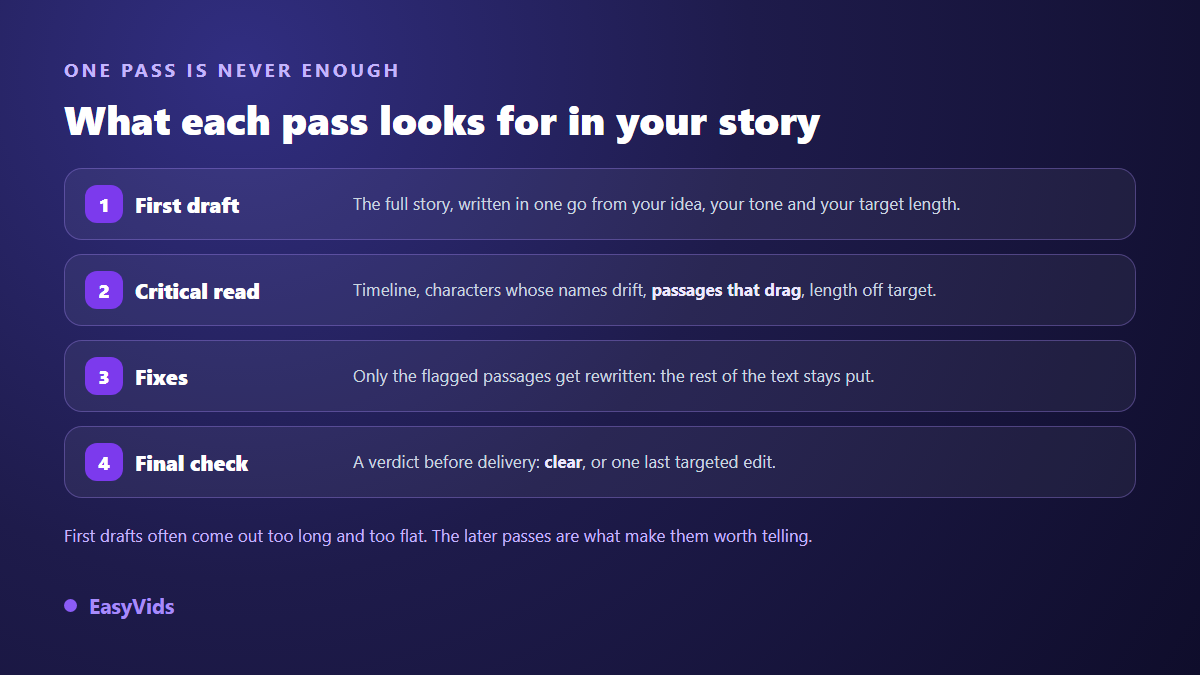
That is the logic behind the multi pass writing in the EasyVids studio: first draft, critical review, targeted corrections, then a final check before delivery. The gain shows most on long narratives, where a model's attention loosens as the text stretches. On short formats a single pass is usually enough, and writing continues on our servers even if you close the page.
Step 4: cut the story into scenes
Splitting is what makes a story filmable. Each paragraph becomes a scene, with its text, its visual and its fragment of voice. One rule saves most videos: a scene runs five to fifteen seconds of voice, roughly fifteen to forty words. Below that, viewers cannot take in the image. Above it, they drift away.
A good AI story generator writes in short paragraphs for exactly this reason: the split then follows the natural punctuation of the story, never cutting mid sentence. You keep control of the target duration per scene, and the number of shots recalculates as you adjust it.
Step 5: from text to production plan
One step remains, and most tools leave it to you. A story cut into scenes is not enough to produce consistent images: you need to know what each character looks like, what each location looks like, and which visual direction holds the whole thing together. That is what a production plan is for.
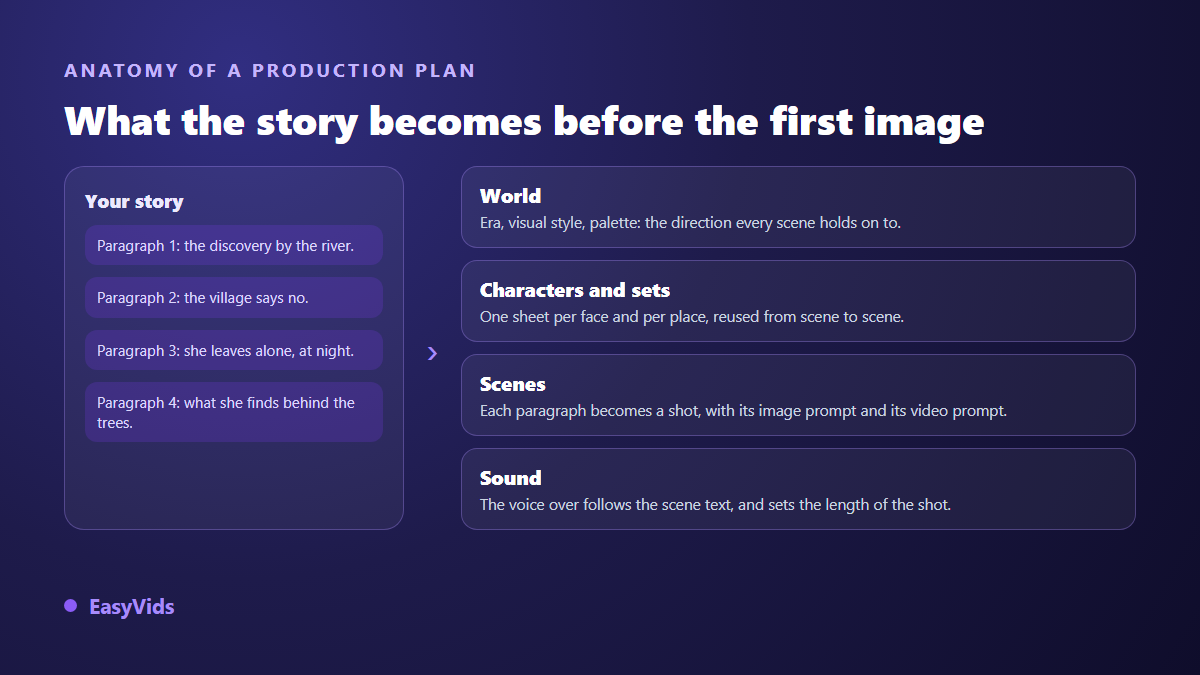
The EasyVids Director reads the narrative and derives one sheet per character and per location, a shared visual universe, then one scene per paragraph with its image prompt, its video prompt and its narration. You can stop at stills for a consistent storyboard, or go all the way to an edited video. The wider chain is covered in our complete guide to AI video generators.
This also explains why a character keeps the same face from shot to shot: the description is fixed once, in the sheet, then reused by every scene that references it. Without a plan, each prompt starts from scratch and the face drifts.
The flaws of a story generated without method
They repeat from one tool to the next, and viewers spot them within seconds.
- An opening that explains context instead of entering the action.
- Three line sentences nobody can say in one breath.
- The same opening word at the head of several paragraphs in a row.
- Generic first names and unnamed places, which make the story interchangeable.
- An ending that spells out the moral instead of letting it live in the story.
- A length left open, so a text that overshoots the target duration.
Frequently asked questions
Is a one line idea really enough?
Yes, as long as it holds a character and a turning point. "A man comes home and finds the door open" is plenty. "A sad story" is not: nothing in it is concrete, and the text will be as vague as the brief.
How long should a story be for a three minute video?
Around 450 words, based on 150 words per minute of voice over. The average shifts a little with the speaking rate of the chosen voice and with punctuation, but it gives a reliable target before you write a single line.
Can AI written stories be monetised on YouTube?
Yes. According to the YouTube help centre, the inauthentic content policy targets repetitive mass produced material with no real contribution, not the use of AI tools as such. An original narrative, a carefully handled voice and a deliberate edit stay well inside the rules.
Can I write in one language and produce in another?
Yes. The writing language is chosen independently from your idea: you can describe the idea in one language and ask for the story in another, then pick a voice in the language of the delivered text.
What should I do when the generated story disappoints me?
Do not send the same brief again hoping for better. Change one parameter at a time: tighten the idea, impose a tone, cut the duration, or add a note about the ending. Most disappointing drafts come from a brief that was too broad, not from the model that handled it.
A story ready to film does not take a novelist's talent, it takes a precise brief and a little method: a one line idea, a target duration, a review, an even scene split. The rest follows. To try it on your own idea, creating an account opens writing, splitting and the production plan in one place.