The story took minutes to write. The illustrations look lovely. Then you open the file page by page and the doubt sets in: the boy on page 4 does not quite have the same face on page 9, his jacket has shifted colour by page 15, and he looks two years older before the end. Anyone who tries to make a children's book with AI hits that wall. The text was never the problem.
This is not a model quality issue, it is a method issue. An image generator keeps no memory between two requests. As long as you describe your hero in words, you get a child who matches your description, never the same child twice. The fix takes one move, and this guide walks it from the first paragraph to a print ready file. If you have never assembled a full book before, our guide to creating an ebook with AI sets the wider scene first.
The short answer
To keep one hero identical across a whole children's book: write the complete story first, build a character sheet (age, build, hair, one outfit worn throughout, a signature object), generate a single reference portrait and approve it, then produce every illustration by attaching that portrait as an input image instead of describing the character again. Hold one visual style from cover to cover, lay out text and images, export to PDF. In our tests a twenty page book takes half a day, and most of that time goes into sorting images rather than waiting on compute.
Why the face drifts from page to page
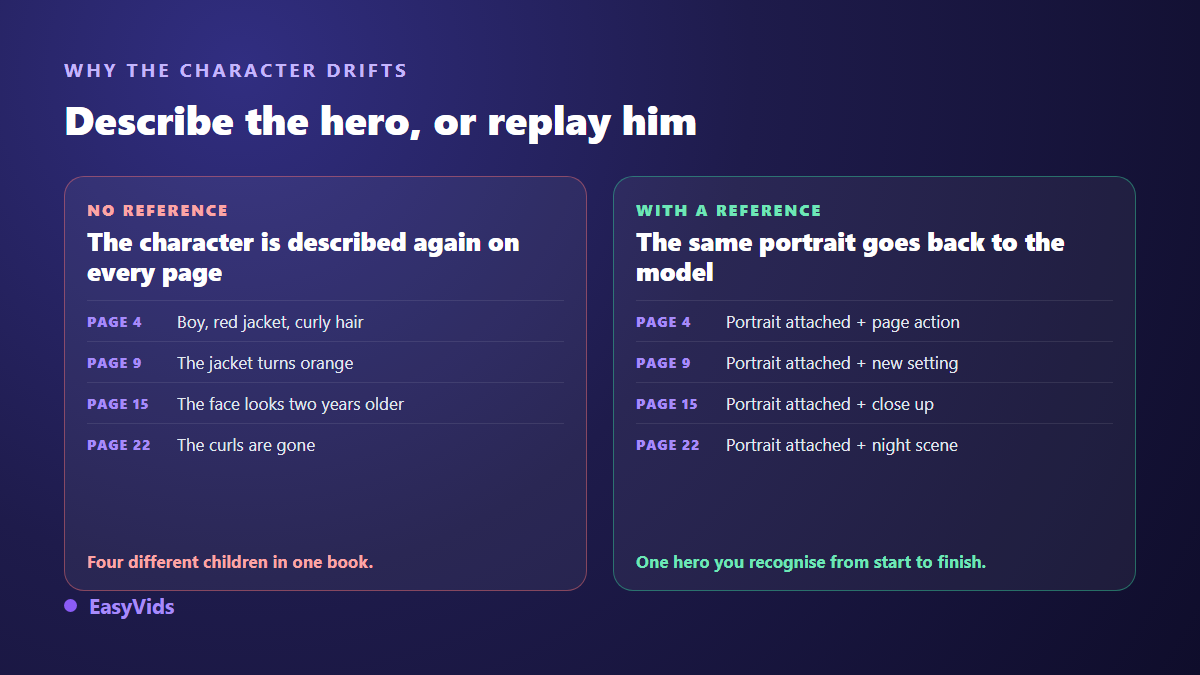
An image model treats every request as the first one. It has no idea what it drew ten minutes ago, and no reason to reproduce a face it has never seen. A written description, however long, still leaves thousands of valid results. « Seven year old boy, curly brown hair, red jacket » describes a whole family of children, not one child, and the model picks a different one each time.
Piling on adjectives only slows the drift down. Three sentences of description give closer faces, never the same face, and the gap is obvious once two pages sit side by side. The only way to make a character converge is to hand the model an image rather than a text. Video suffers from exactly the same mechanism, as we explain in our piece on the AI character whose face keeps changing.
Step 1: write the story before you think about pictures
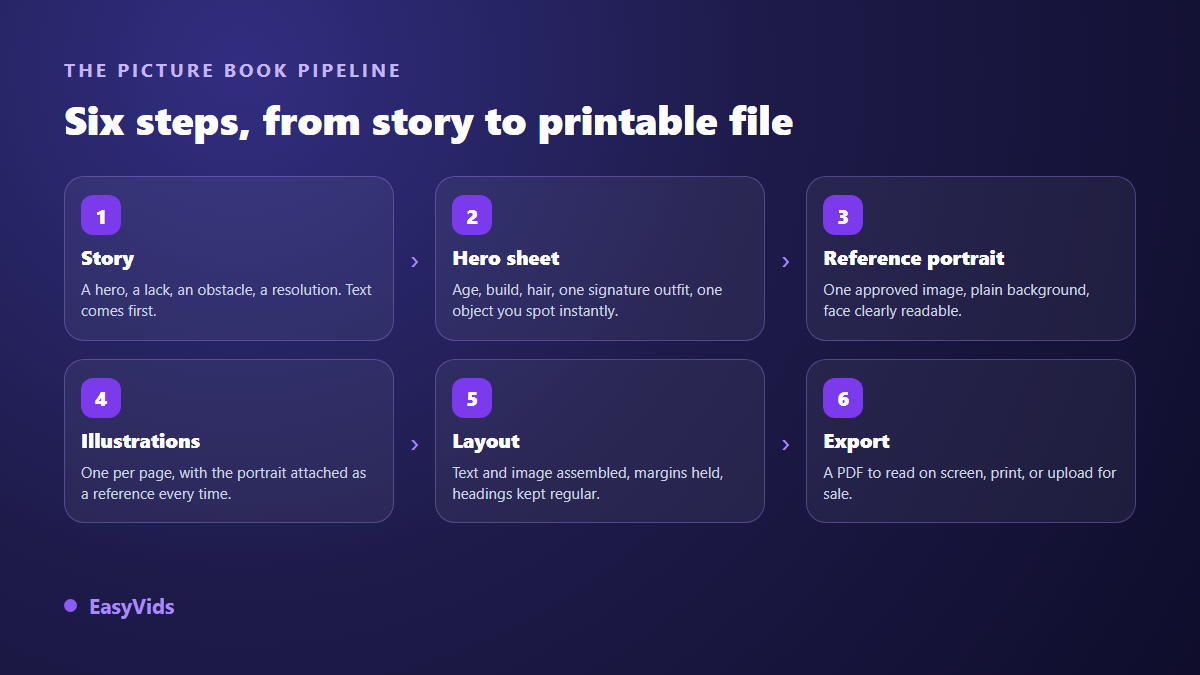
The order decides everything that follows. A children's story rests on a simple frame: a hero you recognise in two sentences, a want or a lack, an obstacle, an attempt that fails, and a resolution that belongs to the hero rather than to a rescuing adult. Write that frame, then cut the story into pages. Pictures come afterwards, because each one has to illustrate a precise moment.
Format gives you a useful frame. Picture books traditionally land on 32 pages, a direct inheritance from printing: sheets fold into signatures of 16 pages, and multiples of 16 waste no paper. Nothing forces that convention on a book read from a screen, but it suggests a sound target: roughly 24 to 28 story pages, one to three sentences per page for ages 3 to 6, a short paragraph for ages 6 to 9. Read every page aloud as you write. These books live out loud, and a sentence that stumbles now will stumble at bedtime.
Step 2: a character sheet, then one reference portrait
The sheet fits in ten lines. Name, apparent age, height against adults, face shape, hair, the one outfit worn from start to finish, a signature object. That single outfit is your strongest ally: a child recognises a striped scarf or a green satchel long before facial features. Then generate several portraits and keep exactly one. Neutral background, waist up, clearly readable face, soft light with no hard shadow. That portrait becomes the single source of truth for the entire book, and five minutes of sorting here saves a full rebuild three days later. The complete approach lives in our guide to consistent AI characters.
Step 3: illustrate page by page without dropping the reference
Every illustration is requested the same way: attach the approved portrait as a reference image, then describe only what changes. Not every image model accepts input images, and the ones that refuse them are the wrong tool here. Inside the EasyVids studio, compatible models show a drop zone under the prompt field and take up to five references depending on the model: the hero, a recurring set, a secondary character. To write the sheet itself, our character prompt method gives wording that holds up.
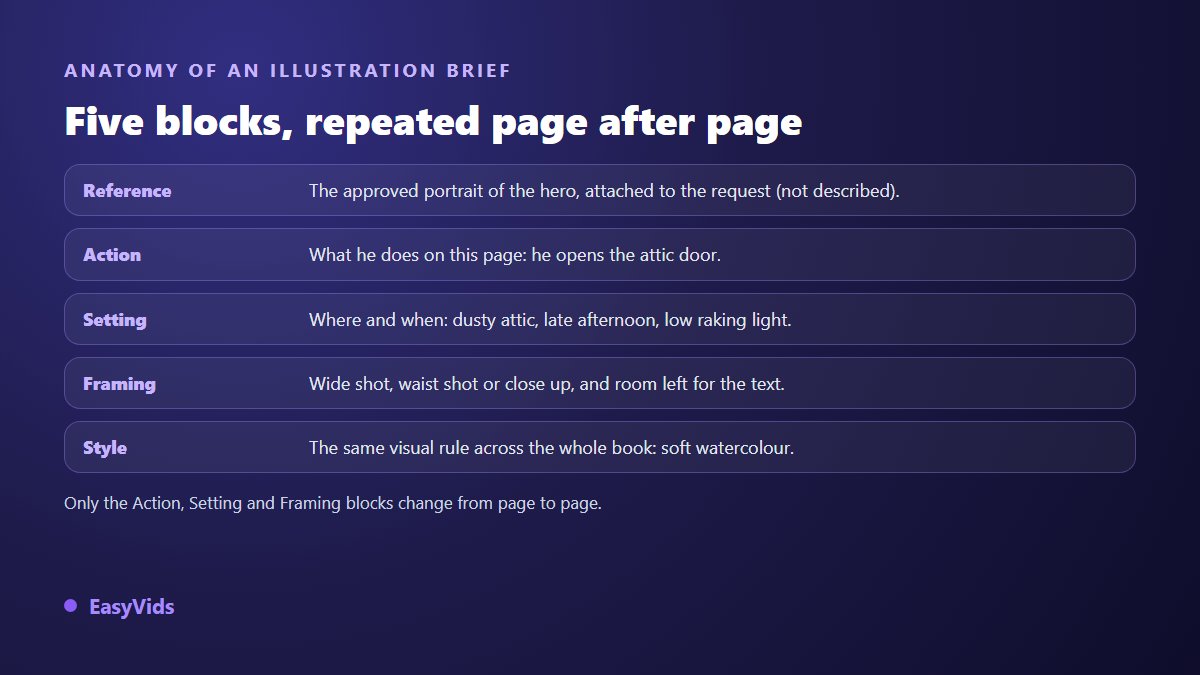
- Reference: the approved portrait, attached to the request. You stop describing the hero in words.
- Action: what happens on this page, in one concrete visible sentence.
- Setting: the place, the time of day, the quality of the light.
- Framing: wide to establish, close for emotion, plus the area left free for text.
- Style: the same visual formula copied word for word on every page.
A secondary character works the same way: its own reference portrait, attached alongside the hero when both appear. Recurring settings deserve the same discipline, so the bedroom does not grow a new window every page. Keep those references in one folder named page by page. It is the dull part of the job, and it is the part readers feel.
Pick a visual style early, then leave it alone
Picture books do not forgive mixing. A watercolour opening followed by a photographic image halfway through, and the book loses its unity. Choose one direction and hold it: soft watercolour, flat modern illustration, gentle 3D, ink sketch, or a retro print look. The studio offers those starting points and also accepts your own wording. Then copy the same style formula into every prompt, word for word, because one changed adjective is enough to tip the render.
Step 4: layout and export
The Ebooks studio handles the book side. You give the subject, the language (French, English, Spanish or Portuguese), the target length and how many illustrations you want, then the engine proposes an outline you can edit before any writing starts. It writes, proofreads, illustrates and assembles a laid out book with its cover, contents and rights page carrying your author name if you supply one. The PDF downloads from the same screen. An in depth consistency pass can reread the whole book in one go, catching what chunked proofreading always misses: a name that shifts, an age that moves, an opening promise never kept.
One honest point, because it decides your method: illustrations produced automatically by that studio come from written prompts, not from your reference portrait. For a book carried by one hero, generate the images separately with the reference attached, then place each one facing its text. Both routes are valid. The automatic studio suits an illustrated non fiction book or a collection of short stories where each tale has its own character, while the manual route wins as soon as a single hero runs through the whole book. Credit use depends on the number of images and the model, and the pricing page keeps the current detail.
Mistakes that spoil a children's book
- Describing the hero again on every page instead of attaching the portrait.
- Changing the outfit halfway through: children lose the thread before adults do.
- Mixing techniques, a drawing here, a photographic image there.
- Overloading the page with text: past three sentences, young readers drift.
- Forgetting to leave a quiet area in the image, then dropping the text over a face.
- Handing the moral to an adult at the end, when the resolution belongs to the hero.
Reading it aloud: the video version
A book built page by page turns into a read aloud video quickly. The illustrations already exist, so all that is missing is narration and an edit that holds each image for the length of its sentence. It travels well to family far away, and it tests a series on real children before you commit to printing. The steps sit in our method for turning a text into a narrated video, with a rule that also applies at bedtime: a voice that breathes carries further than a fast read.
Give it, print it or sell it
Three uses coexist. Give the book, printing the PDF at home or through a print on demand service. Share it, sending the file or its video version to family. Sell it on a self publishing platform. On that last point, the Kindle Direct Publishing content guidelines have required, since 2023, that any AI generated text, illustration or translation be declared when you upload. That declaration stays internal to the platform and does not block publication. What it covers exactly, and which categories actually find readers, are set out in our guide to publishing on Amazon KDP. The wording of these rules changes from time to time, so read the official page before uploading rather than a dated forum thread.
Frequently asked questions
Can the character really stay the same on every page?
Yes, provided you work from a reference image and a model that accepts input images. The likeness is not pixel perfect, and it is far more than enough for a child to recognise the hero without hesitation. Expect to discard a few images along the way: regenerating an off model page is part of the normal job.
Do I need to draw or write well to start?
No, but you do need to judge well. The tool proposes, you choose. The decisions that matter stay human: the character sheet, the portrait you approve, the page breaks, the images you reject. That judgement is what separates a pleasant book from a pile of generated pictures.
How many pages should a first book have?
Aim short. Twenty illustrated pages carry a complete story for ages 3 to 6. An overlong first project stalls halfway, and the fatigue shows in the final illustrations. Finishing a small book beats abandoning a big one.
Can I publish the same book in another language?
Yes, and it is the cheapest way to double the reach of one project. The studio writes in French, English, Spanish and Portuguese, so a second edition reuses your existing illustrations with no image work at all. Have a native speaker read it aloud before publishing.
Can an AI illustrated children's book be sold and protected?
It can be sold, as long as you make the declaration your self publishing platform asks for. On protection, the guidance published in 2023 by the United States Copyright Office holds that purely machine generated material is not protectable, while the human contribution, your text and your composition choices, remains yours. Rules differ by country, so a commercial project deserves a check with the relevant office.
A good children's book does not depend on model power. It depends on one early decision: lock the hero once, then replay him on every page instead of describing him again. Write the story, approve a portrait, illustrate page by page, read it aloud. To start today, creating an account opens the image studio and the book studio in one place, and EasyVids covers the rest of the chain when you decide to tell the story in video.