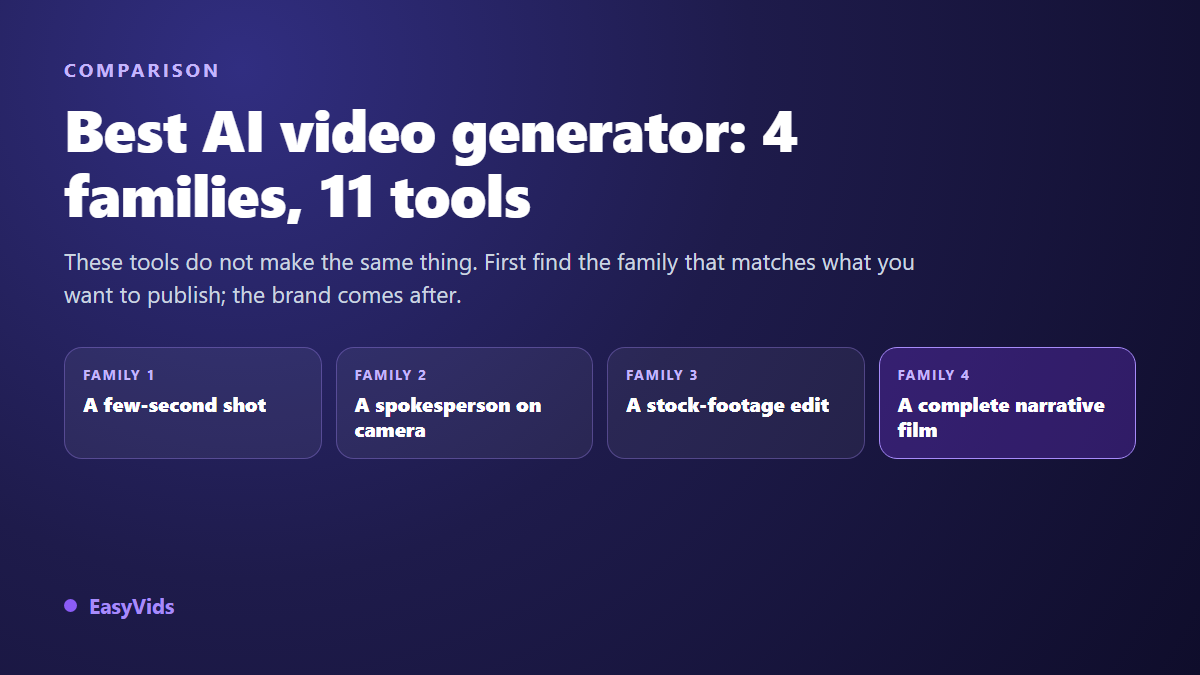
You are looking for the best AI video generator, and every list you open ranks fifteen names with a score out of ten and a winner. The trouble is simple: these tools do not build the same object. One returns an eight second shot with no dialogue. Another returns a presenter in a suit against a plain background. A third returns a montage of stock clips under a synthetic voice. Ranking them with a single score is like asking whether a drill beats a saw.
This page works the other way round. Eleven tools, sorted into four families, with what each family really produces, who it suits and the exact point where it blocks you. We produce AI videos every day, and the same disappointment keeps coming back: people pick an excellent family for a project that needed a different one. If the vocabulary is still new to you, our complete guide to AI video generators lays out the production chain before you spend a single free trial.
Short answer: pick the family before the brand
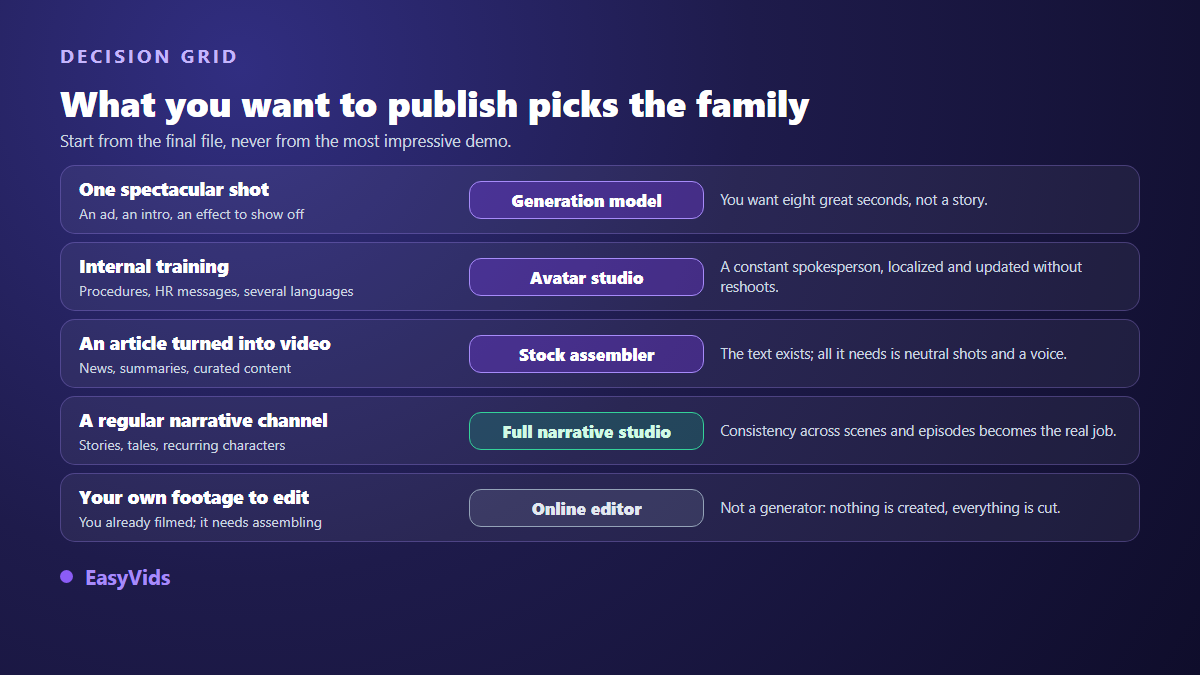
There is no best AI video generator in absolute terms. The useful question is different: what do you want sitting in your downloads folder tonight? One striking shot calls for a generation model. Corporate training in twelve languages calls for an avatar studio. A news article turned into video calls for a stock assembler. A weekly narrative channel with recurring characters calls for a complete studio. Settle that line first, and the brand name becomes a detail.
What reviewing a tool means here
You will find no score out of ten and no podium on this page, and that is deliberate. A score blends criteria that carry very different weight depending on the project: the beauty of one isolated shot says nothing about holding a face across twelve scenes. Rankings of that kind also age badly, since video models change generation several times a year. What follows relies on what each vendor publicly presents about its product, and on what its technical family allows or forbids by design. No pricing appears either: rate cards move every quarter, selection criteria last for years.
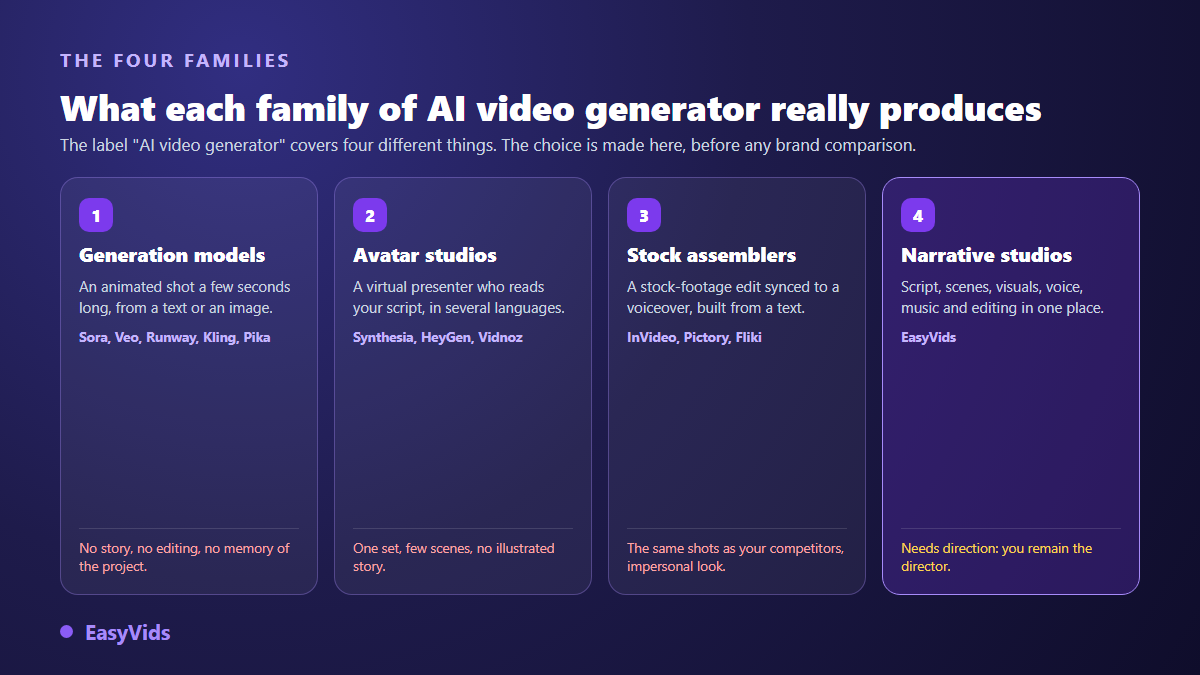
Family 1: generation models (Sora, Veo, Runway, Kling, Pika)
These are the names that travel fastest. A generation model turns a written instruction, sometimes plus a starting image, into an animated shot lasting a few seconds. Sora is the OpenAI video model, Veo comes from Google, Kling from the Kuaishou group, while Runway and Pika wrap their own models in a creative interface. Camera movement, light and texture reach a level no stock library replaces, because the shot is built for your scene. Several of these models now generate sound alongside the picture, a capability Google highlights in its public presentation of Veo.
The limit is reach, not quality. A model has no memory of your project: every call starts from scratch, so the face changes, the set changes, the light changes. It does not split your script, does not narrate and does not edit. For a three minute video you end up with twenty files to assemble by hand, and every failed attempt burns compute. This is a shot tool, not a film tool.
Family 2: avatar studios (Synthesia, HeyGen, Vidnoz)
Here you write a text, pick a presenter from a library, pick a voice and a language, and the tool returns a video of that presenter speaking your words with careful lip sync. According to its vendor's public presentation, Synthesia offers more than two hundred avatars across over a hundred languages and regional variants, and our full Synthesia review covers what it does well and what it refuses to do. HeyGen built its reputation next door, dubbing an existing video while keeping the speaker's voice and lips. Vidnoz leads with a free tier whose trade offs are set out in our review of its generator.
This family shines when the video is a message carried by a person: internal training, product announcements, brand communication. The spokesperson stays identical for two years, a sentence can be fixed without calling anyone back, and extra languages cost a click instead of a shoot. It falls apart as soon as the story needs places, periods or secondary characters.
Family 3: stock assemblers (InVideo, Pictory, Fliki)
This family creates no images at all. It reads your text, cuts it into segments, pulls licensed clips from a media library, adds a synthetic voice and captions, then delivers a finished edit. Output is fast, clean and never surprising, which suits news summaries and weekly roundups. The catch is structural: the clips come from a catalogue shared by every subscriber, so your competitor illustrates the same idea with the same smiling person at the same bright desk. Storytelling escapes this family entirely, because a stock library will never hand you the same heroine twice.
Family 4: complete narrative studios
The fourth family does not try to beat the models on their own ground, it orchestrates them. A narrative studio writes the script to the length you set, splits it into scenes, builds a visual for each one, produces the voice over, adds music, then syncs every shot to the real duration of its narration before exporting a file you can publish. That is the logic behind the EasyVids studio, where script, images, video, voice, music and editing live in one place.
The value is not the number of features, it is project memory. Because the tool knows your characters and your sets, it can return the same face in scene twelve as in scene two, provided it works from reusable visual references rather than a description retyped each time. It can also regenerate a single failed scene without touching the rest. Test those two behaviours before committing: they separate a demo tool from a production tool.
Six criteria that actually decide
- Control: can you regenerate one scene, swap one image or fix one sentence without rebuilding the whole video?
- Series consistency: does the same character survive from scene to scene, and from one video to the next?
- A complete chain: script, visuals, voice, music and editing in one place, or five services to stitch together every week?
- Output formats: vertical, square and horizontal produced natively, without cropping that cuts heads off.
- Export: no watermark on the final file, the promised resolution delivered, and commercial rights written in plain terms.
- Language: a tool built for your language writes better scripts and pronounces names better than a translated interface.
The twenty minute test that beats any ranking
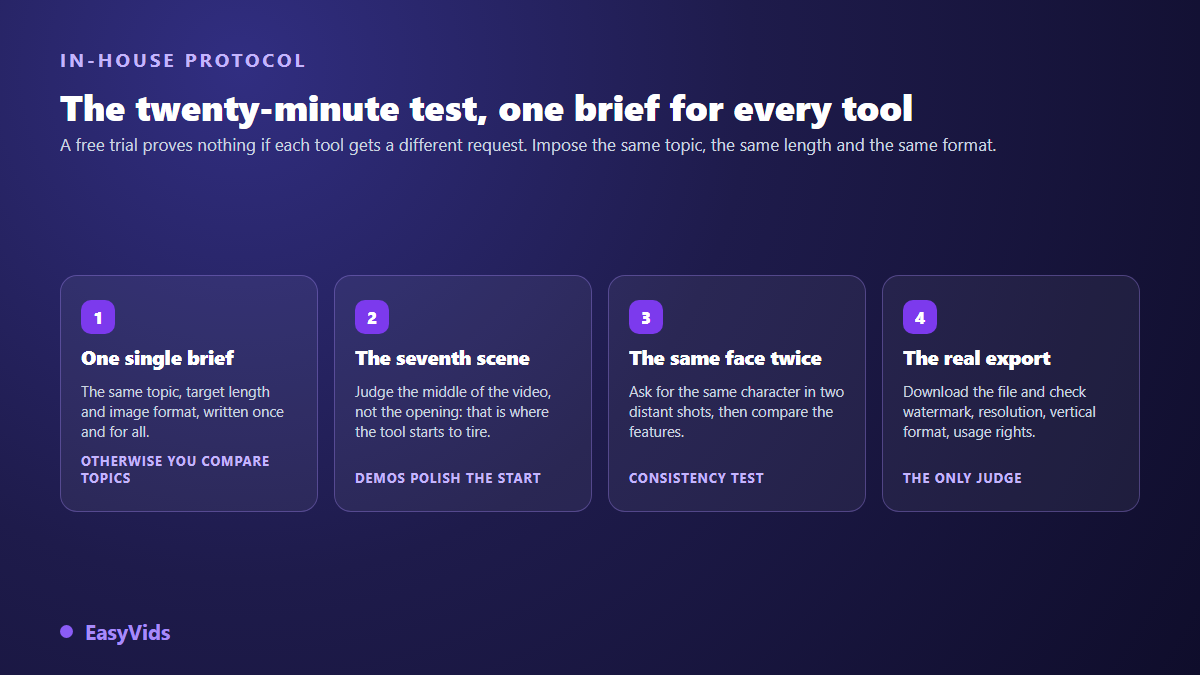
Most of these services offer a free trial, and most people waste it by typing a different subject into every tool. You then compare subjects, not tools. The protocol below takes twenty minutes per service and lands on a clear answer, because it aims at the places sales demos never take you.
- Write one brief: same subject, same target length, same aspect ratio, served word for word to every tool.
- Judge the seventh scene, not the first. The opening always gets the best treatment.
- Ask for the same character in two distant shots, then compare the faces. This test alone removes half the candidates.
- Deliberately break one scene and fix it. If the tool forces a full rerun, weekly production will hurt.
- Download the file and open it on a phone: watermark, real resolution, on screen text, vertical framing intact.
Three categories mistaken for generators
Online editors such as VEED, CapCut or Canva assemble and dress existing footage: they cut, caption and animate text, and some bolt AI features on top, but they do not build your shots. Clip repurposing tools extract vertical highlights from a long video, which assumes you already filmed something. Stock libraries sell footage shot by other people. None of the three replaces a generator, and all three can complement one once your scenes exist.
What free really covers here
Generating video burns compute, and compute is paid for somewhere. A free tier is funded by a burnt in watermark, a lower resolution, a queue, a duration cap or usage rights limited to personal projects. The clause to read first is the commercial one: publishing an ad with a file licensed for private use exposes you far more than a logo in the corner. Our cost analysis of an AI video compares orders of magnitude with a traditional shoot, and our own plans sit on the pricing page.
Frequently asked questions
What is the best free AI video generator?
The one whose free tier covers your use case without a watermark or a commercial restriction. Judge it on the exported file, not on the number of credits advertised. Test the export first, then read the commercial usage clause: those two checks rule out most offers presented as free.
Can one tool produce a complete video?
Yes, if you pick a narrative studio, the only family covering writing, visuals, voice, music and editing. A generation model alone gives you excellent shots and leaves the assembly to you. An avatar studio alone gives you a spokesperson and no scenes.
Are AI generated videos allowed on YouTube?
Yes, with disclosure in some cases. According to the YouTube help centre, creators have had to flag realistic content generated or altered by AI in YouTube Studio since March 2024, and the platform then shows a label to viewers. Monetisation still depends on original input: a written story, a crafted voice and a deliberate edit stay within the rules, while repetitive output with no added value does not.
How do I keep the same character across videos?
Not by retyping the same description in every prompt, since the face drifts with each image. You need a tool that stores visual references and reapplies them to every scene and every new episode. This is the criterion that rules out standalone generation models fastest.
The best AI video generator is the one that produces the object you intend to publish, with the consistency your publishing rhythm demands. Take the four family grid, run the twenty minute test on two candidates, and the decision takes an evening instead of three weeks of comparison sites. To run that test on the complete studio family, create your account and generate a first video with your free credits, no bank card required.