Your book is live on Kindle. It finds readers, but a share of your audience no longer reads: they listen, while driving, walking, doing the dishes. KDP Virtual Voice is the shortest path to that audience, with no studio booking, no narrator to hire, and none of the recording and editing weeks the format used to demand.
Virtual Voice is a Kindle Direct Publishing feature that builds an audio edition of an ebook you have already published, using a synthetic voice. The process is short. It fails for three recurring reasons: the title is not eligible, the manuscript was never prepared to be read aloud, or the chosen voice does not match the register of the book. A separate question comes first, the AI content disclosure, covered in our breakdown of Amazon KDP rules for AI written books.
The short answer
Publish the ebook on Kindle Direct Publishing and wait until it is actually on sale. Open your KDP Bookshelf: if the title is eligible, an audiobook creation entry appears next to it. You pick a voice from the catalogue, preview a passage, fix the pronunciation of words the engine mangles, exclude the parts that should not be read aloud, then submit. Amazon builds the file, attaches it to the existing book page, and tells buyers the narration is synthetic. If the entry never shows up, you produce the audio yourself, chapter by chapter, and take it to a store that accepts generated narration.
What Virtual Voice does, and what it does not
According to the Kindle Direct Publishing help centre, Virtual Voice generates narration from the text of an ebook you have already uploaded. No audio file is requested from you, no conversion happens on your side, and the result stays attached to the existing listing. It is automated reading, not a studio. One voice reads from the first line to the last. There is no cast, no sound design, no music, no direction. A dialogue heavy novel loses something. A practical guide or an essay loses almost nothing.
On the storefront, the product page states plainly that the narration was produced by a synthetic voice. That matters: audiobook buyers are a demanding audience, and some of them deliberately filter this kind of narration out. The commercial frame for these titles, the allowed price range and the royalty rate, is set by Amazon and changes over time. The programme page in the KDP help centre is the only reference worth trusting before you set a price.
Eligibility: what actually blocks people
Most self published authors who look for the feature and cannot find it fall into one of the cases below. Amazon updates these conditions as it opens new countries and languages, so treat this as a diagnostic grid rather than a fixed rulebook.
- The book must be published, not a draft and not under review. Nothing appears until the listing is live.
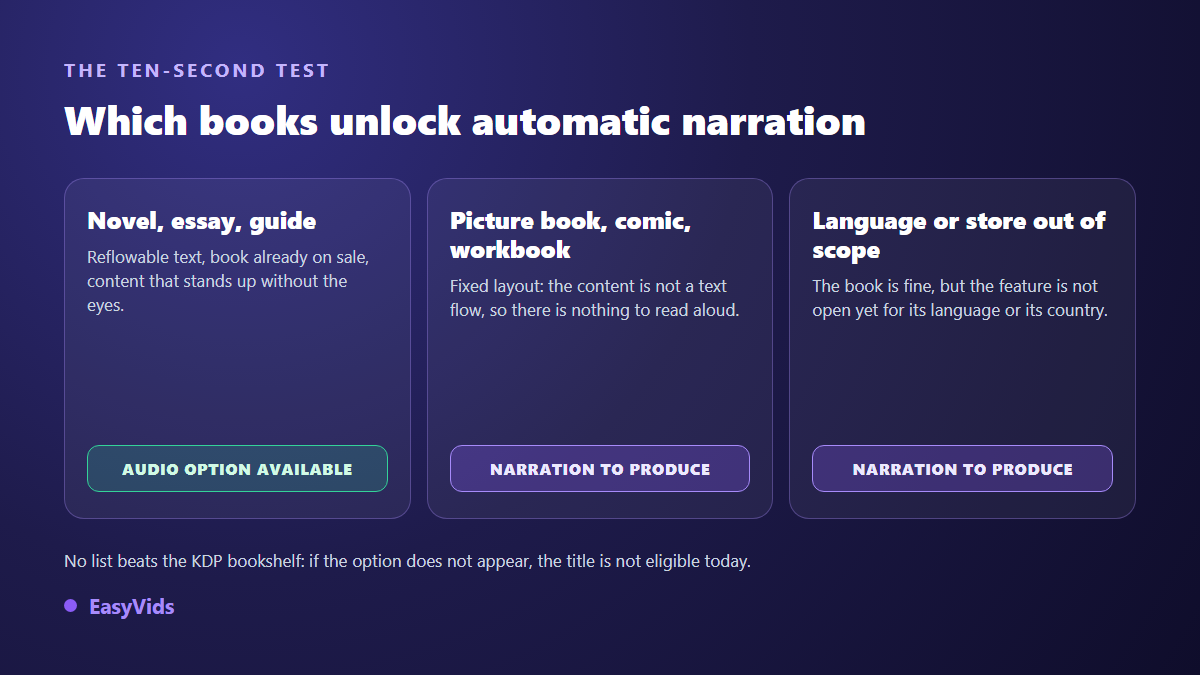
- The text must reflow. Fixed layout books, illustrated albums, comics and workbooks fall outside the scope: their content is not a readable text stream.
- Language and store matter. The feature opened for English language titles first and the perimeter has widened since. Your Bookshelf is the authority, not a list you read somewhere.
- The content has to survive without visuals. A book built on tables, formulas, code snippets or an index turns into unlistenable narration.
- The rights must be yours, including on long quotations and reproduced material.
The fastest test requires no documentation at all. Open your Bookshelf and look for the audiobook creation entry next to the title. If it is not there, the title is not eligible today, and no workaround will summon it. Republishing the same book under a new listing changes nothing either, unless you fix the exact reason it was excluded, a fixed layout for instance.
The step by step process from your Bookshelf
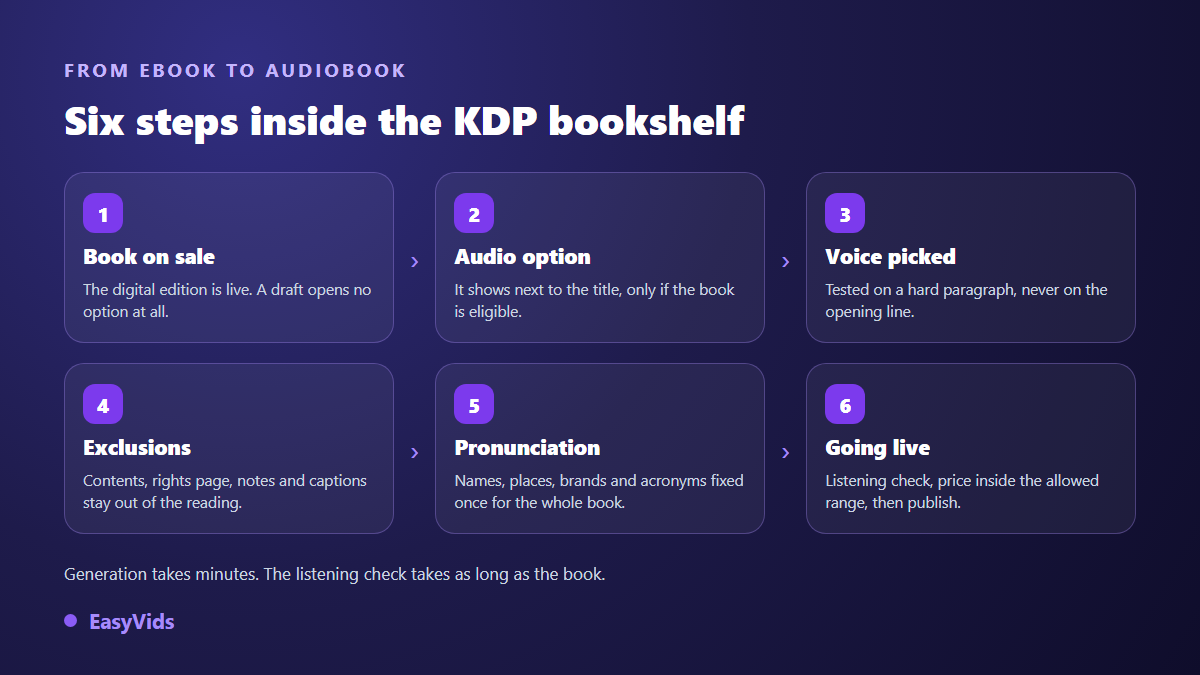
Once the entry is available, the path is linear and fits into one working session for a short book. Here is the sequence, in the order the interface presents it.
- Confirm the ebook is on sale, then open your KDP Bookshelf.
- Start audiobook creation from the entry shown next to the title.
- Preview several voices on the same passage, ideally a difficult paragraph rather than the opening line.
- Exclude what should not be read: table of contents, copyright page, index, footnotes, image captions.
- Fix pronunciation for the words the engine mangles, starting with character names, places, brands and acronyms.
- Listen to the generated preview: at minimum the opening, one chapter from the middle, and the ending.
- Set your price inside the allowed range, submit, and allow for the publishing delay the platform announces.
The expensive part is not generation, which is automatic. It is listening. A two hundred page book runs for several hours of audio, and a mispronounced character name repeats hundreds of times. Plan that listening pass as real work, with a notepad beside you, and log every word to correct as you go.
Preparing the manuscript is the work you can hear
Text written for the eye does not behave like text written for the ear. A reader skips a parenthesis, jumps back, understands that a bracketed number points to a note. A listener receives everything flat, in order, with no way to skim. That is why a technically flawless manuscript can produce painful narration.
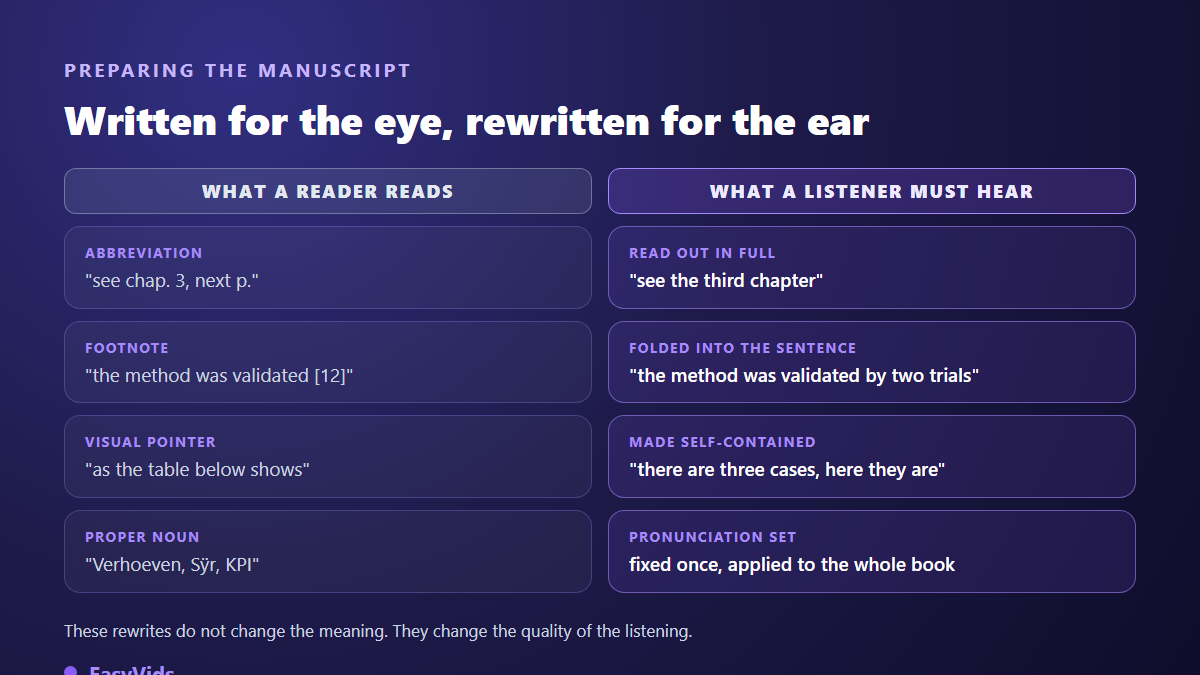
- Abbreviations: spell them out, or the engine will letter them or invent a reading.
- Footnotes: fold the information into the sentence, or exclude it from narration.
- Visual references: "the table below" and "see next page" mean nothing to a listener.
- Chapter titles: keep them short and meaningful, they are read out as written.
- Numbers and dates: a spelled out form removes the ambiguity digits sometimes leave.
- Proper nouns: build the list as you reread, you will need it at the pronunciation step.
Choosing the voice decides your reviews
Judge a voice on a demanding passage, never on a marketing line. Take a paragraph with a long sentence, a question and a proper noun, and run every candidate voice through it. Register matters more than timbre: a deep, steady voice carries an essay or a narrative, a bright and precise voice suits a practical guide, a young voice undercuts a text of authority. The habits that make a video narration work apply word for word here, and our complete AI voice over guide shows how to test them quickly.
What makes listeners quit is rarely the timbre. It is the flat pace and the missing breath. Punctuation is your only directing tool: a full stop where you would have used a comma creates a pause, a sentence cut in two creates emphasis. The settings that remove the mechanical feel are the same as for any narration, and our fixes for a robotic AI voice transfer directly to a book chapter.
When Virtual Voice is not available to you
A book in a language the feature does not cover yet, an illustrated album, a title you sell outside Amazon: in all those cases you build the narration yourself and you keep the file. It is more work, and it returns two things Virtual Voice never gives you: a reusable audio master, and full control over the voice.
In practice, you paste a chapter into the voice over workshop and start the generation. Long text is split automatically at sentence boundaries, the parts are produced in parallel, then merged into a single MP3 at 192 kbps. One pass accepts up to a hundred thousand characters, roughly an hour and a half of continuous reading, which covers a chapter comfortably. Three voice engines are available, and one of them accepts a plain language reading instruction, along the lines of "read like a captivating storyteller, in a warm and steady voice", saved once on your account and applied to every later generation. Plans and the credit system are on the pricing page.
Work chapter by chapter rather than in one block: that is the split stores expect, and it is the only way to regenerate a bad passage without redoing the whole book. If the manuscript itself is not written yet, the full chain from outline to chapters is covered in our guide to writing an ebook with AI. Note that the book comes out as a composed PDF, so a conversion to a reflowable format is still required before a Kindle upload.
You can also narrate the book in your own voice without recording a single chapter, by going through a cloning tool. Cloning usually starts from a clean audio sample, fifteen seconds minimum recommended, in MP3 or WAV, and reputable services request a consent certification on every clone. Before cloning anyone else, read what voice cloning actually allows: written consent is not a formality.
Audio specifications at other stores
If you upload a file you produced, every store enforces its own technical specifications, and a non compliant file bounces back. According to the audio submission requirements published by ACX, Audible's audio production platform, an upload has to meet precise level and format constraints.
- One file per chapter, plus an opening and a closing credit file.
- An average level held inside a narrow range, peaks kept under the clipping threshold, and a very low noise floor.
- An MP3 at 192 kbps minimum, at 44.1 kHz, which a clean assembly already produces.
- A short breath of room tone at the head and tail of every file, measured in fractions of a second.
- A retail sample for the product page.
Those rules are technical and stable. Whether synthetic narration is accepted at all belongs to programme terms, which have changed several times since 2023: the official page of the store you target is the only reliable reference at the moment you upload. Google Play Books and Apple Books both run their own automated narration programmes, each with its own access conditions and publisher documentation.
Disclosure, twice over
Two layers of transparency coexist. The contractual one: Kindle Direct Publishing has asked AI content questions at publishing time since September 2023, and text written by a model is declared regardless of how much you edited it. The commercial one: saying in your description that the narration is synthetic saves you from disappointed buyers, whose reviews cost far more than a missed sale. When Amazon builds the narration, the label is applied for you. When you upload your own file elsewhere, the wording is yours to write.
Frequently asked questions
Do I need to publish the ebook first?
Yes. Virtual Voice works from the text of an ebook already on sale on Kindle, and the creation entry only appears in the Bookshelf once the listing is live. Starting from a manuscript, the ebook comes first and the audio edition second.
Does Virtual Voice work in languages other than English?
The feature opened for English language titles first, and Amazon has widened the language and country perimeter since launch. Rather than trusting a list copied somewhere, open your KDP Bookshelf: the presence or absence of the creation entry next to your title is the only current answer.
Can I narrate my book in my own voice?
Not inside Virtual Voice, which only offers voices from its own catalogue. By producing the file yourself with a cloning tool, yes: a sample of a few dozen seconds gives you a voice that sounds like you, reusable across every chapter and every future book.
How long does an AI narrated audiobook take?
Generation is measured in minutes, even for a full book, because the text is processed in parallel chunks. The review pass is the real cost: budget at least the running time of the audiobook, plus pronunciation fixes and reruns on the passages that failed.
Do AI narrated audiobooks sell worse?
It depends on the genre. On practical guides, essays and non fiction generally, the gap narrows sharply because the listener came for information. On fiction, and especially on dialogue heavy novels, human narration keeps a clear edge. The honest comparison is between a synthetic audio edition and no audio edition at all, not against a studio recording you were never going to fund.
Treat this as an extension of your book rather than a new product. The text exists, the narration generates itself, and the only irreplaceable work is manuscript preparation and the review pass. To produce your chapters, audition voices and cut the clip that will get people listening, create an account and run a first chapter through it.