You published the video. The topic is solid, the edit holds, the voice sounds right. And the retention curve collapses before second thirty. Learning how to write a YouTube script that survives that moment has very little to do with your camera or your microphone. It has everything to do with the order your sentences arrive in.
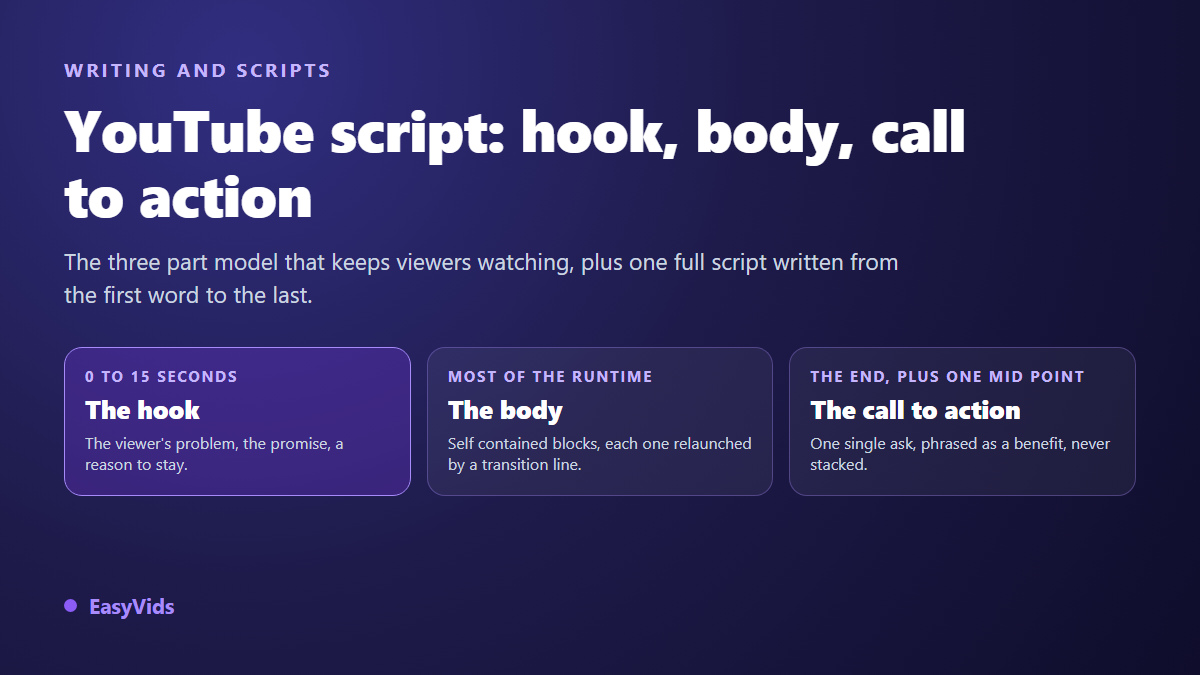
A YouTube script that keeps people watching has three parts, always the same three: a hook, a body, a call to action. This is not one more formula, it is a division of labour. Each part does exactly one job, and a part doing another part's job breaks the video. If you want the general principles of writing for video across every format, our complete video script guide collects them. This article does something narrower: it gives you the YouTube skeleton, then writes one script out in full, first word to last.
The short answer
An effective YouTube script has three blocks. The hook takes the first fifteen seconds and does four things: name the viewer's problem, promise a result, prove you can deliver it, announce the plan. The body carries roughly four fifths of the words, split into three to five self contained blocks, each opened by a question and closed by a transition. The call to action runs about fifty words, restates the hook's promise and asks for one single thing. Budget around 150 spoken words per minute of narration.
Why a YouTube script is not a vertical script
On a vertical feed, the viewer arrives by accident. On YouTube, they arrive because they read a title and saw a thumbnail. They already hold a precise expectation, and they came to check whether you will meet it. That changes the writing order. A YouTube hook does not exist to surprise, it exists to confirm. In fifteen seconds the viewer must recognise their own question and understand they are in the right place.
Runtime is the second difference. An eight minute video cannot run on presenter energy alone. It needs a frame, regular relaunches, a rhythm you can feel. Short form asks for none of that, and the three beat formula behind thirty second videos works on a denser, blunter logic. Write one with the reflexes of the other and you get either a breathless, hollow long form video or a short that drags.
Anatomy: what each part must hold
The simplest way to audit a script is to reread it asking, sentence by sentence, which of the three parts it belongs to. A sentence that belongs to none of them is a sentence to cut. It feels brutal, and it buys back more watch time than any other edit.
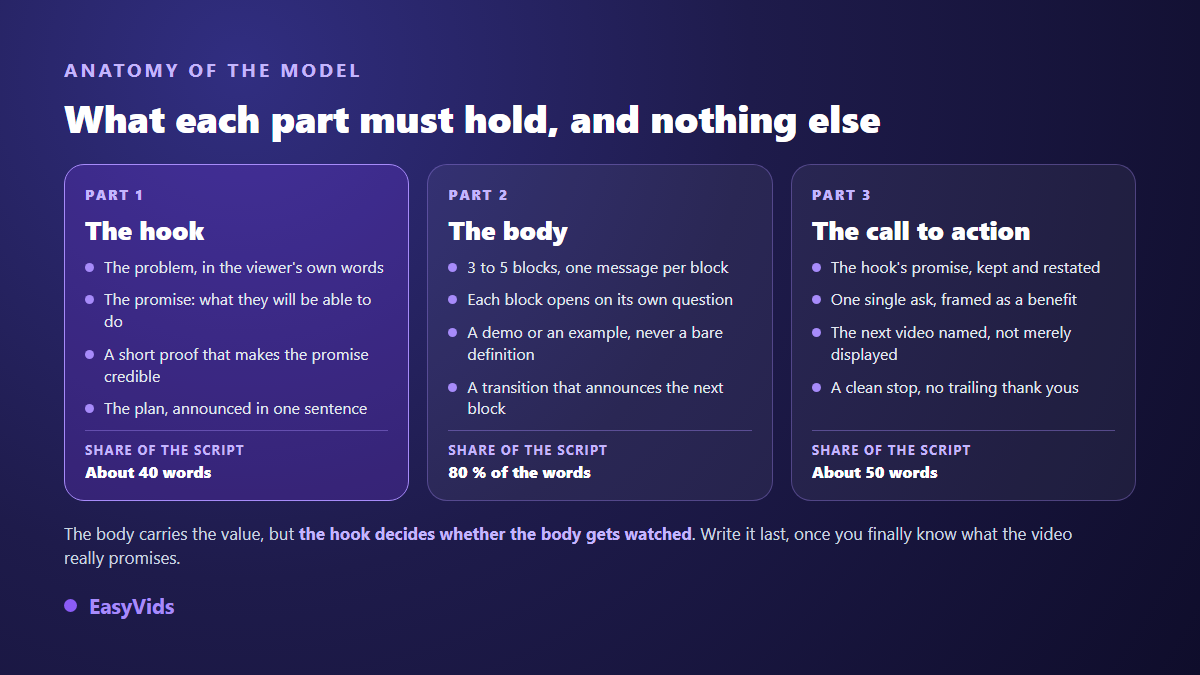
Look at how the words are shared out. The body is about four fifths of the script, while the hook and the call to action together come to under a hundred words. That is good news: those hundred words are the only ones you have to shape sentence by sentence. The rest writes quickly.
The hook: fifteen seconds, four moves
The hook is the one part you should write last. Until the video exists, you do not yet know what it truly promises, so you promise the wrong thing. Once the body is down, the promise becomes obvious: it is the benefit of your strongest block.
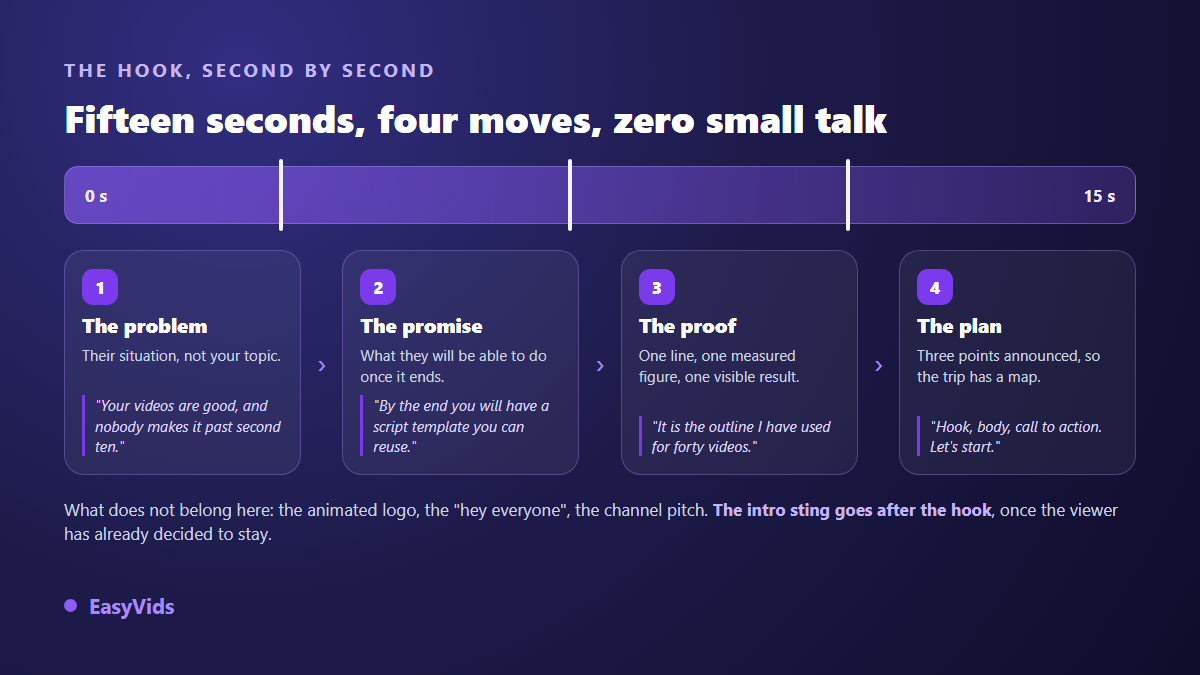
- The problem: the viewer's situation, in their own words. Not your topic, not your channel, not your intent.
- The promise: what they will be able to do once the video ends. An action verb, an observable result.
- The proof: one line that makes the promise credible. An experiment, a figure you measured, a result you show on screen.
- The plan: three points announced in a single sentence. Viewers accept a long trip when they can see the map.
- What does not belong here: the animated logo, the "hey everyone", the channel pitch, the thank yous. All of it can exist, but after the hook.
One useful variant opens on the result instead of the problem: you show what the video makes possible, then rewind. It is one of the angles we break down in seven ways to grab attention in the first three seconds, and it works especially well for tutorials, where the result is visible.
The body: self contained blocks, not one long river
The most common flaw in a script body is that it was written in one continuous run, like an article read aloud. The viewer then has nothing to hold on to: no sense of where they are, no sense of what is left. Cut it into three to five blocks, one message per block, and most of that problem disappears.
Every block runs the same small mechanism: a question that opens it, a demonstration that answers it, a transition that announces the next one. The transition is the piece everyone forgets, and it is the piece that holds retention. "That was the easy part. The next one costs far more to fix" relaunches attention better than any edit effect.
- One message per block. If you find yourself writing "and also", you have two blocks.
- A question up front. It gives the viewer a reason to stay another forty seconds.
- A demonstration, never a bare definition. Show the screen, the object, the before and the after.
- A transition that promises. It announces the next block as a benefit, not as a number.
- A deliberate order. Strongest block first for a cold audience, last for people who already know you.
The call to action: one ask at a time
A stacked call to action is worth nothing. "Subscribe, like, comment, hit the bell and go watch my other video" asks for five things, so it gets none of them. Pick the one action that matters for this video, and phrase it as a benefit to the viewer rather than a favour to you. We collected twenty one call to action lines that get clicks without begging for anyone stuck on the wording.
Placement matters as much as phrasing. According to YouTube Help, an end screen can only occupy the last twenty seconds of a video, and the video must run at least twenty five seconds to carry one. So write your final sentence knowing a clickable element will be on screen while it is spoken. Name the next video out loud instead of saying "the video showing up here": the share of your audience listening without watching would have no idea what you mean.
A full example: a three minute script, written out
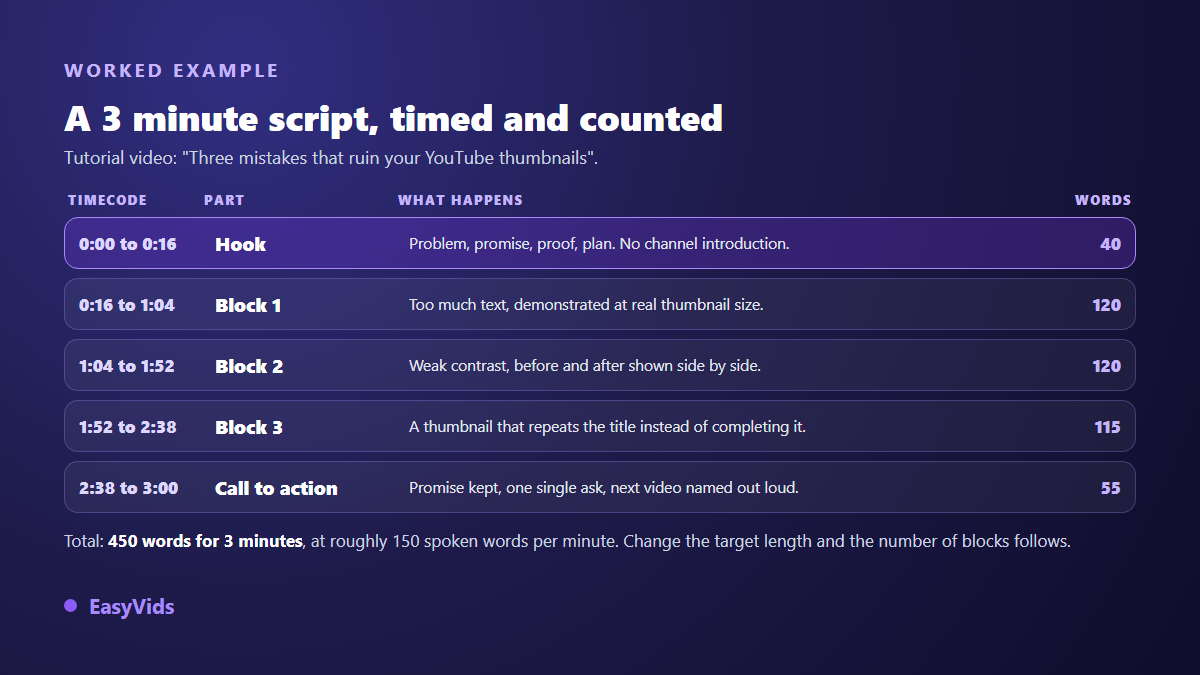
Here is the model applied end to end. Topic: "Three mistakes that ruin your YouTube thumbnails". Target runtime: three minutes, so roughly 450 spoken words. The budget splits into about forty words of hook, three blocks of about 120 words, and about fifty words of call to action. The script below is written the way it would be read, punctuation included.
The hook, written out (0:00 to 0:16)
Your thumbnail looks great on your screen, and invisible in the feed. Three mistakes explain most cases, and I have made all three. By the end of this video you will spot them on your own thumbnails in ten seconds. First mistake, right now.
Four moves in four sentences: the problem, the proof slipped in without boasting, the promise dated to the end of the video, the plan reduced to its smallest form. No introduction, no intro sting, no thank yous. The channel sting, if you have one, goes right after that last line.
Block 1: too much text (0:16 to 1:04)
First mistake: too much text. You write a full sentence on the thumbnail, and it reads perfectly on your desktop screen. Except nobody will ever see it at that size. On a phone, your thumbnail is about as wide as a thumb. Watch what happens to this seven word sentence when I shrink it to real size. Unreadable. Three words is the ceiling, four if the words are short. The test takes one move: shrink your thumbnail to feed size, drop it in the middle of a screenshot of the home page, and step back a metre. If you cannot read your own text, your viewer will not read it either. That test takes thirty seconds. The second mistake shows up even more often.
Block 2: no contrast (1:04 to 1:52)
Second mistake: missing contrast. White text on a bright sky vanishes. Red text on a purple background vibrates and tires the eye. The YouTube feed is never neutral: your thumbnail sits surrounded by other thumbnails, each shouting a little louder than the last. What saves you is not a fashionable colour, it is a gap. Very light text on a very dark area, or the reverse. Nothing in between. Look at these two versions side by side: same image, same text, only the area under the letters was darkened. The second one reads from a metre away, the first does not. And you need no complicated software for that: a dark rectangle behind the text is enough. That leaves the third mistake, the most expensive of the three.
Block 3: the thumbnail that repeats the title (1:52 to 2:38)
Third mistake: the thumbnail that repeats the title. Your title says "Three thumbnail mistakes", and your thumbnail displays "Three thumbnail mistakes". You just used the same space twice to say one thing. Title and thumbnail are a sentence in two voices: one sets the subject, the other shows the stakes. If the title says "Three mistakes", the thumbnail shows the failed thumbnail, a red cross, and a single word. The viewer assembles the two on their own, and that assembly is what triggers the click. Run the test on your last ten videos, and count how many times you said the same thing twice.
The call to action, written out (2:38 to 3:00)
You have the three mistakes and the shrink test. Take your latest thumbnail, put the three questions to it, and fix the one that fails. And if you want to see these rules applied by people who do this for a living, I pulled apart eleven thumbnails from large channels in "Eleven Thumbnails Under the Microscope", right here.
One ask, phrased as a service to the viewer, and the next video named out loud. No mention of subscribing: on a three minute video aimed at a cold audience, that would be the least likely of the three possible asks. You can of course put it back, provided you remove something else. To compare this skeleton against other formats, seven complete scripts you can copy run the same exercise for an ad, a tutorial and a sales video.
Matching script length to runtime
The arithmetic is simple and it barely moves: across our voice over generations, one minute of narration comes to roughly 150 words. A three minute video therefore needs about 450 words, a ten minute video about 1 500. Always think in minutes, never in pages: a page of a word processor tells you nothing about real runtime once read aloud. The breakdown by slow, normal and fast delivery lives in our word count for one minute of video.
Once runtime is fixed, think about chapters. YouTube Help states that a video needs at least three timestamps for chapters to activate, that the first must start at 00:00, and that each chapter must last at least ten seconds. If you wrote three to five blocks, your chapters are already written: they are your block titles. The script's structure becomes the structure of the progress bar.
Writing this model with AI without losing your voice
AI writes a script body very well: it structures, it splits, it never forgets transitions. It is markedly worse at hooks, because a hook requires knowing the viewer. So split the work this way. You supply the topic, the target runtime and the audience; the tool produces the frame and the blocks; you rewrite the first fifteen seconds and the closing line yourself. That is the logic behind the studio we built at easyvids.io, where the generated script feeds straight into scenes, voice over and editing.
Two instructions noticeably improve the output. Give the runtime in minutes rather than in words, so the tool calibrates the text for the ear instead of the page. And state the audience level, complete beginner or working practitioner. That single variable decides how many definitions survive, and it changes the resulting script more than anything else you can specify.
Mistakes that drain the retention curve
- The intro sting up front. Five seconds of animated logo before the first useful word, on a video decided in the first fifteen.
- The promise kept too late. If the hook promises a method and the method lands at minute six, nobody is left to see it.
- A body without transitions. Blocks follow each other with no relaunch line, and every seam becomes an exit.
- A stacked call to action. Four asks in ten seconds equals zero asks.
- A script written for the eye. Forty word sentences, subordinate clauses, report vocabulary. Read every script aloud before recording: what you stumble over, the viewer stumbles over too.
Frequently asked questions
How long should a script be for a ten minute YouTube video?
Around 1 500 words, based on 150 spoken words per minute. Take some off if your edit includes on screen demonstrations where you stay silent, add some if you speak fast. The safest method is recording one test minute in your own voice and counting the words you actually said.
Should a YouTube script be word for word or just notes?
Write the hook and the call to action word for word, keep notes for the body if you are comfortable on camera. Those two ends are the only places where hesitation is expensive. If you use a generated voice over, word for word becomes mandatory everywhere, since that exact text is what gets read.
Can AI write a complete YouTube script?
Yes for structure, blocks and transitions, provided you give it the topic, the runtime in minutes and the intended audience. No for the hook, which rests on concrete knowledge of your viewers, and no for the personal anecdotes that make a video yours. The most effective split is generating the frame, then rewriting the first fifteen seconds yourself.
Does this model work for Shorts?
The principle holds, the proportions change. On a thirty second vertical video, the hook occupies the first second rather than the first fifteen, the body shrinks to a single message, and the call to action usually sits on screen instead of in the voice. Writing a Short on a long form word budget produces a text rushed through too fast for anyone to follow.
Take your next topic and write it in this order: the body blocks first, the call to action next, the hook last. You will see immediately whether the promise you were about to make matches what the video actually delivers. And if you want that script to turn straight into a video, with scenes, voice over and editing chained together, open a free account and try the model on your next idea.