You have used up today's generations, and the video still has no music. That is the exact moment people start looking for Suno alternatives. The question sounds simple. It is not: the word free covers at least four different situations depending on the tool, and only one of them lets you actually publish what you just made.
This page sorts it out. It reviews five AI music generators commonly named as replacements, says what each one does well, and above all what their free plan permits once the file is on your machine. If your question is still about the original tool, our review of the songs Suno produces covers that separately. Here we look elsewhere, and we look at the terms as closely as at the sound.
The short answer
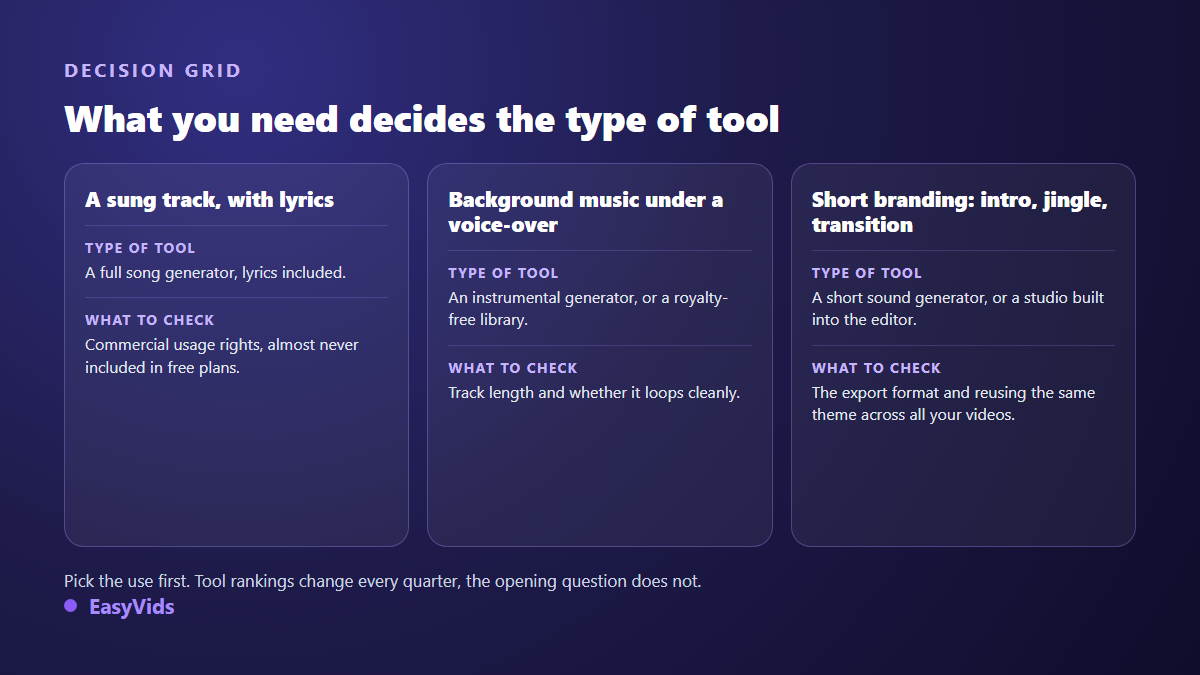
No tool reproduces Suno for free, without limits and with commercial rights: that combination does not exist anywhere. What exists are partial equivalents, and the right pick follows from one question: what will you do with the track? For a sung song meant as a gift or for private listening, Udio and Riffusion stay closest. For background music sitting under a voice over, an instrumental generator such as Stable Audio, Mubert or AIVA does the job better and faster. For a monetised video, the constraint is not price, it is the licence.
The word free covers four very different things
First case, a refillable quota: a number of tracks per day, reset at a fixed hour. Second case, listen only: you generate and you listen, but downloading the file needs a paid plan. Third case, a marked file, shipped with an audio signature or a required credit line. Fourth and most common case, a clean file restricted to strictly personal use. We unpacked that mechanism in what free really buys you on a music generator.
Six criteria that decide for you
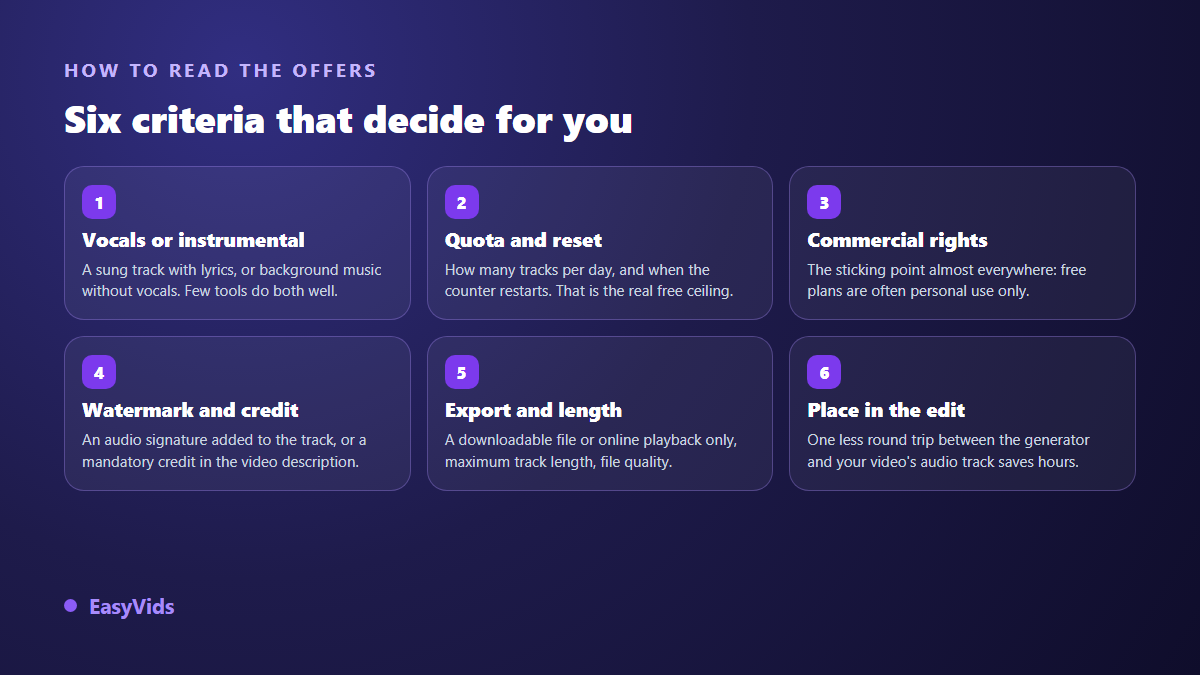
Tool round ups age within months. The criteria hold. These are the ones that separate a usable generator from an entertaining one, in the order that matters to someone who publishes videos.
- Vocals: a sung song with lyrics, or instrumental only. Few tools handle both properly.
- Quota and reset: how often the counter refills matters more than how big it is.
- Usage rights: personal use, commercial use, full assignment. This is the line that settles everything else.
- Watermark and attribution: an audio signature baked into the track, or a credit you must paste into your description.
- Export: a downloadable file or streaming only, maximum track length, delivered audio quality.
- Fit with your edit: one less round trip between generator and audio track saves hours across a series.
Udio: the closest promise, a full song from one sentence
Udio is the first name that surfaces in any alternative search. The principle is identical: you describe a style, a mood, a theme, and the tool returns a sung track with its melody and arrangement. The similarity is real in the output and in the way you work. It is also real in the limits: a free quota empties fast when you rerun the same idea five times to land the right take, and commercial usage terms follow a comparable logic. Read them before building a project on top.
Riffusion: generate in a browser, install nothing
Riffusion grew out of a curious research project that produced sound by generating spectrogram images and playing them back. Today's public tool has little to do with that origin: it makes complete songs from a web page, with free generation more generous than the sector average. That makes it strong for exploration, since you can try many ideas before keeping one. Check the licence tied to your account when you decide to publish, because a generous quota says nothing about rights.
Stable Audio: instrumentals and sound design
Stable Audio, released by Stability AI, does not chase the sung song. It targets instrumental beds and sound effects. For a video creator that is often exactly the need: a quiet pad, a loop, a rising tension, a transition between two shots. The description works like an image prompt, with genre, instrument and tempo cues. The result sits under your narration instead of competing with it, which a track with lyrics always does.
Mubert: background music built for video
Mubert has long addressed creators and brands rather than musicians. You pick a mood, a length, a use case, and the tool serves a background bed calibrated to sit under narration. It has the spirit of a royalty free library, with generation on demand instead of a fixed catalogue. Licensing is spelled out more plainly there than elsewhere, which is precisely the subject we dug into in what royalty free really covers for AI music.
AIVA: orchestral and cinematic composition
AIVA sits apart. It composes orchestral, classical and cinematic instrumentals, with a scoring approach rather than a pop song approach. For a trailer, a documentary, an opening theme or a narrative piece, the result often fits better than a generic library cue. Its free plan is presented by the publisher as non commercial, which places it among exploration tools rather than production tools. A paid plan changes that status, and that is the page to check before you commit.
The sixth option: make the music where you edit the video
There is another way out of the problem: stop separating music from the rest of the production. When the track is born in the same place as the script, the voice over and the edit, you remove file round trips, mismatched formats and licences scattered across four accounts. That is the logic of a complete studio, described in our guide to AI music generators.
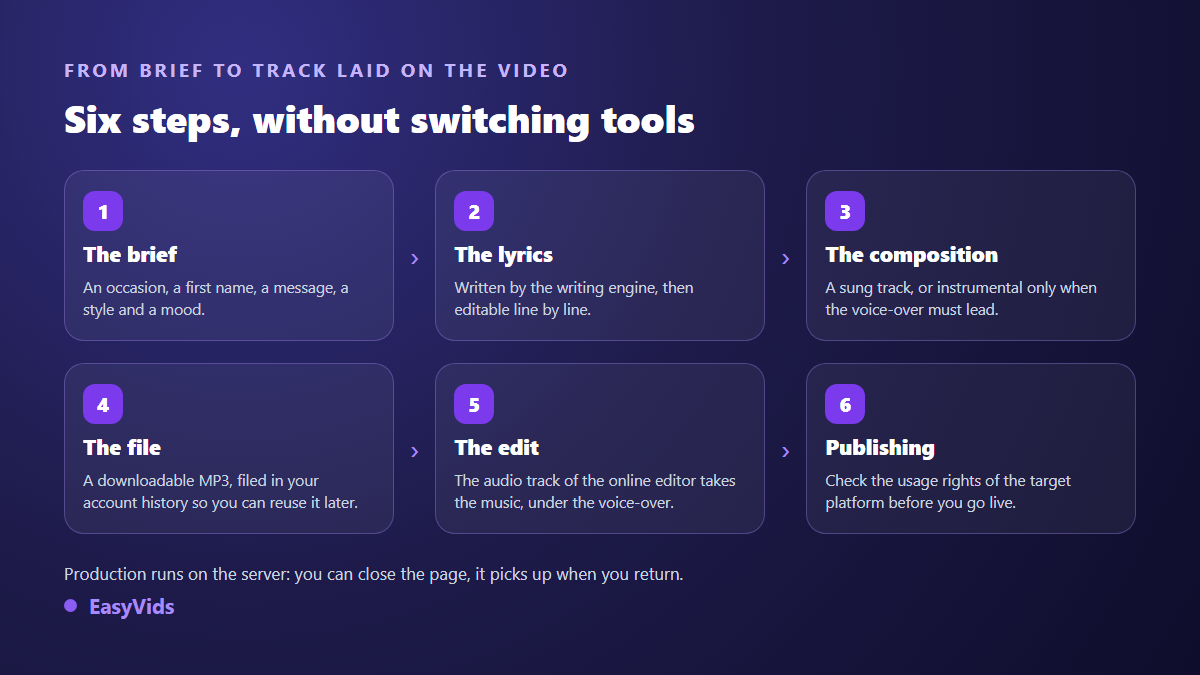
At EasyVids, the Music Studio works from a brief. You pick an occasion among a dozen ready made situations, add a first name and a message if you want one, then set a style, a mood and a tempo. The writing engine can draft the lyrics, which stay editable line by line before composition. Then comes the choice that matters: a full song with vocals, or an instrumental only when a voice over has to stay in front. Production runs server side, so the page can be closed without losing anything, and the track lands in your account history as a downloadable MP3. Plan details live on the pricing page, with a free trial so you can judge for yourself.
Rights: the real subject behind the word free
Suno states in its help centre that tracks made on a free plan remain limited to non commercial use, with commercial rights attached to paid plans. Most alternatives apply a comparable rule with their own variations. That terms page is the one to reread when you publish, not when you sign up: it changes, and it is what counts if someone challenges your video.
A second point gets overlooked: an AI generated track is not automatically safe from a claim. According to the YouTube help centre, Content ID compares uploads against files that rights holders have delivered into its reference database. If something very close to your track sits in there, the claim still fires, and you have to dispute it with proof of your generation. Keep the original file, its date and the brief you used. For plain background music, the YouTube Studio audio library remains an honest option: according to the same help centre, its tracks can be used in published videos, some of them with an attribution line to paste into the description.
Frequently asked questions
Is there a Suno alternative that is truly free and unlimited?
No. Every serious generator bills the compute one way or another, and the free plan works as a shop window: daily quota, streaming only, watermark or personal use. The useful move is choosing the limit that hurts your workflow least, not hunting for an uncapped offer that does not exist.
Can free AI music be used in a monetised YouTube video?
Only if the tool's licence allows commercial use, which free plans often exclude. Monetising a video is commercial use, even on a small channel. Check the publisher's terms page before you upload, and keep a record of the generation so you can answer a claim.
Which alternative should I pick for simple background music?
An instrumental generator, every time. A track with lyrics fights your voice over and loses the viewer within seconds. A short, quiet, loopable instrumental solves the problem and fits the exact length of your edit far more easily.
Can AI generated tracks be released on streaming platforms?
Some platforms accept them under conditions, others require a declaration or filter bulk uploads. The rules move quickly and deserve a check before you produce a whole catalogue: we gathered the current state of play in what Spotify accepts from AI generated music.
Looking for a free Suno alternative always ends on the same question: what are you allowed to do with the file? Answer that first and the shortlist drops to two or three serious candidates. If your music serves a video, save the round trips too: composing, writing lyrics, editing and exporting in one place changes your publishing pace more than the choice of engine. Create your account to try the Music Studio, or take a look at the EasyVids creation studio to see what the full chain covers.