You have a script to narrate and no intention of paying before you hear the result. So you look for a free AI voice generator, open five tabs, and find five things that have almost nothing in common: a reader that speaks on screen without recording anything, a character counter, a demo that refuses to let you download, software to install, and an offer that turns paid at the second minute of audio.
The useful question is not where to find something free, but how far free carries you before it stops, and on which point exactly it stops. This guide sorts the four families, shows what each one really delivers, and lists what to settle before you publish a video narrated by a voice that cost nothing. If you want the mechanics first, our complete guide to AI voice over takes the technical route.
The short answer
Free covers testing, drafting and private use perfectly: listening to a script, comparing two timbres, showing a mock up to a client. It stops on three points, and never on the one you expect. Quality is rarely the blocker. Usage rights, the monthly character cap and the ability to download a real audio file are.
The four families of free text to speech
Treating every free offer as the same thing is the first mistake. They serve different needs and hit different walls. Four families are enough to sort them, and knowing which one you are in saves an evening of pointless testing.
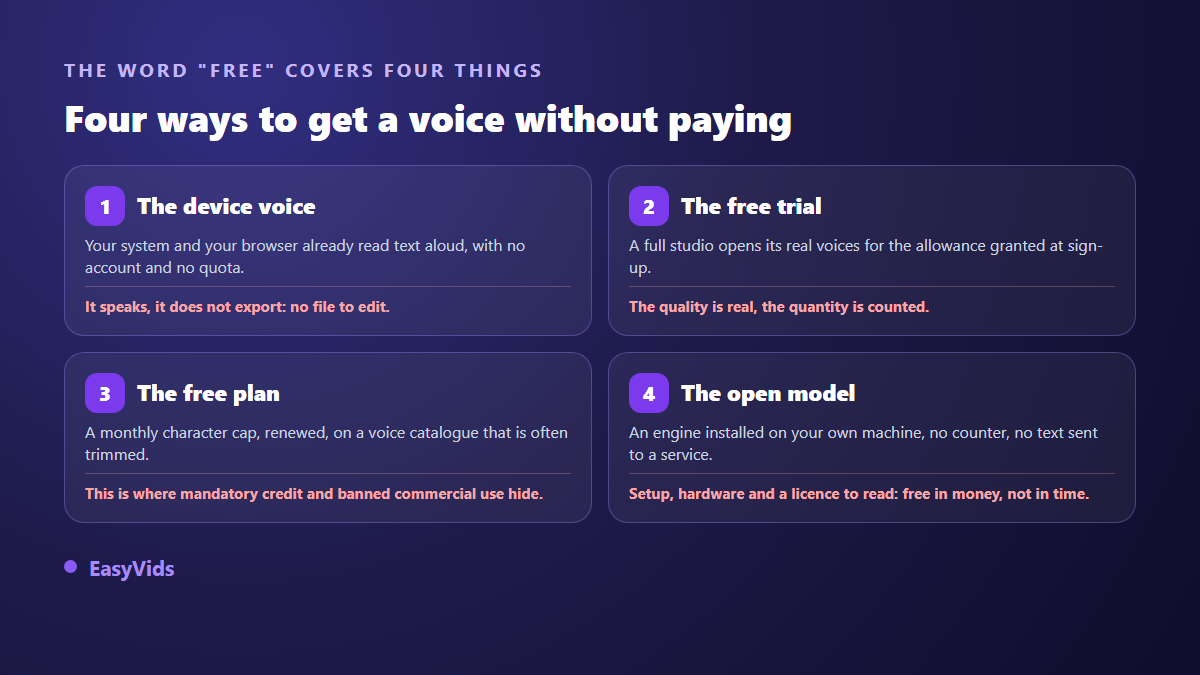
- The device voice: your operating system and your browser already read text aloud, no account, no quota.
- The free trial: a complete studio opens its real voices for an allowance granted at sign up.
- The recurring free plan: a monthly character cap, usually on a reduced voice catalogue.
- The open model: an engine installed on your own machine, no counter, but an install to run and a licence to read.
Your device voice: instant, and file free
This is the fastest route, and the least understood. Windows, macOS, Android and iOS all ship a read aloud function, and browsers expose the same thing to web pages. According to the Web Speech API specification published by the W3C, that interface can speak, pick an installed voice, set rate and pitch. What it never defines is recording: it speaks, it does not export.
The practical consequence is clear. This family is perfect for hearing your script back, spotting sentences that run too long, checking that a hook lands in ten seconds. It will never hand you the file your editing software expects. Capturing your computer output with a recorder gives a poor result and takes longer than a clean generation.
The free trial: the only way to hear real quality
The voices that make a difference are expensive to compute, and nobody gives them away without a limit. The logic of a trial is simple: you get the real catalogue and the real quality, on a measured allowance. It is by far the most useful family for making a decision, because it puts you in front of the exact result you will get later.
One habit protects that allowance: never test on your full script. Three sentences are enough to judge a timbre, provided you pick nasty ones. One with a proper noun, one with a number and a date, one with a question and an acronym. A voice that clears those three will clear your ten minutes.
Capped free plans: read the rights line first
This is the family that disappoints most, not because the voices are bad, but because the trade off sits somewhere other than the landing page. The monthly character cap is advertised in large type. The terms of service often add that the output is for personal use only, or that a credit line naming the tool must accompany any publication. Both clauses are decisive for a monetised channel.
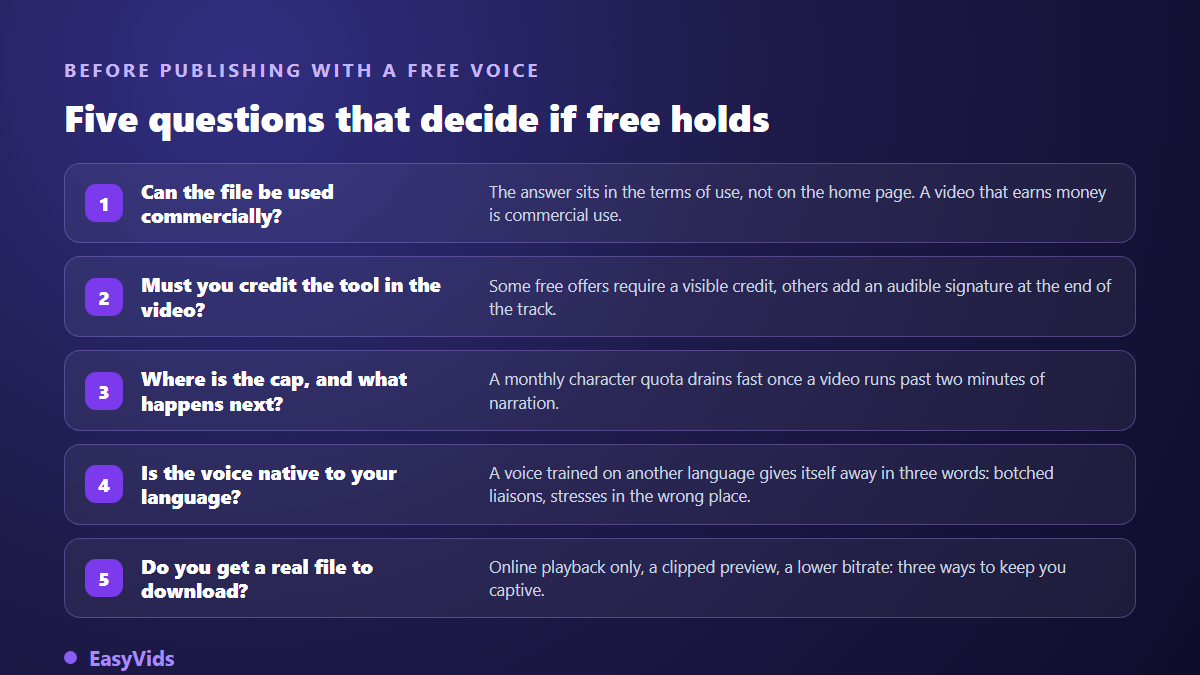
Then size the cap in characters rather than pages. The conversion is stable: one minute of narration runs around 150 words, roughly 1,000 characters. A ten minute video therefore burns about ten thousand characters. Against the advertised cap, the arithmetic takes a minute and spares you from building a whole production chain on an offer that runs dry at the third video.
Open models: free in money, costly in time
Some speech engines install on your own machine and run without a counter, without sending your text to a third party service. If you have a decent graphics card and are comfortable with a command line, it is a serious option, especially when the text is confidential and must not leave the desk.
Two honest caveats come with it. Time first: install, dependencies, voice tests, rate tuning, expect hours before the first clean file, and again at every update. Licensing second, and it gets read before the install. Not every licence called open allows commercial use, some forbid it outright, others require you to credit the model. A free download is not automatically a free right to sell.
Languages and accents: the blind spot of free offers
A free catalogue sometimes advertises dozens of languages. In practice many of those voices are English voices made to read another text, and it shows within three words: missed liaisons, misplaced stress, numbers pronounced the English way. The flaw never appears in the demo clip, which was chosen precisely because it lands well.
The test that settles it fits in one purpose built sentence in your language, containing a full date, an acronym, a proper noun and a four digit number. If all four clear, the voice is genuinely native. If one derails, you will spend your time rewriting around the engine, which means working for it.
What free rarely gives: direction
On a free offer you pick a voice. On a complete one you direct a voice. The difference is audible at once: recent engines accept a plain language performance note, along the lines of read this like a storyteller, warm and steady, and the same text comes back transformed. That is what separates a correct read from real narration.
The rest of what makes a voice believable costs nothing and works on any engine. Our piece on the settings that fix a robotic AI voice covers those moves: commas placed to create breathing, short sentences, numbers spelled out, proper nouns written phonetically when the engine mangles them. A well prepared text on an average voice beats a raw text on a premium one.
Voice cloning is almost never free
This is the most common request behind a search for a free voice, and the one that hits a wall fastest. Creating a cloned voice triggers a charge from the model provider, once per voice. Free offers therefore exclude it almost every time, or grant a version that expires. On the raw material side the good news is that the amount needed stays modest, as our measurement of how much audio a voice clone needs shows: a clean sample of a few dozen seconds beats an hour of noisy recording.
The legal point matters more than the technical one, and rules differ from one country to another. In France, article 226-8 of the Criminal Code punishes publishing an edit made with a person's words without their consent when the edited nature is not obvious. In short, someone else's voice is not cloned without permission, whatever the tool costs. Our file on the legality of voice cloning walks through consent and the evidence worth keeping.
Getting the most out of a free allowance
An allowance disappears fast when you generate as you go, fixing the text between two attempts. The habits below roughly double what you extract from the same quota.
- Finish the text first: every correction made afterwards is a generation wasted.
- Test timbres on three difficult sentences, never on the full script.
- Read the rights line before the first attempt, not after publishing.
- Play the sample the tool offers when there is one: a preview consumes nothing.
- Write down the chosen voice, its identifier and its performance note, so your episodes stay consistent.
- Keep the approved text aside: it will be reused as is the day you produce for real.
When free costs more than paid
The honest comparison is not free against paid, it is time against time. Three hours spent stitching two minute chunks, fixing a pronunciation no setting can rescue, or switching voices between episodes because the quota ran out, weigh more than what you saved. The threshold arrives quickly, usually at the third publication. Our plans sit on the pricing page, and a good share of the work happens before you commit to anything.
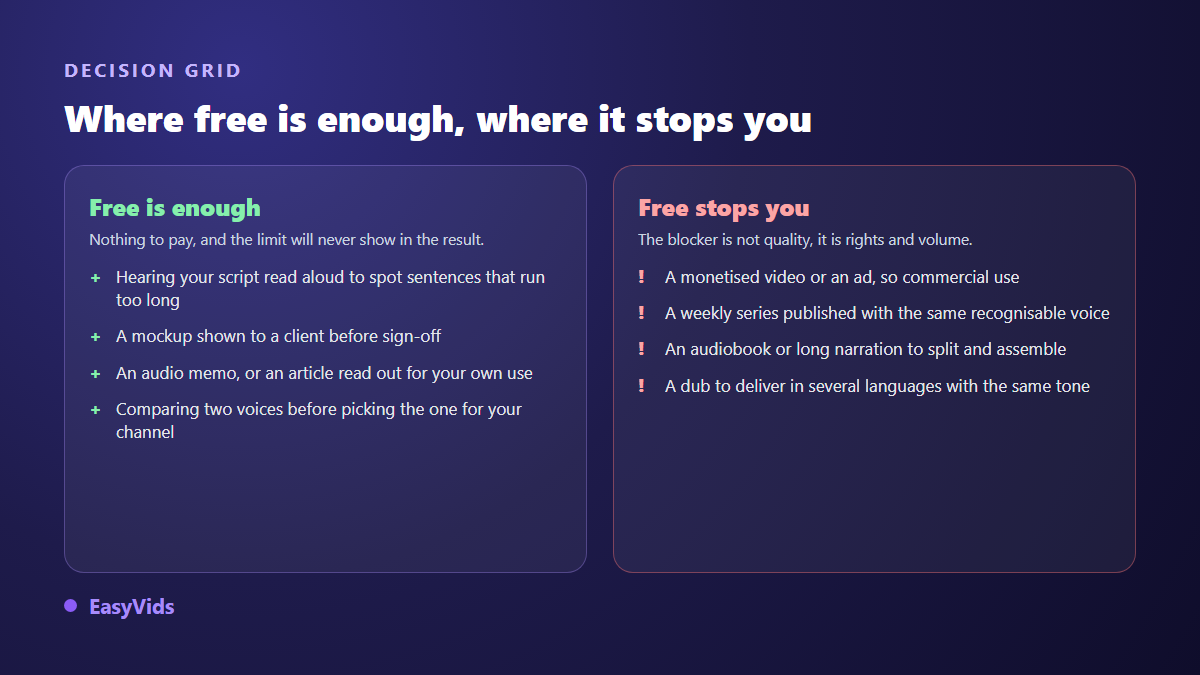
One exception deserves a mention. If your need is occasional, one voice for a single video per quarter, free remains the right answer and no subscription is justified. Volume outranks every other criterion, and it is settled before quality.
What EasyVids opens without payment
Our position fits in one sentence: no feature is reserved for a paid plan. The full voice catalogue, the performance note and multi voice dialogue are available from day one, only the credit balance changes between plans. An account created and confirmed by email receives welcome credits, no bank card, and those credits can go entirely into voice over if that is what you need.
Three details matter when you start with no budget. Voice previews consume nothing, so you listen before spending. Very long texts are split automatically, generated in parallel and reassembled into a single MP3, up to 100,000 characters at once, which comfortably covers a short audiobook. And our terms let you use commercially what you produce, within the rights granted by the model providers. The EasyVids studio keeps these steps in one place.
Frequently asked questions
Can a free generated voice be used on a monetised video?
It depends on the voice tool's terms, not on the publishing platform. Many free offers restrict output to personal use, and that is where the risk sits. On the publishing side, the YouTube help centre, in its inauthentic content policy updated in July 2025, does not penalise synthetic narration as such: it targets repetitive mass produced content with no contribution of its own.
Can I download a file from my browser voice?
No. The Web Speech API published by the W3C defines no recording function: the voice comes out of the speakers, with no file. To get an MP3 you can drop on a timeline, you need a service that renders the audio server side and hands it back as a download.
Are free voices less natural than paid ones?
Often, though the gap has narrowed and it no longer sits in the timbre. It sits in direction: recent engines accept a performance note and read punctuation like a score, which system voices cannot do. On a short, well punctuated text a free voice can be enough. Across ten minutes of narration, the flatness becomes audible.
How many characters does a free plan cover?
No general figure holds, since every service sets its own cap and changes it. The useful conversion is this one: about 150 words of narration per minute, roughly 1,000 characters. Divide the advertised cap by a thousand and you get the number of audio minutes you are entitled to each month.
Can I clone my own voice for free?
Rarely in a lasting way. Creating a cloned voice is billed to platforms by the model providers, which a free offer absorbs badly. When a service does offer it at no charge, check two things before relying on it: does the voice survive the trial period, and may you use it for commercial content?
The best use of a free AI voice generator is deciding, not producing. It helps you choose a timbre, validate a script, confirm that a hook stands up. The day you publish for real, rights and volume are what command, never the label on the landing page. To hear the voices and try a performance note on your own text, create your account: the welcome credits are plenty to narrate a first video.