You have a text ready: a published article, a script jotted down in a hurry, a product description. You want to see it as a video, and you would rather not pay to find out whether the idea works. Free text to video AI does exist, as long as you know what the word free covers. Depending on the tool, it means a generous trial, a file stamped with a logo across the frame, or a demo that stops right before the download button.
Sorting the offers gets easy once you know the five places a free plan closes down. We go through them, then look at what a trial genuinely lets you publish and how to avoid wasting your first generations. If you want the full mechanics first, without the pricing question, our guide to turning text into video walks the chain end to end.
The short answer
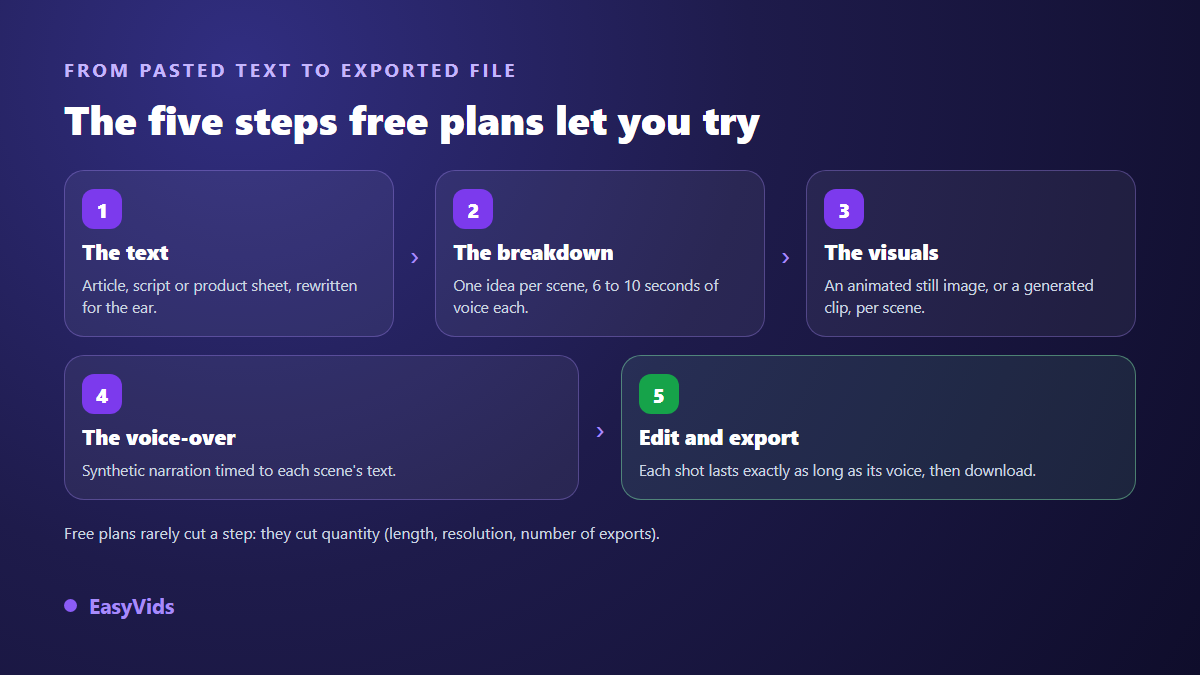
Yes, you can turn a text into a video without paying, and the result can be publishable as it stands. Free plans almost never remove a step of the chain: you keep the writing, the scene split, the voice over, the visuals and the automatic edit. What they cut is quantity: duration, resolution, number of exports, and sometimes the cleanliness of the image. A trial is there to produce one short, careful piece, not to feed a channel that posts every day.
Three different technologies share the same name
The first family is the text to video models. You describe a scene, the model builds a few seconds of moving image. Impressive, expensive in compute, and unable to tell a story on its own. The second is automatic slideshows: your text is split into sentences, each sentence gets a stock visual and a caption, and a synthetic voice reads it all. The third is the narrative studios, which orchestrate the first two around a script cut into scenes.
That distinction decides what a free trial is worth. A pure model burns your allowance in a handful of demo clips. An automatic slideshow hands you a whole video, often a generic one. A narrative studio behaves like a complete AI video generator and lets you arbitrate: a lightly animated still where the voice carries attention, a generated clip only where motion truly matters.
The five locks on a free plan
Limits change from one service to the next, but they always fall into the same boxes. Spot the one that affects you before you create an account, not after three hours of work.
- The watermark: a logo burned in at export, centred or in a corner, sometimes animated so it cannot be cropped out.
- Resolution: output often caps at 720p, which holds on a phone and falls apart on a television.
- Duration: a few seconds per generated clip, or a total video length capped by the plan.
- Export count: metered per week or per month, and a failed draft costs exactly as much as a final cut.
- Usage rights: some free plans reserve commercial use for paid tiers, which rules out advertising and monetisation.
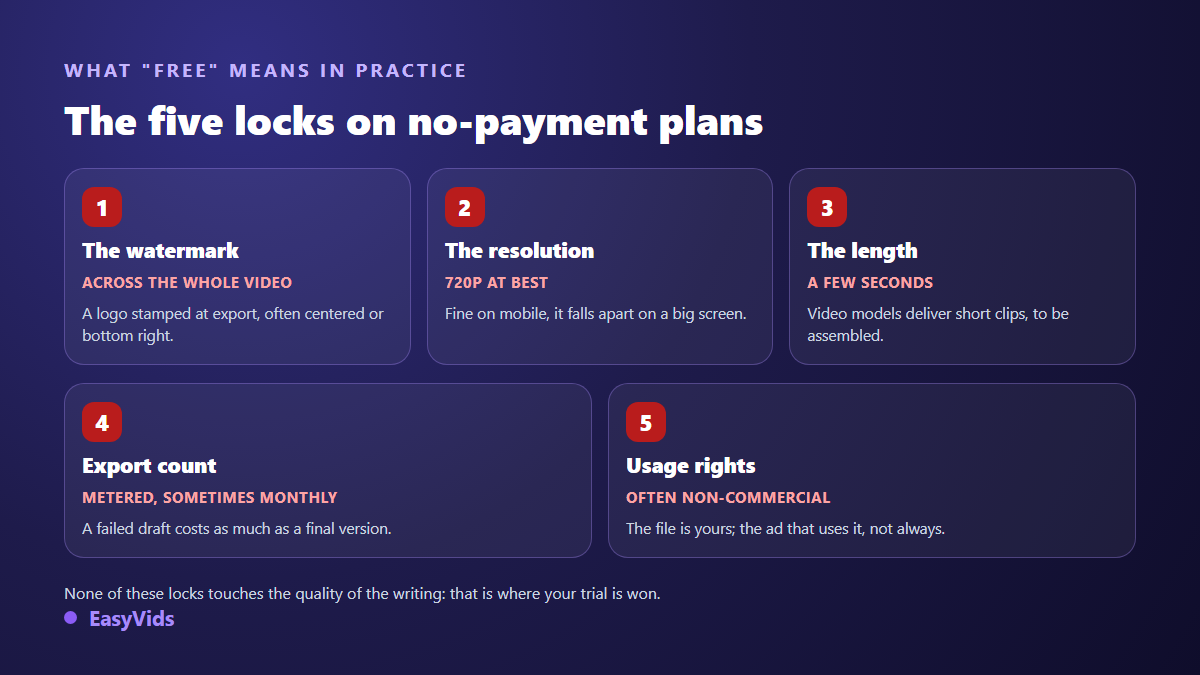
One point deserves emphasis: none of these locks touch the quality of the writing. The script, the pacing, the hook in the first three seconds cost nothing. That is exactly where the difference between a video people watch and a video people leave is decided, and it is the part your free trial covers in full.
The watermark, the most visible lock
A mark burned across a whole video is not only an aesthetic problem. It tells viewers the clip came out of a tool, it occupies a zone of the frame the platform interface usually needs, and it makes the file unusable in advertising. The removal tricks promised everywhere, cropping, blurring, covering with a patch, all damage the image one way or another, as our analysis of clean exports explains.
Duration, the lock nobody mentions
Current video models produce short clips. Depending on the model, output runs from four seconds to around thirty, and most sit between five and ten. A one minute video is therefore never a single render: it is an assembly of six to ten shots. Across our own generations, one minute of voice over is roughly 150 words, about a thousand characters, which gives you a reliable way to size your text.
The consequence for a trial is direct. A three minute text needs around twenty scenes, so around twenty generations. Start short. One well made forty second video beats three minutes of draft burned without review.
What a free trial genuinely lets you publish
The classic mistake is aiming too high. A free allowance comfortably covers one short piece: a thirty to forty five second vertical video, the animated summary of a blog post, a channel intro, an announcement, an invitation, a mockup to show a client before committing to a full production. For a short social format, our method for turning a written idea into a vertical video sets the framing and the text length to aim for.
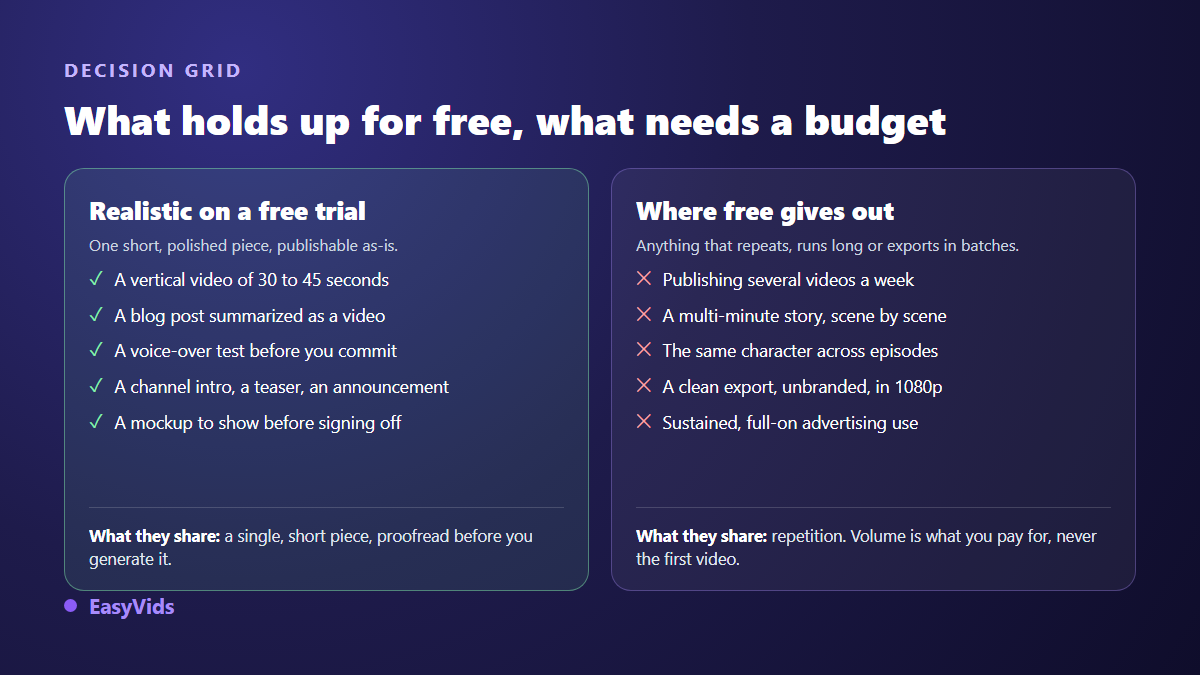
Anything that repeats falls outside that frame: posting several times a week, holding a multi minute story cut scene by scene, keeping the same character across episodes, exporting clean in high definition. Those needs belong to a paid plan, and the pricing page stays the only up to date place to compare, because plans move.
How to avoid wasting your first generations
A free allowance disappears in minutes when you generate at random. It carries a whole video when you work in the right order. Here is the sequence we recommend, whatever tool you pick.
- Rewrite the text for the ear before generating anything: short sentences, one idea each, real punctuation.
- Split it into scenes yourself, six to ten seconds of voice per scene, and read the split on screen.
- Generate one test scene, the hardest one, to judge the style before launching the rest.
- Prefer a lightly animated still to a generated clip wherever the voice carries the attention.
- Keep the voice over for last: it regenerates quickly, and the text still moves while the visuals are not locked.
- Export once, after a full review, if exports are metered.
The order looks trivial. It still triples the yield of a trial, because it puts the free decisions, writing and cutting, ahead of the operations that consume. The voice deserves particular care: it carries half the perceived quality, and our guide to turning a text into a narrated video covers the settings that separate a credible narration from a mechanical read.
What the EasyVids free trial covers
With us, conversion starts with a paste: you drop your text in, the tool splits it into scenes based on the length you target, and you adjust every cut by hand before creating the project. Each scene then gets its visual and its voice, the edit automatically matches every shot to the length of its narration, and the export uses the aspect ratio you chose at the start. If your text introduces a business, the structure that holds attention for ninety seconds is worth applying before the split, because it changes the order of the scenes. A credit allowance is granted on sign up once your email address is confirmed, with no bank card, and exports carry no watermark, trial included.
Three things to check before publishing
A tool being free says nothing about your obligations once the video is online. Start with the terms of service: some free plans restrict use to a personal context, which rules out commercial promotion. Then labelling: TikTok announced in May 2024 that it had adopted Content Credentials from the C2PA standard, a provenance marker that lets a platform automatically add an AI generated label to videos carrying it.
Then monetisation. According to the YouTube help centre, the inauthentic content rule updated in July 2025 targets repetitive or mass produced content with no real contribution, not the use of AI itself. A video built from a text you wrote, narrated with care and edited on purpose, sits within the rules. A stack of near identical videos churned out at speed does not.
Frequently asked questions
Can you really convert text to video with no payment at all?
Yes, for a short video. Most studios grant a starting allowance that covers one thirty to sixty second piece from beginning to end. What becomes paid is repetition: volume, length and the number of exports.
Do all free tools add a watermark?
No, but it is common. A mark is the simplest way to make a free plan visible. Check this point before creating an account: when clean exports are reserved for paid tiers, the pricing page nearly always says so.
How much text makes a one minute video?
Around 150 words, roughly a thousand characters. Then plan six to ten scenes for that minute, each holding six to ten seconds of voice. Thinking in minutes of video rather than in words saves you from writing a text you will have to cut.
Do I need a finished text to start?
No. An idea stated in one sentence often beats a text written to be read with the eyes, because the AI then writes directly for the ear. If your text already exists, reduce it to its guiding idea and let it be rewritten before you generate.
Treat free conversion as a dress rehearsal: a short text, a reviewed split, one test scene, one clean export. Within an hour you will know whether the format suits you, before committing to anything. To try it directly, creating an account opens the full studio with no bank card, and the EasyVids studio keeps writing, visuals, voice and editing in one place.