Looking for an AI book generator free of charge is the right instinct: nearly every writing assistant now has a tier that costs nothing. So the question is not whether you can write a book without paying. The question is how far that free tier carries you. The unpleasant moment always lands in the same spot: the text is written, you are reasonably happy reading it back, and you realise the file on your desk is not a book yet.
This article does not open with an advert. It describes what a free tool really hands over, then the six walls a book project runs into, one at a time, with the exact moment each one shows up and the workaround when there is one. If you want the full method first, from picking a subject to the finished file, our complete guide to writing an ebook with AI walks the whole path. Here we stay on the free tier and its edges.
Short answer: how far free actually goes
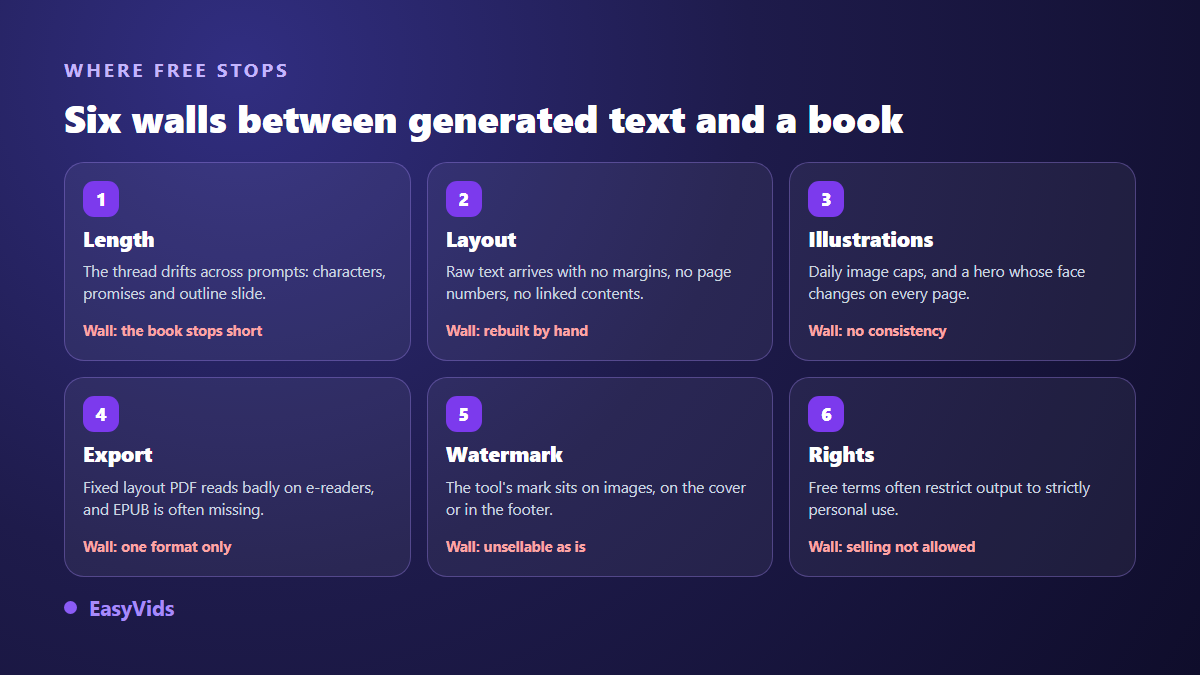
Yes, you can produce an ebook from the first word to the final file without paying, and it will be readable. A free tool outlines well, writes decent chapters and returns clean prose. It stalls on four things, always the same four: holding length without drifting, layout, illustration consistency, and commercial usage rights. While the book stays an internal document or a giveaway, none of that costs you anything. The moment you sell it or make it your shop window, each one becomes either half a day of manual work or a reason not to publish.
What a free generator really produces
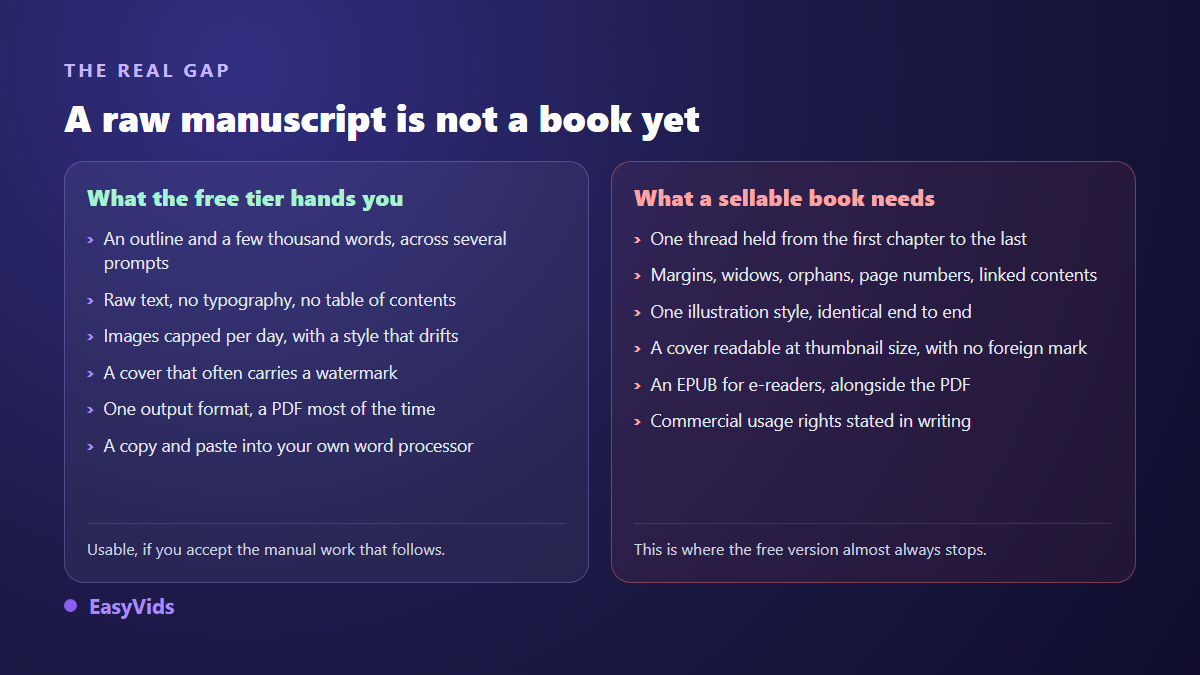
In practice, the free tier of a writing assistant returns an outline in seconds, then chapters of a few hundred to a few thousand words per prompt. That is already a lot. The prose is grammatically clean, structured with headings, and it holds up on a subject you know well enough to correct. What you get is not an unusable draft. It is a raw manuscript.
Every free offer has one thing in common: it stops at the text. The conversation returns words. Everything that turns words into a book stays on your desk, meaning the file, the cover, the images, the pagination, the output format and the legal frame. That gap explains the distance between the fun of the first ten minutes and the fatigue of day three.
Wall 1: length, or the book that stops short
A language model writes in blocks. You do not receive a whole book in one go: you prompt again, chapter after chapter. On each new prompt, a free tool keeps only a limited memory of what came before. Anyone who has tried knows the outcome: by chapter six a character has changed job, a promise made in the introduction is never kept, and two chapters say the same thing in different words.
The workaround exists and it is manual. Fix the outline once, keep it in a separate document, and paste it back at the top of every prompt along with a short sheet of the characters or ideas already established. It works, and it is tedious. Decide your target length before you start too, because it drives everything else: the page count a book actually needs is not the same for a lead magnet and for a paid title.
Wall 2: layout, the most underestimated of the six
You have the text. You paste it into a word processor, and reality arrives: no reading margins, no heading hierarchy, no linked table of contents, no page numbers, paragraphs leaving a single stranded line at the top of a page. A reader could not name any of these faults. They feel every one of them, and conclude the book was rushed.
A free word processor handles this well, provided you work with styles rather than manual formatting. Budget a solid half day the first time, far less afterwards since you reuse your template. The concrete rules on fonts, margins and image placement sit in our guide to laying out an ebook, and they hold whatever tool wrote the text.
Wall 3: illustrations that never match
Free image generators nearly all impose a daily cap. That is not the real problem. The real problem shows up on the third image: the style has moved, and if your book features a character, their face has changed. An illustrated book whose hero is unrecognisable from one chapter to the next is spotted instantly, including by readers who know nothing about AI.
Consistency means working from references: one reference image per character and per setting, reused in every illustration that follows. Few free tools accept a reference as input, and that is exactly the feature separating decorative art from a genuinely illustrated book. We covered the mechanics in our method for a fully illustrated book.
Wall 4: export, because a PDF is not always an ebook
Most free solutions hand you a PDF, and a PDF has fixed pages. On a phone or an e-reader, the reader has to zoom in and then pan around the page. The format built for digital reading is EPUB, whose version 3.3 became a W3C Recommendation in May 2023: the text reflows to the screen size, to the font the reader picked, and to dark mode.
In practice, PDF stays right for a guide you give away, print, or read on a computer, because your layout arrives intact. EPUB wins for anything sold through digital bookstores or read on an e-reader. If you are selling, produce both: the PDF comes out of any word processor, and converting to EPUB afterwards takes minutes with a free converter.
Wall 5: watermarks and the cover
Plenty of free offers mark what they produce. The watermark slips onto generated images, sometimes onto the cover, sometimes into the footer of the exported document. It is an ordinary commercial decision, and it becomes a deal breaker the moment you sell: nobody buys a book carrying another service's branding.
The cover deserves its own note, because it decides the sale before the text does. Three rules cover it: a title readable at thumbnail size, a visual that announces the content, and contrast that survives a tiny display. A free image generator can produce that visual. What it handles badly is text baked into the image, which usually comes out mangled. Set the title over the image in a layout tool instead of asking the model for it.
Wall 6: usage rights, the one that costs most
This is the wall people hit last, often after the first sale. Two separate questions arise. First: are you allowed to exploit commercially what the free tool produced? The answer lives in its terms of service, and many free tiers restrict output to personal use while opening commercial use to paid plans. That clause cannot be guessed, only read.
The second question is about protecting your own book. The United States Copyright Office, in the second part of its report on copyright and artificial intelligence published in January 2025, holds that output generated entirely by a machine with no human creative contribution is not copyrightable, and that protection attaches to what the human author actually contributes. The more structuring and rewriting you do, the more defensible your book is. On the publishing side, Amazon has required since September 2023, under its Kindle Direct Publishing terms, that AI generated content be declared at upload.
Before writing a line in a tool you do not know, six questions are worth the quarter hour they take.
- Is commercial use of the output allowed on the free tier, or reserved for paid plans?
- Is a watermark applied to images, to the cover, or inside the exported document?
- Which output formats are offered, and is EPUB one of them?
- What is the real cap: words, images, or projects per day?
- Does the service claim any right over your text, for instance to train its models?
- What happens to your book if you stop using the service: can you take everything with you?
Getting the most out of free, when free is the right call
Free is not a fallback. For a white paper aimed at your clients, an internal note, a training handout, or a first attempt that validates a subject before you invest time in it, free is plenty. The grid below shows the exact point where it stops being enough.
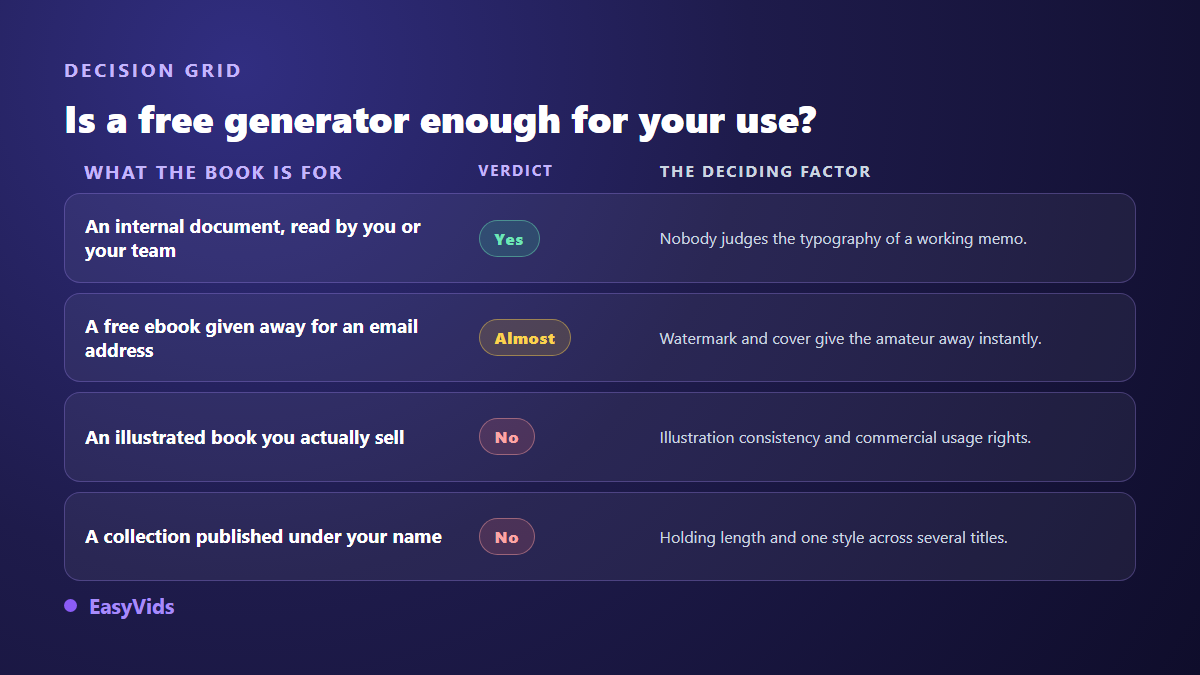
When you do stay on free, the order of operations decides everything. Write first, illustrate second, lay out last: every step backwards costs a full re-layout, and that is where projects stall.
- Write the subject, the promise and the audience in three sentences before generating anything.
- Have the outline produced on its own, correct it yourself, keep it in a separate document.
- Write chapter by chapter, pasting that outline at the head of every prompt.
- Read the whole thing in one sitting to catch repetition, the number one flaw of block written text.
- Generate the cover and the illustrations only once the text is frozen.
- Lay out last, using your word processor's styles, then export.
What costs nothing on EasyVids, and what costs credits
Worth stating plainly, since it is the subject of this article. Topic suggestions are free: you give a theme, the ebook workspace returns titles and promises, with nothing charged. On signing up, once your address is confirmed, welcome credits land on your account and cover a first complete book with no bank card involved. The plans themselves live on the pricing page, which changes too often to be copied into an article.
What does consume credits is the production, billed in two stages: a share at launch for the angle and the outline, the rest only once you have approved that outline. A whole book is never charged against a plan you have not read. Illustrations are counted one by one, and a failed image is refunded. No automatic paid retry exists: the slot stays empty and is flagged in your report rather than being retried at your expense.
Against the walls above, the book comes out as a self contained, already typeset file with print rules and a PDF export button, with no watermark. Illustration consistency runs through a casting step: recurring characters are identified, their reference portraits feed every image that follows, and you can even upload your own photo for one of them. That is the part no stack of free tools reproduces easily. The full studio keeps the writing, the images and the assembly in one place.
Frequently asked questions
Can you really create an ebook for free from start to finish?
Yes, by stitching several services together: a writing assistant for the text, an image generator for the visuals, a word processor for the layout, a converter for EPUB. The result is publishable. The real cost is not money, it is hours and round trips between four different accounts.
Do free AI book generators watermark the ebook?
It depends on the tool, and it is worth checking before you write rather than after. Watermarks are common on freely generated images and rarer on the document itself. When a service does not say so on its landing page, the answer is usually in its terms of service.
Can you sell a book written with a free tool?
It depends first on the tool's terms of service, which sometimes restrict free output to strictly personal use. On protecting the book itself, the United States Copyright Office states in its January 2025 report that only the human contribution is copyrightable. And on the retail side, Amazon has required AI content to be declared under its Kindle Direct Publishing terms since September 2023.
PDF or EPUB: which format should you choose?
PDF for a document you give away, print, or read on a computer, because the layout stays exactly as you composed it. EPUB for a book sold through digital stores or read on an e-reader, because the text reflows. If you are selling, produce both: converting from a clean file takes minutes.
How long does a free ebook actually take?
On a short book of around thirty pages, budget one full working day the first time: a few hours on the text and the prompts, a solid half day on layout and cover. The second book goes twice as fast, because you reuse your template.
Free is not a trap, it is a boundary. It runs exactly where your book stops being a document and becomes a product: the day someone pays for it, finds it in a storefront, or judges it on its cover. While you are on the right side of that line, use free without hesitation. Once you cross it, the arithmetic changes, and it is counted in hours as much as in credits. To see what a complete chain does with your own subject, creating an account opens the ebook workspace with welcome credits.