You need a visual right now. An illustration for a post, a background for a story, a rough idea to show before anyone commits to it. So you search for a free AI image generator with no sign up, because you want no form, no card, no confirmation email sitting in a queue. Those tools genuinely exist, and some of them return a usable picture in seconds.
The catch is not the word free. It sits in the words no sign up. A service that cannot identify you cannot store your images, cannot let you retry a failed generation, and cannot put your name on a licence. It compensates with restrictions you meet at download time, never before. This guide walks through them one by one, then covers the jobs where they cost you nothing and the jobs where they cost you a day. For the underlying method, our complete guide to AI image generators covers the whole chain.
The short answer
Yes, you can generate an image without an account, often without paying. What you usually get: a reduced resolution file, a shared queue, no history, sometimes a visible logo, and commercial terms that are rarely easy to find. That is ideal for testing an idea or sharpening a prompt. It falls apart for a product listing, a channel thumbnail, or a set of images that must match. The tipping point is always the same one: the moment you need to find, redo or extend an image, you need an account.
Why no sign up exists in the first place
A generated image is not a file sitting on a shelf, it is a computation. Every click books seconds of graphics processing on a server, and those seconds cost money. A service handing that compute to anonymous visitors has one lever left: throttling. It throttles the rate per network address, caps output resolution, puts accountless visitors at the back of the queue, and wipes results after a few hours.
None of that is dishonest. It simply explains why the promise rarely matches the result. Without an identifier, the tool does not know who you are, so it cannot keep your images, refund a failed run, or write your name on anything. You are a passing visitor, and the service treats you accordingly. Many of these offers are shop windows: they show the model, and the account request follows a click later.
The download wall
The pattern repeats from site to site. You write your prompt, you wait, a preview appears and you like it. You click download, and the page asks for an email address. Or the file arrives, small, with a logo in the corner. Or the clean version exists and belongs to a paid tier. Three different doors, one effect: the preview was free, ownership is not always.
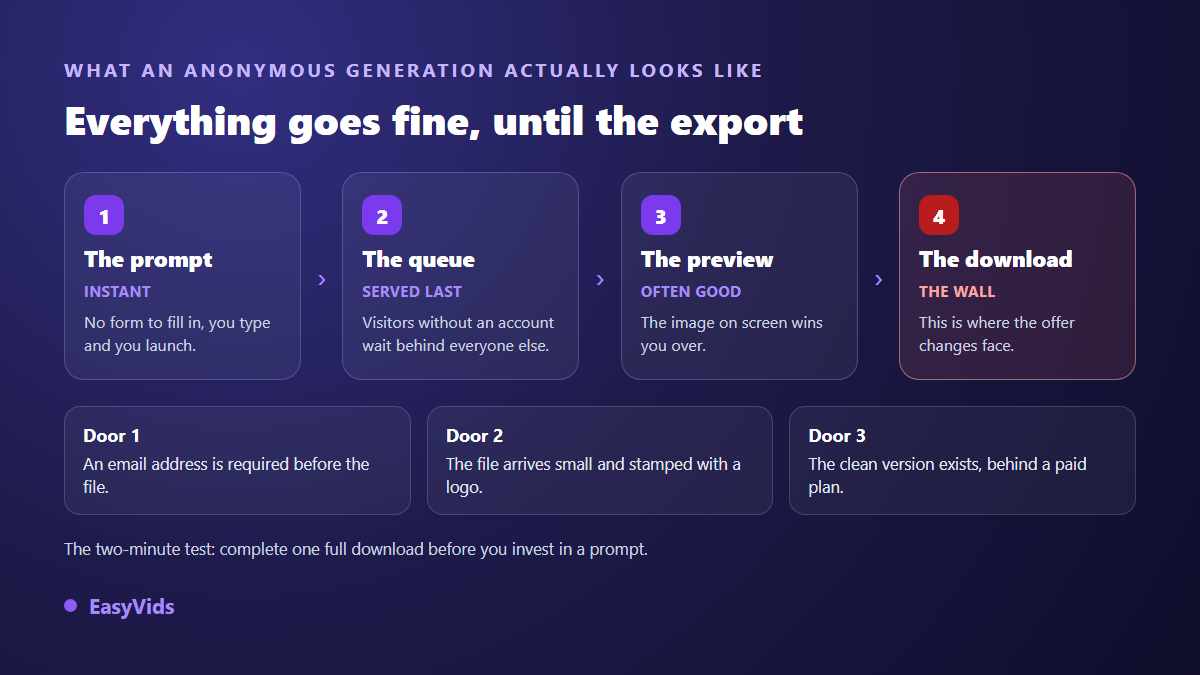
One habit saves the most time: check what the export gives you before spending twenty minutes tuning a prompt. Run one throwaway attempt, go all the way through the download, look at the file size and hunt for the mark. Two minutes tell you whether the tool deserves your afternoon.
Six limits you meet after the fact
They are not all present everywhere, and none of them is hidden out of malice. They are simply written at the bottom of the page, when they are written at all.
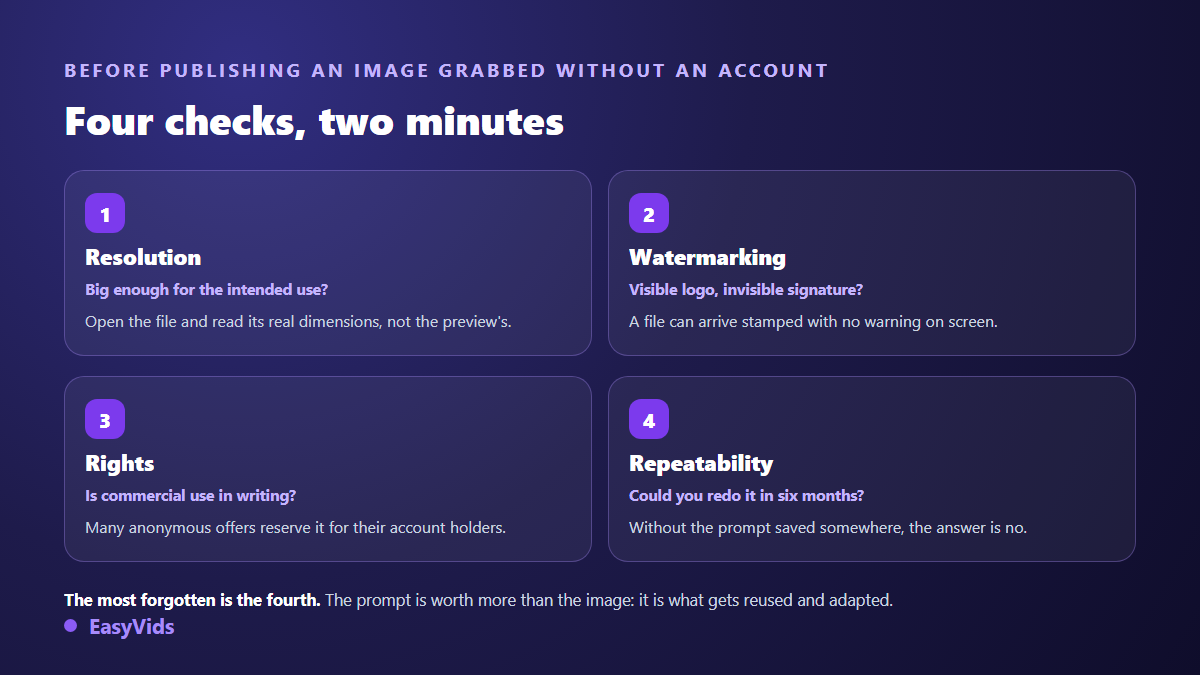
- Resolution: anonymous outputs often land around 512 to 1024 pixels on the long side. Fine for a thumbnail, tight for a banner, useless for print.
- Marking: a visible logo in a corner, and sometimes an invisible signature written into the file itself.
- The queue: accountless visitors go last, and peak hours stretch the wait with no explanation.
- No history: close the tab and the image is gone, along with the prompt that produced it.
- No reference images: you cannot feed back an approved visual to keep the same face or the same product, so no consistent set.
- Usage rights: commercial permission is often reserved for accounts, and terms change without notice.
What you really lose, and it is not raw quality
Counter to expectation, image beauty is not what separates an anonymous tool from a full studio. The underlying models are often close, sometimes identical. What changes is everything around the generation, and that is exactly what saves time over weeks rather than minutes.
The first gap is history. A prompt that worked is worth more than the image it produced, because it can be reused, adapted and corrected. Without an account you start from zero on every visit. The second gap is the visual reference: a studio lets you feed an approved image back in so the character or the product stays identical from one shot to the next. The third is control: regenerating a variant, changing the aspect ratio, upscaling, without rewriting anything. Prompt writing still decides most of the outcome, which is why we covered it separately in twenty one image prompt examples.
Where no sign up is genuinely enough
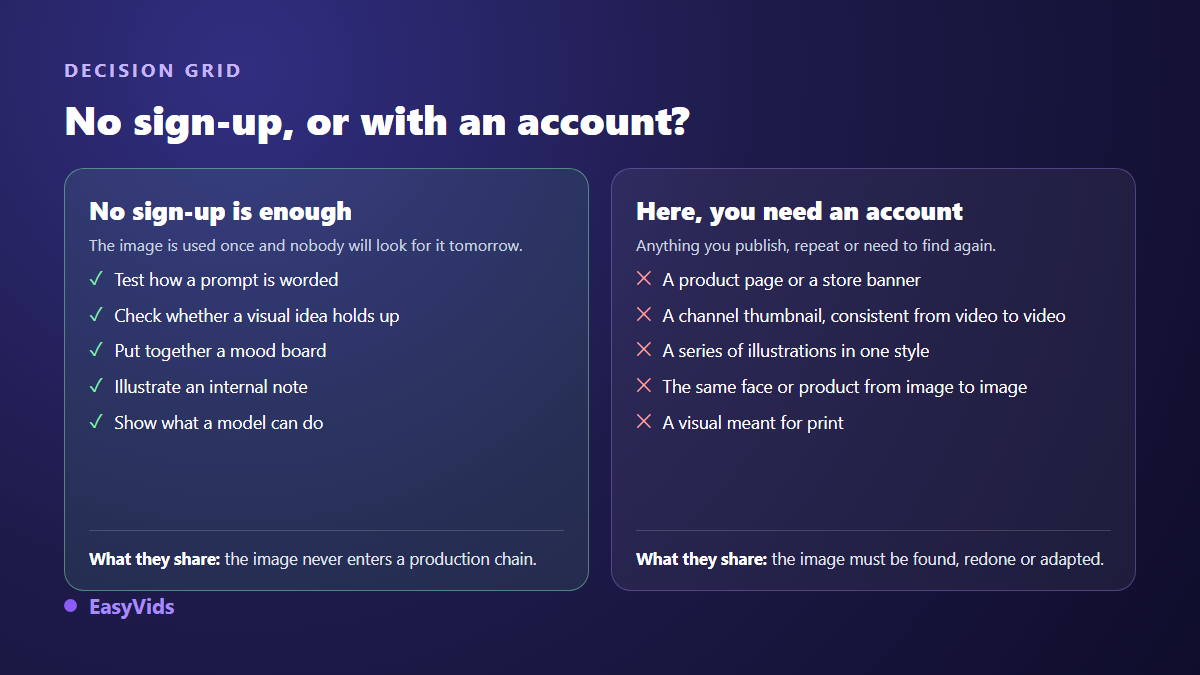
These tools earn their place, and dismissing them would be unfair. They shine whenever the image is not meant to be published. Testing how a prompt is phrased, checking whether a visual idea holds up, building a mood board where low resolution bothers nobody, illustrating an internal note, showing a colleague what a model can do. In all of those, an account adds nothing.
These uses share three traits. The image serves once, it never enters a production chain, and nobody will have to find it again. While those three hold, no sign up is the right tool and the fastest one.
Where it never is
The moment an image enters a public surface, the rules change. A product listing needs precise framing, sufficient resolution and written commercial permission. A channel thumbnail needs a recognisable face held from one video to the next. A set of illustrations needs a constant visual charter, which no anonymous tool can provide since it forgets everything between two clicks. Print needs a resolution these outputs almost never reach. Staging a physical item for sale depends on settings these tools do not expose, as our AI product photography method shows in detail.
Rights and transparency, before you publish
Two different questions hide behind the word rights. First: are you allowed to use this image for your business? That depends purely on the service terms, and many anonymous offers keep commercial use for their account holders. Second: does the image belong to you? That one is more nuanced.
On ownership, the United States Copyright Office published in January 2025 the part of its report dealing with human authorship in works made with artificial intelligence. It holds that an image obtained from a plain prompt, with no identifiable human creative contribution, does not meet the conditions for protection. In practice: you can use the image, you will struggle to stop anyone else from using it too.
On transparency, the C2PA coalition publishes the Content Credentials standard, which records inside the file itself where a piece of content came from and what was done to it. Google states that images produced by its own models carry an invisible mark called SynthID. A file grabbed without an account can therefore arrive already marked, with nothing on screen telling you so. That is not a problem in itself, it is something to know before presenting it as a photograph.
The workflow that saves the most time
Anonymous tool against full studio is a false debate. The two combine well once each gets the right job.
- Hunt for the idea on a no sign up tool, firing off quick attempts without worrying about resolution.
- Write the prompt that worked into a plain text file, word for word. That is your real output, not the picture.
- Decide the aspect ratio before the final version: a visual designed wide and cropped tall loses half its setting.
- Generate the final version on an account, at a useful resolution, and keep the best output as your base image.
- Feed that base image back as a reference for everything that follows: it is the only path to a consistent set.
- Check embedded text, hands and background details before publishing, the three areas models still get wrong.
The discipline costs five minutes and spares you the most frustrating outcome in the field: a perfect image obtained by accident, impossible to reproduce, and too small for the job. On budget, the only rule worth keeping is to look at what each step actually charges you, and our plans are laid out on the pricing page.
What an account changes, even without paying
Creating an account does not mean paying. On EasyVids, signing up asks for an email address and its confirmation, no bank card, and welcome credits land as soon as the address is confirmed. They cover images, but also voice over, music and video, since all of it lives in the same place.
What the account gives you, concretely: the history of your generations, the choice of aspect ratio and resolution before the compute starts, several quality levels depending on whether you want a draft or a final, reference images sent to the models able to read them, and several generations running in parallel without freezing the interface. You can see the whole set on the EasyVids studio.
Frequently asked questions
Do free AI image generators without sign up really exist?
Yes. Several services let you generate straight from their home page with no account. The restriction rarely sits on generation itself, almost always on what follows: delivered resolution, marking, attempts per hour, and commercial permission.
Can I use an image obtained without an account commercially?
It depends entirely on the service terms, which you should read before publishing. Many anonymous offers limit use to personal contexts and keep commercial rights for account holders. When in doubt, regenerate the image somewhere the terms are explicit.
Why does the downloaded file look worse than the preview?
Because the preview is often displayed at a higher resolution than the delivered file, or recompressed at export. Always run one test download before seriously tuning a prompt: it is the only way to know what you will actually receive.
How do I get several matching images without an account?
That is the hardest limit to work around. With no way to feed back a reference, one partial trick remains: write three lines of visual charter covering render, light and palette, then paste them unchanged at the end of every prompt. Consistency improves clearly, without ever matching what references achieve.
Should I use a disposable email to try a tool?
Tempting, and usually counterproductive. Most services reject those domains, and you lose access to your creations the moment the inbox expires. One dedicated address kept for testing tools does the same job without the downside.
A free AI image generator without sign up delivers something real: it lets you try with nothing installed and nothing committed. It stops precisely where your work starts, when the image has to be found again, redone, extended and published under your name. Test freely, keep the prompts that worked, then produce the final version somewhere that remembers what you did. Creating an account takes a minute, no bank card, and opens the full studio.