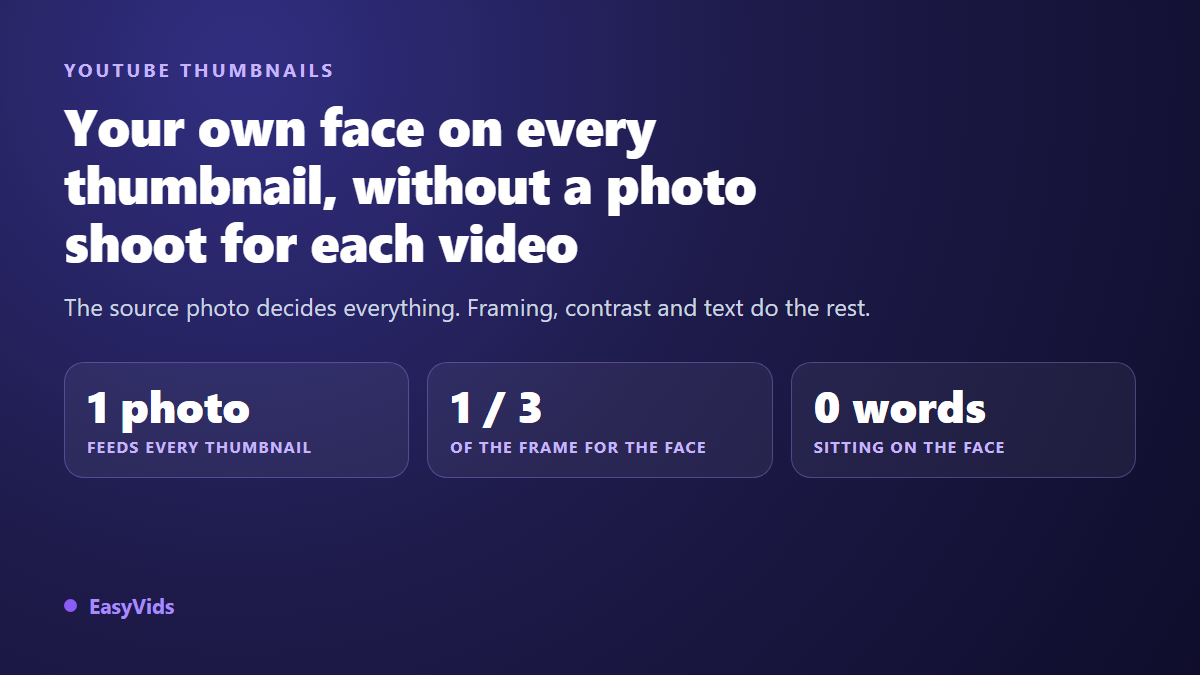
You searched for a YouTube thumbnail face generator because the manual route stopped scaling. Every video means another selfie, another cutout, another hour in an editor. And the result still sinks into the feed, next to twenty other thumbnails, on a phone screen where your face ends up the size of a stamp.
A face does not earn clicks by being present. It earns them by being large, lit, separated from the background, pointed at the right spot, and honest about what the video delivers. This page covers that one job: your own face, from the source photo to the uploaded file. For the general rules of composition and colour, our full guide to YouTube thumbnails stays the reference, so we will not repeat them here.
The short answer
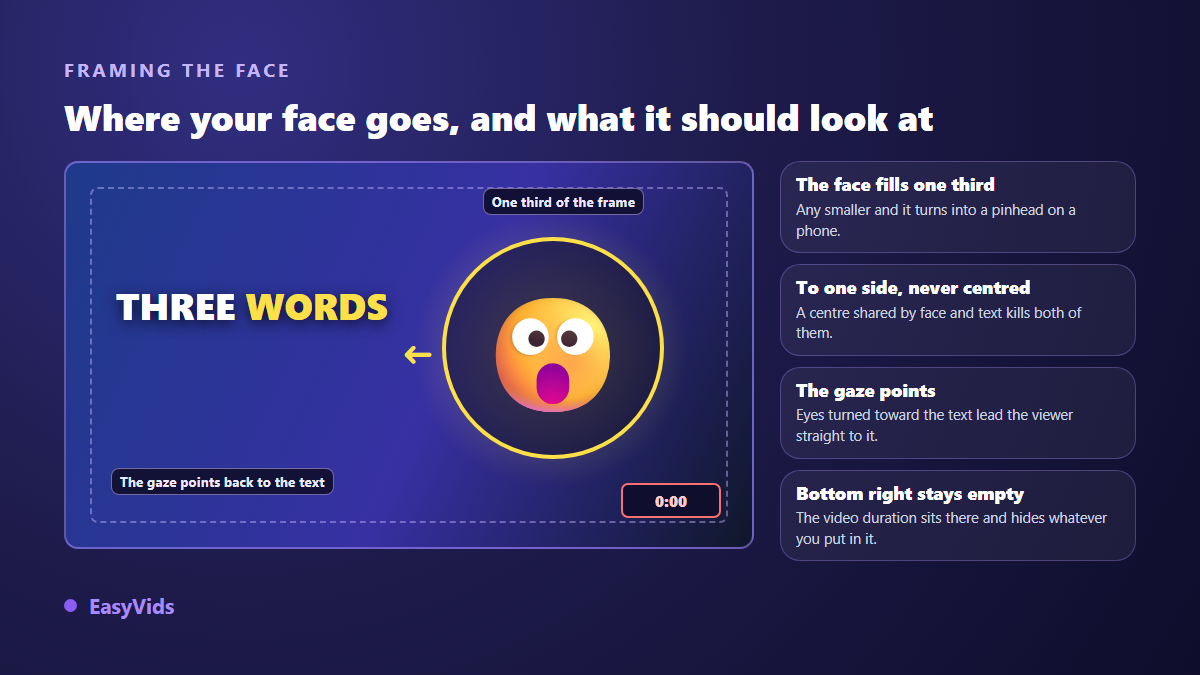
Photograph yourself once, properly, then feed that photo to an image generator as a reference face. From there you can produce as many thumbnails as you want, in any scene, with the same features. Three settings decide the outcome: the face fills roughly one third of the frame height, it sits to one side rather than dead centre, and the text lives beside it, never on top of it.
Why your own face beats a generated stranger
Eye tracking work on image reading has agreed for years on one point: a human face pulls the gaze before the scenery, before colour and before text. On a home feed where twenty thumbnails fight for one second of attention, that reflex is worth a lot. A fully invented AI face triggers it once, then stops working, because nobody recognises it and it starts to read like an advert. Your face compounds instead. After ten videos, a subscriber spots you without reading the title.
The source photo decides everything
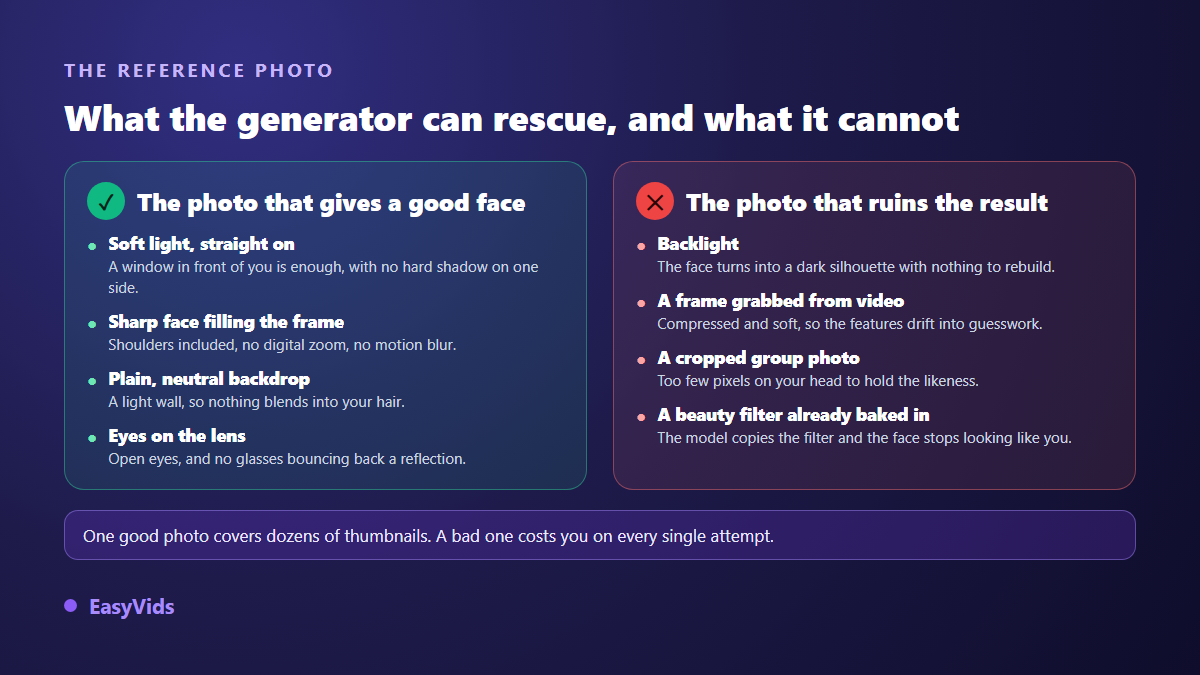
A generator does not invent your face, it copies it from what you hand over. A good reference photo holds the likeness across dozens of thumbnails. A bad one returns a distant cousin on every attempt. Most creators tune the prompt when the problem sits in the file they uploaded.
- Broad light from the front: a window in front of you, never the sun behind, never a ceiling bulb digging shadows into your eye sockets.
- A sharp face filling the frame: head and shoulders, no digital zoom, no motion blur.
- A plain backdrop: a light wall, so your hair does not blend into the scene.
- Eyes on the lens, wide open, with no reflection bouncing off your glasses.
- No beauty filter: the model copies the filter, and the output stops looking like you.
- The original file, never a screenshot pulled from compressed video.
Ten minutes of shooting, a year of thumbnails
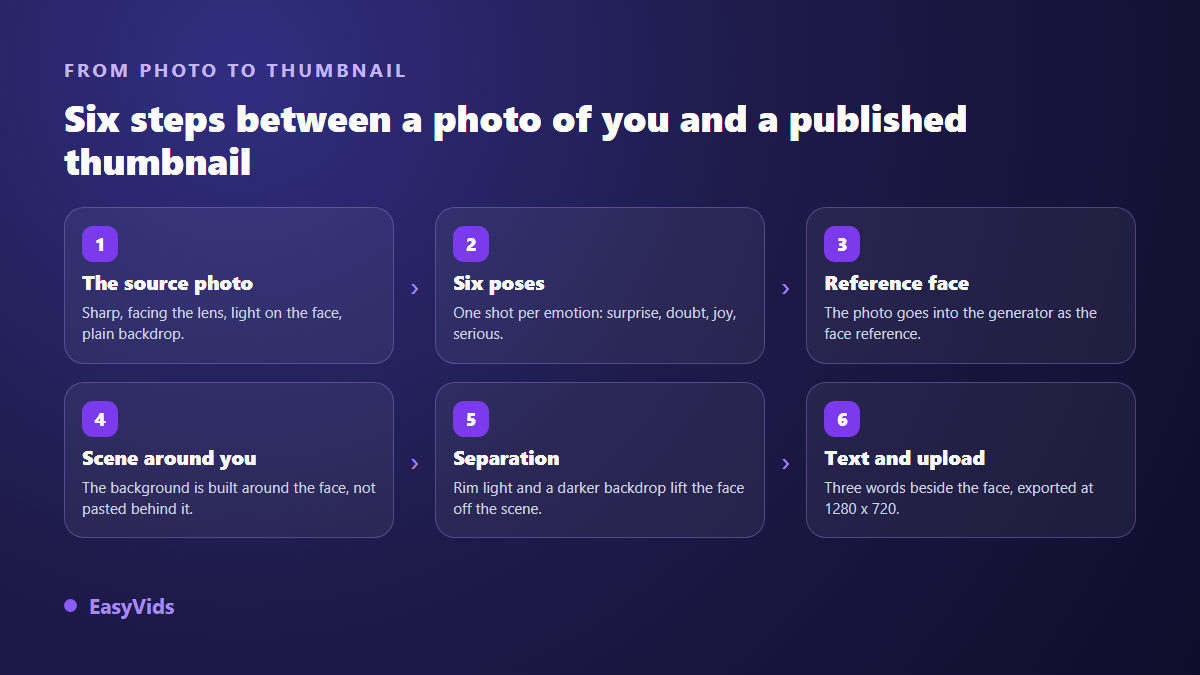
Set aside ten minutes, once. Face a window, prop the phone on a stack of books at eye level, use the timer, and run through six takes: surprise, doubt, open joy, serious, annoyed, and a hand pointing at an empty side of the frame. That library covers a full year of uploads, whatever the topic. Pick the emotion before you shoot, not after: the seven thumbnail expressions that earn clicks explains which one fits which kind of video, and which ones wear out fastest.
Framing: one third of the frame, off to one side
Size is the first mistake by a wide margin. Amateur thumbnails show a full torso inside a wide scene, and on a phone that vignette is a few centimetres across, so the face turns into a pinhead. From chin to hairline, aim for a third of the image height. Position matters just as much: a centred face steals the space the text needs. Push it left or right and keep the other half for words. One more detail people learn too late is that the video duration is printed over the bottom right corner of every vignette, so anything you place there is hidden, chin included.
Lifting the face off the background
Thumbnails fail when everything sits on the same plane and the face melts into the scene. Three fixes solve it, and you can ask the generator for all three: a rim light on hair and shoulders, a darkened or blurred backdrop behind the head, and a clean outline around the silhouette when the scene stays busy. Contrast is measured, not guessed. The WCAG accessibility recommendation published by the W3C sets a 4.5 to 1 ratio between text and background for readability, which is a fair benchmark here even though it was not written for thumbnails. The test that never lies: look at the image at vignette size, on a phone, at arm's length.
Text beside the face, never on it
A word dropped on a cheek kills both: the word stops being read and the expression stops being seen. Keep one text block on the opposite side, three words in bold capitals. The title already carries the rest. Font choices, word counts and contrast ratios are covered in our page on thumbnail text, which also maps the zones to leave empty.
The same face on every thumbnail
This is where the method pays off, from the second video onward. Once your photo is saved as a reference, you never start from nothing: you ask for a scene, an expression, an action, and the features stay yours from one vignette to the next. It is the consistent character mechanism described in our method for keeping the same character across images, applied to your own face. In practice, the thumbnail gets built alongside the video, with no retouching software and no new photo session. The EasyVids image studio takes a reference photo and returns the vignette at the size YouTube expects, with a free trial that is enough to check the likeness holds.
What YouTube allows, and whose face you can use
A thumbnail built from your own photo raises no platform issue: it is your image, and nothing requires you to have filmed the scene it shows. The limit lies elsewhere. YouTube's spam, deceptive practices and scams policy, in the version consulted in 2026, bans thumbnails that show content absent from the video. A panicked expression in front of a scene that appears nowhere in the edit falls squarely inside that rule. The second limit is other people's faces: rules differ by country, but the principle is the same everywhere, including when an AI rebuilt the face from a photo. You do not publish an identifiable person without their agreement.
Mistakes that undo the work
- A face too small inside a wide scene: mistake number one, invisible on a desktop screen and fatal on a phone.
- Backlight in the reference photo, which returns a dark silhouette on every generation.
- Text laid over the face, wiping out the expression and the readability at the same time.
- The same expression on twenty videos: the face becomes a logo and stops signalling anything.
- A busy background behind the head, with no rim light and no darkening to separate the two.
- Anything important in the bottom right corner, covered by the video duration.
- An expression promising content the edit does not contain: it costs more in lost subscribers than it earns in clicks.
Test two thumbnails instead of deciding alone
Your taste is not your audience's taste, and two thumbnails that look equivalent to you rarely pull the same click through rate. YouTube runs a built in test that compares several vignettes on live traffic, and the walkthrough sits in our page on testing thumbnails. Change one variable at a time: the same image with two expressions, or the same face on two backgrounds.
Frequently asked questions
Do I really need to show my face to grow on YouTube?
No. Whole channels work without ever showing anyone, and some niches do better that way, documentary formats and relaxation content among them. A face is one attention signal among several, strongest when the person becomes the reason people come back. If you would rather stay off camera, hands, an object or a recurring character play the same landmark role.
How many photos of me does the generator need?
One good photo is enough to hold the likeness. Four to six, with different expressions and the same lighting, give you far more freedom, because you pick the emotion instead of accepting whatever the model invents. Keep those files in a dedicated folder, at original size, and always reuse the same ones.
Will the AI actually keep my features?
Likeness holds well on face structure and hair, less well on fine detail: teeth, glasses frames, small moles. The useful check is to view the thumbnail at the size it will be seen, not at one hundred percent. At that size a drifting detail goes unnoticed, while bad lighting shows immediately.
Does a thumbnail made from my photo need an AI disclosure?
According to YouTube help consulted in 2026, synthetic content disclosure targets realistic altered or generated content that could make viewers believe in a scene that never happened, and it is ticked when the video is uploaded. A stylised thumbnail built from your own photo does not fall in that case. When in doubt, disclose: the label stays discreet and saves you a bad surprise.
Your face is the one asset on your channel nobody can copy. Take the photo today, store it with your six expressions, and use it for the next video instead of starting from an empty canvas. Create your account and generate your first thumbnail with your own face, then put it next to your last upload at stamp size: the difference shows up exactly where it counts.