You are looking at a portrait and you wish it would open its mouth. That is exactly what a talking photo is: a still image turned into a video shot where the person looks at the lens and says a sentence, with sound. A grandparent's portrait for a family anniversary, a brand mascot announcing a new product, a historical figure addressing a classroom. The request rarely comes from an interest in technology. It comes from a wish for presence.
The process became available to everyone very recently, and that is precisely what makes the subject delicate. An animated photo can move people, or make them deeply uncomfortable, sometimes over three small details. This guide explains what actually happens between your image and the video, using the same chain as our AI video generator, then draws the line that nothing justifies crossing.
The short answer
Making a photo talk means handing your portrait to a video model as a reference image, together with the exact words the person should say. The model returns a short shot, often four to fifteen seconds depending on the engine, where the face moves, the lips follow the sentence and the audio arrives with the picture. Three things decide the result: the quality of the source portrait, the length of the line, and how natural the requested gesture is. A fourth decides your peace of mind, and no menu controls it: the consent of the person whose face you are using.
What the term actually covers
Two very different processes share the same name. The first warps the original image: software locates the mouth, eyes and jaw, then animates them like a puppet. The face stays strictly identical, but the body does not move, the background does not move, and that stillness around a moving mouth quickly reads as a mask.
The second process, the one used by the EasyVids studio, never retouches your photo: it passes it to the video model as a reference, and the model builds a whole shot around it. The person can breathe, blink, turn their head slightly, hold an object, walk through a scene. The result is far more alive. The honest trade off is that the picture is rebuilt, so likeness is requested firmly, never guaranteed down to the detail.
From still image to speaking shot
Five steps separate your file from the finished video. Knowing the sequence saves you from the most expensive reflex, which is regenerating everything and hoping, while the problem sits untouched at one specific step.
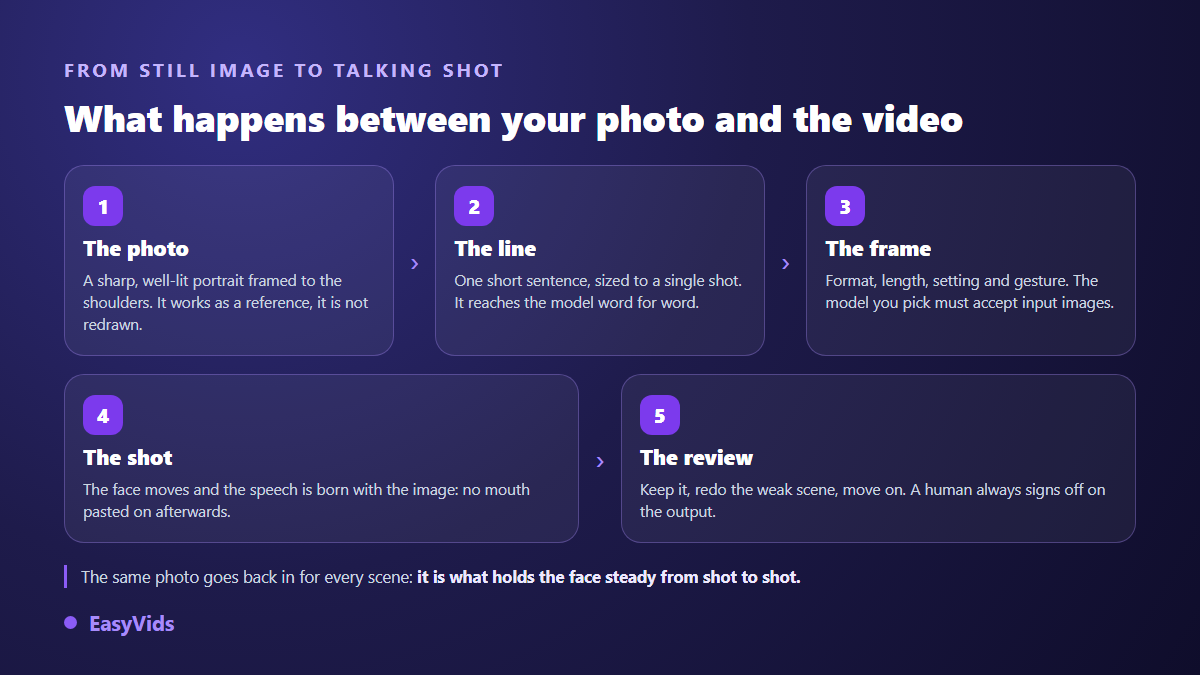
Step four is the one most people misread. Speech is not laid over a finished video the way dubbing works. The exact sentence from your script is written into the instruction sent to the model, which then renders a shot where the person says those precise words, with sound. Lip movement is part of the generated image rather than something added afterwards.
That has a direct consequence on writing: a line has to fit inside a single shot. In our character workflow each scene is locked to 6, 8 or 10 seconds of speech, roughly fifteen to twenty five words. A longer sentence is not sped up, it is split into two scenes that follow each other. As soon as a message spans several shots, the real difficulty becomes holding the face steady between them, which we take head on in our guide to keeping a consistent AI character. Models also differ on the durations and aspect ratios they accept, and the interface simply rules out the ones that cannot deliver what you asked for.
The source photo decides almost everything
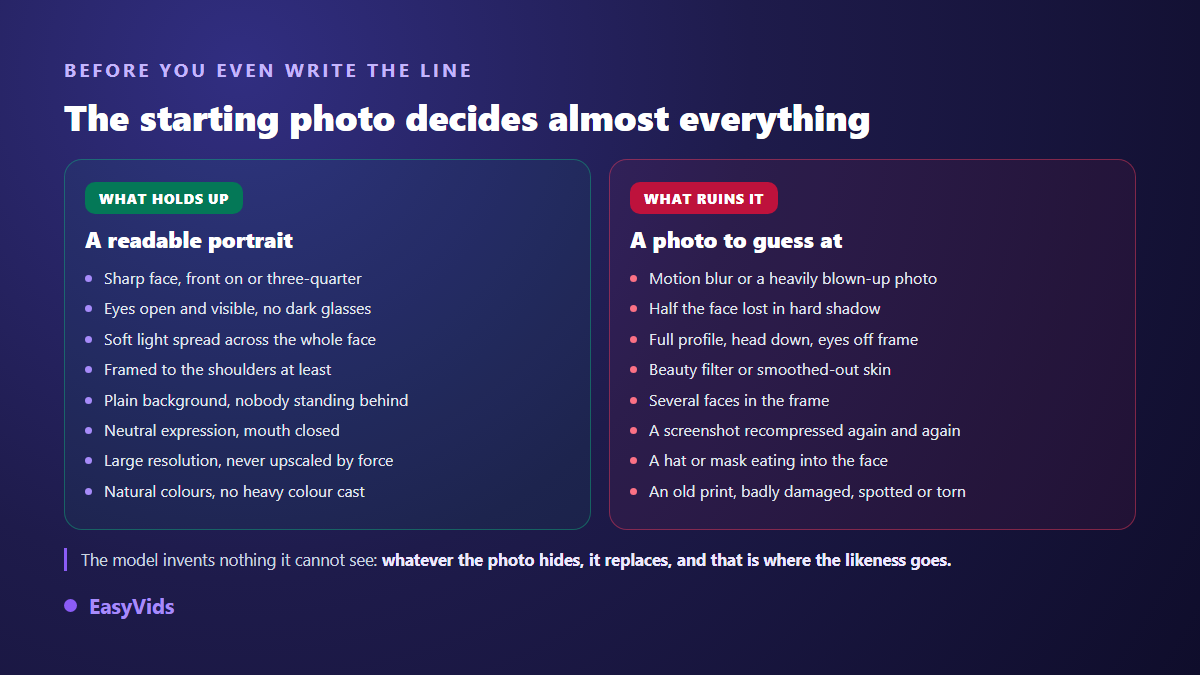
This is the advice that changes the most, and the one skipped most often. A model cannot guess what it cannot see. Whatever your photo hides, it replaces, and its replacement does not look like the person. A blurry image, cropped at the chin or half in shadow, gives you an approximate face within the first second of animation.
- A sharp face, front on or slightly angled, with no motion blur.
- Open, clearly visible eyes: tinted lenses and strong reflections blur the gaze, which is the first thing viewers read.
- Soft even light, no backlight and no hard shadow across half the face.
- Framed to the shoulders at minimum, so the build and the clothing actually exist.
- One person in the frame, on a simple background that separates them cleanly.
- No beauty filter and no skin smoothing: they erase the fine detail that makes a face believable.
- A neutral expression with the mouth closed, easier to move away from than a frozen grin.
- The original file rather than a screenshot shrunk and then blown back up.
Old photographs deserve a note, since they show up in almost every family tribute request. A yellowed, spotted, slightly soft print remains usable, but it gives a less stable result than a recent photo because damaged areas are rebuilt by guesswork. Shoot the print flat, in full daylight, with no reflection and no phone shadow, then crop to the face rather than the frame. Those two minutes of care matter more than any setting that follows.
Writing what the photo will say
The most common failure is textual, not visual. A sentence written to be read on a page sounds instantly false in a mouth: too long, too well built, too full of connectors. Read every line aloud before approving it. If you run out of breath, the model will run out of time. Keep one idea per shot, conversational vocabulary and a single intention per scene. The same rewriting principles apply as in our guide to natural AI voice over, with one difference: the words are carried by a face, so every clumsy phrase is twice as visible. Avoid words the person shown would never have used. Product testimonials are the hardest case of all, because a line that sounds written destroys the trust the format lives on, and our guide to AI generated UGC videos sets out how those spoken hooks are built. That mismatch, far more than the technology, is what makes an animated photo uncomfortable.
Believable or unsettling: where it tips over
An animated portrait either charms or disturbs, rarely anything in between. The tipping point is not random: it rests on signals the eye processes before conscious thought. Spotting them lets you choose shots that do not expose them.
- A gaze locked too perfectly on the lens, where a person blinks, drifts and returns.
- A head that moves while the shoulders stay perfectly still.
- The mouth on sentence endings, always weaker than on the opening words.
- A smile that never reaches the eyes and stays identical from first shot to last.
- Teeth, whose shape sometimes changes from one scene to the next.
- Skin too smooth and lighting too perfect, which reads as a shop window.
- Hands, as soon as they cross the face or handle a small object.
- A flat delivery with no breath and no hesitation, which turns speech into recitation.
Three habits recover most of it. Favour a shot where the person is doing something over a static close up, because movement drowns tiny flaws. Keep scenes short and change the angle between lines. And own the process instead of hiding it: a video presented as an archive animation is received kindly, while the same video presented as authentic creates unease the second doubt appears.
Uses that hold up
- Family tribute: a grandparent's portrait reading a message written by the family, shown at a private gathering.
- Brand mascot: a drawn or fully generated character who exists nowhere else and announces your news from one video to the next.
- Historical figure in class: an old portrait presenting its era, with a clear statement that this is a reconstruction.
- Welcome message: a founder introducing themselves in a few seconds on a page, written once and adapted into several languages.
- Internal training: a consistent narrator across modules, updated without calling anyone back in front of a camera.
- Museums and heritage: a collection portrait commenting on its own painting, in a visit where the audience knows what it is watching.
Several of those uses rest on an invented character rather than a real person, and that character travels well beyond video: our method for an illustrated children's book shows how to hold it identical from page to page, which is the very constraint a run of shots imposes. If the animated portrait does not suit your subject, our round up of video ideas that need no camera sweeps through the other formats that work without a lens. One thread runs through these uses: the viewer knows, or can find out, that the image is generated. Another separates them from bad ideas: nobody attributes words to a real person who never said them. On the production side, each format is planned by the scene rather than by the minute, since everything is built from short shots. We laid out the orders of magnitude of AI assisted production in our analysis of what a video really costs, and our plans are detailed on the pricing page.
Family tributes: the question that comes before the tool
This is the most moving request and the most delicate. Making the photo of someone who has died speak can comfort as easily as it can hurt, and the same video never lands the same way on two members of one family. The technical question therefore comes second. The first is the one nobody enjoys asking: does everyone agree? A few markers help. Have the portrait read words the person actually wrote or said, never lines invented for the occasion. Keep it private and do not post it on a social network. Warn people before the screening so anyone can choose to look away. And stop at the first doubt a relative expresses, however clumsily put. None of that is a legal rule. It is simply what separates a tribute from an intrusion.
The absolute limit: a face is not raw material
Here is the section most guides handle in two lines, and it belongs at the top. Making a real person's face speak without their agreement is not a grey area, it is a violation. Almost every legal system protects a person's image and voice, and that protection does not vanish because the picture was regenerated by software. A photo found online, a customer, an employee, a friend who signed nothing: the answer is no in every one of those cases.
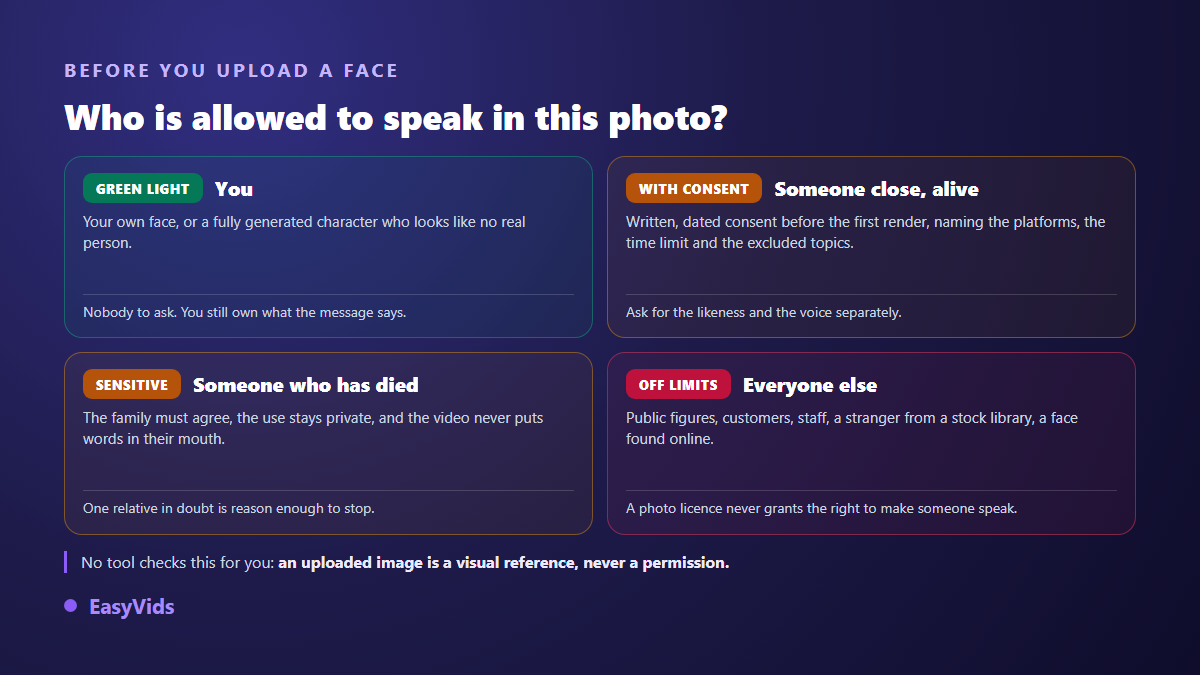
- Written, dated consent signed before the first generation.
- A named scope: which platforms, which countries, how long, what kind of message.
- Image and speech covered separately, since a photo release is not a speech release.
- A withdrawal right, with a takedown deadline you commit to.
- An explicit ban on sensitive subjects: health, politics, finance, religion, sexual content.
- The agreement archived alongside the project, retrievable years later.
No tool checks that right for you. An uploaded image is treated as a visual reference, never as permission. Two bans are worth repeating: never build a talking photo resembling a public figure, however loose or humorous, since provider safety filters reject many of those requests anyway, and never present a generated face as a genuine customer testimonial. The European regulation on artificial intelligence requires transparency on content imitating real people, and advertising rules treat invented testimonials as a deceptive practice whatever the technology behind them.
Disclosing generated content
Major platforms have converged on the same requirement: realistic content generated or altered by AI must be flagged. On YouTube the declaration happens at upload, in the video settings, and the platform spells out the cases involved, including a realistic face saying words it never said. Instagram and Facebook add a label automatically when provenance markers are found in the file, and expect a manual declaration otherwise. TikTok requires a label on any realistic AI generated content. Ticking the box costs nothing, skipping it can cost the video or the account. Our answers on day to day use are gathered in the FAQ.
Frequently asked questions
Can an old black and white photo be made to speak?
Yes, as long as it stays readable. Shoot the print flat in daylight, crop to the face and avoid reflections. The result is less stable than with a recent photo, since damaged areas are rebuilt, but it holds up well on a short shot, especially if the person barely moves.
Do I need several photos of the same person?
No. One reference image is enough and that is the normal mode. You are not training anything and not building a model of the face: you are handing over a visual target the generator tries to respect, shot after shot. One good photo always beats a series of mediocre ones.
Will the voice sound like the real person?
Not by default. The generated shot comes with a voice consistent with the character on screen, which is enough for a mascot or a narrator. Reproducing a specific person's voice means voice cloning, which requires a recording and the same written consent as the image, with no exception for relatives.
How long can a photo speak for?
The length of one shot, so a few seconds depending on the engine. A one minute message does not exist as a single take: it is built from a sequence of short scenes edited together. Write your text as independent lines from the start rather than slicing it up afterwards.
Is it legal to make a deceased person's photo speak?
The framework varies by country, and the family's agreement stays the only reliable compass. In practice: keep it private, invent nothing, and stop at the first doubt a relative expresses. The moral question arrives long before the legal one, and it is settled around a table rather than in software.
A talking photo is neither a gimmick nor a threat. It is a film shot built from a still image, with the strengths and limits of any generated shot. The videos that land come from a careful portrait, a short line delivered the way people actually speak, and an author who owns what is on screen. Pick a sharp image, write three lines, keep your consent paperwork current, then create your account and watch your first portrait take the floor.