You are looking for product video prompts because the first attempt returned an object that only vaguely resembled yours, sitting in a crowded set, with a camera that moved in three directions in eight seconds. The file looked nice. It sold nothing, and it did not look like what you actually ship.
The cause is almost always the same: the prompt describes a product when it should describe a shot. An ad is not a pretty image that moves, it is a sequence of shots that each answer a buyer question. The 25 formulas below are sorted by shot role, and they build on the groundwork laid in our guide to product video for ecommerce.
The short answer
A usable product video prompt fits in one sentence made of six blocks, always in the same order: the product and its material, the action unfolding during the shot, the set, the camera move, the light, then the look and aspect ratio. One action per shot, one camera move. And the rule that outweighs all the others: attach a real photo of your item as a reference image, otherwise the model builds a product close to yours but never yours.
Describe the shot, not the product
An image prompt describes a state. A video prompt describes a duration. That is the whole difference, and it is the one most sellers miss: they paste their product page copy into a video generator and get a photo that wobbles. The model needs to know what moves, in which direction, and for how long. Put an action verb at the heart of the sentence: rotates slowly, slides to the right, opens, falls back. This block logic applies far beyond product shots, and our five block method for video prompts covers the rest.
The six blocks of a product video prompt
Here is the empty frame, one minute to fill: [product and material] that [precise action], [named set], [camera move], [light: direction and hardness], photorealistic look, [aspect ratio]. A missing block is never an absent block. It is a decision the model makes for you, differently on every rerun.
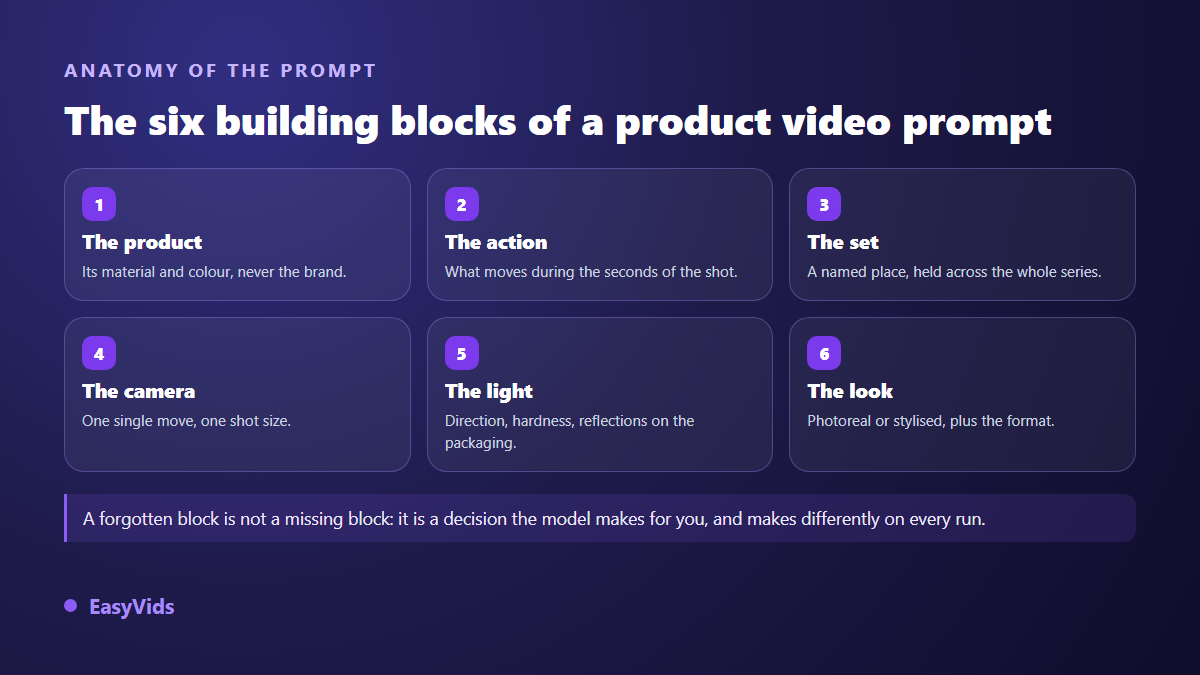
- The product. Its material and colour, not your brand: video models often reject logos and trademarks, and a named material does more for realism than ten flattering adjectives.
- The action. What happens during the seconds of the shot. One action, present tense, with a direction.
- The set. A named surface or place: light wood worktop, stone plinth, kitchen counter. A vague set gives a different set on every generation.
- The camera move. One per shot: locked off, slow rise, gentle push in, orbit around the product. Two moves in one sentence give you a shot that lurches.
- The light. Its direction and hardness, plus how reflections behave on the packaging. This is the block that separates a studio look from a flat image.
- The look and ratio. Photorealistic or stylised, then the destination ratio. A shot designed wide always crops badly to vertical.
Your real photo changes everything
A prompt on its own returns a generic product. For the video to show the item you actually ship, attach one or more reference photos: the model then keeps the shape, the colour and the label, and only varies the set, the light and the motion. In the EasyVids generator, the upload takes up to five reference images depending on the model, and it disappears from the screen when the selected model cannot read them, because a reference accepted then silently dropped is a generation paid for nothing. The same logic applies to stills, covered in our product photo prompt formulas.
The starting photo deserves five minutes of care. Put the item near a window, out of direct sun, on a plain surface. Remove dust, turn the label towards you, shoot three angles. A sharp phone photo is more than enough, as our method for redoing product photos with AI shows.
Five shots, five roles: cut before you write
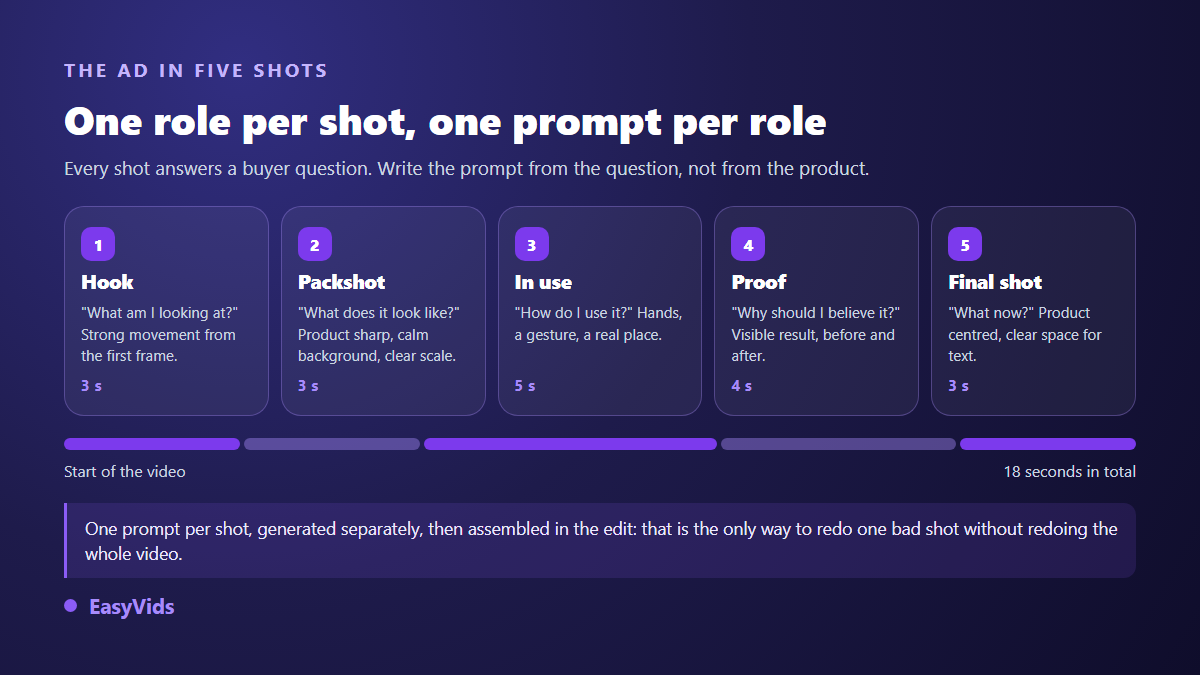
A product ad that works is not generated in one block. It is written shot by shot, and each shot answers a question the buyer asks in order. Write the prompt starting from the question, never from the product, and you will know at once what has to move and what the camera must show.
Five hook prompts for the first three seconds
The opening shot does not have to explain your product. It has to stop the thumb. Look for a strong movement in the very first frame, and keep the product readable despite the speed. Swap [product] for yours, with its material.
- Slow motion drop. [Product] falling and bouncing gently on a light wood surface, fine dust lifted on impact, locked off camera at table height, heavy slow motion, hard side light, photorealistic, vertical.
- Reveal under fabric. A hand pulls away a linen cloth covering [product] on a plinth, one continuous move from left to right, plain grey background, soft top light, locked off camera slightly high, photorealistic, vertical.
- Unboxing. Two hands open a kraft cardboard box and lift out [product] wrapped in tissue paper, wooden table, natural window light, overhead view, tight framing on the hands, photorealistic, vertical.
- Controlled splash. [Product] centred, a crown of clear water rising around it then falling back, deep blue plain background, hard studio light, locked off frontal camera, slow motion, photorealistic, vertical.
- Entering frame. Empty stone worktop, [product] sliding into frame from the right and settling in the centre, raking late day light, gentle push in, photorealistic, vertical.
Five packshot prompts, when the product has to be seen
The packshot answers one simple question: what does it actually look like. Calm background, sharp product, readable scale. This is the shot where the reference photo matters most, because it is the one buyers mentally compare with what will arrive.
- Turntable. [Product] on a circular plinth, slow rotation on itself, plain light grey gradient background, soft light at forty five degrees, short cast shadow, locked off camera at product height, photorealistic, square.
- Camera orbit. Camera slowly circling [product] resting still on veined white marble, neutral background, soft overhead light, controlled reflections on the label, photorealistic, vertical.
- Vertical rise. Shot starting at the base of [product] and rising slowly to the top, focus held sharp, matte black background, soft side light, photorealistic, vertical.
- Material detail. Macro on the surface of [product], camera gliding slowly along the material, grain and stitching visible, raking light revealing relief, shallow depth of field, photorealistic, square.
- Three quarter on colour. [Product] set three quarters on a cylindrical plinth, plain background in your brand colour, light haze at floor level, soft light from the right, locked off camera, photorealistic, vertical.
Five product in hand prompts, the shot that sells
An object on a white background gives no sense of scale. A hand holding it gives one instantly, and adds the one thing a packshot never says: what it feels like to own it. That is creator style content, and our guide to product presentation videos without creators shows how to produce several versions without hiring anyone.
- Picking it up. A hand takes [product] from a light kitchen table and turns it towards the camera, framing at hand height, late morning window light, handheld camera with slight float, natural look, vertical.
- Casual presentation. A person standing in a bright living room holds [product] at chest height and shows it to camera, framing shoulders to waist, blurred home interior behind, natural light, slight handheld float, natural look, vertical.
- Application gesture. Close up on hands applying [product] to a surface, slow continuous gesture, wooden worktop, soft light, shallow depth of field, photorealistic, vertical.
- Walking with it. A person walks down a sunlit street holding [product], framing at waist height, blurred background sliding past, late afternoon light, camera tracking at the same speed, natural look, vertical.
- Morning routine. [Product] beside a steaming cup on a counter, a hand enters frame and takes it, visible steam in raking morning light, locked off camera, photorealistic, vertical.
Five demo and proof prompts
This shot answers the only objection that counts: why would I believe you. Show the result, not the promise. Visible proof in four seconds beats an argument typed on screen, and it survives the sound being off.
- Before and after in one frame. Stained surface on the left, clean surface on the right, [product] moving slowly from centre to right, locked off overhead camera, even neutral light, photorealistic, horizontal.
- Cut open. [Product] cut in half and opened slowly towards the camera to reveal the inside, plain white background, soft light, tight framing, light slow motion, photorealistic, square.
- Strength test. [Product] on a table, a weight lowering onto it without deforming it, locked off side camera, neutral grey background, hard studio light, photorealistic, vertical.
- Macro absorption. A drop of liquid placed on [product], spreading then disappearing into the material, macro, locked off camera, raking light, slow motion, plain light background, photorealistic, square.
- Assembly step by step. Hands assembling [product] part after part on light wood, slow continuous gestures, overhead view, soft overhead light, photorealistic, horizontal.
Five closing shot prompts that leave room for text
The last shot carries your offer. It has to stay calm and keep an empty area for a line of copy and a button. Ask for that space explicitly in the prompt: left alone, the model fills the frame edge to edge.
- Centred with clear space. [Product] still in the centre of a plain background in your brand colour, gentle haze drifting, top third left empty, soft light, locked off camera, photorealistic, vertical.
- Settling on the plinth. [Product] lowering slowly onto a stone plinth and coming to rest, a shadow forming beneath it, plain dark background, soft side light, locked off camera, photorealistic, vertical.
- The range lined up. Three variants of [product] lined up on a light table, camera pulling back slowly to reveal them all, neutral background, even soft light, photorealistic, horizontal.
- Closing the lid. A hand slowly closes [product], tight framing, warm blurred background, late day light, photorealistic, vertical.
- Final pull back. [Product] centred, camera pulling back as the set darkens around it, near black background by the end, centre space left clear, photorealistic, vertical.
Ratio and duration are decided before the prompt
Writing the ratio at the end of the prompt does not help if you imagined the shot differently. A packshot designed horizontal and cropped to vertical always loses the top of the product or its cast shadow. Decide where the video will be seen, then write. The EasyVids studio offers the three useful ratios, vertical, square and horizontal, and the framing instruction travels with your prompt without you repeating it. Platform by platform dimensions are gathered in our video format sheet.
On duration, stay modest. Most video models return between four and fifteen seconds per generation today, a few go higher. That is not a real constraint for a product ad: five short shots assembled beat one long shot where the model eventually starts inventing. A fifteen to twenty second ad fits comfortably in that budget.
The mistakes that ruin a product ad
Failures all look alike, and they are fixed the same way: one variable at a time. Change the light, rerun, look. Then the camera move. Changing three blocks at once teaches you nothing about the one that was wrong.
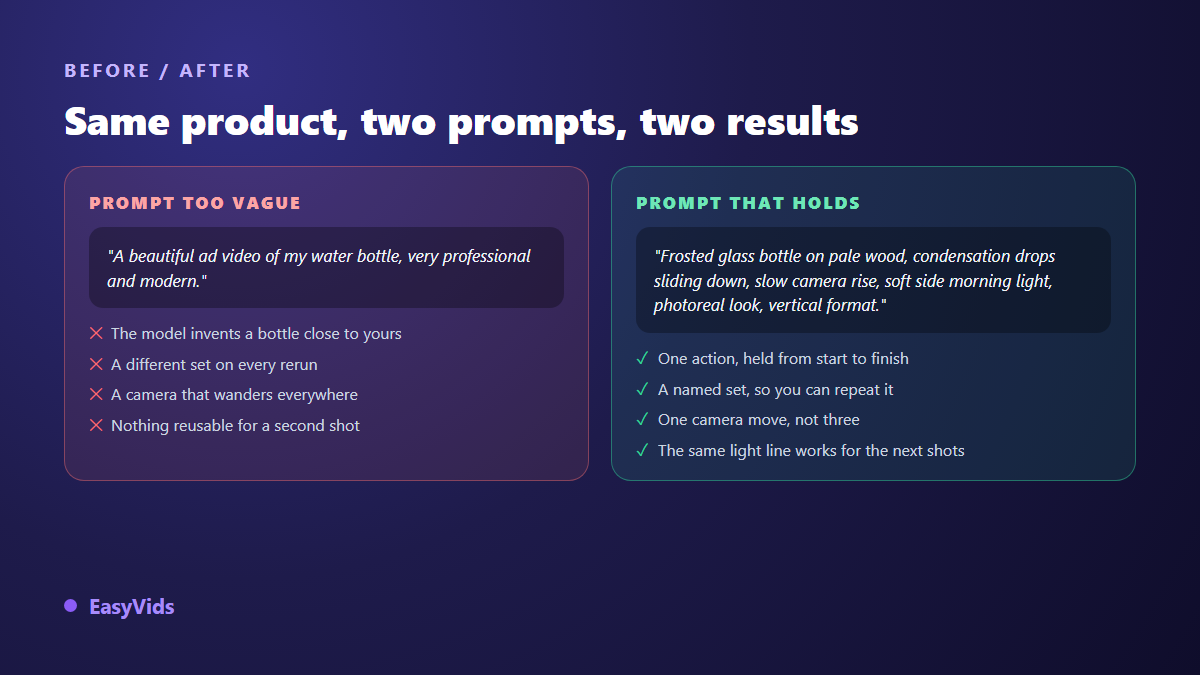
- Adjectives instead of facts. Professional, modern, premium describe nothing visible. Replace them with a material, a light and a set.
- Two actions in one shot. The product rotates, the camera pushes in and a hand enters frame: the model picks one and botches the rest.
- Brand names and logos. Model filters regularly reject trademarks, and a generated logo comes back distorted almost every time. Add yours in the edit, as an overlay.
- Text requested inside the shot. Video models write badly. A tagline typed in an editor stays sharp, readable and editable without a new generation.
- A set that changes every shot. Keep the same set sentence and the same light sentence across the series. That is what makes it look like one shoot.
- A product that is not yours. Without a reference photo the model draws something close but different. Buyers notice on delivery, and you handle the returns.
Ship ten variants instead of hunting the perfect one
A winning ad is rarely found on the first try. It is found by comparison. Keep the same product, the same light and the same ratio, and vary one single thing: the hook. Five hooks on one body give five testable creatives in a day, and the winner shows up after a few hours of delivery. This is where a credit system earns its keep: a fast model for drafts, a more careful one for the version that goes live. You decide shot by shot, and the available plans are listed on the pricing page.
Once your shots are in, assembly happens in the online editor: drop the shots in order, add on screen text, your logo and the sound. Add a short voice over and captions, because a large share of ad views happen with the sound off. To structure the argument before generating anything, our sales video script framework gives the order of arguments that works.
Frequently asked questions
How many shots does a complete product ad need?
Five covers the vast majority of cases: a hook, a packshot, a use shot, a proof shot and a closing shot. Below three, the buyer lacks information. Above seven, the video outlasts the attention a feed gives it.
How do I get exactly the same product in every shot?
Attach the same reference photos to every generation, and copy the product block and the light block word for word from one prompt to the next. Vary only the action, the set and the camera. Without a shared reference, colour and proportions drift shot after shot.
Can I generate a product video from a single photo?
Yes, and it is the most reliable route: one sharp photo of your item, a prompt describing only motion and mood, and the model animates what it sees instead of inventing it. Shoot two or three angles anyway if you want to vary shot sizes.
Are AI generated product ads accepted by ad platforms?
They are, as long as they follow the same rules as any other creative: no misleading claim, no impossible result, no third party trademark shown without rights. Meta and TikTok publish those advertising policies in their respective help centres, and several platforms also ask you to disclose realistic content generated or altered by AI. Check the current version before a campaign, since these texts change often.
Should I write product video prompts in English?
Recent models handle most major languages without meaningful loss, so write in the language where you are precise. English still helps on cinematography terms, where the vocabulary is more standardised. Precision matters more than the language you pick.
Take one product from your catalogue and write its five shots with the formulas above. You will have a complete ad before the end of the day, and more importantly a frame you can reuse for every other item, where only the product block changes. To try it right away, creating an account opens the generator, the editor and the voice overs in one place, and the EasyVids studio gathers every step from the photo to the published file.