You already have the words. A post that ranks, a script scribbled in a notebook, a training PDF, a story you wrote one evening. Turning it into a film used to mean a camera, an editor and several days of work. Text to video AI compresses that into a few minutes, provided you know what the machine expects from you.
The tool is rarely the problem. What you feed it is. A text written to be read with the eyes, pasted in as is, produces a flat and wordy video. The same content, prepared for three minutes, produces something people watch to the end. This guide covers the whole subject: which sources work, how to write the prompt, where to cut, what the models still get wrong, and how to turn an existing article into video.
The short answer
Text to video means handing your writing to a studio that reads it, rewrites it for the ear, splits it into scenes of a few seconds, generates an image or an animated shot for each one, adds a voice over and music, then assembles everything on the right rhythm. No camera, no editing software. The work that stays yours happens upstream: the angle, the length, the visual direction. Everything after that is execution, and execution can be delegated.
Two very different technologies share one name
The phrase text to video covers two families of tools, and confusing them explains most disappointments. The first family is pure generation models. You write a description, they return a few seconds of moving footage. It is impressive, it is valuable for one specific shot, but there is no narration, no structure and no continuity between two clips.
The second family is complete studios. They take a long text, understand what it argues, turn it into a scenario, call the generation models for each shot, then add voice, music and editing. The output is a finished video, not a sample. If your goal is to publish something that tells a story, this is the family you want, and the generation model is only one component inside it.
Which text sources actually convert
Almost any writing can become a video, but not with the same preparation. The difference is density. Text written for the page carries asides, cross references and tight enumerations, none of which survive out loud. The denser your source, the more you should let the AI rewrite rather than ask it to recite.
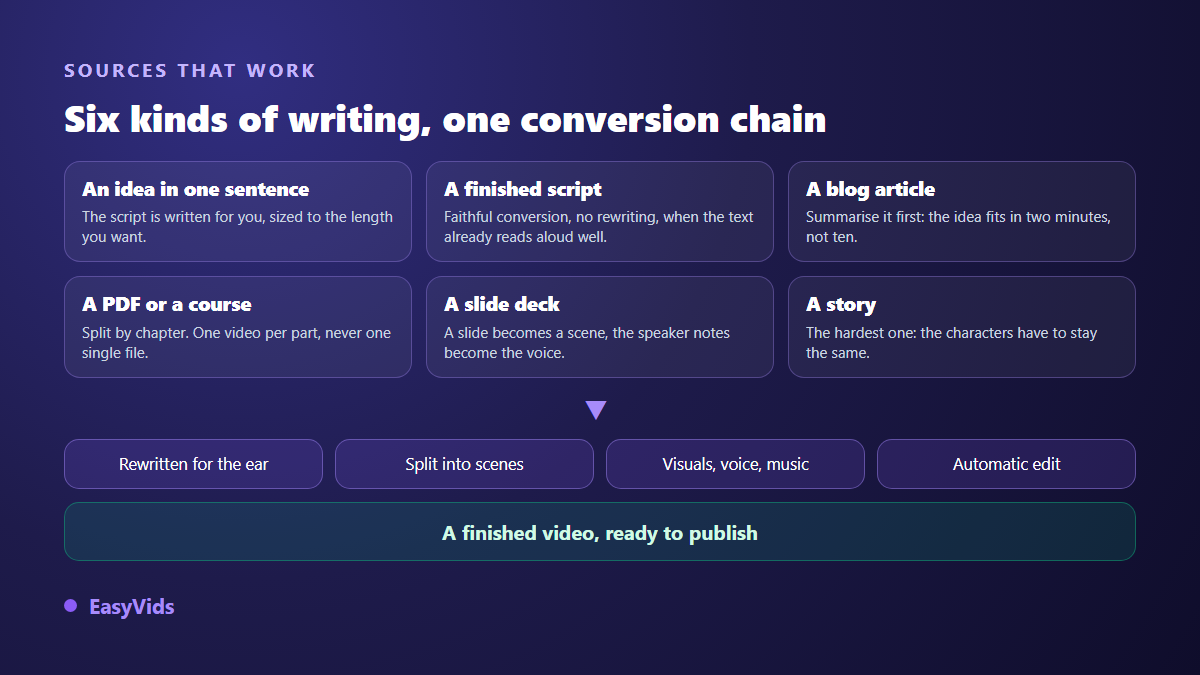
- A one sentence idea: the easiest source. The script is written for you, already calibrated to the length you want.
- An existing script: ideal when the text was written to be spoken. Ask for a faithful conversion rather than a rewrite.
- A blog post: summarise it first. Read in full it becomes an endless video, while its core idea fits in two minutes.
- A PDF or course material: split it by chapter. One video per part is watched and reused far better than a single long file.
- A slide deck: each slide becomes a scene, and the speaker notes become the voice over.
- A quote or a short piece: the case where visuals take over, with careful on screen text and music that carries the mood.
- A story: the most demanding source, because it needs characters who stay the same from one scene to the next.
One habit before you paste anything: read your text out loud. Every sentence where you run out of breath is a sentence the synthetic voice will handle badly. Cut it in two, and you have improved the video before generating a single frame.
Writing a prompt that returns something usable
A useful prompt does not describe an image, it describes an intent. Four pieces of information are enough, and their absence explains most disappointing results: the subject, the angle, the length and the visual direction. The subject says what it is about. The angle says for whom and to what end. The length frames the script. The visual direction locks the style of every shot at once.
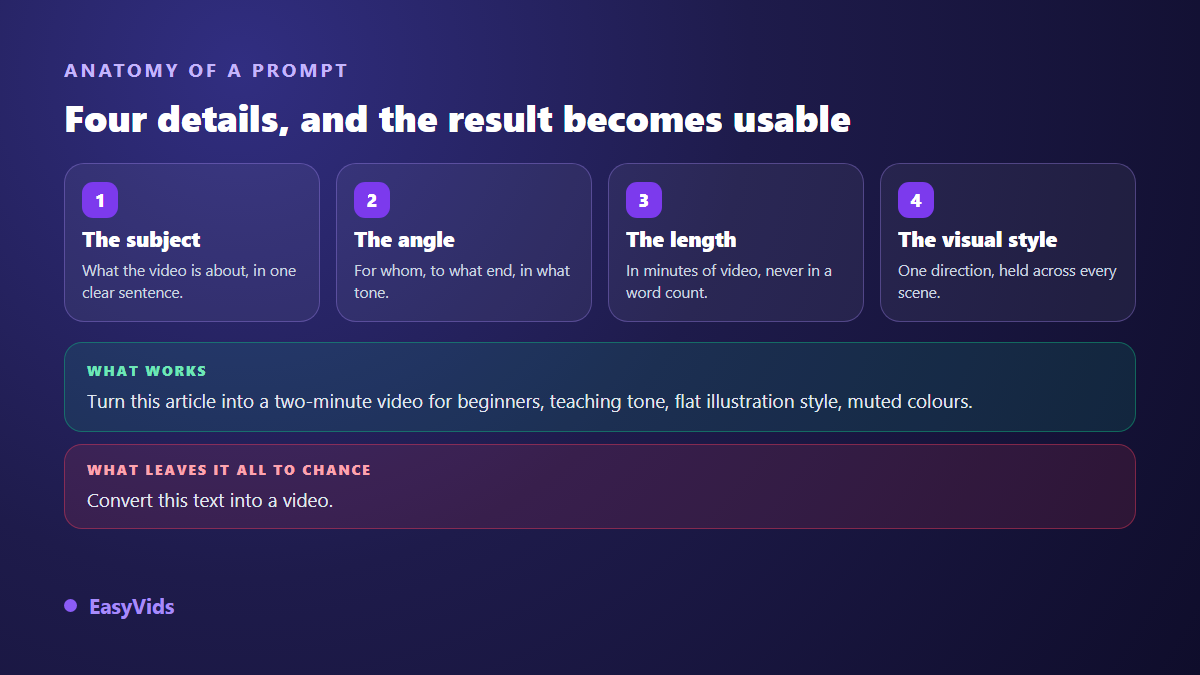
Compare two phrasings. Turn this text into a video leaves everything open: the model decides for you, and you no longer recognise your own point. Turn this article into a two minute video for beginners, teaching tone, flat illustration style with muted colours lands close to the target on the first try.
Two details almost always pay off. State the length in minutes of video rather than in words, because that is the only unit that matters once the voice is recorded. And fix one visual direction for the whole piece, otherwise every scene drifts into its own style and the final edit looks like a collage.
Where you cut decides the rhythm
A video is not a text with pictures attached. It is a sequence of scenes, each pairing a fragment of text, a visual and a piece of voice. Automatic splitting does most of the work, but rhythm is won by adjusting where the cuts land.
One range saves most videos: a scene runs 5 to 15 seconds of voice, roughly 15 to 40 words. Below that, viewers cannot take in the image. Above it, they drift away. When a paragraph of your source runs well past that length, split it into two scenes instead of speeding up the voice. The conversion rule is easy to remember: one minute of narration is about 150 words, so a 300 word text gives roughly two minutes of video and around ten scenes.
What text to video models still cannot do
Worth saying plainly, because this is where the bad surprises live. Current models are excellent at atmosphere, texture, light, simple camera moves and short shots. They stay fragile elsewhere, and knowing those weak points saves you an hour of pushing on a shot that will never come out right.
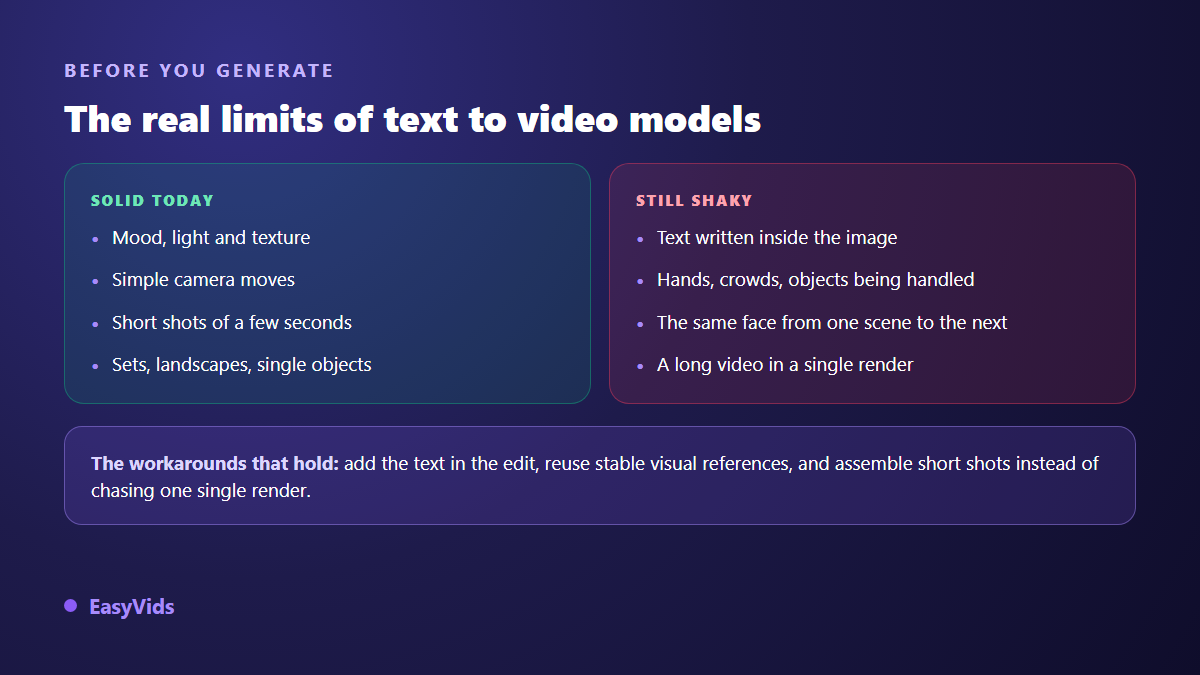
Text rendered inside a generated image is still the sore point. A sign, a shopfront or a title inside the frame usually comes out mangled. The fix is not to retry ten times but to add the text on top in the edit, where it will be sharp and readable. Hands, crowds and handled objects call for the same patience. And a character will not stay the same from shot to shot if you simply describe them again: the face drifts unless you work from reusable visual references.
One more limit to accept upfront: duration. A generation model produces a few seconds at a time, not a whole video. A three minute narration is never a single render, it is twenty shots assembled. In practice that is good news, because you can regenerate the one failed shot without touching the rest.
Turning a blog post into a video
This is the fastest payoff, because the editorial work is already done. An article that ranks has proven its subject has an audience. Moving it to video opens a second one, on platforms your text will never reach. The same body of writing can also take a longer offline form, which we cover in our guide to creating an ebook with AI. The method comes down to five moves.
- Pull out the core idea and three supporting arguments. The rest of the article will not survive, and that is fine.
- Rewrite an opening that lands in five seconds. Readers tolerate a slow start, viewers never do.
- Set the length before generating: two minutes for a simple subject, four for an explainer.
- Choose a visual direction that extends your brand, then hold it across the whole series.
- Close with a clear invitation to read the full article, with the link in the description.
The voice over carries half the result
Polished visuals with a mechanical voice give you a video people leave after ten seconds. The reverse holds every day: a well handled voice forgives plenty of visual flaws. On a video built from a text it matters even more, because your content rests on words rather than on action. Punctuation plays a technical role here, not only a grammatical one, since synthesis engines read it the way an actor reads a score. A comma is a breath, a full stop is a pause, and a sentence with no punctuation becomes an exhausting flat delivery.
Pick the aspect ratio before you generate
Aspect ratio is decided at the start. A video designed in 16:9 then cropped to vertical loses half the frame, and often the element that carried the meaning. If you target short form, generate directly in 9:16. If you target a long form platform, stay in 16:9 and produce dedicated vertical cutdowns afterwards, with their own edit rather than a blind crop. On screen text follows the same logic: on a phone, a line longer than six words stops being readable, so a few key words in large type beat full sentences.
Frequently asked questions
Can I turn a PDF into a video directly?
Yes, as long as you work chapter by chapter. Copy the text of one section, not the whole document. Twenty pages would produce more than an hour of video that nobody would watch. One video per chapter, released as a series, performs better and is far easier to reuse.
Do I need a finished text to start?
No, and it is often faster without one. An idea stated in a single sentence produces a script written directly for the ear, with short sentences and a real hook. An existing text stays useful when you need exact content: a definition, an argument or a story you do not want reworded.
How much text makes one minute of video?
Around 150 words, roughly 1,000 characters. Keep that in mind while preparing your source. Thinking in minutes of video rather than in words gives you a script that fits on the first pass, instead of a text you have to trim later.
Do these tools work in languages other than English?
For script writing and voice over, yes, and quality is now strong across the main languages. For image generation the prompts are translated internally, which has no visible effect on the output. The real difference is the voice: choose an engine that handles your language natively rather than an English voice with an approximate accent.
Can I convert text to video for free?
You can start without paying, and that is the right way to test a tool: a free trial, a few scenes, one full export to judge on evidence. Limits show up on volume, duration and sometimes a watermark. The point to check before committing is commercial usage rights, which fully free offers often leave out. Our frequently asked questions cover what is included. A watermark cannot be undone in the edit either, so our guide to exporting AI video without a watermark lists what to check before you publish.
Turning text into video takes no technical talent, only a little method: pick the right source, prepare it for the ear, frame the prompt, hold a steady cut and a single style. The rest happens in review, not at the moment you click. Take the text already sitting in your folders, the one you never had time to illustrate, and make it your first video: creating an account opens the full studio, no bank card required, and the pricing page shows what each plan includes.