You are looking for a VEED review before opening an account, and probably for a very practical reason: you want to know whether a video editor that lives in a browser tab can carry a regular publishing schedule. Drop in the footage, cut, add captions, export a clean file, do it again next week. The promise is appealing because nothing gets installed. The real question is where it stops.
This is not a stopwatch benchmark with numbers nobody could reproduce at home. It is an honest read of what this category of tool gets right, what it leaves out, and the checks you should run yourself before you build a publishing chain on it. If you are weighing several options at once, our comparison of AI tools for content creators covers a wider landscape than editing alone.
The short answer
VEED is an online video editor. You open a browser, drop your files in, cut on a timeline, export. Around that timeline, the company advertises automatic captions, ready made templates, a screen recorder and a shelf of tools labelled as AI. It is a sound choice when you already have material to edit. It falls short the day you start from an idea with no footage at all, because you then need a studio that can produce the shots, the voice and the music before anything gets assembled.
What VEED actually is
The word editor carries the whole distinction, and it explains half the contradictory reviews you will read. An editor transforms material you bring to it: recorded video, a screen capture, photos, an audio track. A generator produces that material from text. Two different jobs, increasingly confused now that both families borrow features from each other. VEED sits firmly in the first camp: its heart is the timeline.
In practice, every online editor is built around the same workstations. Knowing them lets you judge any tool in this category within ten minutes, without reading a single marketing page.
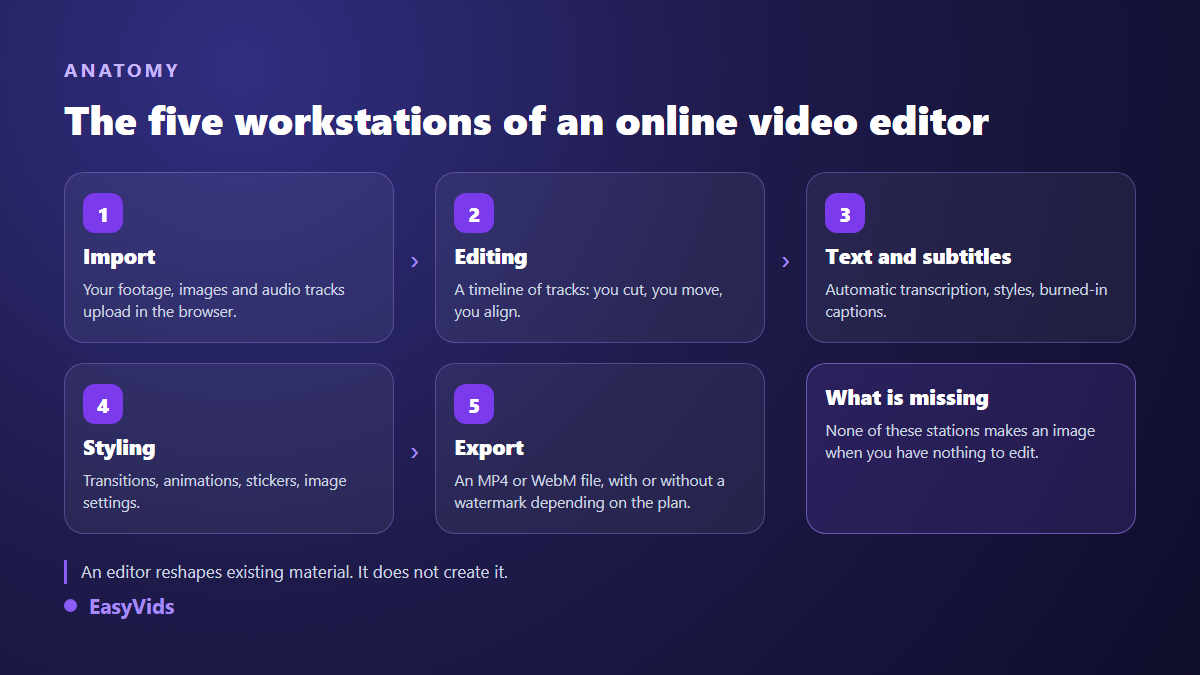
That anatomy has a direct consequence for your workflow. If you film, an online editor covers your entire need. If you do not film, it covers only the second half of the journey, and you will spend the rest of your time hunting for footage elsewhere.
What this category genuinely gets right
Credit where it is due: browser editing has improved enormously, and the complaints from a few years ago no longer hold. On a short project, the comfort gap with installed software has narrowed sharply. The real strengths sit elsewhere than raw power.
- Nothing to install. A link, a browser, and the project opens on any machine, including a colleague's.
- Automatic captions, now the single biggest reason people pay for this kind of tool, far ahead of effects.
- Team work on one project, with comments dropped straight onto the timeline.
- Vertical formats treated as first class citizens rather than a last minute crop.
- Templates, which save real time on repetitive formats: announcements, podcast clips, product presentations.
What to check before you commit
A useful review does more than list features. These are the points on which an online editor turns against you six months later, once production is running and switching tools has become expensive.
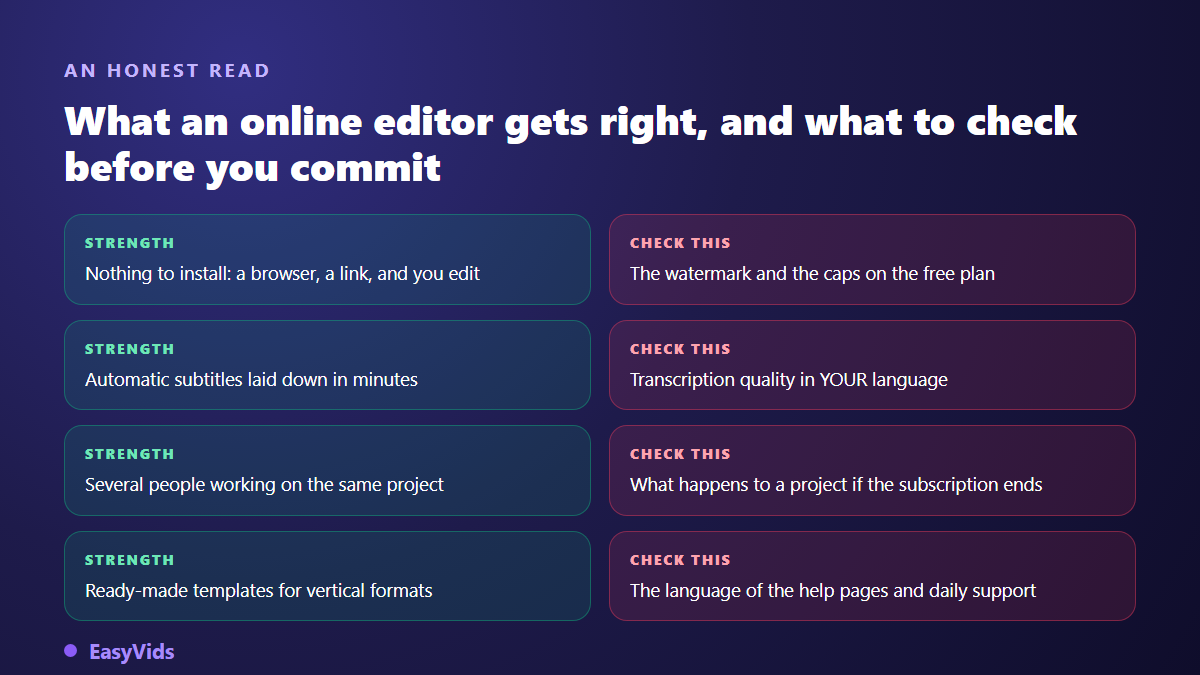
One of them deserves a longer pause: what becomes of a project the day the subscription ends. Your files live on the company's servers, not on your drive. Before committing, open the terms and look for what happens when a subscription ends: how long your files stay reachable, in what format you can pull them out, and whether unexported projects survive. That reading takes fifteen minutes and spares you a very bad surprise.
Automatic captions, where the decision is really made
This has become the feature most creators are paying for. The mechanism is the same everywhere: the tool listens to the audio, produces a timed transcript, splits it into segments, and you style the result. We walk through the full chain and its traps in our guide to automatic captions, and the first lesson applies to every tool on the market: transcription is rarely the weak link, syncing and proofreading are.
On our own projects, proofreading captions consistently takes longer than the transcription itself, especially on proper nouns, acronyms and foreign words dropped into a sentence. So the criterion to watch during a trial is not the advertised speed but how easily you can fix things: can you shift a whole line back into sync, change one word without breaking the timing, restyle every segment at once? A tool that transcribes fast but corrects badly costs you more hours than it saves.
AI inside an editor: what it covers, where it stops
Every online editor has added a shelf of AI features: background removal, silence trimming, synthetic voices, talking avatars, noise cleanup. Those bricks are useful, and every one of them applies to a file you already own. That is the structural limit of the category, and no serious review can skip it: an editor retouches, it does not narrate. To see what the other family of tools does, our guide to AI video generators walks the full chain from script to final cut.
One ordinary example makes the difference visible. You want to publish a three minute story, without filming and without a stock library. With an editor alone, you must find thirty consistent shots somewhere else, plus a voice over and music, then import them one by one. With a generation studio, those elements come out of the text itself, inside the same account, already matched to the length of the narration. Editing is still needed, but it goes back to being what it should be: finishing, not scavenging.
Watermarks and the free plan
Online editors fund their free plan in two ways, sometimes both at once: a watermark on the export, or caps on duration, resolution and project count. Check which one applies on the company's plans page before you produce anything serious, because remaking an edit to remove a mark is time you never get back. The topic deserves more than a footnote, and we devoted a whole article to clean exports. On the economics of these tools, our analysis of what a video really costs compares traditional and assisted production, and our own plans are listed on the pricing page.
Who VEED is a good fit for
No tool is good in the abstract, it is good for a use. Here are the profiles for which a browser based editor is the rational choice, and those for which it is not.
- You film regularly and mostly need to cut, caption and publish quickly: that is exactly the target.
- You work as a team on shared projects with review rounds: the browser removes all the friction.
- You cut streams or podcasts into vertical clips: templates and captions are enough.
- You never film at all and need to create the visuals: an editor alone leaves you stranded halfway.
- You produce a series with a recurring character: no editor guarantees a consistent face across episodes, that is a generation job.
Edit or generate: the grid that settles it
The right question is not which tool wins, but which side of this line your real need sits on. The answer changes from week to week, and many creators end up using both.
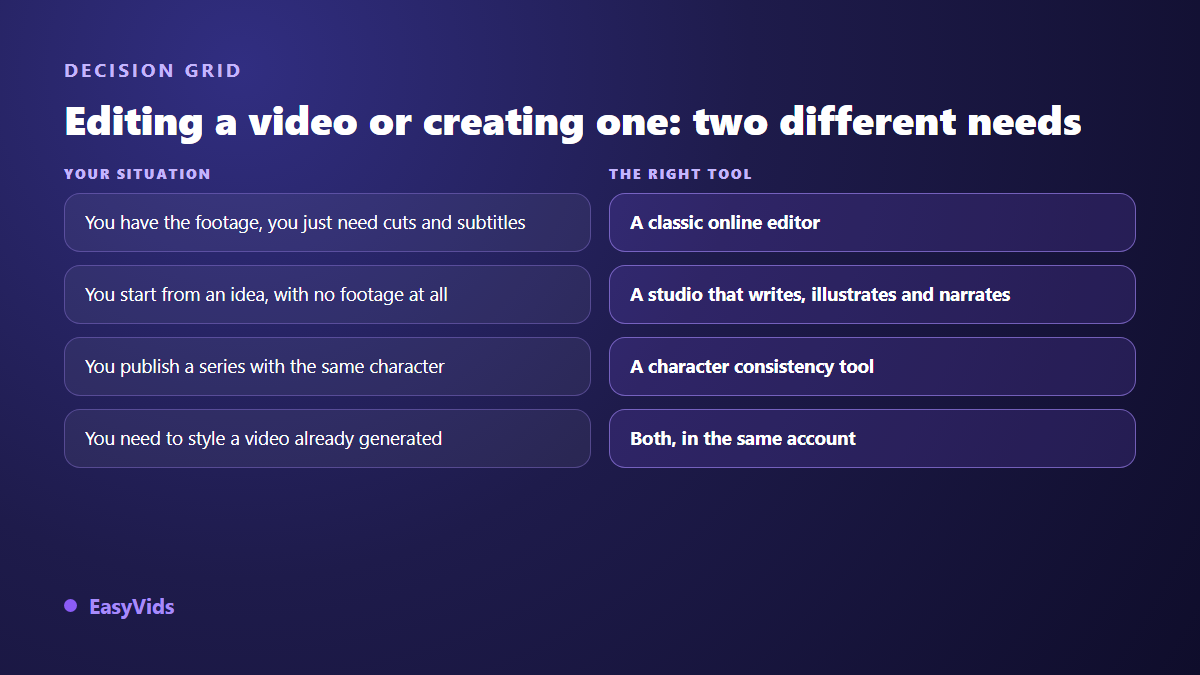
Our own stance is to put both in one place: generation upstream, then a full editor in the browser for finishing, with its tracks, text, transitions, stickers and importable SRT captions. If browser editing is your main subject, our guide to editing video in the browser covers what the approach allows and what it asks of your machine.
Frequently asked questions
Is VEED really free?
A free plan exists, as with most online editors, and it is there so you can try the tool. Limits usually cover the watermark, video length, export resolution and access to the AI features. Those conditions change often: read the company's plans page on the day you sign up rather than a review written a year ago.
Is a browser editor powerful enough for a long edit?
For a few minutes and a handful of tracks, yes, without reservation. Beyond that it depends on your machine and your browser, since part of the work runs on your own computer. On a project running several dozen minutes with many layers, installed software still holds the advantage on playback smoothness.
What is the best alternative to VEED?
It depends entirely on your starting material. If you film, compare other editors on caption quality and export terms. If you do not film, another editor will not solve your problem: you need a studio that writes, illustrates, narrates and edits, otherwise you will keep sourcing footage elsewhere.
Are automatic captions reliable?
They are on clear speech and clean audio, and they degrade on strong accents, noisy recordings and technical vocabulary. Always plan a proofread. The right habit is to measure, on one minute of your own voice, how many corrections you need: that number, not the advertised claim, tells you whether the tool saves time.
Can I use an online editor for commercial content?
In almost every case yes, provided you check two things in the terms: the rights attached to the assets the tool supplies, stock music and footage first of all, and whether your plan stamps a watermark on exports. Files you import stay yours, it is the built in assets that carry restrictions.
A good review does not tell you which tool to buy, it tells you which question to ask. It fits in one sentence: does my video already exist somewhere, or does it have to be brought into existence? In the first case, an online editor like VEED will serve you well. In the second, you are better off inside a complete creation studio that writes, illustrates, narrates and edits in one place. To compare on evidence rather than promises, create an account and test it with your own project.