Twenty five years of marriage are never stored in one place. A few printed albums at your parents' house, a hard drive in a drawer, and photos on every one of your children's phones. The party is close, someone suggests an anniversary video, and the idea quietly dies because nobody knows where to start with that mess.
Yet this montage is not a professional editing job. It rests on three decisions taken in the right order: what you keep, the order you tell it in, and the song carrying the whole thing. Everything else is sorting, and an anniversary video maker syncs the images to the beat for you. If slideshow editing is new to you, our guide to photo slideshows with music covers the basics. This page deals with the wedding anniversary case, which has rules of its own.
The short answer
Plan for four to six minutes of finished video, which means 50 to 75 photos held 4 to 6 seconds each, one or two songs, and a single evening of work once the images are gathered. The safest structure follows the couple's timeline in five chapters: how they met, the wedding, the building years, family and travel, then today. You drop the files into a browser based editor, add the music, let the tool fit each image to its slot, and adjust what bothers you.
Why this is not a wedding film
A wedding film tells one day. An anniversary video tells a span of years. That difference changes the raw material, the pace and the ending. A wedding film works with continuous footage, voices to protect and moments already in order, as our wedding video editing method explains. An anniversary montage assembles still photos taken across decades, in wildly uneven quality.
That constraint is an asset. A badly framed, grainy photo from 1998 with a harsh flash does exactly what you want when it lands right before a picture from this year: time passes on screen without a single caption saying so. Do not chase visual consistency. Chase the contrast between eras.
The second difference is the audience. The room already knows everyone on screen. You have nobody to introduce, so you can move fast, and a photo held too long bores people quicker than in any other kind of video.
Structure: a timeline in five chapters
Chronology is the one structure that works every time, because it is the one the room expects. Resist the urge to shuffle eras for effect: viewers lose the thread, start hunting for dates, and the emotion drains away. Five chapters are enough, with deliberately uneven weight.
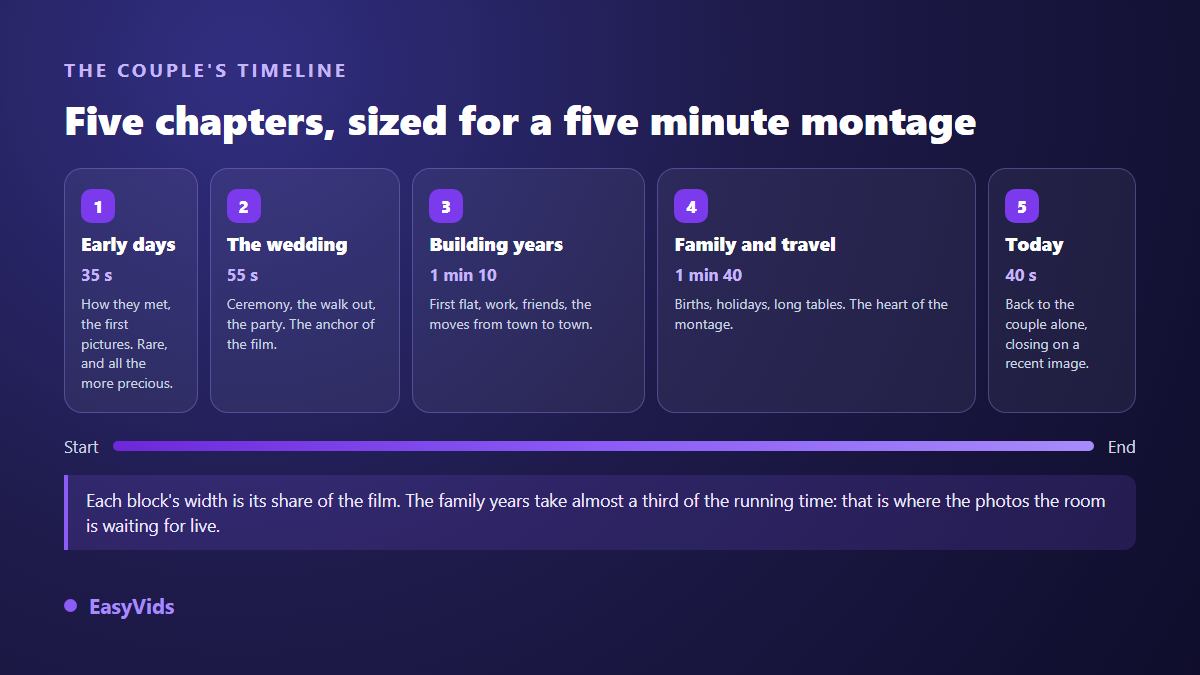
The early chapter is the shortest, simply because fewer photos exist from that time. The middle years take the largest share: children, houses, holidays. The final chapter returns to the couple alone and closes on a recent image. That is the only ending rule that really matters.
A title card between chapters, carrying the year or one short line, helps enormously. Three words on screen beat a full sentence, because the room reads fast and would rather look at faces.
Length, photo count and pace
The question that stalls most projects is how many photos to use. Work backwards: set the length first, and the length gives you the number. Holding each photo 4 to 6 seconds is the most comfortable setting for a room watching together, slightly slower than a video built for social feeds.
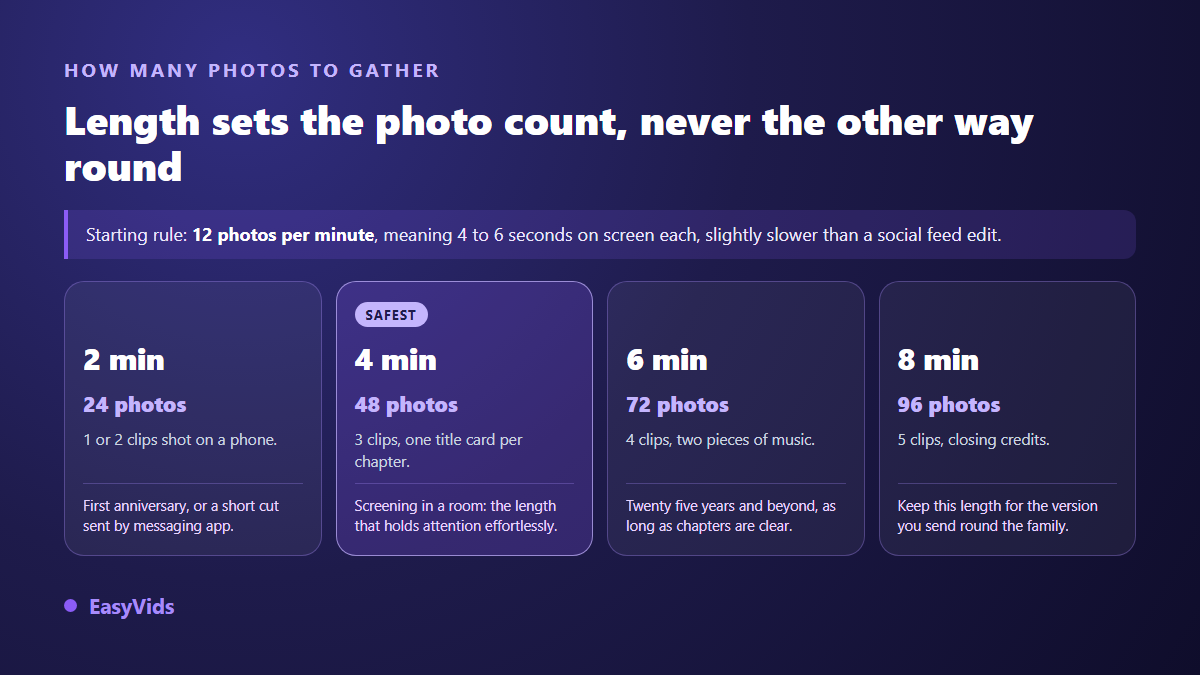
Past seven minutes, a room drifts, however close they are to the couple. If you have too much material, build two versions: a short one for the screening, a longer one to send round afterwards. The full calculation, credits and pauses included, sits in our note on how many photos a slideshow needs.
Pace should not stay constant. Speed up through runs of similar shots, four holiday photos in a row for instance. Slow down on the strong images: leaving the ceremony, a birth, the closing frame. Two seconds of dark screen before the final chapter lands better than any elaborate transition.
Gathering the material without losing a month
This is the longest stage, and the only one no tool will do for you. Allow two weeks of collecting before you start editing, especially if you want contributions from relatives without spoiling the surprise. Open one folder and drop everything into it without sorting. Sorting comes later, otherwise you never get moving.
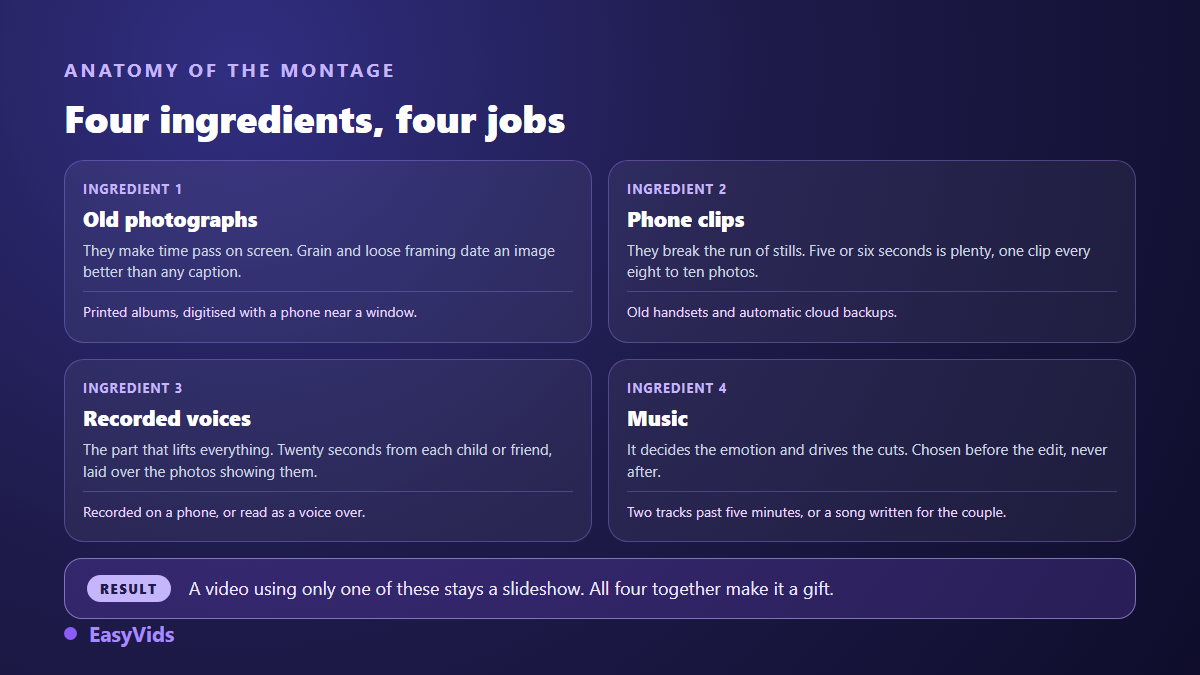
Printed photos digitise surprisingly well with a phone, as long as you lay them near a window, skip the flash, and shoot square on. A scanner gives a better file but slows everything down: keep it for the ten or so images that will fill the screen, and phone the rest.
- Printed albums at the parents' and grandparents' houses, often the only record of the early years.
- Old phones and automatic backups, where whole forgotten years are still sitting.
- Posts by relatives on social platforms, sometimes the only pictures of the couple together.
- Short phone clips, dropped in as they are to break up the run of stills.
- One recorded sentence from each child or friend, placed over the photos that show them.
The song decides the emotion
This is the heaviest decision and usually the fastest one taken. The same run of photos turns nostalgic, joyful or solemn depending on the track underneath. Choose the music before you edit, never after: the tempo drives the cuts, and rebuilding a montage on a new song means starting over.
Two tracks beat one past five minutes. A calm title for the early years, something brighter once the family arrives: the change of track marks the shift better than any caption. To find the right tone for the occasion, our selection of slideshow music by mood is a good starting point.
Then there is licensing. A commercial song played in a private room causes no trouble, but it can get the video blocked the moment you publish it online, since platforms scan soundtracks automatically. The safest option is a song written for the couple, with their names and their story in the lyrics, the idea behind a personalised wedding song. The effect on a room is nothing like a chart track.
Voices are what lift it above a slideshow
An anniversary video without voices stays a slideshow. With voices, it becomes a gift. Three formats work, and nothing stops you mixing them in one montage.
The first is the recorded message: ask each child, sibling or friend for twenty seconds on their phone, then lay it over the photos showing them. The second is a read letter, a text you write and narrate across the whole film. The third is continuous narration that comments on the years like a family documentary.
If nobody wants to face a microphone, a synthetic voice over does the job without the room noticing, provided you punctuate carefully: engines read commas as breaths and full stops as silences. Our five tips for a genuinely natural AI voice over apply directly here.
Rescuing the oldest photos
Images from the early years are usually the most fragile: small prints, colours shifted to red, damaged corners, dust stuck to the paper. Projected large, those flaws jump out. An automatic restoration pass recovers a great deal, and our method for restoring an old photo sets out what can be saved and what cannot.
One caution: do not colourise black and white as a reflex. On a wedding photo from the sixties, black and white states the era, and the room reads it that way. Colourisation gets noticed, and it pushes the image from memory towards trickery.
Gentle motion, on the other hand, works beautifully. A slow push on a face, a discreet pan across a group shot, and a still photo comes alive on screen. Two or three moving shots are enough for the whole video. Beyond that, the effect turns against you.
Matching the montage to the milestone
Not every anniversary is celebrated the same way, and the edit should follow. English tradition names the main milestones: paper for the first year, tin for the tenth, silver for the twenty fifth, gold for the fiftieth. That name also makes a fine opening title.
- One year: little material, but the emotion is still fresh. Two minutes are enough, built around the wedding day and the first months.
- Ten years: children enter the story. The montage shifts from couple to family, and four minutes hold the room.
- Twenty five years: material becomes abundant and very uneven. This is where selection matters most and chapters become essential.
- Fifty years: guests are numerous and span generations. Add year cards so the youngest can follow, and slow the pace slightly.
- Celebrated from a distance: go vertical, send it by messaging app, and keep faces centred in frame.
Screening night
Two formats, two uses. For a hall screen or a television, export horizontal in 16:9, the only ratio that fills the screen without black bars. For sending round the family, a vertical version reads better on a phone. Prepare both while editing rather than cropping at the last minute, because a late crop always cuts heads off.
Test the file on the actual screen, the day before if you can. A projector darkens the picture noticeably, and text that reads fine on a laptop can vanish on a pale wall. Check the sound at party volume too, with people talking over it.
Finally, keep the finished file on a USB stick and in the cloud. The most ordinary failure of the evening is the venue laptop refusing to open the file, with nobody able to fetch another copy.
Frequently asked questions
How many photos does an anniversary video need?
Around 12 photos per minute, so roughly 60 for a five minute film, each held 4 to 6 seconds. Sixty well chosen images beat two hundred that repeat each other. A simple test: if you hesitate for a long time over removing a photo, it almost always should go.
Can I make this without editing skills?
Yes. A browser based editor fits the images to the chosen length and to the music automatically. The real work is choosing photos and ordering them, not operating software. One evening is enough once the images are gathered, and the EasyVids studio puts editing, voice over and music in one place.
Which music avoids a copyright block?
For a private screening, the question does not arise. For a video published online, a commercial song can trigger a block or a rights claim from the catalogue owner. Music generated for the occasion, or a song written with the couple's names, removes the risk and personalises the montage.
How do I mix phone clips in with the photos?
Drop them in alongside the photos, then trim each one to five or six seconds. A short clip every eight to ten images breaks the monotony of a slideshow. Keep the original sound only when it adds something, a laugh or a recognisable voice, otherwise mute it and let the music run.
Surprise, or tell the couple in advance?
Surprise works better, on one condition: quietly bring in someone close to review the edit. They spot the photos that hurt, the relatives accidentally left out and the wrong dates, three things invisible to anyone who did not live those years.
An anniversary video is won on selection, not on technique. Gather the photos this weekend, pick the song before you edit, and build one complete pass from start to finish before polishing anything. Creating an account opens the editor and the music studio together, with nothing to install, and the plans are listed on the pricing page.