The photos already exist. They sit on a phone, in an old folder, in a shoebox on top of a wardrobe. A birthday is coming, or a wedding anniversary, a retirement, a memorial, and you feel they should finally become something. That is the job of a memory video maker: a short film built from family photos and clips, watched together once and kept for years afterwards.
The problem is never a shortage of material. It is the opposite: four hundred photos, clips shot vertically, ten second sequences where nobody says a word. Without a method, the edit turns into a parade that loses the room after two minutes. This guide follows the work in order, from sorting to the file you hand over. If you want the basic mechanics first, our guide to photo slideshows with music lays the groundwork this article builds on.
The short answer
A keepsake film comes down to five moves. Sort the photos until only one survives per moment lived. Pick one order for the story and hold it from start to finish. Set a steady pace, around four to six seconds per image. Build a soundtrack where a familiar voice sits in front of the music. Export a file the family can actually play, on a screen and on a phone. Budget three to five minutes of film for a screening, and about an hour of work once the photos are gathered.
Sorting: the step that decides everything else
A memory video usually fails for one reason: someone tried to include everything. Every discarded photo feels like disrespect towards a moment. That is a mistake of perspective. A photo that stays two seconds on screen is not looked at, it is passed through. Keeping fewer images gives each one time to exist, and it does a favour to all the ones you keep.
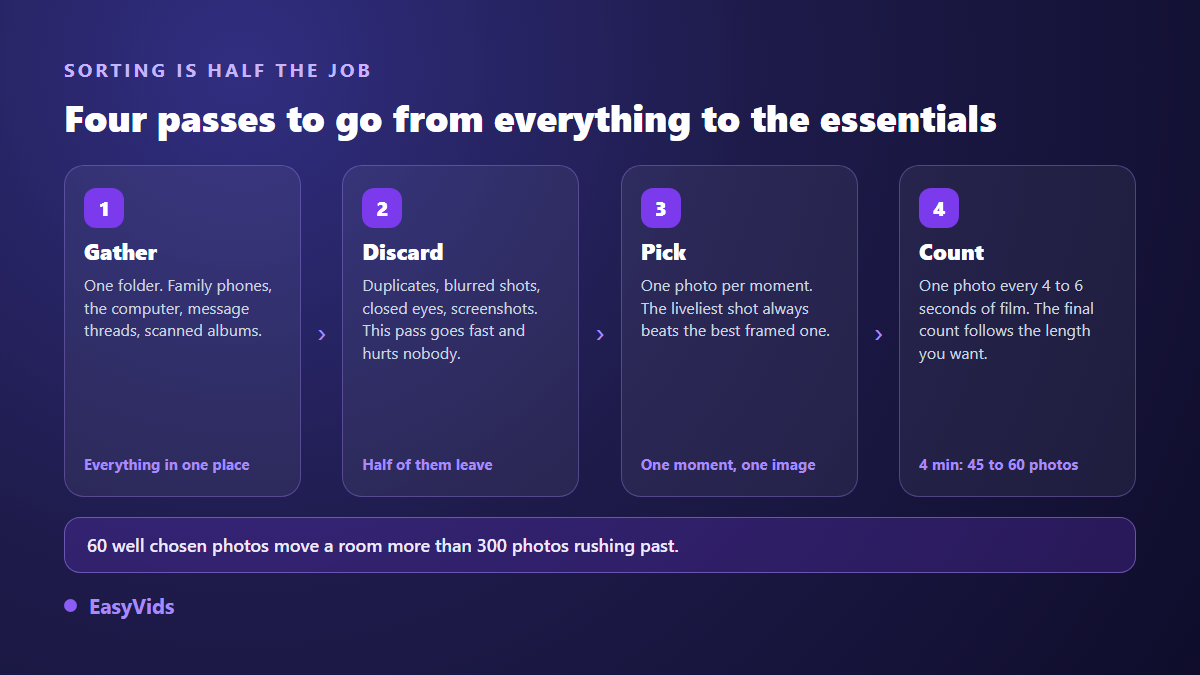
The least exhausting method is four short passes rather than one long sorting session. Gather everything into a single folder, including whatever relatives send you at the last minute. Discard duplicates, blurred frames, closed eyes and screenshots without hesitating. Then pick a single photo per moment: the liveliest shot always beats the best framed one. Finally count, because the final number follows the length you want, not your appetite. Our calculation of how many photos a slideshow needs gives the exact figure for your target duration.
One last adjustment concerns the images themselves. Scanned prints often arrive crooked, yellowed or marked by time. A clean crop and a colour correction beat stretching an image to fill the frame: a square photo centred on a dark background stays more dignified than a distorted one. Badly damaged prints deserve a restoration pass before the edit, never after.
The order of the story: choose one and hold it
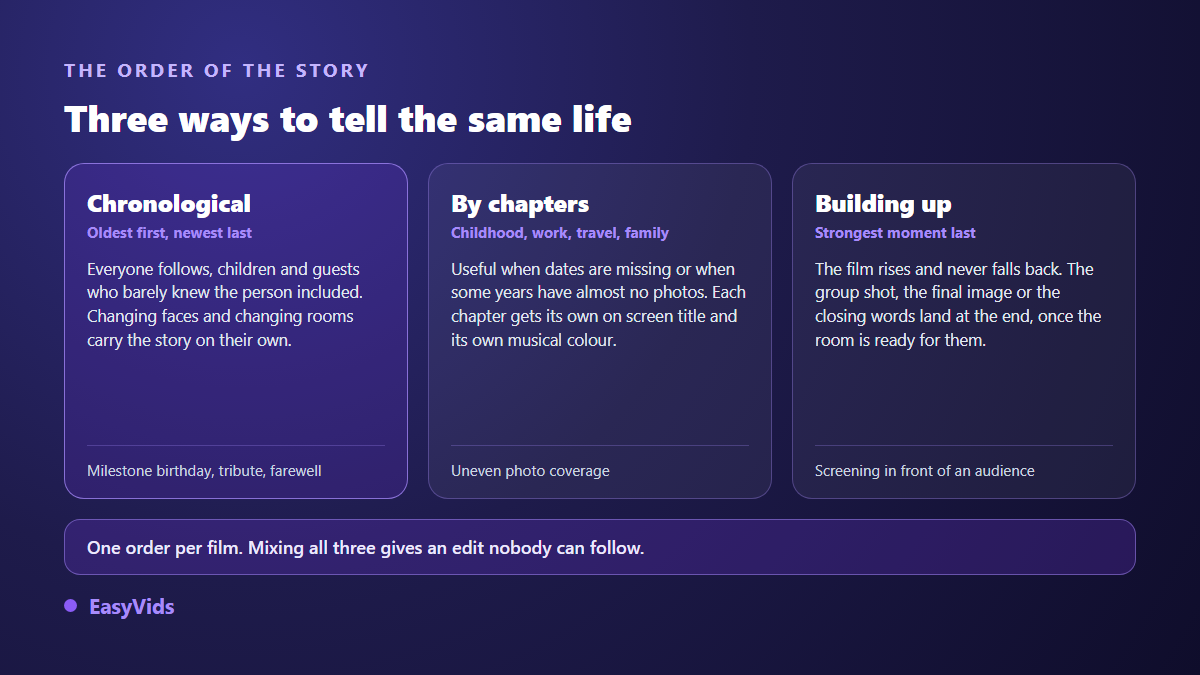
A keepsake film tells something, otherwise it is a folder of images opened wide in front of guests. Three orders work, and only one should govern the whole edit.
- Chronological. Oldest to newest. The most readable order, including for guests who barely knew the person: changing faces and changing rooms tell the passing of time on their own.
- By chapters. Childhood, work, travel, family. Useful when dates are missing or when some years have almost no photos. Each chapter then gets its own on screen title.
- Building up. The strongest moment lands at the end: the group shot, the final image, the closing words. The film rises and never falls back. This is the order for a screening in front of an audience.
Whichever order you choose, hold two fixed points. The opening image has to be strong and instantly recognisable, because it sets the tone in three seconds. The last one is never picked at random: it is what stays in people's heads when the lights come back. Over a single year rather than a whole life the same logic applies, and our year in review method shows how to cut the chapters.
Pace: steady, with two or three breaks
Time per image is the most sensitive setting in the whole edit. Below three seconds, the eye cannot recognise faces. Above seven, attention drifts. The useful range sits between four and six seconds, and a busy photo, a group shot for instance, earns an extra second over a portrait simply because there is more to read in it.
A steady pace is not a flat one. Two or three breaks are enough to wake the film up: one image held longer on an important moment, a short fast run through photos from the same day, a one second black between chapters. Avoid stacking transition effects. A discreet fade, always the same one, draws far less attention than a catalogue of different transitions, and that is exactly the point.
On total length the rule fits in a line: three to five minutes for a screening, seven at the very most when the film supports a particular moment. Nobody has ever regretted a keepsake film that ran slightly short. The opposite happens at every party.
Music sets the tone before the first image
Music carries half the emotion, and it gets chosen before the edit, not after. A slow track installs nostalgia, a mid tempo carries a celebration, a track everyone knows makes the room sing along. The classic mistake is picking the person's favourite song without listening to how it starts: a forty second drum introduction ruins the gentle opening you had in mind.
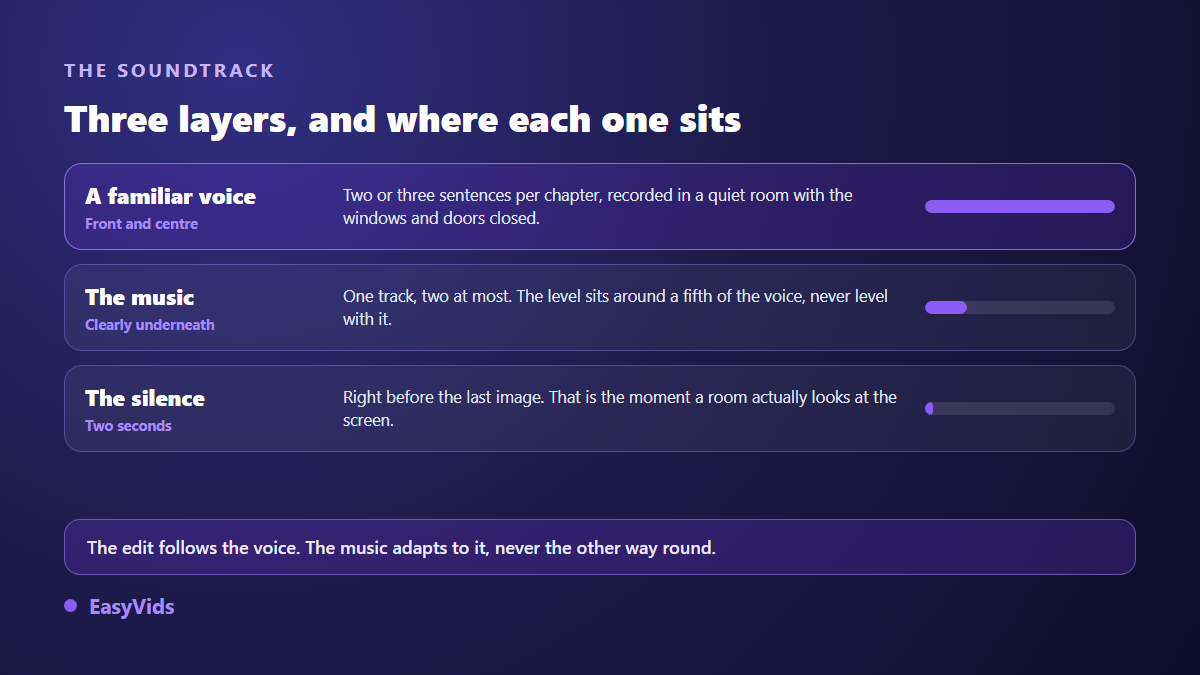
Two precautions are worth stating. Keep the music clearly under the voice when you add one, around a fifth of its level. And check the rights if the film goes online: a commercial song can get a video blocked or demonetised on the major platforms, while a private screening in a room raises no such issue. To choose without landing on the obvious, our music picks by occasion sort the moods by type of event.
A familiar voice is what turns a slideshow into a film
This is the step almost nobody takes, and the one that changes everything. A slideshow with music stays a nice object people watch politely. The same edit carried by the voice of a son, a sister or a colleague becomes a film the person keeps. It is not a speech: two or three sentences per chapter are enough, said plainly, in the tone of a conversation rather than a reading.
Record with a phone held about twenty centimetres from the mouth, in a furnished room with doors and windows closed. Rugs, curtains and sofas absorb echo better than any setting. Do two takes and keep the second: the first one is almost always a warm up. Record each passage separately, so a single fumbled sentence never forces a full retake.
When no relative is available, or when nobody trusts themselves to get through it without breaking down, a synthetic narration can bridge the chapters without taking over. The result depends mostly on the punctuation of the script, which speech engines read the way an actor reads a score, and our five tips for a natural sounding voice over go through those settings.
Family clips: short, and never silent by accident
Video brings what no photo can: movement, laughter, a real voice. It also brings three very concrete problems. Clips are almost always too long, often shot vertically when the film is horizontal, and their sound level jumps from one to the next.
The rule that works fits in one sentence: a clip never runs past eight seconds in a keepsake film, and it gets cut on the moment that matters, not at the start of the sequence. If the clip's own sound is worth keeping, a funny line, a birthday song, let it come in front of the music for those few seconds. If it adds nothing, cut it out entirely rather than leaving it muddying the soundtrack.
For formats that do not match, two honest fixes exist: crop onto the subject, or place the vertical clip in the centre over a blurred background taken from the image itself. A clip stretched across the full width is spotted immediately and damages everything around it.
Tribute films: dignity before effect
When the film accompanies a loss, the technical moves stay the same but the standard changes in nature. Heavy effects, fast zooms and spectacular transitions become out of place. The edit serves the memory, never the reverse. One photo held long, a slow fade, a silence before the final image say far more than any acceleration.
One line deserves to be stated plainly. Current tools can animate a face in a photo or reproduce a voice from a recording. In a tribute, that goes past what many families accept, and it is decided among relatives before the edit, never as a surprise during the screening. We covered that boundary in our guide to tribute video edits, including what is better left out without debate.
The final file: what you actually hand over
A keepsake film has two lives: the screening on the day, and the file that stays afterwards. The two do not call for the same export.
- For the screening. Horizontal format, 1080p, file copied straight onto the machine that projects. Never a link to open on site: the room's connection will fail you at the worst moment.
- For the family. The same file shared through a link, plus a short vertical version for messaging apps, which degrade a light video far less.
- For the archive. Keep the project and the folder of sorted photos, not only the finished video. In five years the next edit takes an hour instead of a day.
- As a gift. A USB stick, or a small printed card carrying a link, lands better than a file dropped into a chat where it will be buried by the weekend.
The edit itself no longer needs installed software. On the EasyVids studio, you drop in your photos and clips, the cut sets each image to the chosen duration, voice and music sit on separate tracks, and you can take back control of any shot before exporting. The free trial is enough to build a full first film before deciding anything, and the available plans spell out what each one opens up.
Frequently asked questions
How many photos does a memory video need?
Count one photo for every four to six seconds of film. For a four minute edit, that means roughly forty five to sixty images. Aim at the lower end and let the important photos breathe rather than filling the running time at all costs.
How long should a birthday memory video be?
Three to five minutes for a screening in front of guests, seven at the most. Beyond that a room's attention scatters, even when everyone knows the person. A one minute short version for messaging apps makes a useful companion to the main film.
Can a memory video be made from photos alone?
Yes, and that is the most common case. A slight camera move applied to each still is enough to bring the edit alive. Video clips add depth when they exist, but no keepsake film ever failed for lack of footage: it fails for lack of sorting and pace.
How do I record a relative's voice without equipment?
A phone held about twenty centimetres from the mouth, in a furnished room with the doors shut, gives a perfectly usable result. Record each passage separately rather than in one long take, so the sentences can be placed exactly where the story needs them.
What music works for a wedding anniversary film?
A track tied to the couple's own history beats any aesthetic choice, provided you check its introduction and its real length. Our guide to wedding anniversary videos covers the period by period structure, which suits this kind of film particularly well.
A keepsake film asks for no editing talent. It asks for sorting, one order held to the end, a steady pace and a voice that means something to the person. The rest is mechanics, and mechanics can be handed off. Gather your photos tonight, keep a single one per moment lived, then create your account and build a first attempt before the week is out. It is almost always that rough first version that makes you want to finish the second.