You want a video where someone talks to the camera about your product, in the tone of a friend recommending something rather than an ad. A creator billed per video brings a lead time, a brief, a round of revisions, and it all restarts the moment you want to test another angle. An AI UGC generator fills exactly that gap: a face, a voice, a line delivered straight to the lens, produced on demand with no set, no casting and no gear.
The format fails in three very specific ways: a gaze that slides off the lens, a face that changes between two shots, and a script written to be read instead of spoken. This guide covers the full method, from script to export, based on what we see across our own generations. For the mechanics of the talking character itself, our guide to AI avatars and UGC video is the place to start.
The short answer
An AI UGC video takes three moves. Write a short script meant to be spoken out loud. Lock one reference face, a single image reused for every shot. Then generate scene by scene, six to ten seconds per clip, giving the exact line to be said each time. Editing, captions and the vertical format come after. Half an hour for a first thirty second video is realistic, and most of that time goes into writing and reviewing, not into compute.
What the term actually covers
UGC stands for user generated content. In brand vocabulary the meaning has drifted: it no longer describes a customer's spontaneous post, it describes a visual style, the one person filming on a phone at arm's length in a real room. Imperfect framing, daylight, ordinary delivery. That style, not the origin of the file, is what a generator reproduces.
That changes what you should aim for. A UGC video that is too sharp, too well lit and too well framed fails precisely because it looks produced. Credibility beats polish here, which is why the small flaws people usually hold against video models work in your favour.
One line should not be crossed. Creator style content is not a real testimonial. Having a generated character claim six months of use, when nobody has used the product, is a false claim rather than a creative angle. The United States Federal Trade Commission guides on endorsements and testimonials, in their 2023 revision, explicitly forbid presenting as a customer review a testimonial that never took place.
Two production routes, and how to pick one
There are two ways to build these videos, and confusing them wastes time. The first is the single clip: you describe a scene, you supply the line, you get a few seconds of spoken video in one generation. The second is the full video: you supply the entire script, it gets split into scenes, each scene becomes a clip, and the run is edited in order.
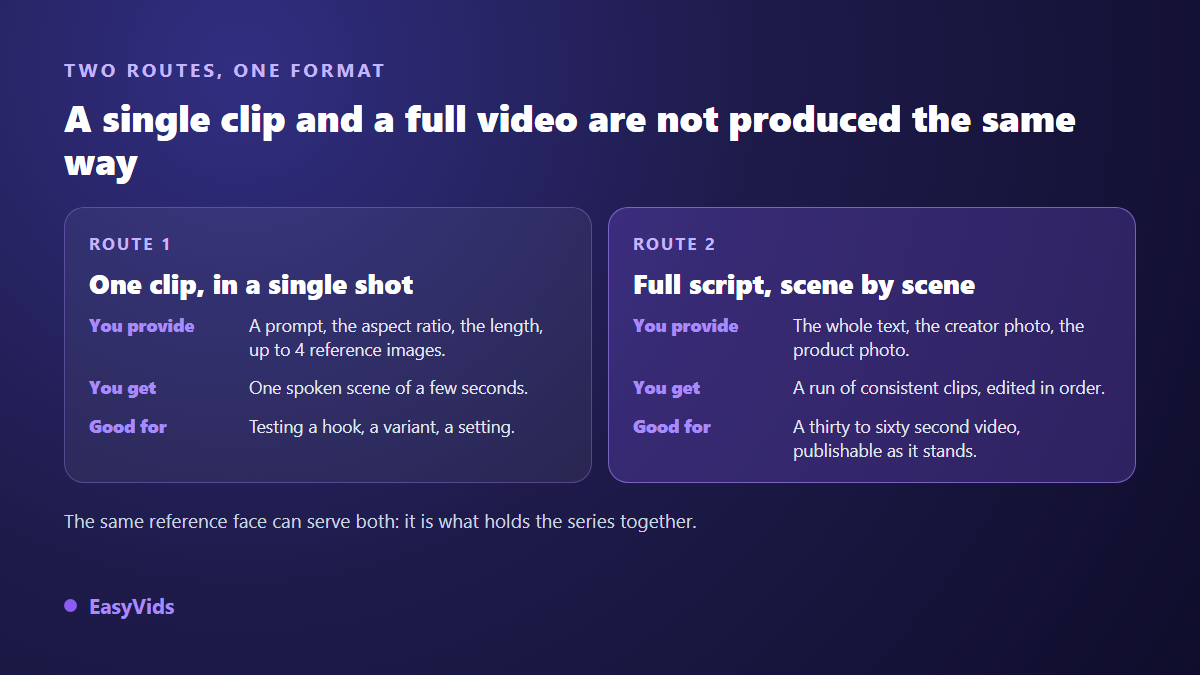
The single clip is a testing tool. It lets you try one hook, one setting, one age range, one tone, cheaply and with immediate feedback. That is what the one shot generator on EasyVids does: a prompt, a ratio, a length, up to four reference images, and a spoken scene comes back. Validate the hook in isolated clips first, then build the long version around whichever one held attention.
Write words that are meant to be said
This step decides the outcome, and it is the one people rush. A UGC script is not a product sheet. Sentences run one breath, not two. The vocabulary is conversational. You open on a statement, an objection or a question, never on the brand name. Read your text aloud before generating: if you stumble, the model will too.
Three writing rules carry most of the result. Write in the first person, never as a company. Name one concrete detail, a time of day, a gesture, a specific annoyance, because the detail is what reads as true. And keep the promise in its place: state the benefit once, in the second half, not in every line. If you are short on openers, our collection of hooks that stop the scroll adapts directly.
Then add the imperfections on purpose. A restart, a spoken filler, a written hesitation inside the line itself. Models reproduce these marks of speech, and they do more for credibility than any render setting.
The cut: one line, one scene, one clip
Video models produce short shots. Rather than fighting that, use it as a writing grid: one idea per scene, one scene per clip. The working rule is about fifteen words for six seconds of natural speech. Past that, the delivery speeds up and the character starts reciting.
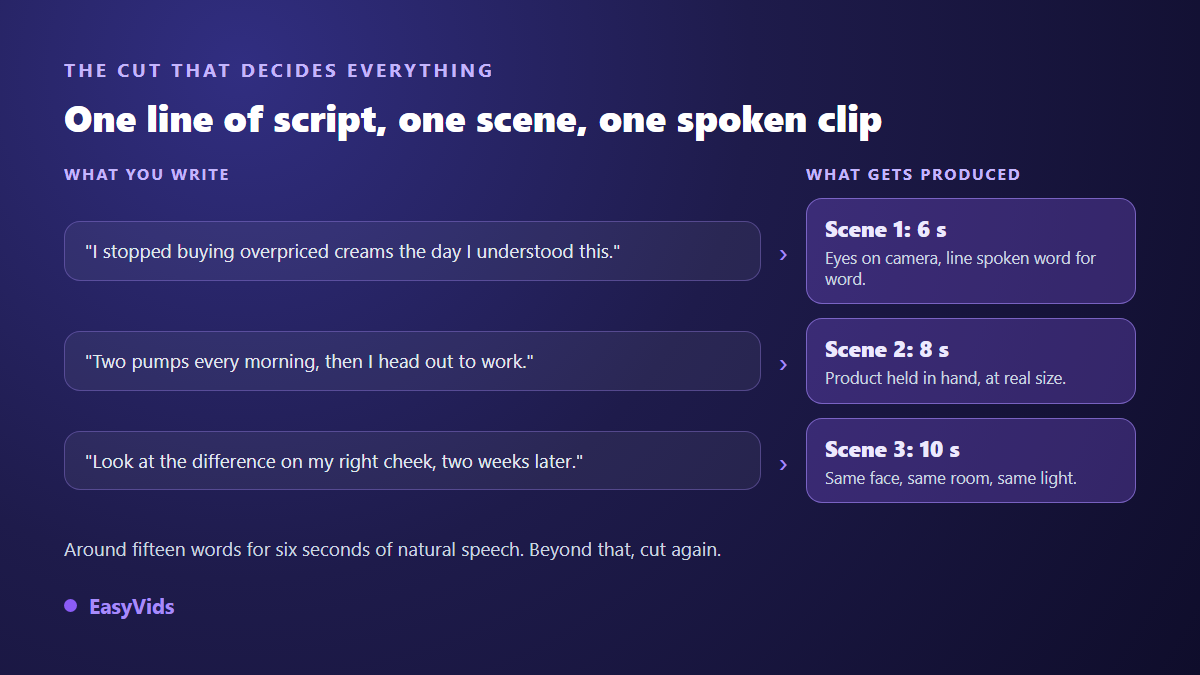
This cut has a second, less obvious benefit: it makes fixes cheap. When one scene misses, you regenerate that scene alone. On a thirty second take produced in one block, the smallest flaw forces a full rerun. That is why we cut systematically into six second clips instead of chasing one perfect long take.
One precaution: put the exact line in quotes inside the scene prompt, never a summary of what the person should say. A model told that she explains the benefits produces lip movement with no text behind it. A model given the sentence speaks the sentence.
Holding the same face across clips
This is the most visible flaw of the format, and the easiest to avoid. Describing your character in words at every scene, a woman in her thirties, brown hair, beige jumper, returns a different woman every time. A description fixes a category, not a face.
The fix is to pass a reference image, the same one at every generation, instead of text. The model holds onto it and carries the features from one clip to the next. That is the principle behind consistent characters, covered in our method for keeping the same character across every video. The same trick works for the room: reuse the last frame of a scene as the reference for the next one and the wall, the sofa and the light stay put.
One habit for a series: build two or three reference faces and keep them. An account that posts every week gains from bringing the same person back, the way a channel builds its presenter. That is what turns a run of clips into a recognisable presence.
Setting and light do the credibility work
A studio backdrop kills the format. Ask for a kitchen with dishes in the sink, a parked car, a stairwell, a bedroom at the end of the day. Light should come from a window, never from a ring light. The frame works better slightly off centre, held at arm's length, the way people film themselves. Specify the distance too: a chest up shot at face height matches what viewers scroll past all day, while a wide shot instantly signals production and attention drops.
The product on screen: start from a real photo
This is what separates a usable video from a pretty useless one. Describe the product in words and the model invents an approximation: the label shifts, the cap changes shape, the logo turns to mush. The customer who opens the parcel does not recognise what they saw, and returns follow.
So pass a real product photo as a reference image alongside the face. One sharp shot, neutral background, straight on, is enough. Then ask for the gesture rather than the object: the product held in hand at real size, set on a worktop, opened. Across our generations, that combination of a real photo and a precise gesture gives the truest scale between hand and object.
What still gives a generated video away
Viewers spot synthetic content within seconds, and almost always on the same tells. The good news is that they are fixed in the prompt, before generating, not in the edit.
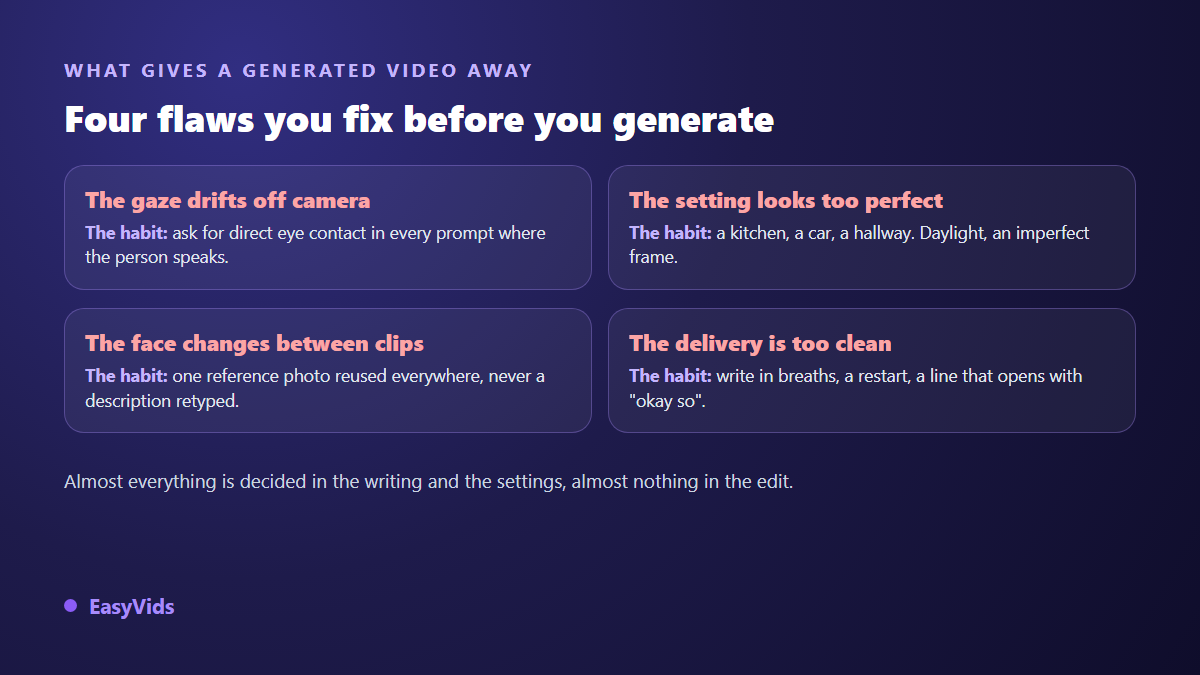
- A gaze that avoids the lens: ask for direct eye contact in every speaking shot.
- Hands that warp while handling the product: prefer one simple held gesture over complex handling.
- A face that changes between clips: one reference image reused, never a description retyped.
- Delivery with no texture: write the breaths and the restarts into the line.
- A room that looks too clean: a lived in interior beats a perfect backdrop.
- A silent shot while a voice over runs: the person on screen must speak the words, not illustrate them.
That last point matters more than it looks. Plenty of videos fail because the voice over runs while the character keeps their mouth shut. Viewers could not name the problem, but they drop off. If you are placing an existing voice onto a face, run it through lip synchronisation, as covered in our guide to syncing any voice onto a speaking face.
Format, first second and captions
Vertical 9:16 is the default, since these videos live in vertical feeds. Generate in that ratio rather than cropping a 16:9 later, which cuts the top of the head or pushes the product out of frame. Leave clear space top and bottom, where interfaces place their buttons and account names.
The first second decides the rest. It needs a face already speaking, not a logo or a fade. Add burned in captions: a large share of the audience watches with the sound off, and readable on screen text rescues even an average line. Large, high contrast, two or three words at a time.
Producing variants without ruining the test
The real value of generated production is not making one video, it is making ten. They only teach you something if they stay comparable. The rule is simple: change one thing at a time. Same script, five hooks. Or same hook, five faces. Change the script, the character and the room together and you will know which version won, never why.
Keep a plain record of each variant: the face used, the hook, the setting, the length. After a few weeks that record turns hunches into house rules. For the strictly advertising use of these variants, our article on creator style ads produced without casting lays out the selling angles worth putting head to head.
What platforms and the law expect
Publishing a video whose character does not exist carries one plain duty: say so. According to YouTube's own documentation, creators have been required since March 2024 to disclose realistic synthetic or altered content in the upload flow. TikTok's community guidelines require realistic AI generated content to be labelled, and the platform announced in May 2024 that it would apply that label automatically from the Content Credentials defined by the C2PA standard. Meta has applied an AI info label to photorealistic generated content since the same period.
On the regulatory side, the European Union AI Act sets out in its Article 50 a transparency duty for generated or manipulated content resembling real people or events, applicable since 2 August 2026. These labels do not hurt reach: what platforms penalise is repetitive mass produced content with no contribution, and deception about identity, not the use of AI itself. One last caution: never use a real person's face, famous or not, without written consent. Pricing questions are answered on the pricing page.
Frequently asked questions
Do I need the product in hand to make an AI UGC video?
No, a sharp photo is enough and is in fact the recommended route: the real photo anchors the model so the label and shape match what the customer receives. Never have the character claim to have tested the product if nobody has.
How long does a thirty second video take?
About half an hour from scratch, half of it spent writing. Four or five clips generate in parallel in a few minutes. Once your reference face and structure are set, later videos drop well under ten minutes.
Can the same character run across months of posts?
Yes, provided you keep the original reference image and reuse it at every generation rather than starting from a written description. That is how a recognisable presence gets built, the way a channel builds its presenter.
Can a generated UGC video be rejected as an ad?
It can, if it carries a fake testimonial, promises a result that does not hold up, or uses a real person's face without permission. Being generated is not in itself grounds for rejection, as long as the synthetic content is disclosed as platforms require.
Can the same character speak several languages?
Yes. Rewrite the line in the target language and regenerate the scenes with the same reference image. The face stays, the voice and lip sync follow the new language, which lets one validated script serve several markets.
An AI UGC generator does not remove the work, it moves it: you stop spending days filming and start spending them writing and comparing. Pick a face, write five lines that can be spoken, cut them into five scenes, and see which one holds. To produce your first spoken clip, create an account and run a one shot generation: writing, face, voice and editing sit in the same studio.