You hit Upload, the progress bar moves, then the message appears: your file is too long. The YouTube video length limit is not one number, and that is exactly why it trips people up. It depends on the state of your account, on what kind of video you are publishing, and sometimes on file size rather than duration.
The edit is finished, the thumbnail is ready, and suddenly you have to learn a rule you would rather have known before writing the script. This page gives the official numbers, the two minute fix that unlocks long form, then the only question that matters once you know the ceiling: how long your video should actually be. If you also need dimensions, aspect ratios and bitrates, our platform by platform video format sheet collects the rest of the settings.
The short answer
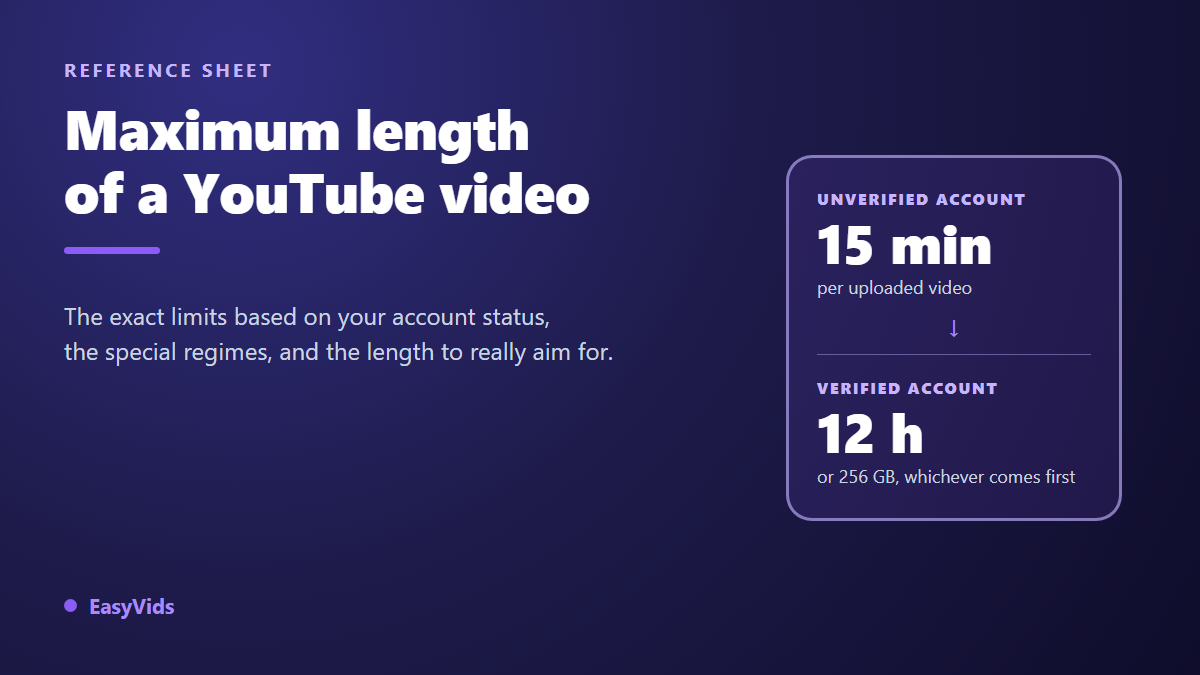
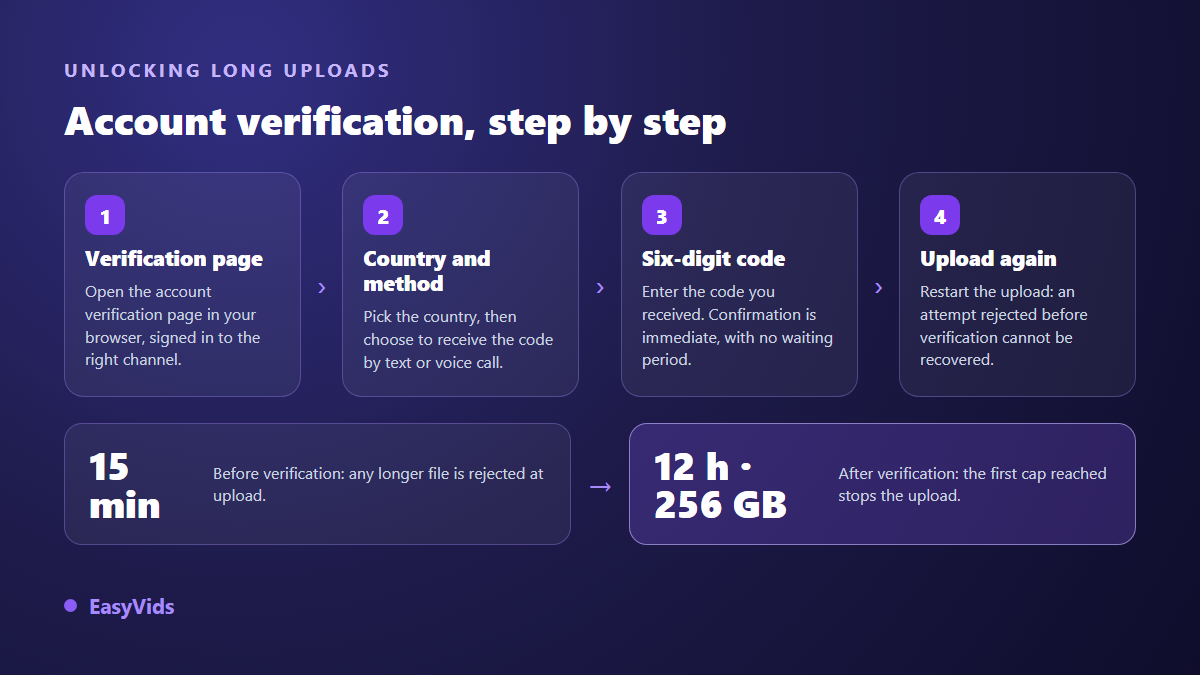
An unverified account is capped at 15 minutes per video. Once the account is verified, the ceiling rises to 12 hours or 256 GB, whichever comes first. Both figures come from the YouTube Help Centre, on its page about uploading videos longer than 15 minutes, checked in August 2026. Shorts and live streams follow separate rules, covered below. Verification is free and takes less time than exporting your video.
Why 15 minutes until the account is verified
The cap has nothing to do with subscriber count, channel age or monetisation status. It depends on one thing: whether YouTube has confirmed that a real person sits behind the account. Until that happens, every upload is measured, and anything over 15 minutes is rejected. The rule applies to the account rather than the device, so it works exactly the same from a computer and from the mobile app.
One piece of good news: the file is never silently trimmed. YouTube blocks the upload and points you to the verification page. Your video is still sitting on your drive. It costs you time, not work, and the whole thing is avoidable by settling the question before you start a long project.
Verifying your account: the fix that unlocks 12 hours
The YouTube Help Centre describes a short procedure built around a phone number. It runs in a browser, and it has nothing to do with the confirmation badge shown next to some channel names, which is a completely different system. Mixing up the two costs people hours of searching in the wrong place.
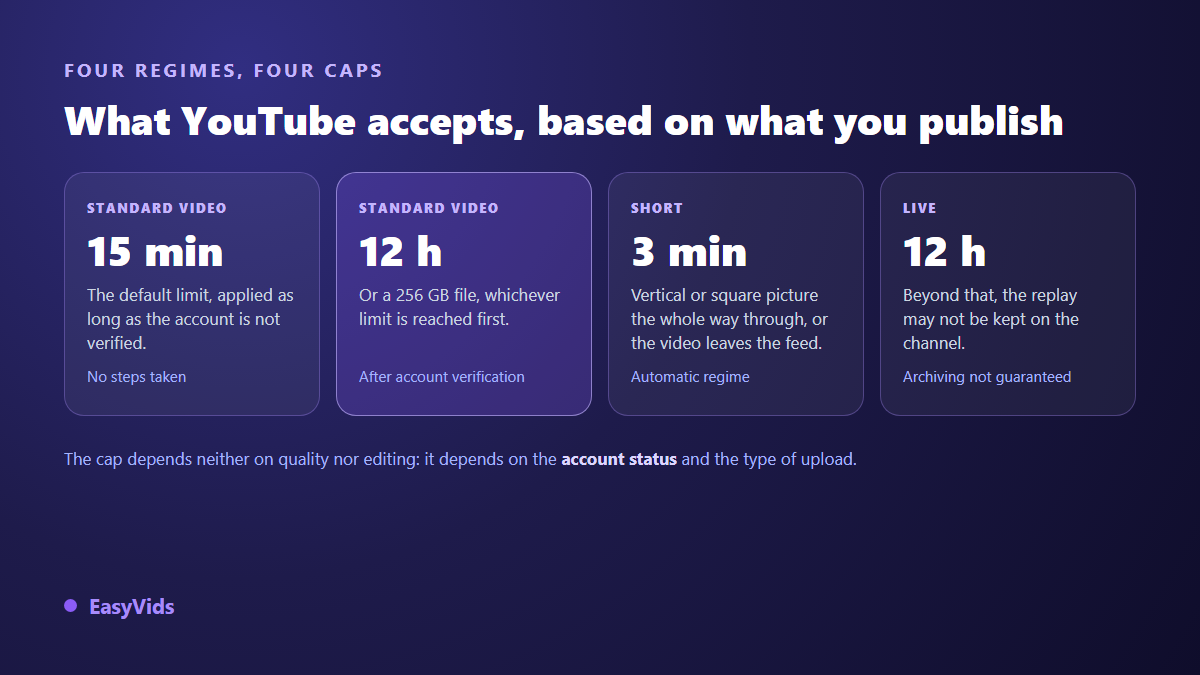
- Open the account verification page in a browser, signed in to the account that publishes rather than another account open in the same profile.
- Pick your country and delivery method, text message or voice call. The call option saves the day when messages never arrive.
- Enter the six digit code. Confirmation is immediate, with no manual review and no waiting period.
- Start the upload again. A rejected attempt does not resume by itself once the account is verified.
- Note which number you used. According to the Help Centre, one phone number can only verify a limited number of channels, which matters if you run several.
One caveat for channels coming back from trouble: verification assumes an account in good standing. If your channel carries a Community Guidelines warning or strike, some features can stay locked until the situation clears. The form will not explain that, it will simply fail.
256 GB: the limit nobody talks about
The second ceiling catches people out, because everyone thinks in minutes and never in gigabytes. It becomes very real as soon as you push the resolution. The YouTube Help Centre recommends between 35 and 45 Mbps for a 4K upload at standard frame rate: at that bitrate, one hour of video weighs roughly 20 GB. Twelve hours of 4K therefore approach the size ceiling at the very moment they reach the length ceiling. The two numbers were clearly set against each other.
At 1080p the maths changes completely. The same documentation recommends around 8 Mbps at standard frame rate, which is about 3.5 GB per hour. At that weight, neither the duration nor the gigabytes will ever bother you. The real constraint becomes upload time: on an ordinary home connection, a large file climbs for hours, and that is how scheduled publications miss their slot.
Shorts, live streams and premieres: three separate regimes
A Short follows its own rule: 3 minutes maximum, vertical or square framing, and automatic classification. According to the YouTube Help Centre, the ceiling moved from 60 seconds to 3 minutes on 15 October 2024, and you have nothing to tick for a short vertical video to land in the Shorts feed. One second over and it drops into the regular feed instead, with a completely different distribution. The exceptions, including the one that pulls the limit back to 60 seconds, are covered in our sheet on YouTube Shorts length.
Live streams are the third regime. The Help Centre states that streams longer than 12 hours may not be archived, meaning the replay might not stay on your channel. If your format runs past that, split it into sessions rather than hoping to recover a fifteen hour recording. Premieres follow the rules of regular uploads, since the file has already been uploaded.
The allowed length is not the right length
Once you know the ceiling, it tells you nothing about what to do. YouTube allows 12 hours, nobody suggests filling them. Video length is not a setting to optimise, it is a consequence: it follows from what you have to say and from how patient your audience is on that specific topic. Two channels in the same niche can thrive at opposite lengths.
The only data that settles it is yours. In YouTube Studio, the audience retention report shows the share of viewers still watching at every moment of the video. Find where the curve drops, compare it with the structure of your edit, and you will know whether your videos are too long or simply badly paced. The two problems look alike and need opposite fixes: one is solved by cutting, the other by reordering.
Eight minutes, the threshold that changes monetisation
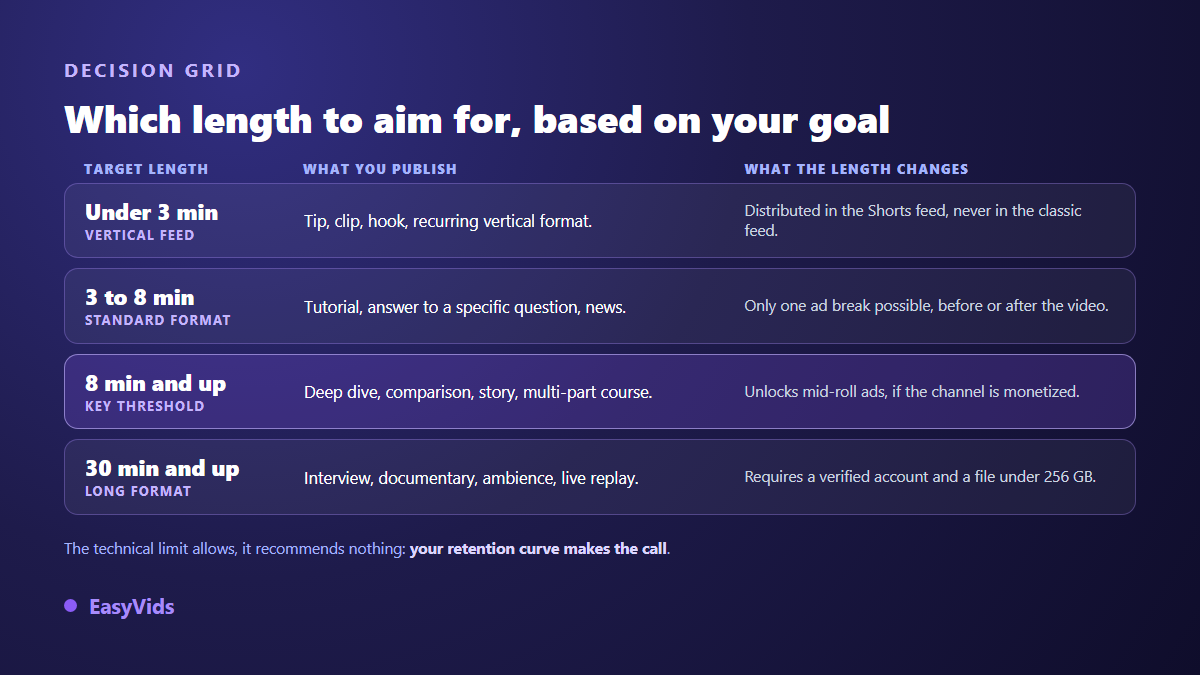
Length touches revenue on one precise point. According to the YouTube Help Centre, mid-roll ads can only be enabled on videos of at least 8 minutes. Below that, you are left with ads before and after. That is the real reason so many channels aim for 8 to 12 minutes: it is not an ideal viewing length, it is an advertising threshold.
The YouTube Partner Programme requirements are written in watch hours instead: the Help Centre lists 1,000 subscribers and 4,000 valid public watch hours over 12 months, with an alternative route based on Shorts views. For the same audience, a longer video accumulates those hours faster. The trap closes quickly though: stretching a four minute subject to eight does open the mid-roll slot, but a video people abandon a third of the way in produces neither views nor watch hours.
Producing long form without losing a week
The real obstacle to long form is not YouTube's ceiling, it is having enough material. Ten minutes of narration means roughly 1,500 spoken words and around sixty shots, which is sixty chances to lose the visual thread. That is exactly what the EasyVids director tool handles: you bring an idea or a script, it splits the text into scenes, produces one visual per scene, lays the voice over on top, then assembles everything into a single file. Scenes are generated in parallel on the server, so you are not waiting for them one at a time.
Two things deserve attention on a long project. Consistency first: sets and characters have to hold from one shot to the next, otherwise the video plays like a pile of unrelated images. Then the cutting, which decides the pace and is best settled before generation. We collected the method in our guide to longer AI videos, and pushed it all the way to feature length in our guide to making a full film with AI.
Export settings that make the upload go smoothly
File format matters as much as duration. The YouTube Help Centre recommends an MP4 container, H.264 video and AAC audio, with the index moved to the front of the file. Our exports follow that frame: MP4, H.264 video, AAC audio, 30 frames per second, with a choice of 720p, 1080p or 4K at assembly time. The aspect ratio is chosen when the project starts, in 16:9, 9:16 or 1:1, and it applies to generated images and generated clips alike, which removes the destructive last minute crop.
The mistakes that come back most often
- Discovering the limit after the edit: verification belongs before the script, not on publishing night.
- Confusing account verification with the badge next to a channel name: only the first one unlocks long form.
- Exporting in 4K out of habit for a talking head video: the file balloons, the upload drags, and nobody sees the difference on a phone.
- Publishing a vertical video of 3 minutes and 10 seconds: it misses the Shorts feed by ten seconds.
- Padding a subject to reach 8 minutes: the mid-roll slot opens, retention collapses, and the trade does not pay off.
- Scheduling a publication without accounting for how long a large file takes to upload from home.
These limits move, so date what you read
No spec sheet stays accurate forever. YouTube raised the Shorts ceiling from 60 seconds to 3 minutes on 15 October 2024, and half the pages online still quote the old number. The values on this page were taken from the YouTube Help Centre in August 2026. Get into the habit of looking for the date on any technical source before trusting it, and of dating your own when you share them.
Frequently asked questions
What is the maximum length of a YouTube video?
15 minutes while the account is unverified, 12 hours after that, with a parallel file size ceiling of 256 GB. Whichever you reach first stops the upload. These values come from the YouTube Help Centre as checked in August 2026.
How do I upload a video longer than 15 minutes?
Verify the account from a browser, using a phone number and a code received by text or voice call. It is free, confirmation is immediate, and the new ceiling applies to your next uploads. A video rejected before verification has to be sent again.
Can you really publish a 12 hour video?
Technically yes, as long as the file stays under 256 GB and your connection holds. An upload that size runs for hours. For ambience or a stream replay, splitting it into several videos works better: they recommend one another and they are far easier to navigate.
Is the limit the same in the mobile app?
Yes. The ceiling belongs to the account, not to the device. An unverified channel stays at 15 minutes whether it publishes from a phone or from a computer. Verification itself runs in a browser, which surprises creators who work entirely on mobile.
Do longer videos rank better than short ones?
Length on its own is not a criterion. What gets measured is what viewers do with your video: how long they stay and whether they come back. Four minutes watched to the end beats twenty minutes abandoned at the third. Pick the length the subject deserves, then cut everything that does not serve it.
The YouTube video length limit takes two minutes of verification to solve. The real work starts right after: finding enough substance to hold a long format without diluting it, and producing it at a pace you can sustain. That is where AI generation changes the equation, turning a script into assembled scenes instead of leaving you alone in front of an empty timeline. You can create a free account to try the scene split on your next subject, and the EasyVids studio brings writing, visuals, voice and editing together in one place.