You have an idea for a video. A story, an explainer, a product presentation. Between that idea and a file you can actually publish, there used to be a wall: writing, filming or sourcing footage, recording a voice, editing. Days of work, or a production budget. An AI video generator is what brings that wall down.
But you still need to know what these tools really do, and above all in what order. Most failed AI videos are not failed because of the model behind them. They fail because a step was skipped. This guide walks the full chain, step by step, with the concrete rules we apply across thousands of generations.
What an AI video generator actually is
An AI video generator turns text, an idea or an image into a video sequence by combining several different models: one to write, one to build the visuals, one for the voice, one for the music. The term is confusing because it covers two very different things. On one side, models that produce a few seconds of animated footage from a prompt. On the other, complete studios that orchestrate everything around those models to deliver a finished video, narration and edit included. If your goal is to publish, the second category is the one that matters.
The six steps of the production chain
An AI video is never the product of one magic click, however the interface makes it look. Six steps follow one another, and each one shapes the next. Understanding that sequence is understanding where to step in when a result disappoints you.
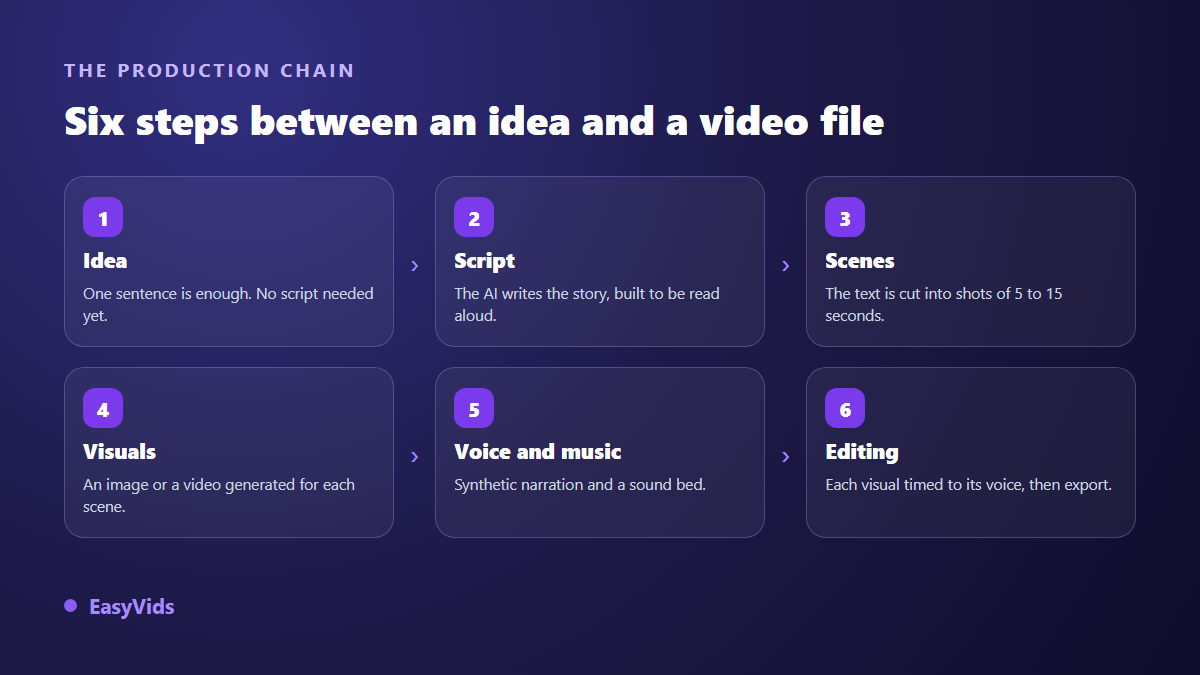
A good tool lets you take back control at any of these steps. That is what separates a toy from a working tool: being able to regenerate a single scene, swap one image, adjust one sentence, without starting over.
Step 1: start from an idea, not from a script
Beginners assume they need a finished text. The opposite is true. An idea stated in one sentence produces better results than a text written to be read with the eyes, because the AI then writes directly for the ear: short sentences, a strong hook, a narration rhythm. If you already have a long text, a blog post for instance, do not paste it in as it stands: reduce it to one guiding idea and let the AI rewrite it for the ear, which is exactly the approach in our method for turning an article into a video.
One useful habit is to set the length in minutes of video rather than in words. One minute of voice over is roughly 150 words, about 1,000 characters. Thinking in minutes gives you a text calibrated for the duration you want, instead of a text you will have to cut down. Some formats fix their duration before the first word is written, as with a company presentation video built as six blocks across 90 seconds, where every block gets its own speaking time.
Step 2: split into scenes, the step everyone gets wrong
A narrative video is not a text with pictures attached, it is a sequence of scenes. Each scene pairs a piece of text, a visual and a fragment of voice. Automatic splitting does most of the work, but the rhythm is won by adjusting where the cuts fall. On a longer project that cutting becomes the frame of the whole film, as our method for building a short film scene by scene shows.
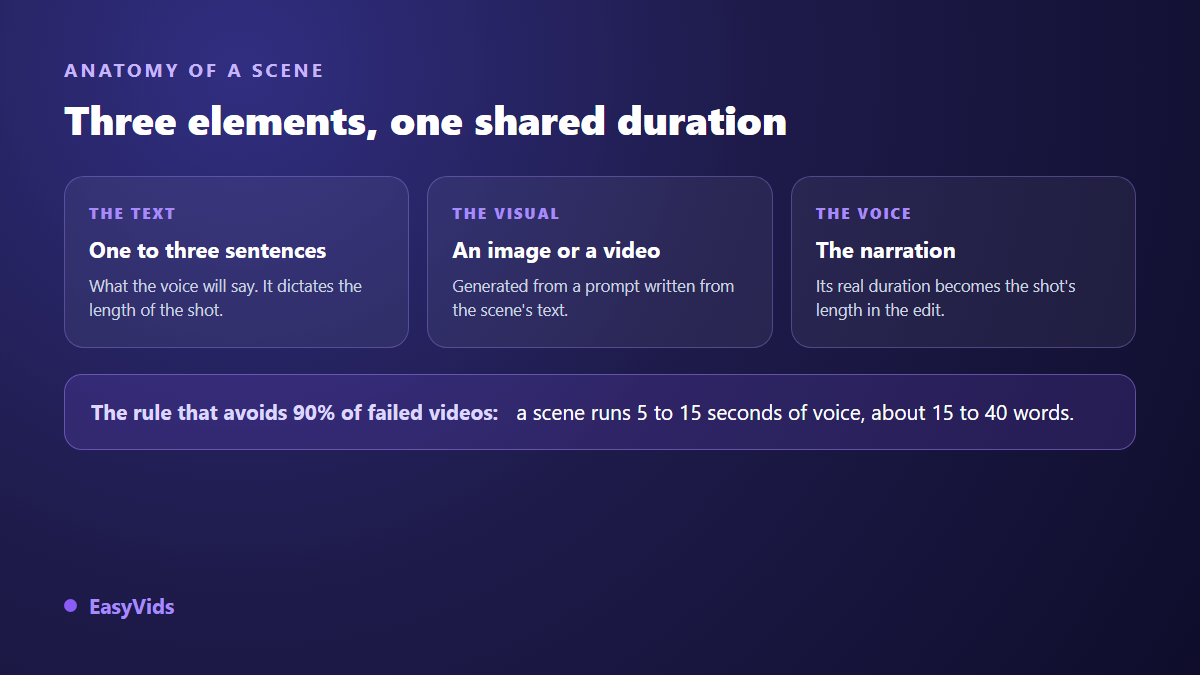
One rule saves most videos: a scene lasts 5 to 15 seconds of voice, roughly 15 to 40 words. Below that, viewers cannot take in the image. Above it, they drift away. If a scene runs well past that range, split it in two rather than speeding up the voice.
Step 3: visuals, generated image or generated video
For each scene you choose between a lightly animated still and a generated video clip. Video brings real motion, costs more compute and takes longer. Stills remain the sensible choice for most shots in a narration, especially when the voice carries the attention. A third case appears when someone has to address the viewer directly: the shot then rests on a presenter facing the camera, and our guide to AI avatars and UGC videos covers how to produce one without filming.
The visual prompt derives from the scene text, and that is where consistency is decided. Lock a single style for the whole video, then vary only the subject of each shot. When a story features a recurring character, go further and work with stable visual references, otherwise their face changes with every scene.
Step 4: the voice over carries half the perceived quality
Beautiful visuals with a robotic voice give you a video people leave after ten seconds. The reverse is surprisingly true: a well handled voice forgives many visual imperfections. This is the step worth the most care, and the one where punctuation matters as much as wording, because synthesis engines read it the way an actor reads a score.
Step 5: music and atmosphere
Background music is not decoration: it sets the tone before the first sentence lands. A discreet pad is enough for a tutorial, a low tension completely changes how a story feels. Two precautions are worth repeating. Keep the music well under the voice, around a fifth of its volume. And check that the track is cleared for the platform you target, otherwise monetisation can slip away from a video that is otherwise working.
Step 6: editing and export
Automatic editing assembles the scenes, syncing every visual to the exact length of its voice. That is enough to publish. To go further, an editor lets you add transitions, on screen text, captions, and tune the breathing between shots. On an announcement video, that on screen text carries the essential information, the date and the place, and our guide to animated video invitations shows where to put it without crowding the image. Think about aspect ratio from the start rather than at export: a video designed in 16:9 then cropped to 9:16 always loses something that mattered.
The mistakes that make an AI video look like one
Content generated without method has a visual signature, and viewers spot it within seconds. It comes down to three flaws, all avoidable.
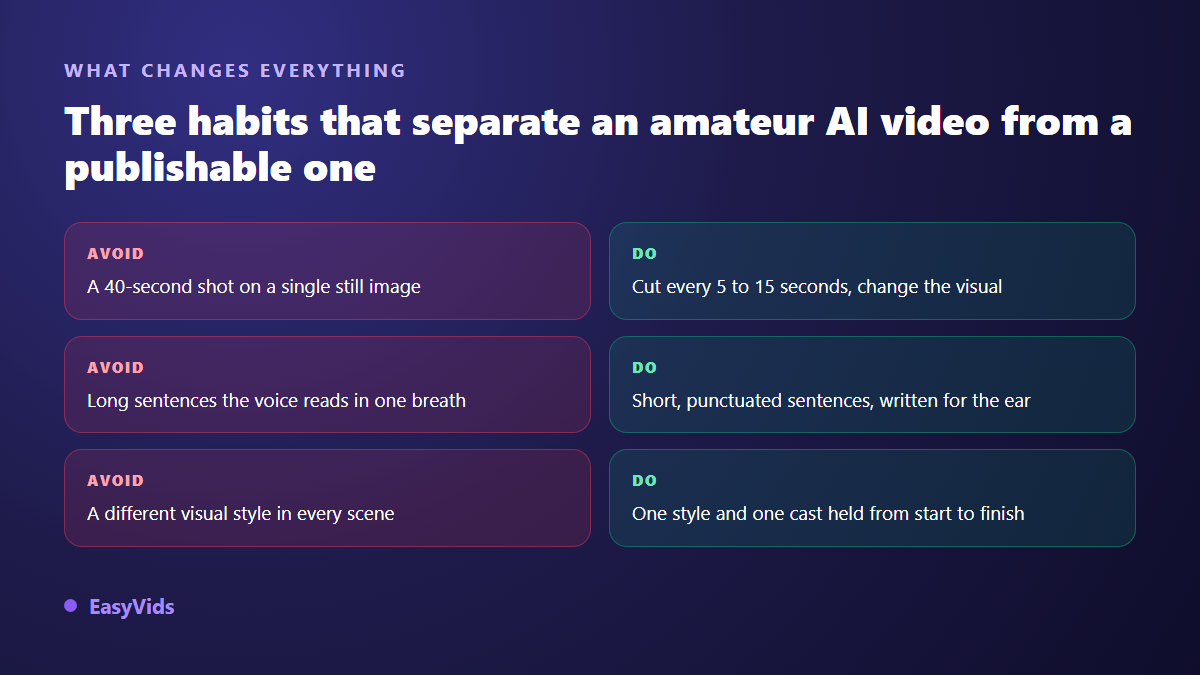
- Shots that linger on a static visual: cut every 5 to 15 seconds.
- Endless sentences: write for the ear, punctuate, let it breathe.
- A style that changes with every scene: pick a visual direction and hold it.
- On screen text nobody can read on mobile: large, contrasted, short.
- No captions, when a large share of your audience watches with the sound off.
How to choose an AI video generator
Beyond raw model quality, which shifts month to month, a few durable criteria deserve attention before you commit to a tool.
- Control: can you regenerate a single scene without redoing everything?
- A complete chain: script, visuals, voice, music and editing in one place, or five services to juggle?
- Output formats: vertical, square and horizontal, without destructive cropping.
- Character consistency from scene to scene, essential for any series.
- No watermark on exports, and clear commercial usage rights.
- Language support: a tool built for your language writes better scripts and speaks better than a translated one.
Frequently asked questions
Do I need editing skills to use an AI video generator?
No. Automatic editing produces a publishable file with no technical skills at all. Editing becomes useful when you want to shape the rhythm, add effects or craft an intro, not to get your first video out.
Can AI generated videos be monetised on YouTube?
Yes, provided you add real value: an original scenario, a considered voice, a deliberate edit. What platforms penalise is repetitive mass produced content with no contribution, not the use of AI itself. A carefully written, consistently illustrated story sits well within the rules.
How long does a complete video take?
For a three minute narration, expect a few minutes of generation when scenes are processed in parallel, and around half an hour overall if you review the script and adjust a few visuals. Most of the time goes into review, not compute.
Can I keep the same character across scenes?
Yes, but not by repeating the same description in every prompt: the face drifts. You need visual references reused from scene to scene, which becomes essential as soon as you produce a series with recurring characters.
Can I create AI videos from a phone?
Yes, as long as the tool runs in the browser: generation happens on servers, your device only displays the interface. A phone is enough to write, generate and publish, while fine editing stays more comfortable on a larger screen.
The right way to approach an AI video generator is not to chase the most impressive model, but to respect the chain: a clear idea, a text written for the ear, a steady cut, a style held throughout. The technology follows. To try it directly, creating an account opens the full studio, no bank card required.