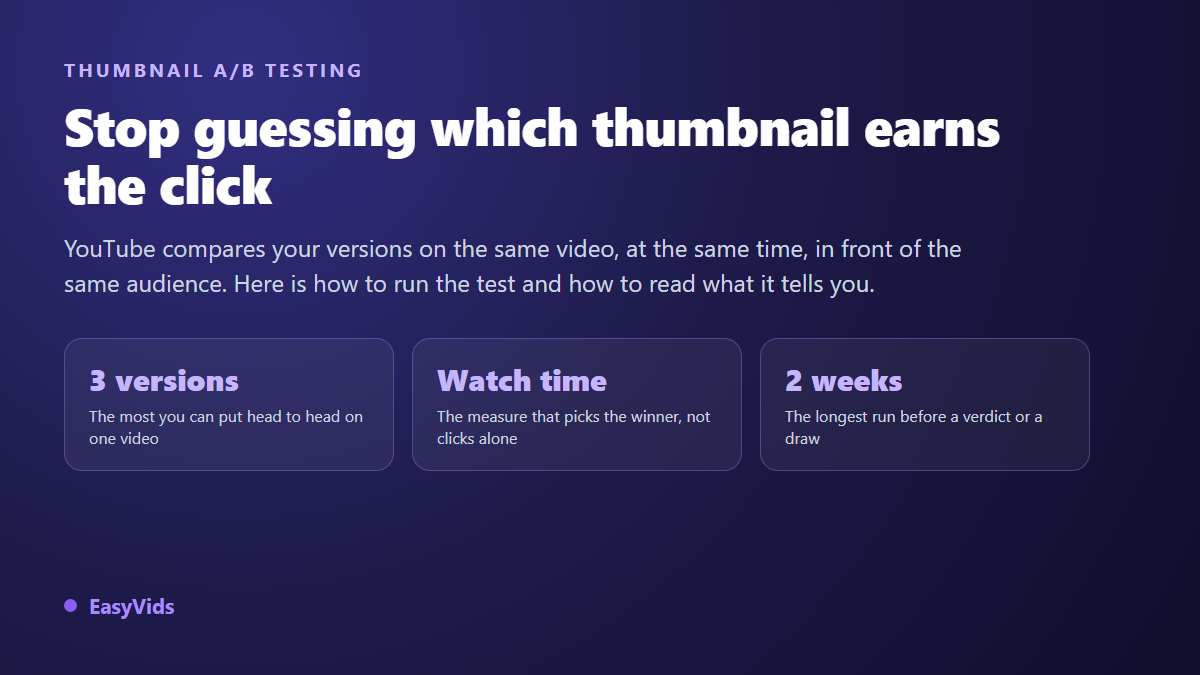
Your video is well written, the edit holds up, and it goes nowhere. Before you rebuild anything, look at the image representing it in the feed: that image decides whether anyone opens the video or keeps scrolling. YouTube thumbnail A/B testing puts several versions of that image in competition on the same video, instead of picking the one you personally like and hoping.
Your instinct about your own thumbnail is a poor judge. You know the content, you see the image full size, and you are attached to the version you spent an hour on. YouTube now ships a built-in test that settles the argument with real data. This guide covers the full procedure, then the part almost nobody does properly: preparing versions that teach you something. If you need the design rules first, our complete guide to YouTube thumbnails covers everything that happens upstream.
The short answer
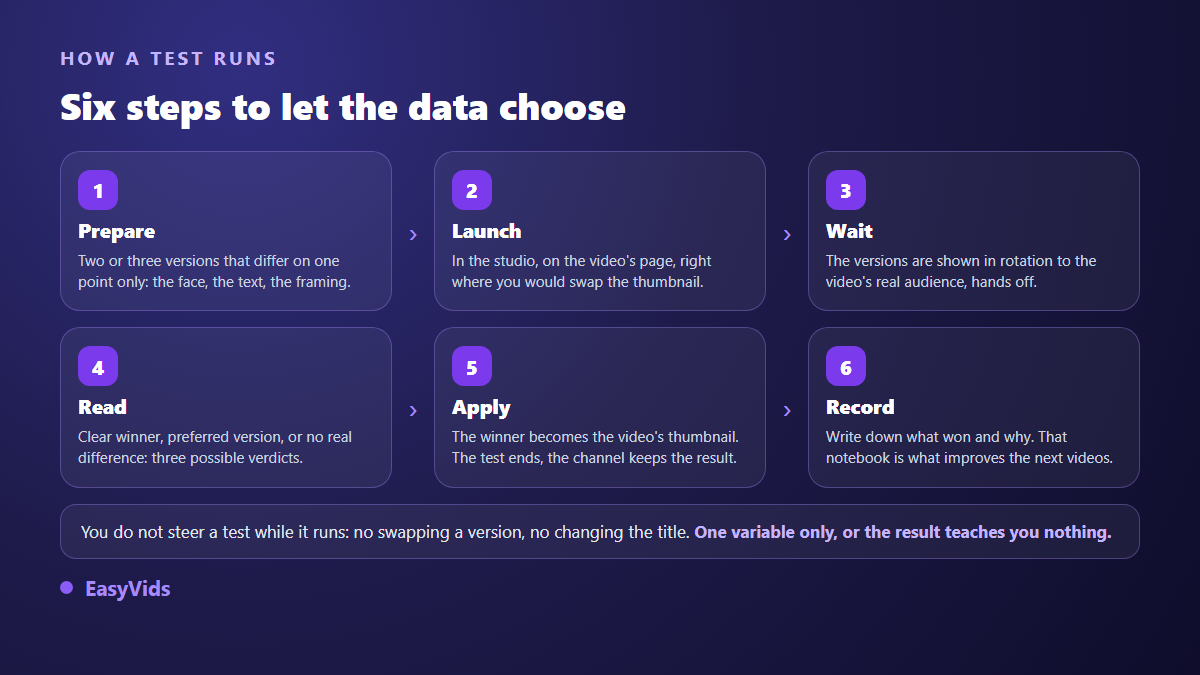
The test lives in YouTube Studio, on the video page, exactly where you would normally swap the thumbnail. You upload up to three versions, according to the YouTube Help Centre, and the platform shows them in rotation to the real audience of that video. The test runs until it has enough data, with a two week ceiling. The version that wins is the one that drove the greatest share of watch time, and it is applied automatically when the test ends. All your real work happens before launch: building versions that differ on one point only.
What the built-in test actually does
It is a standard A/B test. Each viewer sees a single version, and the versions run over the same period, in front of the same audience, with the same promotion. That parallelism is what makes the result trustworthy. Swapping a thumbnail by hand a week after publishing compares two different moments in the life of a video: day one has nothing in common with day ten, so what you mostly measure is the passage of time.
Two practical constraints are worth knowing. You cannot replace one version mid-test, since the experiment is a whole and editing it would change the rules mid-game. You can stop it early, which helps when one version turns out to be plainly off topic, but an early stop usually leaves you without a usable verdict.
Why the verdict rests on watch time, not clicks
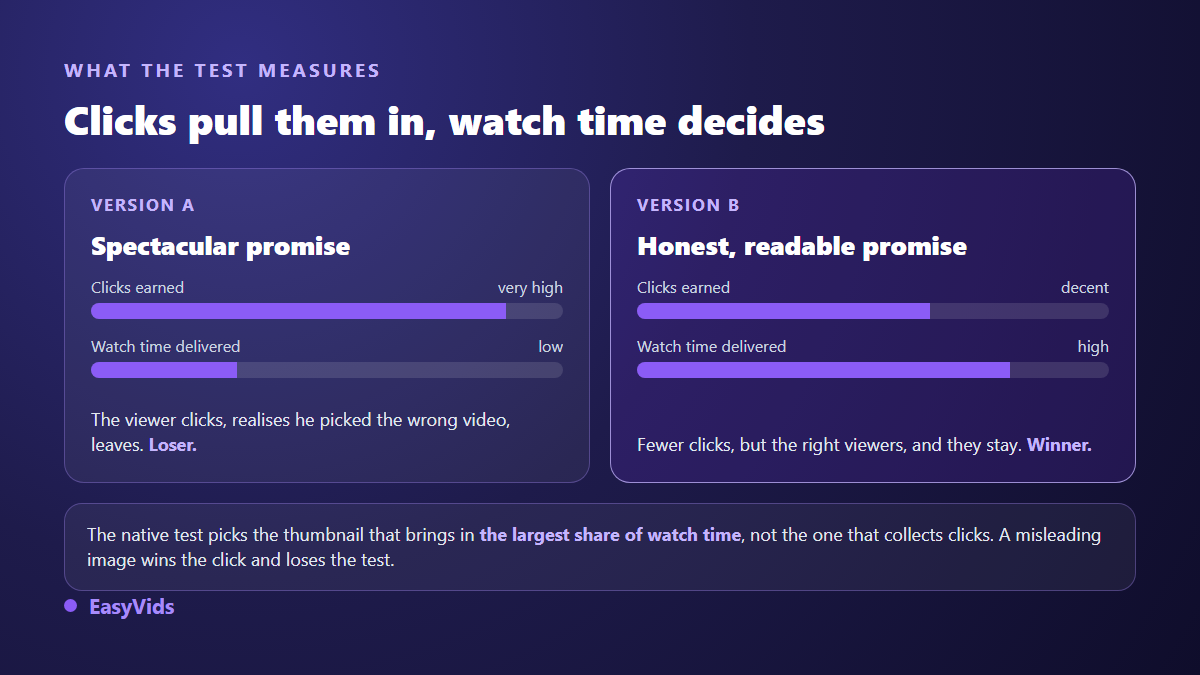
This is the point most tutorials miss, and it changes how you build your images. According to the YouTube Help Centre, the winning thumbnail is not the one that collected the most clicks, but the one that generated the greatest share of watch time. A version can therefore lose the test while posting the best click-through rate.
The logic fits in one sentence. Clicks alone reward the loudest promise, including when that promise lies. A misleading thumbnail brings in viewers who work out within seconds that they opened the wrong video, leave, and hand the recommendation system a terrible signal. By measuring the watch time each version brought in, the platform rewards the thumbnail that attracts the right people, which is the same mechanism we break down in what really triggers the click on a thumbnail.
Click-through rate still works as a diagnostic, as long as you know what it counts. The YouTube Help Centre page on impressions and click-through rate states that an impression only counts when at least half of the thumbnail stayed on screen for at least one second, and that half of all channels and videos sit in a 2 to 10 % range. Read both numbers together, never the click on its own.
Running a test, step by step
The handling takes two minutes. Everything else is discipline, because a badly prepared test produces a number with no lesson attached.
- Open the video in Studio, go to the thumbnail section and pick the test instead of a plain replacement.
- Upload two or three versions in 16:9, at the 1280 x 720 pixels YouTube recommends.
- Check legibility at tiny size before confirming: the home feed shows your image at a fraction of its real size.
- Launch, then leave everything else alone: title, description and every other setting stay frozen.
- Give it several days before reading anything into the early numbers, which swing hard at the start.
- Apply the winner, and write one line on what set it apart from the others.
The fourth point is the one people break. Editing the title during a test means moving two variables at once, and you will never know whether the gain came from the image or the wording. On file constraints and accepted sizes, the exact dimensions of a YouTube thumbnail will save you a rejected upload at launch time.
How long a test runs and how to read the verdict
A test stops on its own once it has enough data, and at the latest after two weeks according to the YouTube Help Centre. Three outcomes exist: a clear winner, a merely preferred version with no statistical certainty, or no meaningful difference at all.
That third outcome is disappointing but informative: either your versions were too similar, or the video never got enough impressions to separate them. Volume is the hidden condition of any comparison. On a video pulling a few hundred impressions, randomness is what you are measuring, and no tool fixes that.
Building variants that answer one question
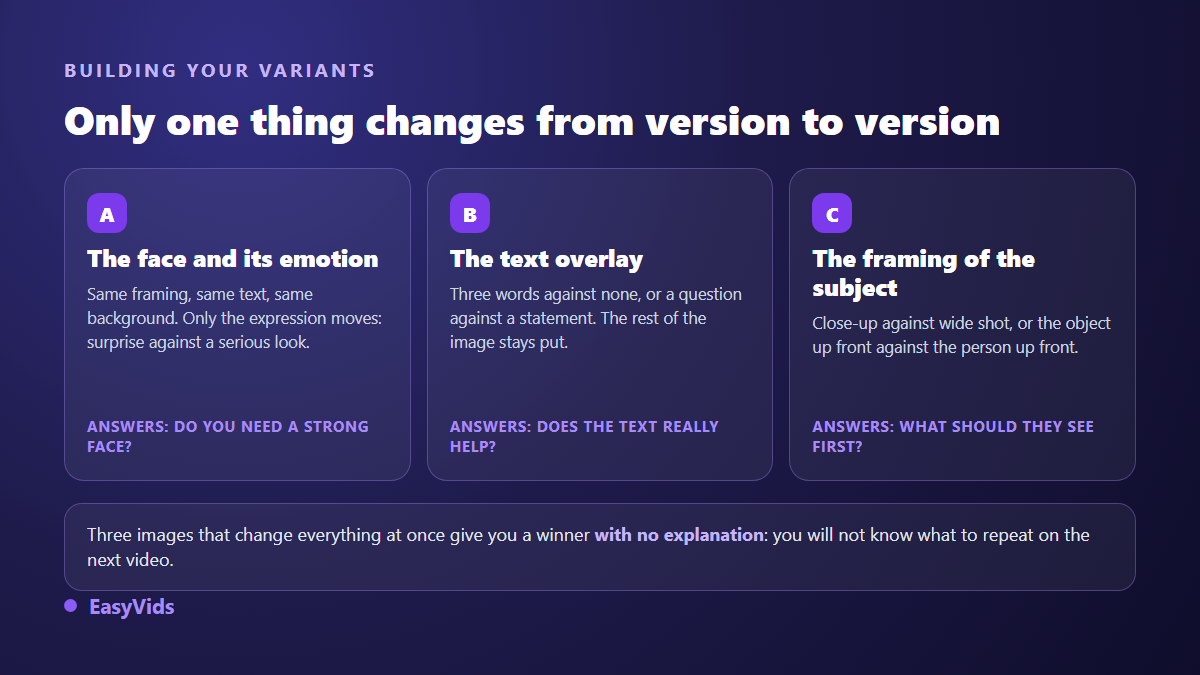
A test only answers a question you asked before starting. Write the question first, then build the versions around it. Does this video need a face? Does the text help or crowd the frame? Is it better to show the finished result or the starting problem? Each question gets its own pair of images, and nothing else changes between them.
If credible variants are hard to imagine, start from a catalogue of compositions rather than a blank page: 51 thumbnail examples sorted by niche give you opposite starting points to pit against each other.
Producing three versions without opening an editor
Making three clean thumbnails used to be the real obstacle: few creators want to redo the same cut-out three times. In the EasyVids studio, the thumbnail section asks for the subject in one sentence, an optional text overlay, one style among eight, including viral, gaming, vlog, documentary, tutorial, horror, luxury and spiritual, one emotion among five, and the ratio, 16:9 for long form or 9:16 for shorts. Attach a face photo as a reference and you appear on the image.
For a test, the method is straightforward: generate a first version, then relaunch changing one parameter only, the emotion or the overlay for instance. Thumbnails stack in a history kept separate from your other images, several generations can run at once, and each result downloads in one click, ready to upload into YouTube Studio. Every generated image uses credits, and the plans are detailed on the pricing page.
Mistakes that make a test worthless
Most failed tests were lost before launch. These are the ones we see most often from creators getting started.
- Testing three unrelated images: the winner explains nothing.
- Editing the title, description or tags while the test runs.
- Testing on a low traffic video that will never reach a usable volume.
- Calling it after a few hours, on numbers that mean nothing yet.
- Judging versions on click-through rate alone, when the verdict rests on watch time.
- Building a deliberately weak version so your favourite wins: you learn nothing and lose viewers.
What the native test cannot do
The tool compares thumbnails and nothing else. Titles, descriptions and opening seconds stay out of the comparison. According to the YouTube Help Centre, the feature applies to public long form videos; if it does not appear on a video page, that channel or that video is not eligible. The manual method remains available, provided you accept its weakness: publish with one thumbnail, let a clear period pass, switch to a second version that changes one element, and compare the two windows. It neutralises neither the natural decay in distribution nor a news spike nor the weekend.
One last guardrail gets forgotten in the excitement: the YouTube thumbnail policy bans misleading or shocking images unrelated to the content. A variant promising something the video never shows exposes you to removal, whatever its click-through rate.
Turning a winner into a method
The real payoff is not in the video you tested, whose views are largely spent, but in the next ones. Keep a simple log: the question, the versions, the winner, the lesson in one line. After a dozen tests, patterns show up, and they rarely match the general rules published on the subject. Test again whenever you change format, topic or audience.
Frequently asked questions
How many thumbnails can be tested at once?
Up to three versions on the same video, according to the YouTube Help Centre. Two is often enough and reaches a verdict faster, since traffic splits across fewer versions and each one accumulates data more quickly.
Does testing cost the video views?
It does not throttle distribution, but it does expose part of your audience to a version that turns out weaker. That is the price of information, and it stays small next to the cost of leaving a mediocre thumbnail in place for months.
Can you test the thumbnail of a Short?
No, the tool targets public long form videos. On short form, the cover matters less anyway, since playback starts straight in the feed: the first seconds of the video do the job of the thumbnail.
Should you wait for the test to end before deciding?
Yes. Early gaps flip regularly, because the video has not yet been shown to the same mix of audiences. Let the test run its course, or at least until the platform shows a stable result.
Can an AI generated thumbnail take part in a test?
Yes, the platform does not treat generated images differently. The same duties apply: the YouTube thumbnail policy bans misleading visuals, and a generated image promising a scene absent from the video falls under exactly the same rule as a doctored photo.
Test your next video instead of redoing the same image ten times waiting for inspiration. Prepare two versions answering one clear question, let the platform decide, and keep a record of the outcome. To produce those variants in minutes, style and emotion included, creating an account opens the full studio, thumbnails included.