You have a text in front of you. A blog post, a product sheet, a three page memo, a lesson from a course. You want to turn text into video, because video travels where text sits still. Turning a text into a video takes six precise moves, and the order you make them in decides the outcome far more than the tool you pick.
The usual mistake is to generate visuals first, then hunt for a voice that fits them. The edit becomes a chain of compromises and the result looks stitched together. This tutorial runs the other way round, from trimming the source text to the final export. For a wider look at the technologies that share this name, our general text to video guide covers that ground. Here we go step by step, with the exact moves and the numbers we work with.
The short answer
Trim the text down to a single promise. Rewrite it for the ear, in short sentences. Cut it into shots of one idea each. Produce the voice over. Then build one visual per shot, and set each shot to the measured length of its own voice. Budget roughly 150 words per minute of spoken video. A tool that runs those six steps for you saves real time, as long as you can step back into any of them.
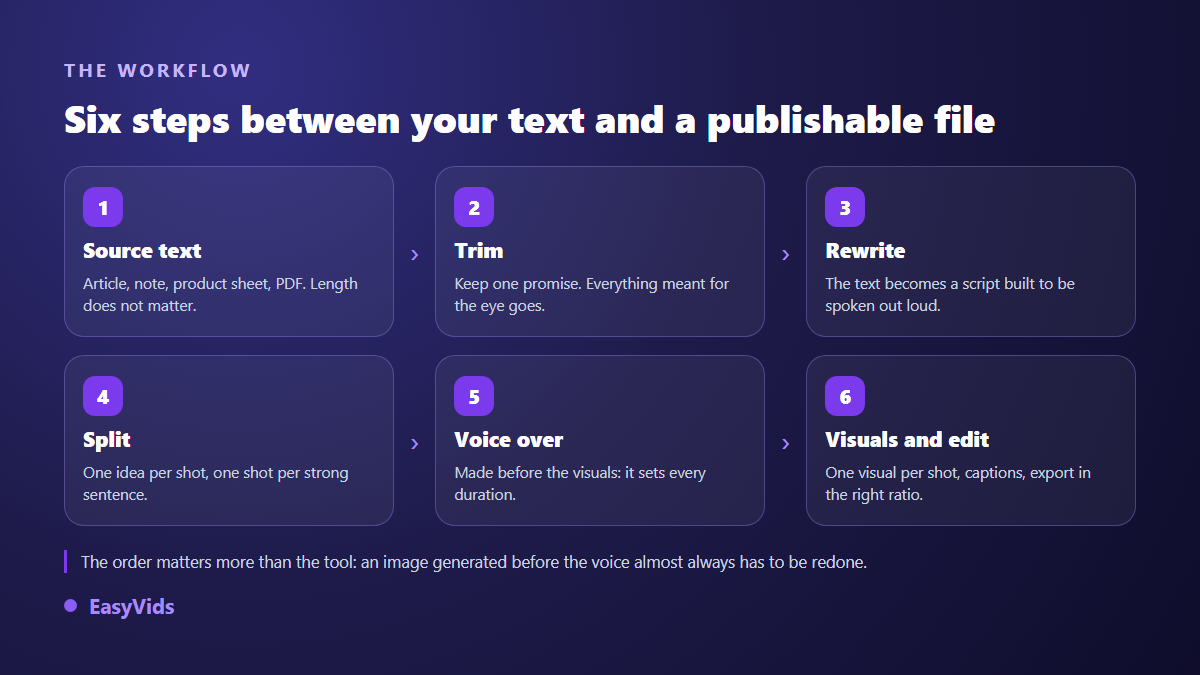
Every step here can be done by hand, with a word processor and an editor. Every step can also be automated. The difference comes down to one thing: whether you can redo a single step without restarting everything. That is what separates a toy from a working tool.
Before step one: lock the length, the ratio and the promise
Three decisions come before you write a line, and they belong at the top of your working document. The target length, in seconds. The aspect ratio. The promise, meaning the one sentence a viewer should be able to repeat to somebody else afterwards.
Length drives everything else. A 45 second video holds around 110 words of narration, no more. If your source runs to 1 200 words, you are not going to condense it, you are going to take one slice and drop the rest. Deciding that first saves two rewrites.
The ratio is chosen before generation, never after. TikTok, Reels and Shorts all list 9:16 as the native ratio in their published specification pages, while YouTube stays at 16:9 for long form. Cropping later cuts heads off and pushes captions out of place. Our guide to video format by platform lists the exact dimensions.
Step 1: trim the source text instead of converting it as is
A text written to be read carries a lot of material that does not survive the move to video: asides, bracketed detail, seven item bullet lists, cross references. On the page the reader can go back. On screen they cannot. Anything that assumes a second reading has to go.
Do it in three quick passes. First, highlight the single idea that justifies the video. Second, delete every paragraph that does not serve it, however good it is. Third, keep at most three arguments and one example. Across our own generations, videos built from a text cut down to one promise hold attention noticeably better than those trying to say everything.
The kind of source changes the move slightly. A blog post mostly needs slimming, and our method for turning an article into a video walks that case. A laid out document with headings, tables and boxes takes extra work: what was a visual hierarchy has to become a spoken sentence again.
Step 2: rewrite for the ear, not for the screen
This is the step everyone skips, and it decides half the result. Text written for the eye and text written for the ear do not look alike. The first stacks clauses, the second moves in short sentences. The first can afford a number with two decimals, the second has to say it in words.
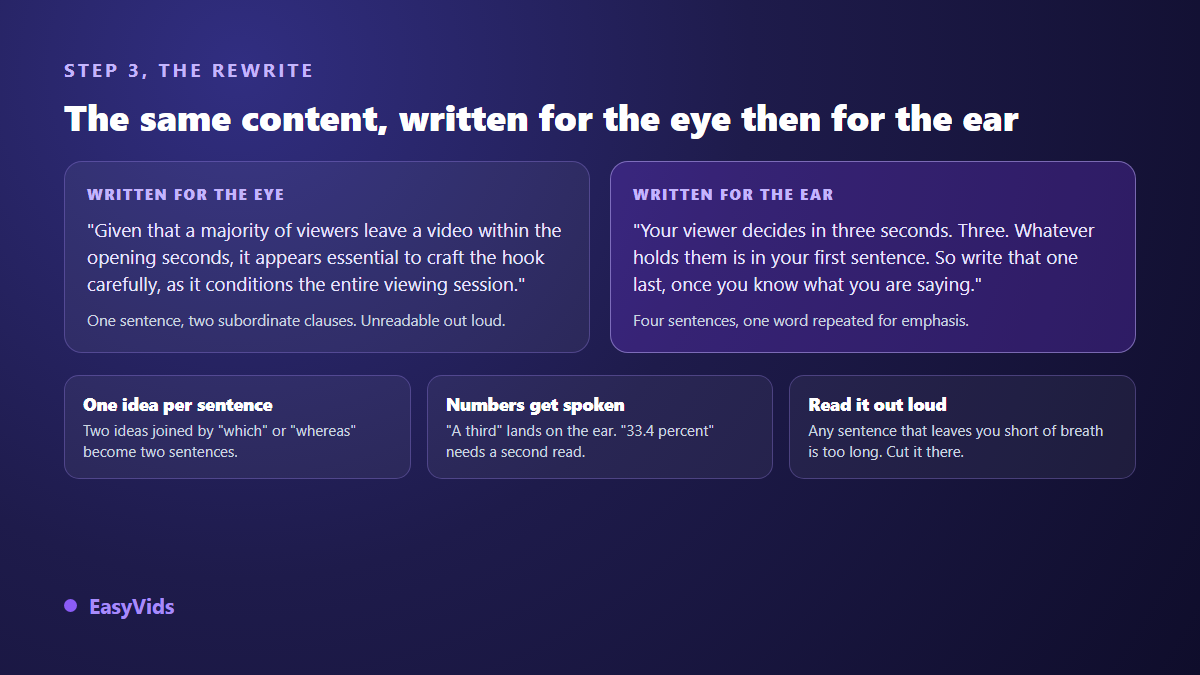
Three rules are enough. One idea per sentence, which means anything joined by which, whereas or given that becomes two sentences. Numbers are spoken the way you would say them out loud, a third rather than a decimal fraction. And you read the whole thing aloud with a timer: every place you run out of breath marks a sentence to split.
That read aloud also gives you the real running time before any voice is produced. A gap of more than 15 percent against your target gets fixed now, not in the edit.
Step 3: cut into shots, one idea per shot
A video is not text with pictures on top, it is a run of shots. Each shot pairs a piece of script, a visual and a fragment of voice. The split is the frame of the whole film: get it wrong and no visual will save it.
- One idea per shot. If you hesitate to describe a shot in a single sentence, it holds two.
- Three to eight seconds per shot for vertical video, a little longer for long form where the eye settles.
- Cut on meaning, never on punctuation. A comma is not the end of a shot, a breath is.
- The opening line is a shot on its own. It carries the promise, it deserves the full frame.
- Flag the shots that show nothing. A transition, a figure, a question asked: those are animated text, not generated footage.
If your starting text is already a structured script with lines and directions, half the split is done and the rest of the chain speeds up. Our piece on taking a finished script to an edited video starts exactly there.
Step 4: produce the voice over before a single visual
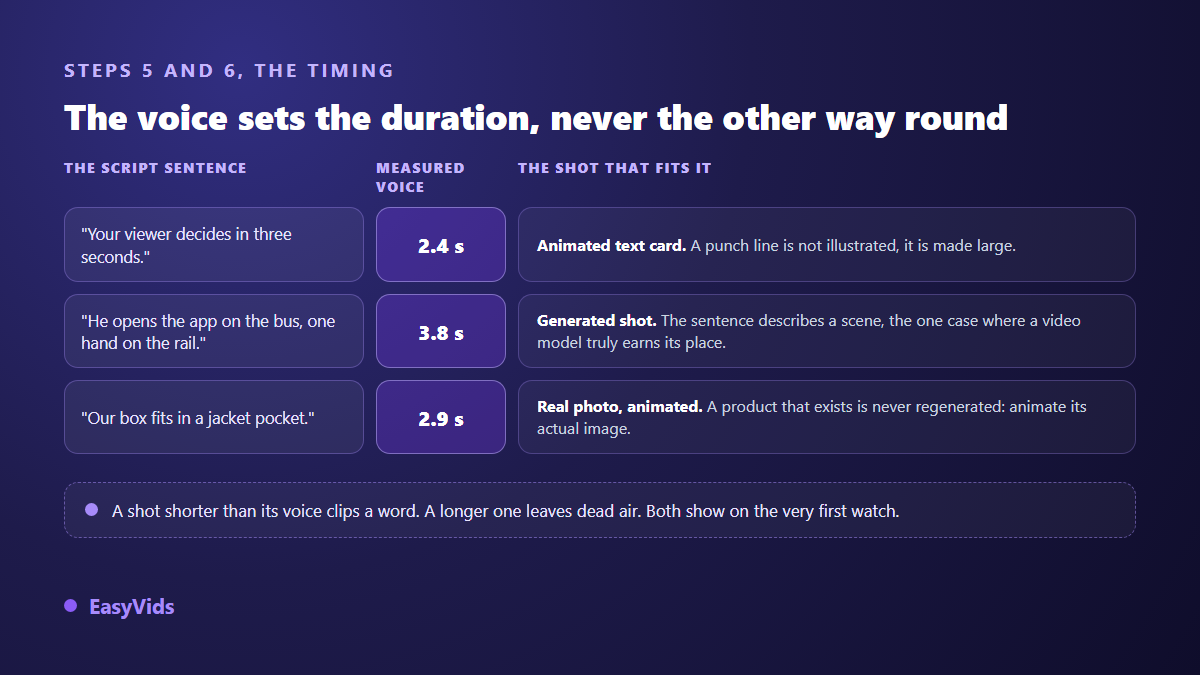
The voice comes fourth, and never last. It hands you the exact length of every shot, down to a tenth of a second. Until it exists you are working on estimates, and an estimate that is 20 percent off across twelve shots means retiming the whole video.
Three settings matter more than the choice of voice itself: pace, pauses and the pronunciation of proper nouns. A pace that is too fast buys a few seconds and loses half the meaning. Pauses are written into the script as full stops and line breaks, because a synthesis engine breathes where you punctuate. As for names and acronyms, test them on their own before running the full narration, since they are the first reason people start over.
If you are weighing recording your own voice against generating one, our comparison in how to make a voice over sets out the criteria, gear included.
Step 5: one visual per shot, chosen from what the line says
Not every sentence deserves the same kind of visual, and that is where a watchable video parts ways with a slideshow. A line describing a scene calls for generated footage. A line landing a figure calls for an animated text card. A line naming a real product calls for a photo of that product, animated, never an invented image that vaguely resembles yours.
Two habits remove most of the retries. First, describe what is seen, not what is felt. A woman seen from behind at a window in late afternoon light gives you something usable, a melancholy mood gives you nothing. Second, repeat the same world in every shot: palette, period, quality of light. Without that, each shot belongs to a different film.
When a character returns from one shot to the next, keep one reference image and feed it into every new generation. Without that reference the face shifts on each shot, and that is the flaw viewers spot first.
Step 6: edit, caption, export
Editing comes down to one repeated move: laying each visual over the exact length of its voice. A shorter shot clips a word, a longer one leaves dead air. Both faults show on the first watch, even to someone who has never edited anything.
Captions are no longer optional. Sound off is the default in a feed, and platforms display burned in text without degrading it. Two things to watch: keep the text near the middle of the frame, away from the edges, because every app interface eats the bottom and the right side; and check caption breaks on proper nouns, where automatic transcription slips most often.
Export in the ratio you locked at the start. Background music added at this stage sits well below the voice: it should be heard when the voice stops and vanish when it speaks.
The pre publication check, in six points
This takes three minutes and prevents most reuploads. Watch the whole thing with the sound off first, then with the sound on, and tick:
- The promise lands in the first five seconds, with no sound.
- No shot outlives its line, and none ends before it.
- Captions stay clear of the areas the target platform covers with its interface.
- Proper nouns are pronounced and spelled correctly.
- No visual stands out from the rest: same palette, same light, same level of detail.
- The closing line says what to do next, and the last shot holds long enough to read it.
Running the six steps in one pass
Done by hand, the full chain takes a good half day for a two minute video. That is exactly what an online studio automates: you paste your text, it rewrites for the ear, splits the shots, produces the voice, builds the visuals and times the edit, then hands you a project you can open shot by shot. The EasyVids studio works that way, with a single pass generation for simple cases and a scene by scene workspace when you want full control.
The real gain is not the speed of the first draft, it is the redo. Regenerating one weak shot instead of the whole video changes how the work feels. Keep the six steps in mind even with a tool that chains them: when a result disappoints, the cause almost always sits in a step earlier than the one you are looking at.
The three mistakes that come back most
First: pasting the source text as is and hitting generate. The output is technically fine and narratively unreadable, because nobody rewrote it for the ear. Second: generating images before the voice, which condemns you to permanent retiming. Third: trying to say everything. A 1 500 word text does not become a ten minute video, it becomes three short videos each carrying one idea.
Frequently asked questions
Which steps matter most when time is short?
Keep the trim, the rewrite and the voice, in that order. Those three carry perceived quality. Visuals can be reduced to animated text cards and two or three well chosen stills: a well written, well spoken video with plain visuals works fine, the reverse never does.
Should a long text be cut down or split into several videos?
Several videos, nearly always. A long text usually holds several promises, and each one fits a short standalone video. It is also what gives you the most to publish from a single source. One idea per video, and a length that matches the format you are aiming at.
How many shots should I plan?
Divide the target length by the average shot length. For a 60 second vertical video with four second shots, plan around fifteen shots. The count is also a signal: if your split produces twice as many shots as planned, the script is too long, not too finely cut.
Can the original wording be kept word for word?
Rarely, unless it is a quotation, a legal text or a literary passage read deliberately as written. There, fidelity wins and the edit adapts. For everything else, a text written for silent reading always sounds wrong out loud.
Is there a free way to turn text into video?
Free tiers are enough to validate the method on one short video, with the usual limits on length, resolution and watermark, as our piece on what you can really produce when converting text to video for free sets out. For regular use, the full plans are compared on the pricing page.
Take a text you already have, the shortest one you can find, and run it through the six steps in order. One promise, a read aloud rewrite, a shot split, a voice, visuals, a timed edit. You will see immediately which step costs you most, and that is the one worth automating. To run the whole chain on your own text, create an account and start with one short video.