You are looking for AI generated video examples because showreels teach you nothing useful. A stunning trailer never tells you how many attempts it took, whether the character stayed the same from shot to shot, or what was thrown away before that clip existed.
This page does the opposite. Fifteen renders, produced in our studio with settings any account can pick, described for what they are: the brief, what came out, and the one detail that made the difference. If you want the mechanics first, our complete guide to AI video generators walks the chain from idea to file.
The short answer
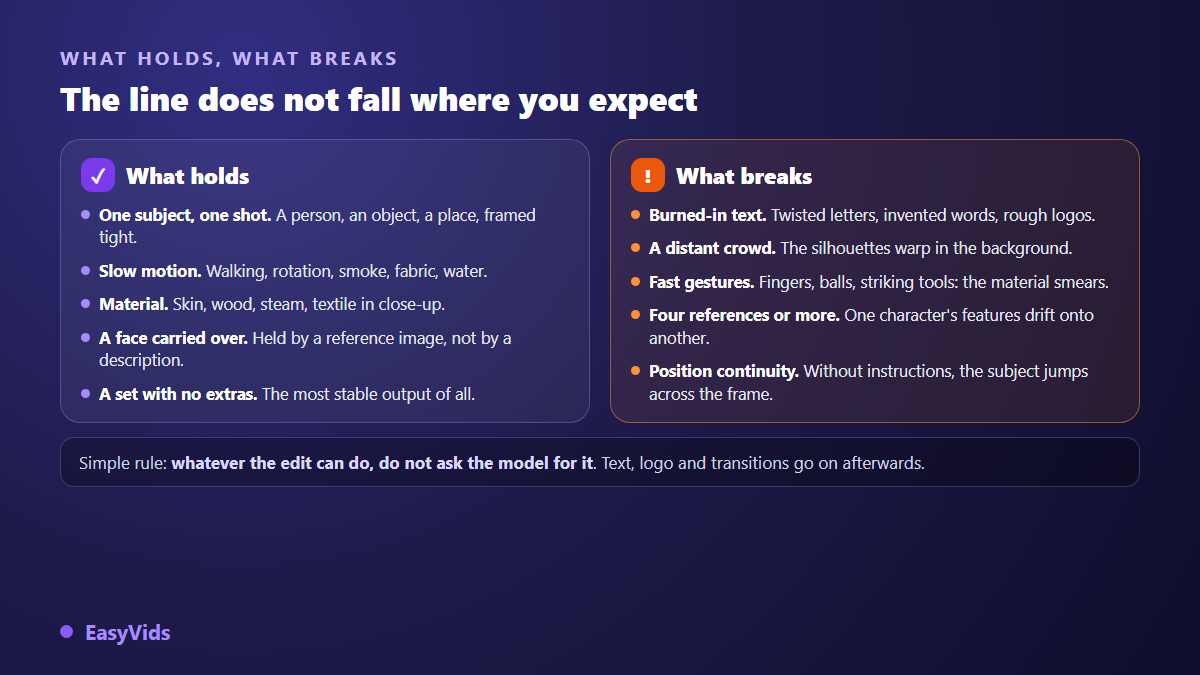
An AI generated video is never one long file produced in a single pass. It is a sequence of short clips, 4 to 15 seconds each depending on the model, assembled around a narration. The examples that hold up share three traits: one subject per shot, a style locked once and kept, and faces carried by reference images rather than by written descriptions. The ones that fail share their own: text asked of the model, a crowd in the background, a fast gesture.
How to read these fifteen examples
All of them were built the same way: a script cut into segments, one line per scene, then a production plan that locks the visual world, the characters and the sets before a single image is generated. The aspect ratio, landscape, vertical or square, is chosen upfront and applies to stills and clips alike. Nothing was retouched afterwards. There is no scoring and no podium here: an illustrated tale and a product demo answer different briefs. The clips shown in the examples section of our home page come out of the same chain, untouched.
Stories and narration: five renders
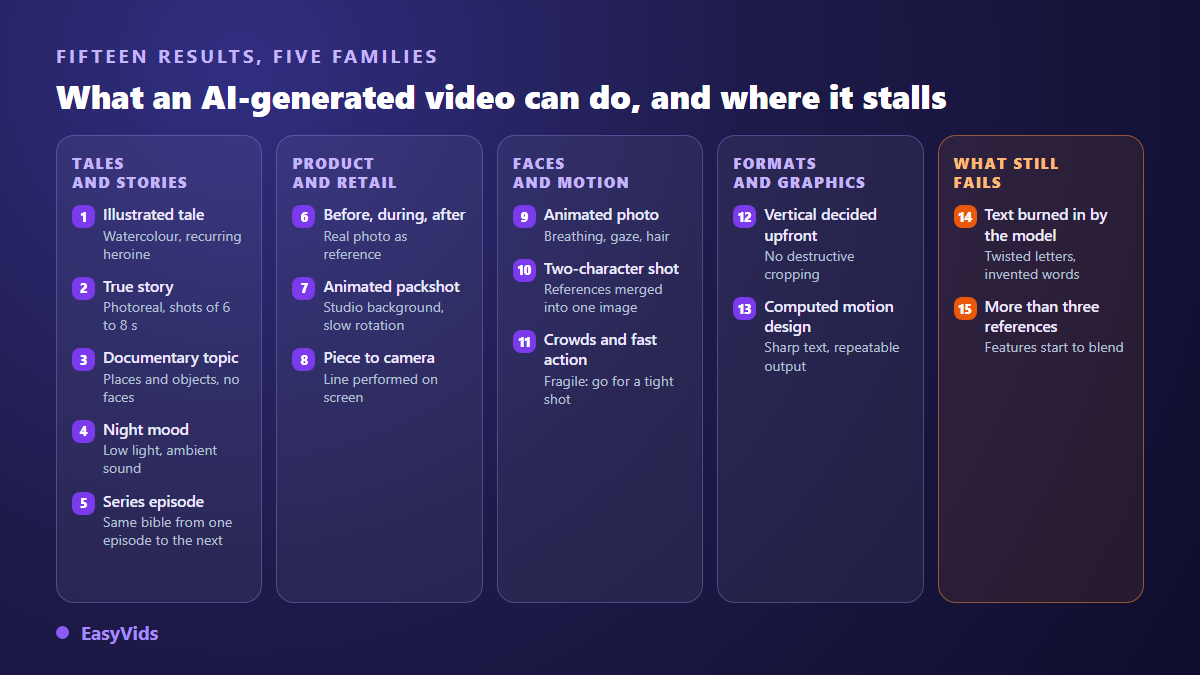
This is the most requested family, and the most revealing, because a story adds a constraint the others do not have: the same person has to come back scene after scene without changing face.
- The illustrated tale. Drawn world, watercolour and pastel palette, one heroine present in five scenes out of six. The fairytale sets come out remarkably stable; the difficulty concentrates on close ups of hands.
- The first person story. Photorealistic render, natural light, shots of 6 to 8 seconds. When no style is imposed, the studio infers the register from the script itself and holds it to the last shot.
- The documentary subject with no lead character. Places, objects, gestures shot close. This is the safest render of all: with no face to carry over, nothing can drift.
- The night atmosphere. Low light, haze, ambient sound generated inside the clip. Worth knowing: video models produce audio too, and without an explicit instruction they have characters speak in a random language.
- The series episode. The same file of characters and sets is replayed from one episode to the next, with the same reference identifiers. That is what lets a hero cross ten videos unchanged.
What these five share is invisible on screen: every character owns a reference portrait, generated once, then attached to every scene they appear in. Repeating the same description in each prompt is not enough, the face drifts after three shots. That is the whole subject of our piece on keeping the same character across scenes.
Product and commerce: three renders
Here the constraint changes nature. It is no longer a face to hold, it is a real object your buyer will either recognise or not. A product redrawn by a model is no longer your product.
- The three step demo. Before, during, after: three consecutive scenes in the same place, with the actual gesture then the visible transformation of the material. The real product photo acts as a reference and is never redrawn.
- The animated packshot. Studio background, slow rotation, soft light on the edges. Short, clean, reusable in an ad or on a product page.
- The talking head testimonial. A character speaks the scripted line on screen, with no voice over on top. The sentence is reused word for word, which avoids the gap between the lips and a line rewritten along the way.
One note for sellers: the gap between a convincing demo and a useless one almost never comes from the video model. It comes from the product description. A material, a size and a precise use produce an accurate gesture on screen; a vague description produces a hand handling an undefined object, in a scene that proves nothing.
Faces, motion and voice: three renders
These three touch the point viewers scrutinise most. An imperfect set goes unnoticed; an imperfect face is spotted in a second.
- The animated photo. A still becomes a few seconds of footage: breathing, hair, a shifting gaze. The motion stays light, and that restraint is exactly what makes it believable.
- The two character shot. Both reference portraits are first merged into one shared image, then cited as a single reference. Without that step, a model handed two separate faces often invents a third.
- The crowd and the fast action. The most fragile render of the set. Distant silhouettes deform, quick gestures smear. The workaround fits in one line: frame tight on a single subject and let the off screen space suggest the rest.
The first of the three is what everyone tries first, usually with a family photo. It deserves a word of caution: animating a real person's portrait requires their consent, and the result must never be passed off as genuine footage. The available approaches and their traps are gathered in our guide to animating a photo with AI.
Format and lettering: two renders
- Vertical decided upfront. The ratio applies to scene images and to clips. A video designed in landscape then cropped to vertical loses half the frame, and usually the subject with it.
- Computed motion design. Animated text, figures, curves, a logo: nothing is produced by an image model, everything is drawn then filmed by a rendering engine. Letters are crisp, colours exact, and two renders of the same project are strictly identical.
That last one is worth knowing, because it answers the most visible weakness of video models. When a video has to display a percentage, a date or a brand name, the right move is not a better prompt: it is taking the text out of the generated image altogether.
The two that fail, and what they teach
The fourteenth render is a deliberate failure: a sign with a word written on it, asked straight of the video model. In our tests the word comes out warped, truncated or replaced by invented letters, recent models included. Characters are not shapes like any other: a one pixel approximation changes the meaning, while the same approximation on foliage changes nothing at all.
The fifteenth is subtler. A scene gathering four distinct elements, two characters, a set and a product, exceeds what the models can hold: features from one bleed onto the other. We then merge two or three references into one shared image, generated first and cited afterwards as a single element. A scene never cites more than five references, and rarely more than three.
The detail that decides everything: duration
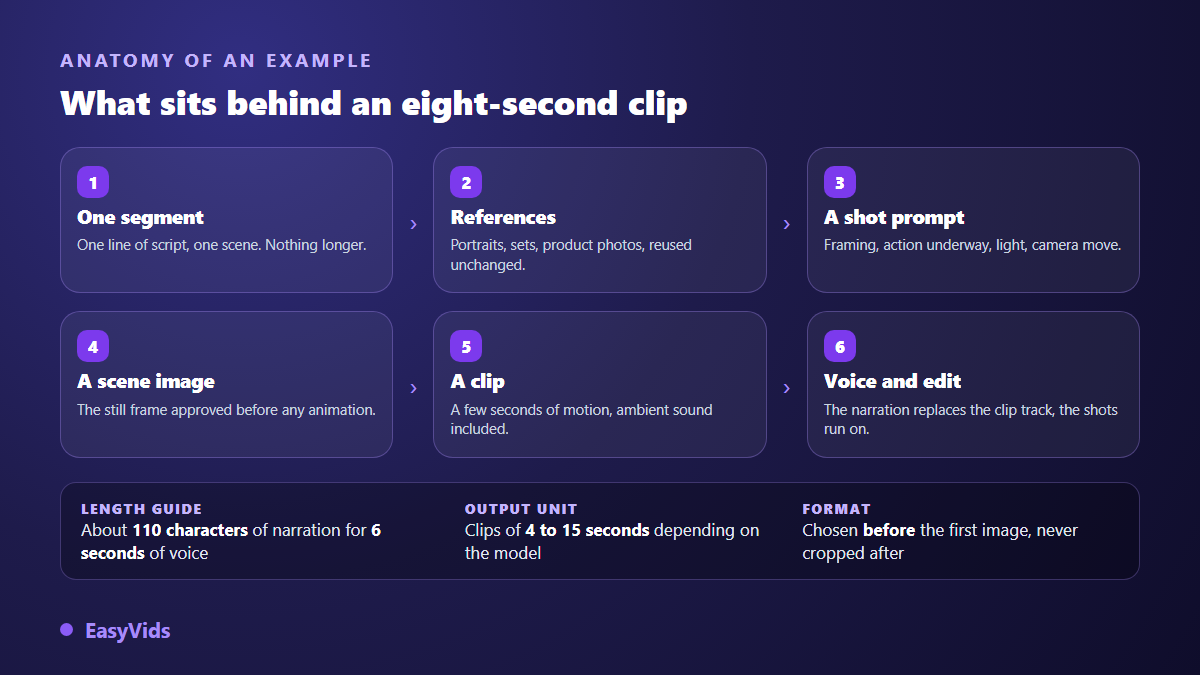
A successful example almost always rests on a calculation made before generation. A clip lasts what the model can produce, 4 to 15 seconds depending on which one you pick. The narration lasts what the text imposes. When the two do not match, editing has no graceful fix: either the end of the shot stays silent, or the voice spills onto the next one. Calibrating every segment to the target clip length is the single most profitable adjustment in the chain, and the platform by platform reference points sit in our page on video formats and lengths.
Frequently asked questions
How long does a render like these take?
For a one minute video, roughly ten scenes, expect a few minutes of compute when scenes run in parallel, and about half an hour overall once you have reviewed the script and replaced two or three shots. The long part is human, not technical.
Do I need a powerful computer?
No. Generation happens on servers, your device only displays the interface and plays the result. A phone is enough to write, launch and publish. Only fine editing stays more comfortable on a large screen.
Do I have to disclose that a video was generated by AI?
Often, yes. According to the YouTube help centre, creators must declare in Creator Studio when a video contains realistic content generated or altered by AI, and the platform may add the label itself. In Europe, the AI Act provides in its article 50 for clear public information on artificially generated or manipulated content, with transparency obligations applicable since August 2026. An openly cartoon style raises no question; a realistic scene that could pass for genuine footage does.
Can these videos be monetised?
Yes, provided you bring something of your own. YouTube partner programme rules on inauthentic content target repetitive output with no added value, not the tool used to make it. A written story, a considered narration and a deliberate edit stay within the rules.
Why do my attempts look nothing like these examples?
In the vast majority of cases, because a step was skipped. A style never locked before the first scene, a character described instead of referenced, or a segment too long for the clip duration is enough to tip a render into amateur territory.
What separates these fifteen renders from a disappointing attempt is neither the model nor luck: it is the order of the decisions, taken before the first image. Pick the example closest to your project, redo it with your own subject, and keep one aspect ratio from start to finish. Creating an account opens the Director and the full chain so you can produce your own.