You have a method, an experience, a skill people keep asking you to explain. You know there is a book in there. Then you open a blank document, line up three paragraphs, and the project dies on that page. Creating an ebook with AI removes that wall: writing stops being the thing that stops you.
One trap remains, and it is a serious one. A book produced in minutes with no method shows within the first pages: an angle everyone has already used, interchangeable chapters, a first name that changes halfway through, word processor layout. This guide walks the whole chain, from picking the topic to putting the book on sale, with the moves that separate a file nobody finishes from a book people recommend.
Create an ebook with AI: the short answer
Six steps, in this order. Pick a topic and an angle that resembles nothing else on the shelf. Approve an outline chapter by chapter before a single line is written. Have the chapters written one at a time, holding continuity. Proofread. Illustrate, with a full page cover. Then compose a paginated file ready to distribute. AI handles production; you keep the topic, the angle, the outline approval and the final say on what stays in. That split is what produces a readable book instead of a pile of generalities.
The six steps from idea to a sellable file
A book written with AI is never the product of one button, however the interface makes it look. Six steps follow one another, and each one shapes the next. Understanding the sequence is knowing where to step back in when a result disappoints, instead of starting over and hoping.
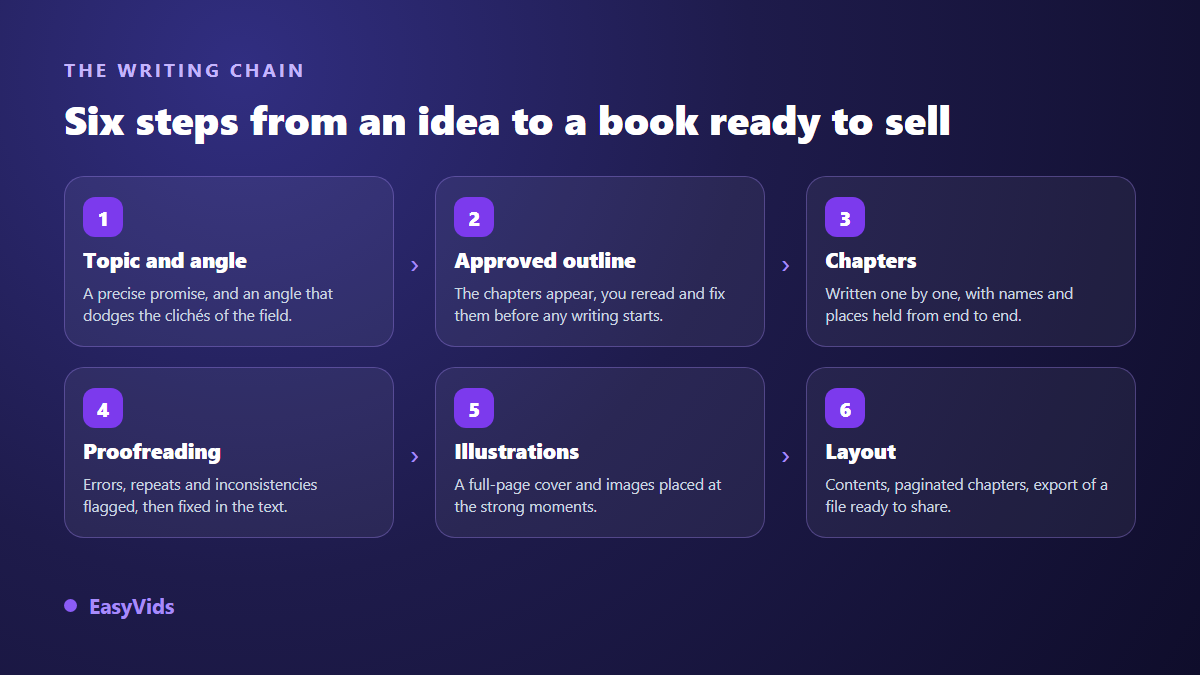
Only one of those steps is painless to fix: the outline. Once chapters exist, changing the angle means rewriting everything. That is why a serious tool stops after the outline and shows it to you, rather than firing off the whole book in one go.
Step 1: find the topic, then the angle that makes it yours
A topic is not a title. Productivity is not a topic, it is a bookshop aisle. A topic is a promise made to someone specific: helping first time parents win back two hours a day, for instance. The sharper the audience, the more concrete the book has to say, and the less it looks like every other one.
Then comes the angle, and the angle decides everything. On any theme, most books repeat the same ideas in the same order. So the useful move is the opposite of the usual reflex: list the clichés of the field first, ban them for yourself, then look for the door nobody uses. In our book workshop this is literally the first task, before the outline: the clichés of the field are listed and ruled out, and the title, subtitle and outline that come back to you all follow from the angle that was retained.
If you are still hunting for a topic, a suggestion engine gives you a set of leads from a single field, each with its promise in one sentence. Treat them as starting points, never as finished titles: the one you rewrite in your own words will always be the better one.
Step 2: the outline is the only place where fixing is still cheap
The outline is the skeleton. It sets the number of chapters, their order, the central idea of each and the points it must cover. It is also the only place where a correction costs seconds. Moving a chapter inside an outline takes ten seconds; moving it once the book is written means redoing the transitions, the callbacks and the closing.
A good outline keeps three promises. It progresses instead of stacking themes: problem, realisation, method, hard cases, transformation. It gives every chapter one strong idea of its own, not just a section heading. And it sets a chapter title formula specific to this book, held from first to last. It sounds like a detail, and it is exactly what makes a book feel composed rather than assembled.
This is also where you decide the length. A chapter has a useful size; beyond it, the model stops writing and starts summarising. Fifteen dense chapters beat six padded ones. On our ebook page the proposed outline appears before any writing: you rewrite the titles, fix the central ideas, add chapters when the topic deserves them, and the ordered word count spreads across the chapters you approved.
Step 3: write chapter by chapter without losing the thread
The temptation is to ask for the whole book at once. That is the surest way to get a text that fades as it goes: the first chapters are written, the last ones are dispatched. Writing chapter by chapter gives every one of them the same care and the same volume.
The real risk of that method is drift. A first name becomes another, a city changes, an age no longer adds up, a promise made in the introduction is never kept. Two moves prevent it: fix a list of recurring elements at outline stage (names, places, time markers), and hand each chapter the summary of the previous one. Without that, the book contradicts itself, and a reader who spots one contradiction stops trusting the rest.
A few writing habits hold for almost any book, whatever the field.
- One strong idea per chapter, stated in the opening lines rather than saved for the end.
- An opening that earns attention: a scene, a blunt question, an objection you hear often.
- Concrete examples instead of stacked principles; one example is worth three definitions.
- A chapter ending that closes and pulls forward, never a plain recap of what was just read.
- One idea per chapter: when two ideas fight for the room, write two chapters.
Step 4: proofreading, and what a first draft always misses
No first draft is publishable, human or not. A serious pass catches three families of flaws: language mistakes, internal inconsistencies, and the writing tics that give a machine away, such as the same turns of phrase returning, three adjective cascades, or mechanical antitheses.
Automated proofreading works in blocks, because a whole book does not fit in a single reading. It sees a typo very well and a contradiction between chapter two and chapter eleven very badly. For those breaks you need a second pass that takes in the entire book as a map: every chapter reduced to its title and its key facts. On our side that is a separate option, and it earns its place mainly on long books.
Keep one rule whatever the tool: a correction must never shorten the text. When a rewrite comes back noticeably shorter, it is no longer a correction, it is a summary, and the original should be kept.
Step 5: illustrations and the cover
Images are not decoration. They give the reader resting points, they break the monotony of the page, and they turn a document into a book. Two rules are enough: an image sits between two paragraphs at a strong moment, never two in a row; and it carries no text, because text baked into a generated image is almost always wrong. A book that tells an illustrated story adds one more demand, the hero has to stay recognisable from page to page, and our guide to children's books illustrated with AI sets out the reference method that holds that continuity.
Style is chosen once, for the whole book. A method manual wants real photography, a children's tale wants drawing, and mixing both gives a lopsided object. Realism deserves a note: what gives a generated image away is never the subject, it is always the same markers, poreless skin, faces that are too symmetrical, oversaturated colour, perfect light coming from nowhere. Naming those markers as forbidden, and asking instead for texture, available light and imperfection, changes the result completely. An illustration brief is written like a shot brief, subject, framing, light, style, and the five block method for writing a prompt transfers straight to the images of a book.
The cover follows different constraints. It fills an entire page, so it must be generated at that page's proportions, otherwise a large slice of the image goes to the crop. It carries a single scene, readable at thumbnail size, since that is how a shop displays it. The title itself is composed over the image, never inside it. Check its sharpness at full size too: an image that looks crisp as a thumbnail can turn soft once it spreads across a whole page, and our explanation of AI renders that lack sharpness applies to a cover just as much as to a video.
Step 6: layout, then PDF export
This is the step everyone skips, and the one that decides whether your book looks like a book. A file exported from a word processor is recognisable at a glance: default margins, default typeface, chapters starting mid page, a table of contents with no page numbers.
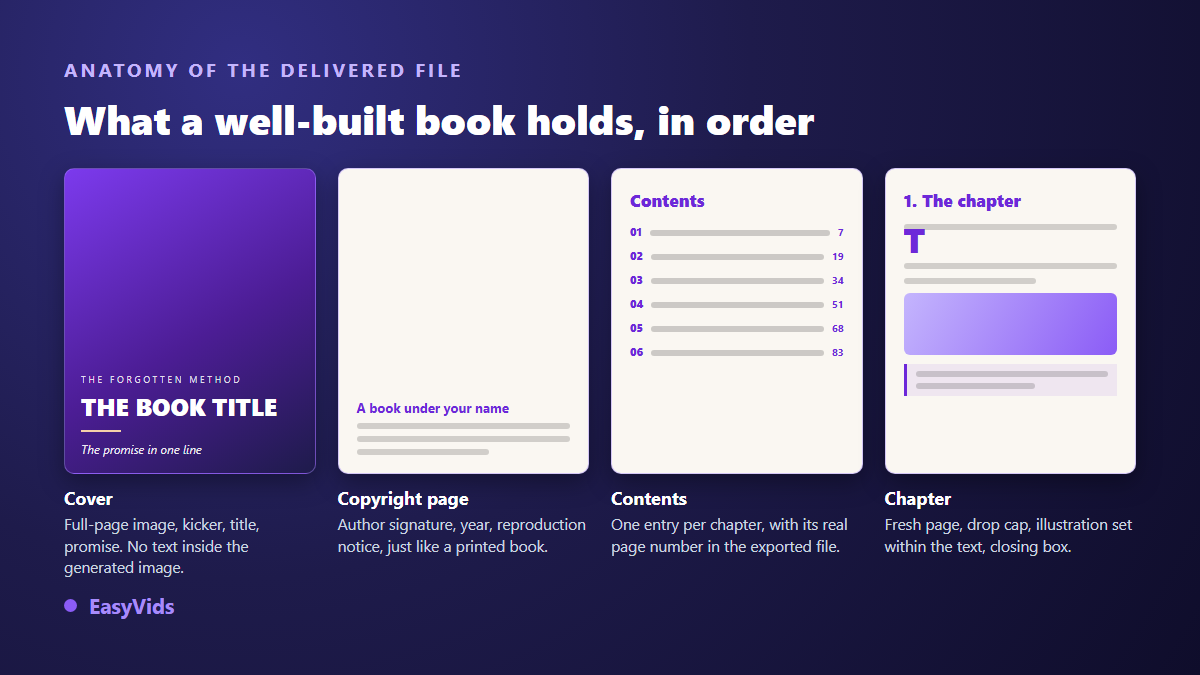
A composed book follows a stable order: full page cover, rights page with the author signature and the reproduction notice, contents, then chapters, each starting on a fresh page. Add an opening capital, boxes for key points, justified text with no broken words at line ends, and a white background if the book may also be printed. On EasyVids that composition is automatic and the PDF downloads in one click, paginated contents included, along with a square thumbnail, a wide banner and a vertical visual for your posts. That vertical visual is the natural base for a short presentation video, where the on screen text has to stay readable on a phone: our rules for captions that hold up in vertical format keep a line from ending up hidden behind the account name or the share buttons.
What makes a generated book genuinely unique
This is the question that decides everything, because the risk with a book written by AI is not the typo: it is the resemblance. Two books out of the same tool must never feel cast from one mould, neither to the reader nor to the store hosting them.
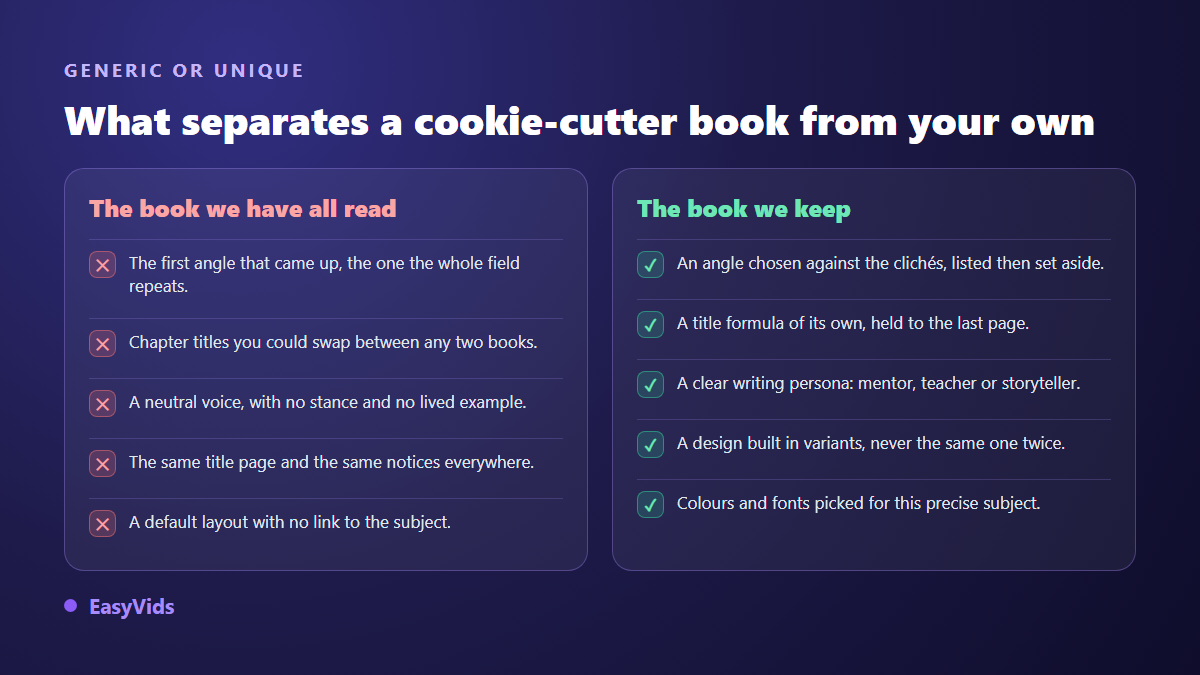
It is built in four places. The angle, chosen against the clichés of the field. The voice: a mentor speaking in confidence, a precise consultant, a teacher, a storyteller, a no nonsense playbook; each imposes its own chapter structure, its boxes, its way of closing, and two books with different voices stop resembling each other entirely. Then the dressing: colours, a font pair, a heading style, picked for this subject rather than drawn at random. Down to the service pages, rights notice included, which gain from varying between books.
The rest is on you, and that is the best news in this guide.
- Your raw material: a real case, a number you measured yourself, an objection you keep hearing.
- An angle that contradicts the dominant story in your field, and that you hold to the end.
- A chapter title formula invented for this book only.
- Styling that matches the subject: a finance manual and a book about sleep should not look alike.
- Your own read through: cut what bores you, because a reader will be bored in exactly the same place.
Selling it: self publishing or direct sales
Two routes exist, and nothing forces you to choose: plenty of authors run both.
Self publishing means listing your book in the online stores of the big platforms. You inherit their audience and their internal search; in exchange you accept their formats, their rules, their commission and their timelines. Those stores generally expect a reflowable file for e readers rather than a PDF, so plan a conversion if that is your channel.
Direct sales mean selling from your own page, or from a digital file marketplace. You keep the relationship with the buyer, you shape your own offer, and the composed PDF works as is. On the other hand nobody sends you visitors: bringing them is your job.
- Audience: a platform brings some, your own page brings none at the start.
- Format: e readers want a reflowable file, direct sales take the PDF unconverted.
- Commission: a store takes its cut, direct selling leaves you nearly everything but requires a payment solution.
- Customer relationship: selling direct, you know your buyers and can offer them what comes next.
- Exclusivity: some platform programmes require it, so read that clause before committing.
Either way, selling starts before publishing. The most effective move is showing what is inside: a short sales page, a thirty second presentation video, a few excerpts posted where your audience already is. An ad script delivered with the book can go straight into video production, as explained in our guide to AI video generators; and the full method for a YouTube video applies unchanged to a book trailer. Add captions to those excerpts, since most of them play muted: our guide to the SRT subtitle file shows how to produce one and clean it up before posting.
Declaring AI generated content: what platforms ask
Since 2023, the major self publishing platforms ask authors to state at upload whether their content was generated by artificial intelligence. The distinction they draw is worth understanding: generated content comes out of the tool and must be declared; assisted content, which you wrote and then had corrected or reworded, does not fall in the same box. Answer honestly. The declaration is not shown on the public book page, and a false answer exposes you far more than the truth does.
Two other rules deserve attention. Platforms cap how many titles one account may upload over a short period, precisely to slow mass publishing. And they penalise content with no added value, not the use of AI itself: a book that is worked on, proofread, illustrated and useful raises no issue. Finally, check the rules of the country you sell in, because copyright status for a fully generated text is not the same everywhere.
Frequently asked questions
Do I need to be a writer to create an ebook with AI?
No, but you need judgement. You do not write the sentences: you decide the topic, the angle, the outline and what stays in the book. It is editorial work rather than authorship, and it mostly demands that you stay demanding about what you keep.
How many pages does an AI written ebook run to?
It depends on the length you order. Across our generations, a book of roughly ten thousand words fills about forty pages once composed, illustrations included. What matters more is that padding shows immediately, and a short guide people finish beats a doorstop abandoned at chapter three.
Can I sell an ebook written with AI?
Yes. No major platform bans the use of AI in itself. What gets penalised is repetitive content published in bulk with nothing added. A book with a precise subject, proofread, illustrated and fed by your own experience sits well within the rules; just remember to answer the disclosure question at upload.
Can an ebook become an audiobook?
Yes, the text lends itself well to it, provided the punctuation is clean: voice engines read it the way an actor reads a score, and it is what creates the breathing. The settings that matter are covered in our advice on genuinely natural AI voice over.
What happens if I close the page while the book is being written?
Nothing bad: production runs on our servers, not in your browser. You can close the tab, come back later, and find the book exactly where it was, or finished and ready to download.
Creating an ebook with AI is not about pressing a button and hoping. It is about choosing a subject, defending an angle, approving an outline, then letting the machine do what it does well: produce steady, proofread, illustrated text inside a file composed like a real book. Our plans are detailed on the pricing page, practical answers live on our questions page, and creating an account opens the workshop so you can draft your first outline today.