You upload a video to Pinterest, and it lands in the feed as a short landscape rectangle wedged between two tall vertical Pins that take up three times the space. Pinterest video size is not something you fix afterwards. The aspect ratio decides how much screen your Pin will own inside a masonry grid where height is everything, and that decision belongs at the start of the project, not at upload time.
The problem is rarely the footage. It is the frame chosen too late, once the edit is finished and cropping is the only option left. This sheet gathers the values the platform expects, the length that actually holds attention, the areas the interface covers, and how to produce at the right frame from the first shot. Other networks have their own numbers, collected in our reference sheet on video formats per platform.
The short answer
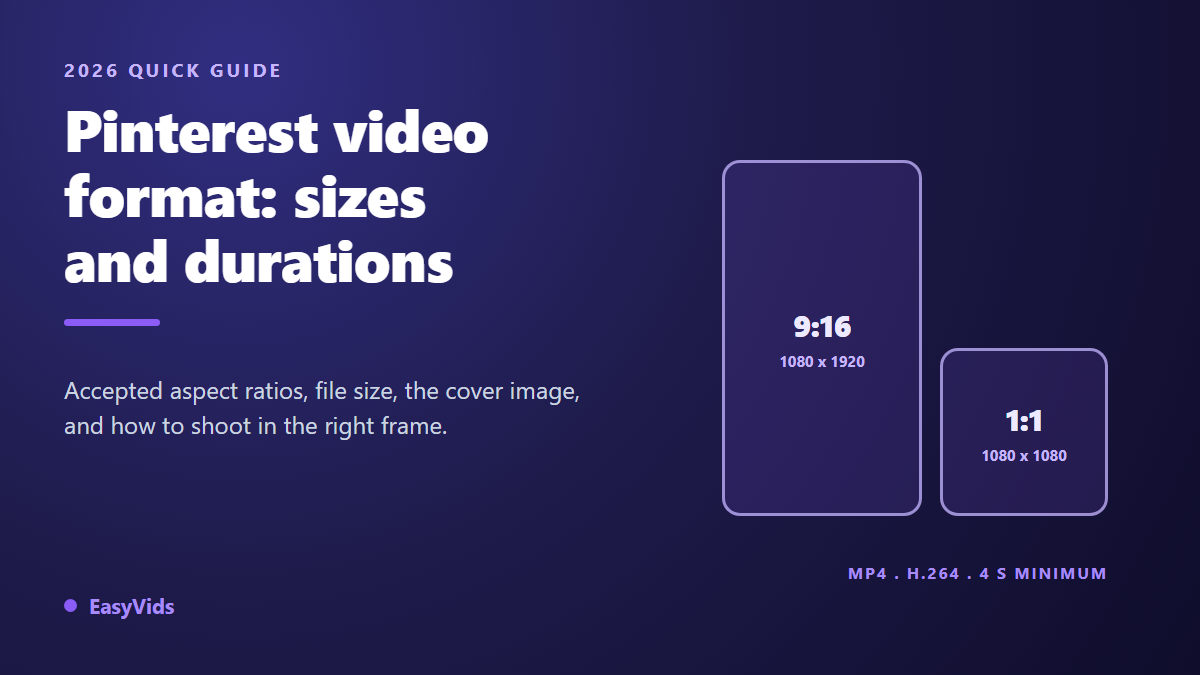
Aim for 9:16 at 1080 x 1920 pixels, or 2:3 at 1000 x 1500, in an MP4 encoded with H.264. According to the creative specifications published by Pinterest Business, a video Pin accepts .mp4, .mov and .m4v files up to 2 GB, with a running time between 4 seconds and 15 minutes. The recommended vertical frames are 9:16, 2:3 and 4:5, and square 1:1 remains perfectly valid. A cover image is required on every upload, and playback starts muted, so on screen text carries the message.
Aspect ratio, dimensions, file weight: three separate questions
The aspect ratio is the shape of the frame, the proportion between width and height. It reads 9:16 for a tall vertical rectangle, 2:3 for the historic Pin shape, 1:1 for a square. It says nothing about pixels. The dimensions are that pixel count, written width then height: 1080 x 1920 for a reference vertical video, 1000 x 1500 for a 2:3 frame. The file weight is the space the file takes on disk, driven mostly by duration and encoding bitrate.
Mixing up those three notions causes the most common mistakes. A 720 x 1280 video respects the 9:16 ratio without being high definition. A 1920 x 1080 video is high definition but landscape, so poorly served by a column based feed. And a heavy file is not necessarily sharper: past a certain bitrate, nobody sees the difference on a phone.
Which aspect ratios Pinterest accepts
Pinterest lays out Pins in a masonry of fixed width columns. Width is imposed by the interface, and only height varies from one Pin to the next. Mechanically, the taller your frame, the more surface it owns on screen, and the longer it delays the next scroll. That is the opposite of a horizontal feed, where every thumbnail is the same size.
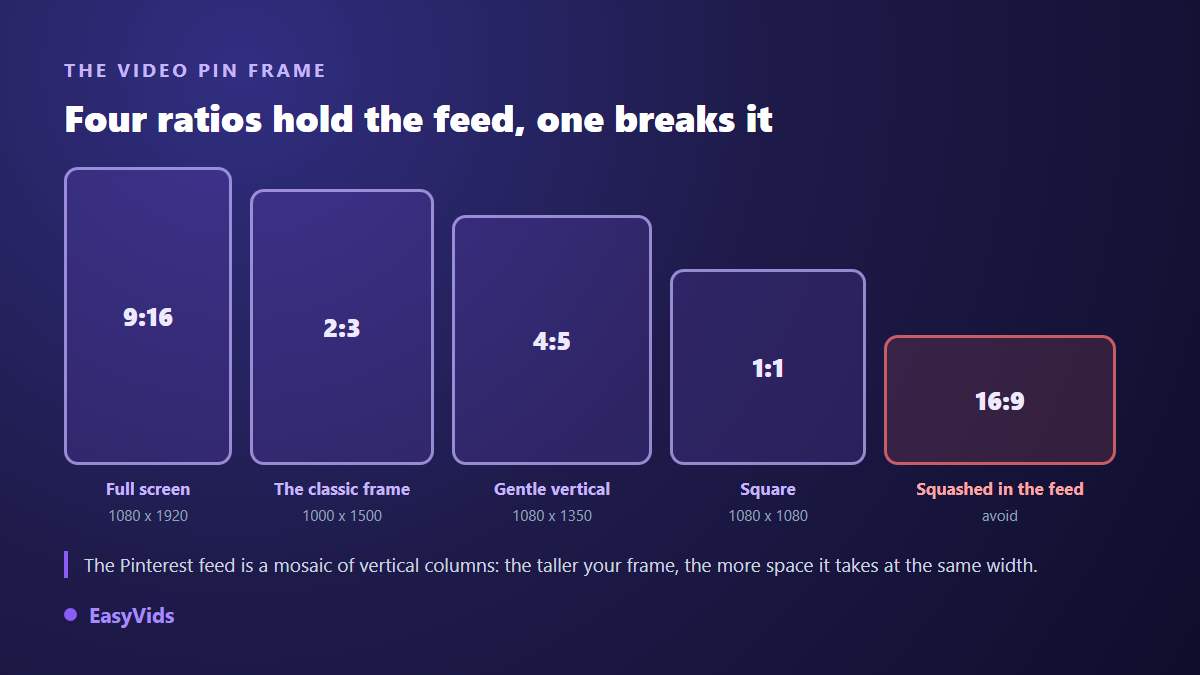
2:3 is the platform's historic frame, the one image Pins have always used, and it works well for video too. 9:16 takes even more height and matches what audiences see elsewhere. 4:5 is a gentler compromise, useful when your visual does not survive vertical stretching. 1:1 suits product demonstrations shot head on. 16:9 is not banned, but it gets squeezed between much taller neighbours, and Pinterest states that videos wider than a standard landscape rectangle are cropped in the feed. When your footage already lives in that frame, moving a 16:9 clip to vertical without black bars calls for a real recrop rather than a simple resize.
One practical note that rarely gets said: most creation studios do not output 2:3 or 4:5 directly. Ours does not either, it produces 16:9, 9:16 and 1:1. That is not a problem, since two of those three frames sit in Pinterest's own recommendations. If you insist on exact 2:3, the online editor accepts a custom canvas size, width and height to the pixel: you enter 1000 x 1500 before exporting and the edit recomposes inside that frame.
Resolution: 1080 pixels is enough, 4K buys nothing here
A height of 1920 pixels for a 9:16 frame, or 1500 pixels for a 2:3 frame, comfortably covers the screens your Pins will be seen on. The platform re-encodes uploaded video anyway, and feed playback happens at a size far below the original. Shooting for 4K inflates the file, slows the export and the upload, and shows no visible gain.
Frame rate holds no mystery either: 30 frames per second suits anything that is not sport or gameplay. Audio deserves more care. Always include an audio track, even a silent one, because several publishing tools reject a file without any. And remember that playback starts muted, exactly as with the TikTok video format, where on screen text does most of the talking.
The file itself: container, codec, weight
File constraints are generous, which is good news: it is hard to get this wrong if you export MP4. Here are the values Pinterest Business publishes in its creative specifications, the ones the upload actually checks.
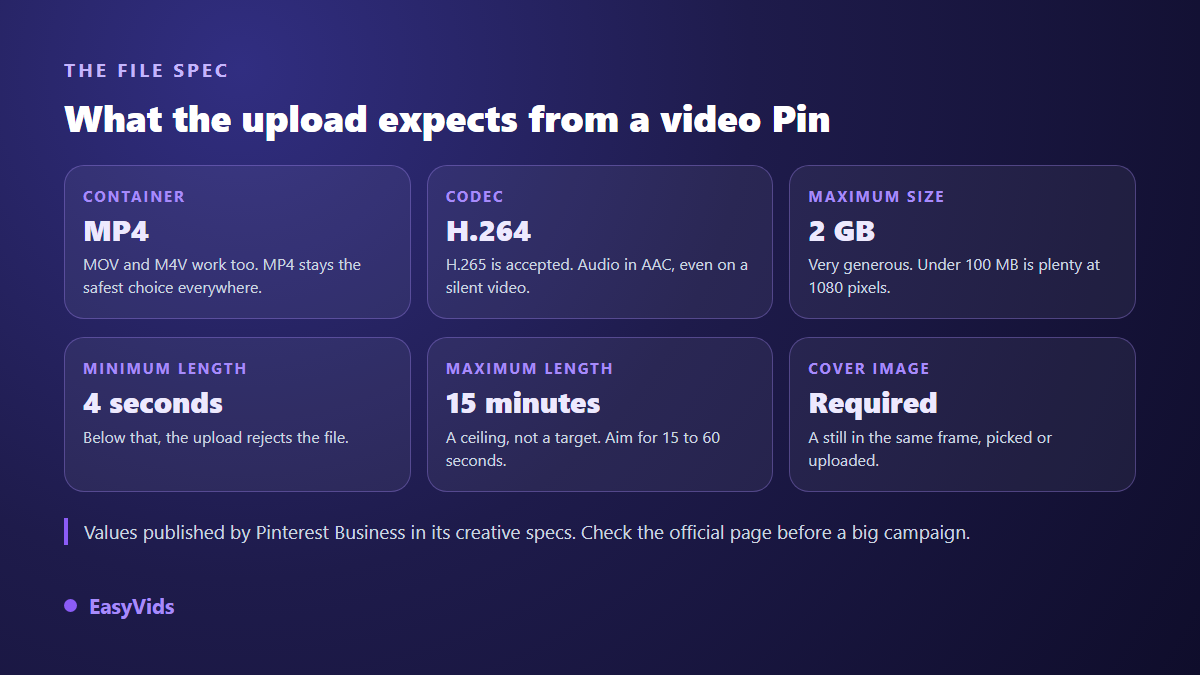
The 2 GB ceiling is very comfortable: a thirty second vertical video at 1080 pixels rarely passes a few dozen megabytes. If your file blows past that order of magnitude, the encoding bitrate is misconfigured, not the duration. These values shift with platform updates, so checking the official specification page before an important campaign remains a good habit.
Length: the floor, the ceiling, and the one that holds attention
Four seconds minimum, fifteen minutes maximum: those are the technical bounds. Between them the gap is enormous, and the right answer depends on what you show. Pinterest behaves as much like a visual search engine as a social network: people arrive with an intent, usually a project to complete or a purchase to prepare. A video that answers that intent quickly keeps its audience.
- Product Pin or quick demo: 6 to 15 seconds, one benefit shown, the item visible in the opening frame.
- Recipe, short tutorial, before and after: 15 to 30 seconds, one step per shot, a written marker at every change.
- Detailed tutorial or guided tour: 30 to 60 seconds, with on screen titles that break up the progression.
- Long form, lesson or story: past a minute, only if every shot brings new information.
- Under 4 seconds: the file is simply rejected at upload, whatever its quality.
A field observation drawn from our own generations rather than from a study: the videos that hold best in a vertical feed state their promise twice, once in writing during the opening second, once again at the end. Someone landing mid playback has to understand the subject without rewinding.
The cover image decides the click
A video Pin requires a cover image. It is what shows up in search results and saved boards, so it works exactly like a thumbnail. Two rules are enough: it must use the same aspect ratio as the video, and stay readable at a very small size. Three or four words of title, strong contrast, a centred subject.
You can either pick a frame from the video or upload a dedicated visual. The second option almost always performs better, because an image designed as a thumbnail has nothing in common with a freeze frame grabbed at random. A blurry or crowded cover cancels the work done on the video itself.
Where the interface covers your image
In the feed and in full screen, the platform layers its own elements over your video: the save button, the Pin title, the account name, the playback controls. No official figure marks out those zones precisely, and they change between app versions. The safe rule is to keep every important piece of text inside the central rectangle, leaving a generous margin at the top and the bottom. The same principle applies to Instagram video dimensions, with different zones.
Product Pins deserve their own treatment
Pinterest is a shopping surface as much as an inspiration surface: a large share of searches concerns objects, outfits and interiors. A product video therefore meets an audience already leaning towards a decision, which changes how you build it. Show the item in context in the first second, one function after that, and close on a still shot that leaves time to read the product name.
No shoot is required for this. A single catalogue photo is enough to produce an animated shot, and our method for turning a product photo into a video walks through it. What matters is locking the vertical frame before generating anything, otherwise you end up cropping a horizontal visual and cutting into the product.
Producing at the right frame from the start
The surest way never to crop is to pick the frame first. In a video creation studio, the format is set when the project is created, then carried through everything generated afterwards: the image of each shot, the animated clips, the final edit. In ours the choice is 16:9, 9:16 or 1:1, and it holds end to end, including when you regenerate a single shot in the middle of a sequence.
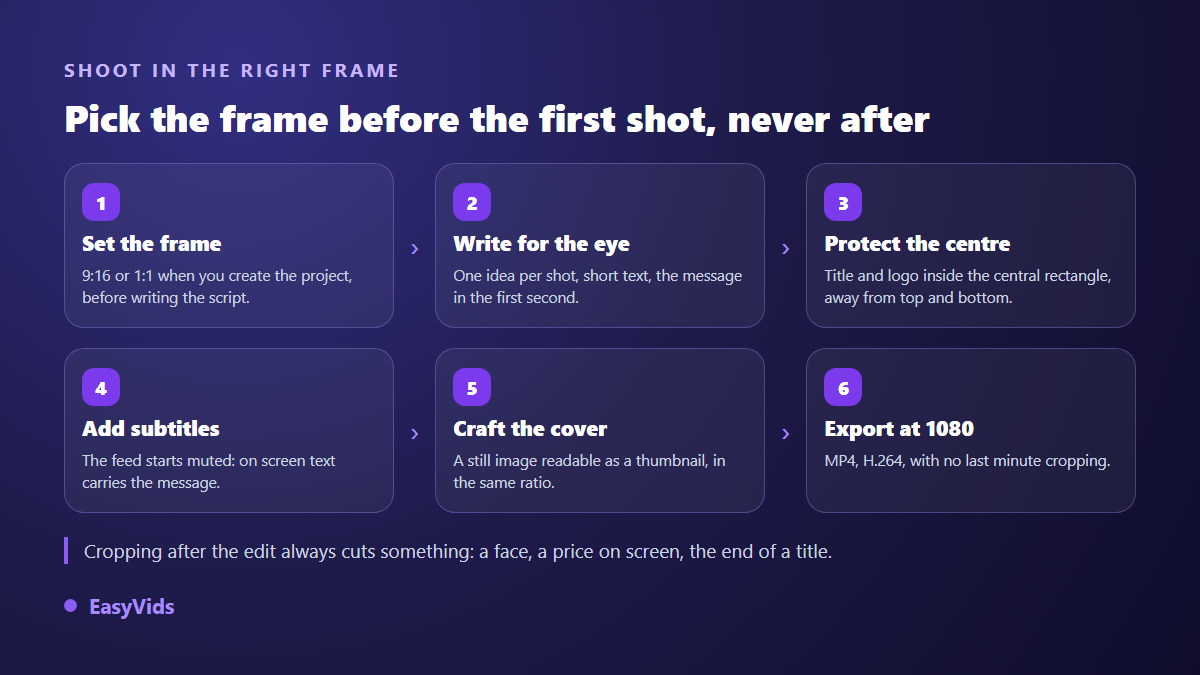
Order matters more than people think. A script written for a landscape frame does not fold into a vertical one: wide shots, landscapes and sets spread across the width vanish in the crop. Write knowing you are working in height, with centred subjects and closer shots. The approach mirrors our guide to a full video edited end to end, except height replaces width.
One last point that gets skipped: captions. Since playback starts muted, a voice over alone will not carry the message. Automatic captioning settles it in seconds, provided you raise the text high enough that it does not sit behind the Pin title.
Five mistakes that cost views
- Editing in 16:9 then cropping at the end: the subject gets cut and the Pin owns half the surface it could.
- Pushing a title against the top or bottom edge, exactly where the interface layers its own buttons.
- Publishing with a cover grabbed at random, when the cover is what decides the click in search results.
- Skipping on screen text and captions, when playback begins without sound.
- Exporting 4K on principle: the file inflates, the export drags, and the platform re-encodes anyway.
Frequently asked questions
What is the ideal Pinterest video size?
1080 x 1920 pixels for a 9:16 frame, or 1000 x 1500 pixels for the platform's historic 2:3 frame. Both appear in Pinterest Business recommendations. Square at 1080 x 1080 stays a valid option, especially for a product demonstration shot head on.
How long should a video Pin be?
Between 4 seconds and 15 minutes according to the creative specifications from Pinterest Business. In practice, aim for 15 to 60 seconds on useful content, and 6 to 15 seconds on a product Pin. The fifteen minute ceiling is a technical limit, not a target.
Is 16:9 really unusable on Pinterest?
It is not rejected, it is disadvantaged. The feed runs in vertical columns, so a landscape video occupies a narrow band between much taller neighbours. Pinterest also states that videos wider than a standard landscape rectangle are cropped in the feed, which can eat into your framing.
Does the cover image have to differ from the video?
It does not have to, but it almost always should. A cover designed as a thumbnail, with a short title and a centred subject, outperforms a freeze frame. It must keep the same aspect ratio as the video, otherwise the display crops it.
Can I produce a Pinterest video without a camera or editing software?
Yes. An online studio is enough to write the script, generate visuals at the right frame, add a voice over and assemble the edit, all from a browser. A free tier lets you test the whole chain before committing, and the plans are listed on the pricing page.
The frame is not an export setting, it is an opening decision. Pick 9:16 or 1:1 before writing the first line, keep your text centred, treat the cover as seriously as the video, and your Pins will finally own the space they deserve. To produce at the right frame from the start, create a free account and open a vertical project: the EasyVids studio holds the format from script to export.