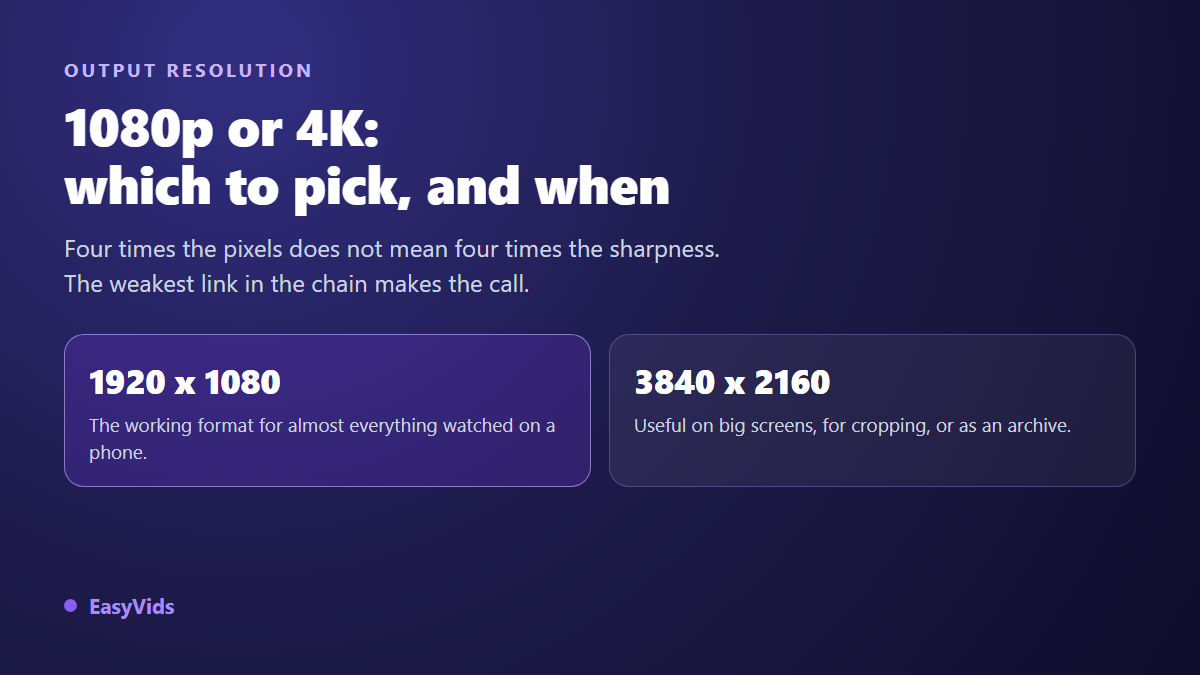
You reach the export window and one setting stops you: 1080p or 4K. The bigger number always looks like the safer bet. Then the encode drags on, the upload crawls, your drive fills up, and nobody notices any difference. That setting deserves better than a reflex.
The right answer is not decided in the export window. It is decided by two facts: where your footage was born, and which screen it will end on. This sheet gives the rule that settles it, the three cases where 4K genuinely pays, and what it costs the rest of the time. If you need aspect ratios and durations per network first, our table of video formats platform by platform covers that ground.
The short answer
1080p is enough for almost everything watched on a phone. 4K earns its place on a large screen, when you plan to reframe, or for an archive master. Two conditions before you tick 4K: your source has to be genuinely 4K, and your viewer needs a screen able to show it. If either is missing, you pay the 4K price, a longer encode and a far heavier file, with none of the benefit.
1080p, 4K, UHD: what the words actually mean
1080p describes a 1920 x 1080 pixel image, scanned progressively, which is what the p stands for as opposed to the i of interlaced. It is the definition described by recommendation BT.709 from the International Telecommunication Union, the high definition television standard, and most phone panels show no more than that.
4K covers two different things. Consumers call 4K the UHD format, 3840 x 2160 pixels, described by recommendation BT.2020 from the same body. Digital cinema calls 4K the 4096 x 2160 frame defined by the Digital Cinema Initiatives consortium. The two are not interchangeable, the cinema frame being slightly wider. On consumer platforms, 4K always means 3840 x 2160.
The comparison is pure arithmetic. A 1080p frame holds 2,073,600 pixels, a UHD frame holds 8,294,400, exactly four times more. The aspect ratio does not move: both are 16:9. Changing definition changes the fineness of your frame and the weight of the file, never its shape.
The weakest link rule
A video travels from source to viewer, and final sharpness never exceeds the poorest link on that path. If your shots were born at 1920 x 1080, exporting them into a 3840 x 2160 frame creates no detail at all. The software enlarges the image, it does not invent it. You end up with a file four times heavier showing exactly the same thing, sometimes with slightly softer edges.
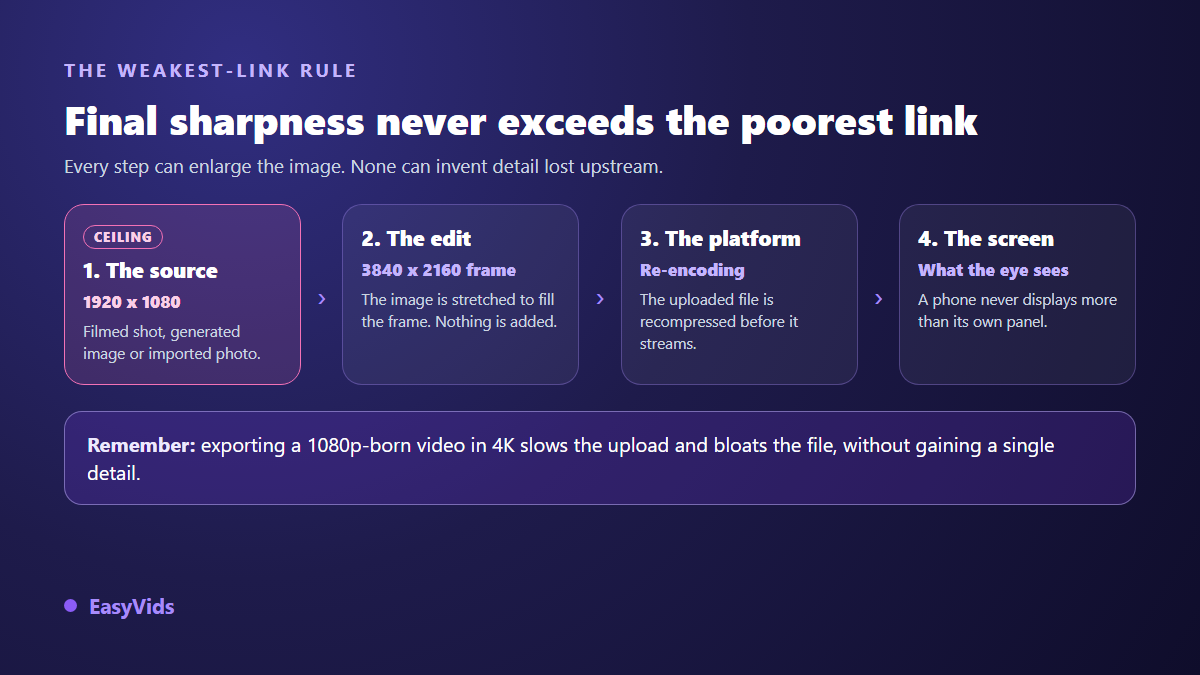
The same rule applies inside our own production chain. When a timeline is assembled in a frame larger than its shots, every shot is scaled up to fill it. The practical consequence fits in one sentence: definition is chosen at production time, not at export time.
What platforms really do with your file
No consumer platform serves your file as you sent it. It is re encoded into several versions, delivered according to each viewer connection and screen. That mandatory step wipes out part of your export care, and it hits the most detailed areas first: on screen text, moving faces, gradients.
The YouTube help centre publishes recommended upload bitrates per definition: around 8 Mbit/s for 1080p at standard frame rate, and 35 to 45 Mbit/s for 2160p. Those numbers say the important part. 4K asks for roughly five times more data per second, and bitrate matters as much as pixel count. A generous 1080p looks cleaner than an over compressed 4K.
A belief circulates widely among creators: uploading at a higher definition would earn better treatment during re encoding. We do not present it as a fact, since no official page states it. Recommended encoding pages only list a bitrate per definition. Faced with an unverifiable claim, decide on what you can measure: weight, time and the result on screen.
Vertical feeds: the question settles itself
On TikTok, Reels, Shorts and stories, the working definition is 1080 x 1920 pixels. The TikTok help centre recommends that value, and the Meta ad format guide gives the same for stories and Reels. Going higher adds nothing: the feed plays on a phone screen, and the app compresses hard whatever it receives, whichever editor you cut in, as our comparison of nine tools against CapCut lays out.
In those formats, placement matters far more than fineness, because the interface covers part of the frame. The margins to keep clear in a story change headline readability much more than moving from 1080 to 2160 pixels ever will. The same trade off applies to captions, where choosing between automatic transcription and typing them by hand shapes comprehension far more than any pixel gain.
Large screens, reframing, archiving: the three cases for 4K
The first case is the destination screen. A living room television, a projector or a wide monitor really do show the extra pixels, and the gap appears on fine textures: foliage, crowds, fabric, game interfaces. High end production takes this seriously. Netflix requires its original productions to be captured with cameras whose sensor is at least 3840 pixels wide, according to the technical requirements published for its production partners.
The second case is reframing. Shooting wide in 4K lets you push in, straighten a frame or pull a vertical version out of a horizontal shot while keeping a clean 1080p after the crop. That is editing headroom, and it is often worth more than displayed sharpness.
The third case is archiving. You can always shrink a definition, you can never recover one. A master kept at its best definition will still serve in two years, when screens have moved on again. The published file can stay 1080p without regret.
Weight, time and disk space
File weight is one multiplication: bitrate times duration. At 8 Mbit/s, a minute weighs about 60 MB. At 40 Mbit/s, the same minute approaches 300 MB. A ten minute video therefore goes from roughly 600 MB to nearly 3 GB, for an identical picture on a phone.
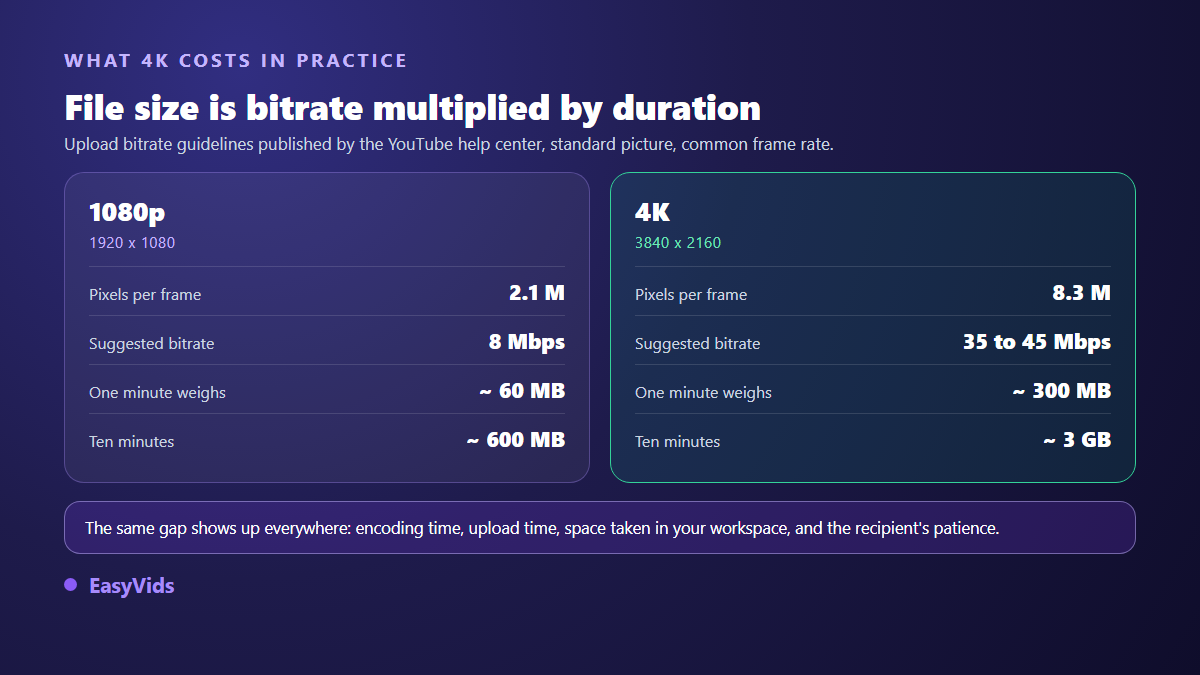
That gap is paid three times: during encoding, during upload, then in storage. It is paid a fourth time when you share the file, because messaging apps cap and recompress, as our sheet on WhatsApp size limits explains in detail.
Six uses, six answers
The decision becomes easy once you frame it by use rather than by principle. These six situations cover almost every need.
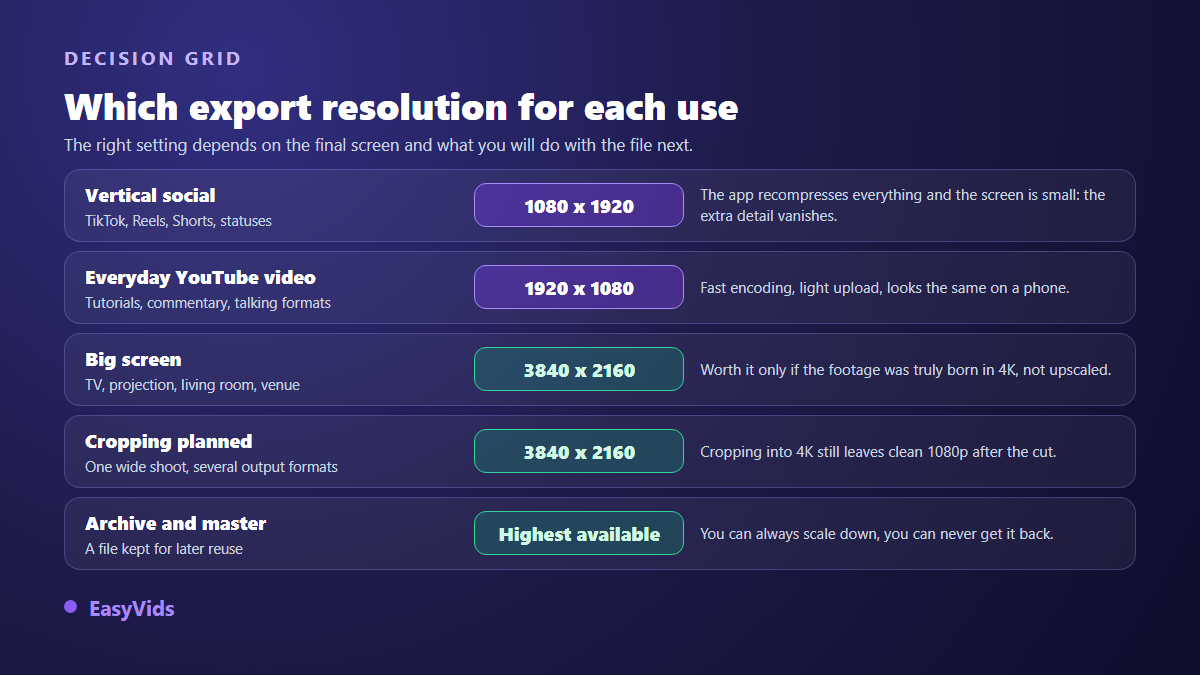
- Vertical social (TikTok, Reels, Shorts, stories): 1080 x 1920. Small screen, heavy recompression, the surplus vanishes.
- Everyday YouTube video (tutorial, talking format, commentary): 1920 x 1080. Fast encode, light upload, identical result on a phone.
- Large screen (television, projection, showroom): 3840 x 2160, provided the source was born in 4K and not enlarged.
- Planned reframing (a wide shoot, several output formats): 3840 x 2160, to keep clean 1080p after the crop.
- Archive and master file: the highest definition you have, since shrinking is always possible and the reverse never is.
- Ads and product pages: 1080p with a careful bitrate. The gain comes from framing, light and the first three seconds.
AI generated video: where definition is actually decided
With a generator, definition is no longer set on a shoot but at ordering time. Each video model has its own options: some produce 720p, 1080p or 4K on request, others output a single definition. The choice happens scene by scene, before production, and generating in 4K consumes more credits than 1080p. Current plans live on the pricing page, the only reliable source as offers change.
On the assembly side, our creation studio offers three frames, 16:9, 9:16 and square, and three output definitions: 720p, 1080p and 4K. The final cut is normalised to H.264 at 30 frames per second, a file every device can read. The online editor works on a project size you pick from ready made sizes, 1920 x 1080, 1080 x 1920 or 1080 x 1080, or type in yourself, with quality and frame rate settings at export.
The weakest link rule applies here without exception. If your scenes were generated at 1080p, exporting the timeline in 4K enlarges the picture and adds nothing. Ticking 4K only makes sense for a 4K chain from end to end, shots included.
What matters more than pixel count
When a video looks dirty, definition is rarely to blame. A low bitrate, poor light, an unstable frame, text that is too small and above all repeated recompression do far more damage. The common causes of a blurry video reviews them one by one, and none of them is fixed by moving up a definition.
One last habit saves a lot of disappointment: never recompress a file that has already been compressed. Every pass hurts the image. A single 1080p export from your project beats a detour through 4K followed by a rescue compression.
Frequently asked questions
Do I need to export in 4K for YouTube?
Only if your footage is genuinely 4K and part of your audience watches on a television or a large monitor. For a talking format, a tutorial or anything mostly consumed on a phone, 1080p stays the sane default: same perceived result, far lighter file, much faster upload.
Does upscaling a 1080p video to 4K improve it?
No. Upscaling guesses new pixels from the existing ones, it recovers no information. An AI upscale can smooth edges and feel cleaner, but it invents what it adds, and that shows first on faces and on text.
Does 4K help a video get promoted?
No platform publishes definition as a ranking signal, and we will claim nothing more. What genuinely moves is thumbnail click through, retention in the first seconds and watch time. A well edited 1080p video beats a boring 4K one every time.
Which definition should I use for an ad or a product page?
1080p, in the frame expected by the surface where it will run, with a careful bitrate. 4K only earns its place on an in store screen or a large display. On a product page, file weight drives page speed, which drives sales.
How much does one minute of 4K weigh?
About 300 MB at 40 Mbit/s, against roughly 60 MB for a minute of 1080p at 8 Mbit/s. The maths depends only on bitrate and duration, which is why the same video can weigh five times more without showing a single extra detail.
The question fits in two steps: was my footage genuinely born in 4K, and does my viewer have a screen for it? Two yes answers, tick 4K. One no, stay at 1080p and spend the saved energy on framing, light and the first three seconds. To choose your definition scene by scene and export in the right frame first time, create your account and start a project.