You write a careful prompt, you hit generate, and you get eight seconds back. Gorgeous seconds, sometimes. But eight of them. You run it again for the next beat, and the room has changed, the face too. Learning how to make AI videos longer is the question that lands right after the first wave of excitement, and it is what separates a folder of clips from something you can actually publish.
The blocker is not your prompt. It is a confusion between two very different objects: the clip a video model produces, and the film you want to upload. One is measured in seconds, the other in minutes, and no setting bridges them. What bridges them is a production method, the one laid out in our complete guide to AI video generators, applied here to the single question of length.
The short answer
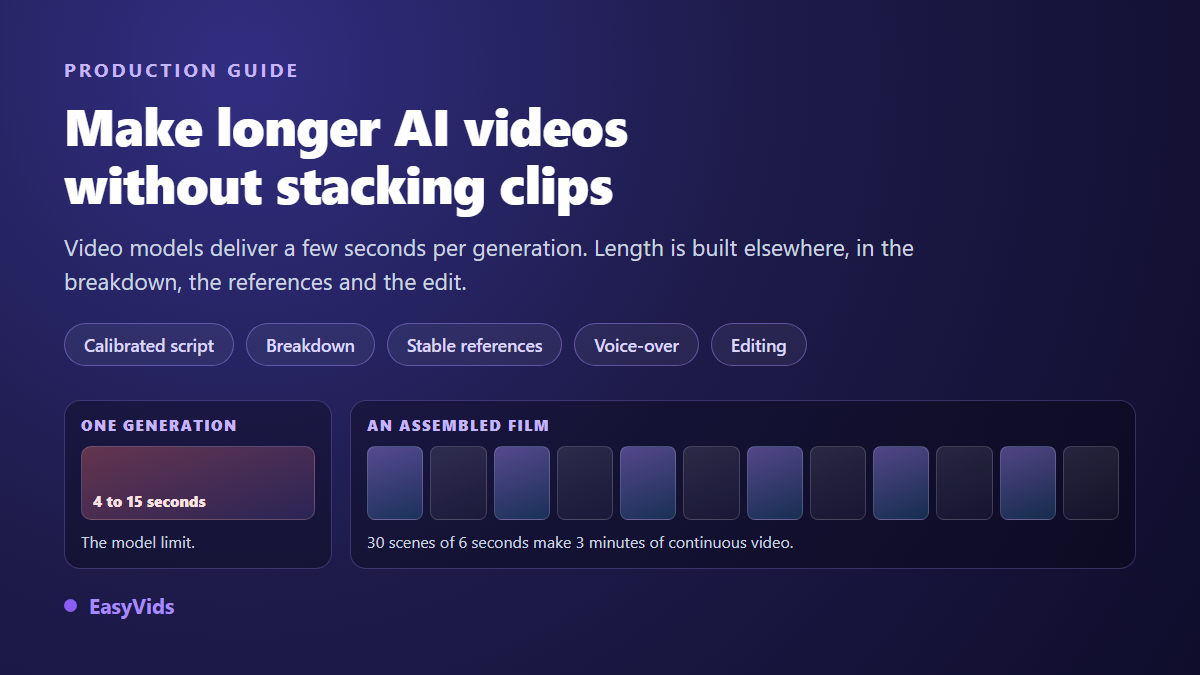
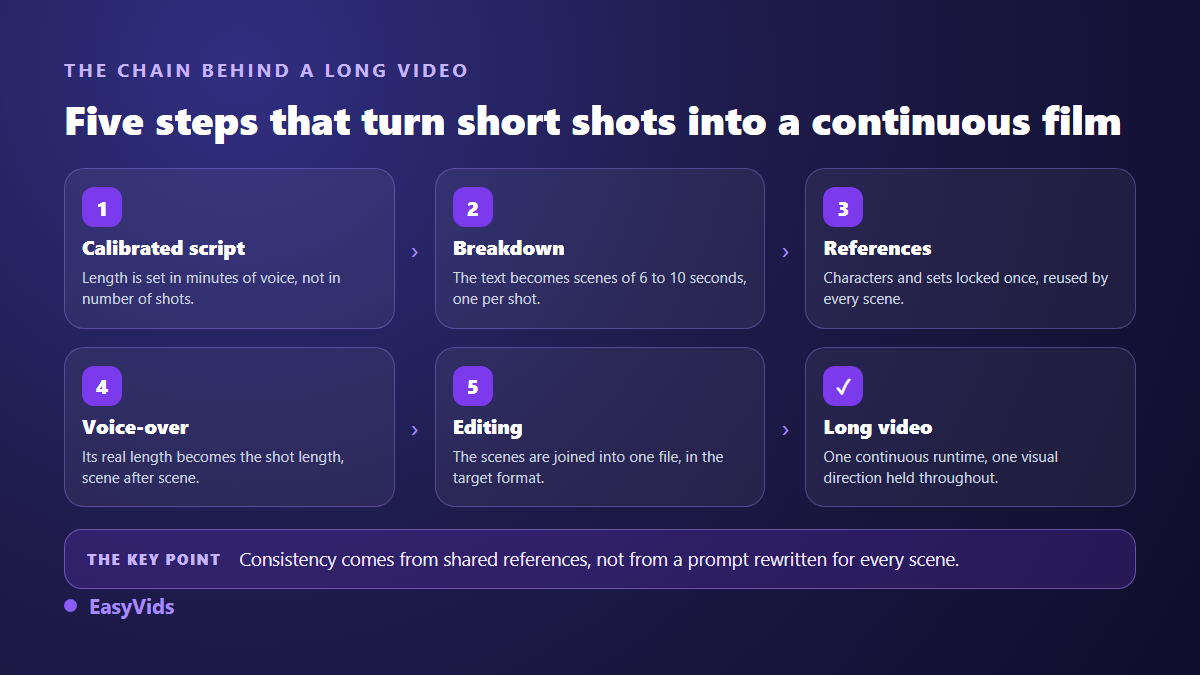
To get a long AI video, you do not stretch a clip: you assemble short scenes. Write a script calibrated to the target duration, cut it into 6 to 10 second segments, lock your characters and locations into a set of references reused everywhere, generate one shot per segment, then edit the whole thing into a single file where the voice over sets the length of every shot. Thirty six second scenes make three minutes of continuous video. That is exactly what the EasyVids director does: it plans the entire film before a single image is produced.
Why a video model stops after a few seconds
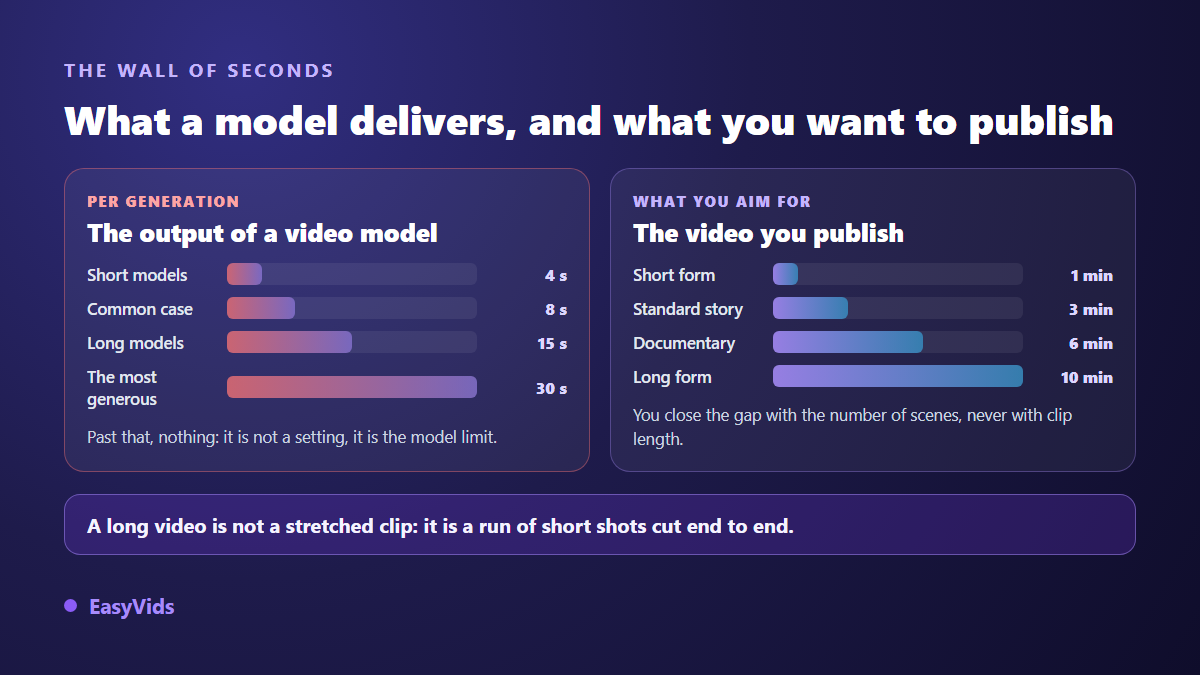
A video model builds each frame from the previous ones and from your prompt. The longer the sequence runs, the heavier the computation and the more the scene drifts: faces shift, objects appear, the light moves across the frame. Providers therefore capped generation at short durations. Across the model catalogue we integrate, the ceiling runs from 4 to 15 seconds depending on the model, and the most generous of them stops at 30 seconds.
That ceiling is not a hidden setting or a subscription limit. It comes from how the models work, and it moves slowly. Meanwhile almost nobody publishes eight second clips: platforms reward watch time, and the format you should target depends on the platform as much as on the subject.
Three tempting fixes that do not work
Three reflexes show up as soon as people hit the ceiling. They do produce longer videos, and clearly worse ones.
- Writing a longer prompt: the model returns no extra seconds, it just crams more action into the same window.
- Slowing the clip down in the edit: the video runs twice as long, and the motion turns to syrup.
- Looping the same shot: viewers catch the repeat in under two seconds.
The fourth attempt is more serious: generate a series of independent clips and stitch them together. It fails for a different reason. With no shared memory between generations, every clip starts from nothing. The character changes face, the room changes furniture, and the viewer watches a slideshow of separate worlds instead of a story.
The method that holds: plan the film before producing it
Long form production flips the order. You do not generate shots and hope they connect, you plan the whole film, then execute it. That is the job of the director: it reads your script, infers a visual universe, writes a production bible with characters, locations and story phases, then drafts the image prompt, the video prompt and the voice over for every scene. Each scene cites the reference identifiers it needs, and inherits consistency decided once.
The plan is readable before you spend anything. That checkpoint matters on a long project: fixing a scene in a text plan costs a re-read, fixing it after generation costs a regeneration. On large projects, planning works in batches of eight scenes processed in parallel. On our own productions, a 200 scene plan that used to take around two hours in single file now comes out in roughly forty minutes.
Step 1: calibrate the script to the duration
Duration is decided while writing, never in the edit. The conversion is stable: around 150 spoken words per minute of voice over. One minute needs 150 words, three minutes need 450, ten minutes need 1,500. Our writing workspace offers short, medium and long presets, and accepts a custom target expressed in minutes of video rather than in words. The conversion works downwards just as well: a forty second announcement fits in about a hundred words, and our guide to the wedding save the date video shows how much goes into a format that tight.
The classic trap is writing first and measuring later. A text built to be read with the eyes almost always doubles the target duration, because the sentences run long and the asides pile up. Write for the ear from the first line: one idea per sentence, no clause that forces the listener to backtrack.
Step 2: cut into 6 to 10 second scenes
The cut is what actually manufactures duration. Our reference setting targets 6 seconds per scene, roughly 110 characters of text, with 8 and 10 second targets for slower narration and the option to set your own target in characters. Automatic splitting isolates headings written in capitals, groups sentences while they stay under the target, subdivides overlong sentences at commas and colons, then merges fragments shorter than six words into their neighbour.
Past 220 characters, about fifteen seconds of speech, the interface flags the scene as clearly too long. That is not a matter of taste: the video model cannot cover that duration, so the shot will loop or stretch while it waits for the sentence to end. Cutting always beats speeding up the read.
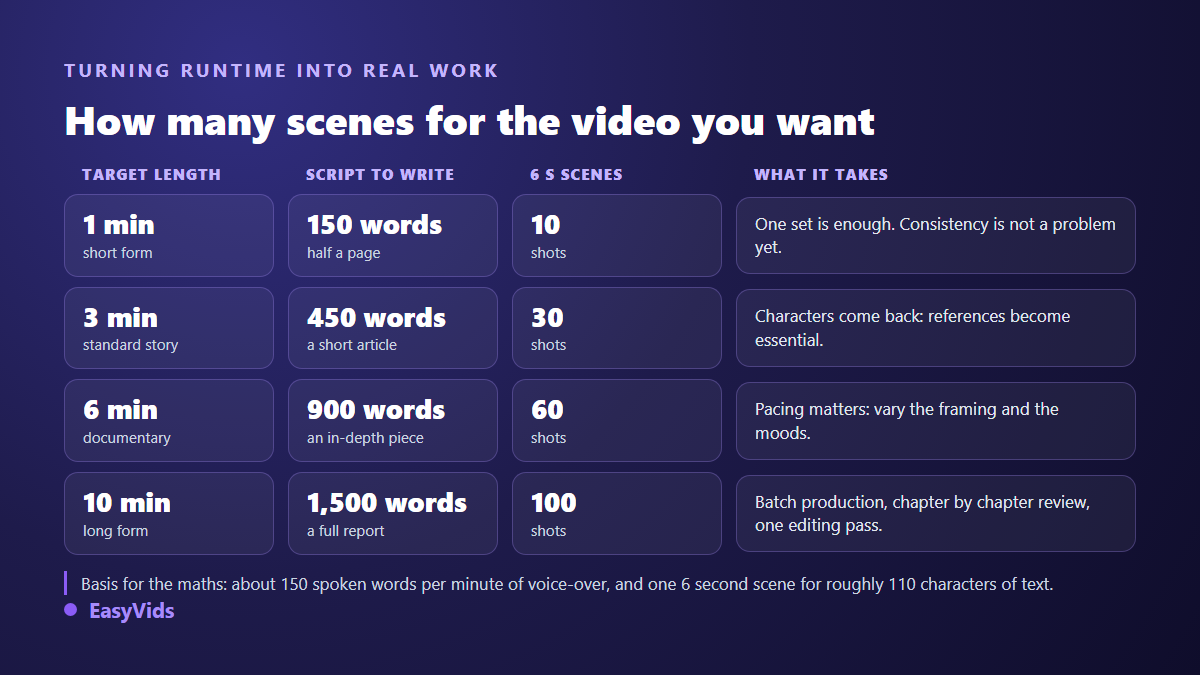
- 1 minute of video: about 150 words of script and around ten scenes.
- 3 minutes: about 450 words and around thirty scenes.
- 6 minutes: about 900 words and around sixty scenes.
- 10 minutes: about 1,500 words and around a hundred scenes.
Step 3: consistency is the real obstacle to length
On a fifteen second video, inconsistency goes unnoticed. On five minutes, it is the only flaw viewers remember. The fix is not to redescribe the same character in every prompt, because two identical descriptions never produce two identical images. You need visual references generated once, stored, then attached to every scene that calls for them.
That is what the project bible does. Character portraits, locations and combined references are generated first, validated, then reused throughout. A scene can cite up to five references, and a recurring group can be frozen into a single reference image that counts as one citation. The topic deserves its own article, and our guide to keeping a consistent character covers the settings that prevent drift.
Step 4: the voice over sets the length of every shot
Once the shots exist, the question becomes how long each one stays on screen. One rule answers it: the reference duration of a scene is the duration of its voice over, and the edit aligns the footage to it. Five behaviours are available, either for the whole project or scene by scene.
- Loop: the clip restarts until the voice ends, and is trimmed if it overruns. This is the default.
- Stretch: the clip is slowed or sped up to land exactly on the voice.
- Play once: the shot runs at normal speed, then gives way until the sentence ends.
- Match the voice: the clip is slowed if it is too short, never sped up, and trimmed if it is too long.
- Slow only: the clip plays in full even beyond the voice, and the scene grows accordingly.
On narration, the default covers almost everything. On a spectacular shot you want seen in full, the last mode avoids cutting mid movement. A scene without voice over keeps a fixed duration, which is what title cards and breathing beats need.
Step 5: the edit, where length becomes real
Automatic editing normalises every scene to the same aspect ratio and frame rate, then joins them into one file. Three output formats are offered, landscape, vertical and square, with standard qualities up to 4K. Transitions, slow zoom on stills and a colour grade stay optional, and none of them touch synchronisation: total duration and voice over positions remain exactly where they were. If you then pull a vertical version of that film for short form, the captions need resetting, because usable width shrinks and the interface eats the bottom of the frame: our guide to readable captions in vertical format gives the size and position markers.
On a long project, waiting becomes the real issue. Production runs on the server: you can close the tab, shut the laptop and come back later, the batch keeps going and the page reattaches itself to the progress. An automation batch accepts up to 500 scenes, which leaves comfortable room for long form.
What length actually costs
A long video does not cost more per second than a short one: it simply contains more scenes, each billed for what it consumes. The cheapest workflow is to produce a first pass in image mode, with one still and the voice over per scene, then upgrade to animated video only the shots that deserve it. That mode is a single checkbox, and the plans are laid out on the pricing page.
The second lever is picking a model per scene: a fast model for transition shots, a premium one for the opening and the ending. Across a hundred shots the gap becomes substantial, and nobody notices the economical model on a six second breathing shot.
What makes a long AI video lose viewers
A five minute video is not judged like a clip. Some flaws stay invisible over fifteen seconds and become fatal over the full length.
- Shots that overstay: past fifteen seconds on one visual, attention leaves. Cut rather than speed up the voice.
- Flat rhythm: a hundred shots built the same way put people to sleep. Vary scale, framing and mood.
- Constant music: a pad that never changes across six minutes tires more than it carries.
- No landmarks: long form needs chapters, on screen titles and silences to keep viewers oriented.
- An edit nobody reviewed: across a hundred scenes, two or three bad shots cast doubt on all the rest.
When a longer video is the wrong answer
Longer is not better. A message that fits in forty seconds fits better in forty seconds. Duration earns its place when the subject has progression: a story, a demonstration, an investigation, a sequence of steps. For genuinely long form, splitting into episodes usually works better, and it gives your audience an appointment. Our method for building a series with recurring characters starts from that idea, while our scene by scene short film guide covers the narrative side of longer pieces.
Frequently asked questions
What is the maximum length of an AI video?
The ceiling applies to each shot, not to the film. A project can line up hundreds of scenes, and the final file lasts as long as the sum of its voice overs. In practice your patience during review becomes the constraint well before the technology does.
Can you extend an AI clip you already generated?
Not in our studio, and that is deliberate. We do not lengthen an existing clip, we produce the next beat as a new scene sharing the same visual references. The result is cleaner: an extension inherits the drift and the flaws of the original clip, while a new scene starts from a sharp image.
Does every scene need to be animated video?
No, and this is the best setting on a long video. A lightly animated still holds perfectly well wherever the voice carries attention. Save generated video for shots where movement tells something. A mixed film watches better than one animated at the same energy from start to finish.
Will a ten minute video keep the same character throughout?
Yes, provided consistency is decided before production. Portraits are generated once, then attached to every relevant scene. What drifts are the projects where each scene redescribes the character in words: two identical descriptions never produce two identical faces.
Do I have to stay at my screen while it generates?
No. Planning and production both run on the server, and a batch keeps going once launched even if you close the page. You come back whenever you like, the progress is waiting, and finished scenes are never redone or charged twice.
Length is not a feature to unlock, it is a consequence of how you produce. A script calibrated in minutes, a steady cut, references that hold and an edit that respects the voice: the rest follows, whether the video runs one minute or ten. To build your first multi scene film, create your account and open a project in the EasyVids studio, where the director plans the film before the first generation.