You publish a video you actually worked on. The script holds, the voice is right, the edit breathes. And the retention curve still collapses in the opening seconds. The question of why add captions to videos almost always shows up at that exact moment, when the numbers do not match the effort. The answer is not a matter of taste, and not a trend borrowed from vertical formats.
Part of your audience never hears you. Not out of disinterest, but because they are on a train, in a waiting room, next to a sleeping child, or simply on a feed where playback starts muted. This article gathers seven reasons backed by published work, then the practical way to apply them. If you want the technical walkthrough first, our guide to automatic captions covers the full method, from transcription to export.
The short answer
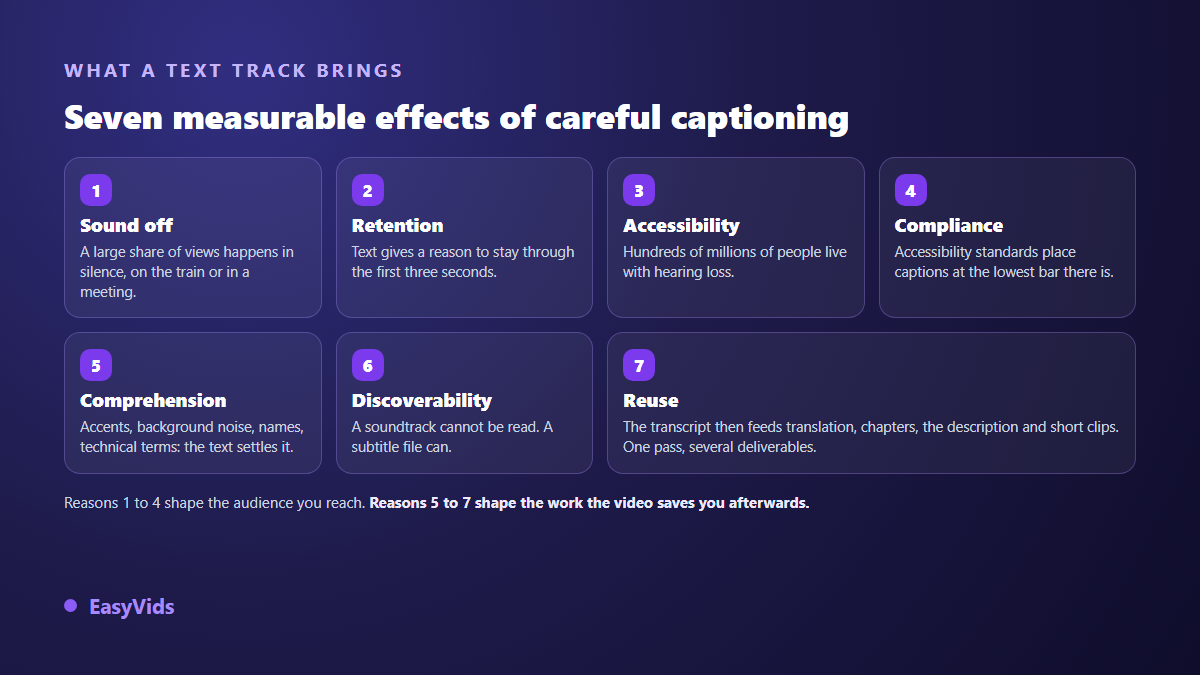
Captions widen your audience and lengthen watch time for one simple reason: they make a video understandable without sound. According to a study run by Verizon Media with Publicis Media in 2019, 69% of respondents watch video without sound in public places, and 80% say they are more likely to finish a video when captions are available. Add accessibility, comprehension of accents and technical vocabulary, access to other languages, and a reusable written asset. Captioning is not a finishing touch: it decides the size of the audience you actually reach.
Reason 1: silent viewing is the default mode
On most social feeds a video starts muted. The viewer has to take an extra action to hear anything, and they only take it when they already have a reason to stay. Without on screen text that reason does not exist: they see an image, they do not know what you are talking about, they keep scrolling.
The same Verizon Media and Publicis Media study also measured sound off viewing at home, where nothing forces anyone to mute. In other words this is no longer a constraint of place, it has become a habit. A 2021 survey published by the British charity Stagetext points the same way among younger viewers: a large majority of 18 to 25 year olds surveyed said they turn captions on at least some of the time, and most of them have no hearing loss at all.
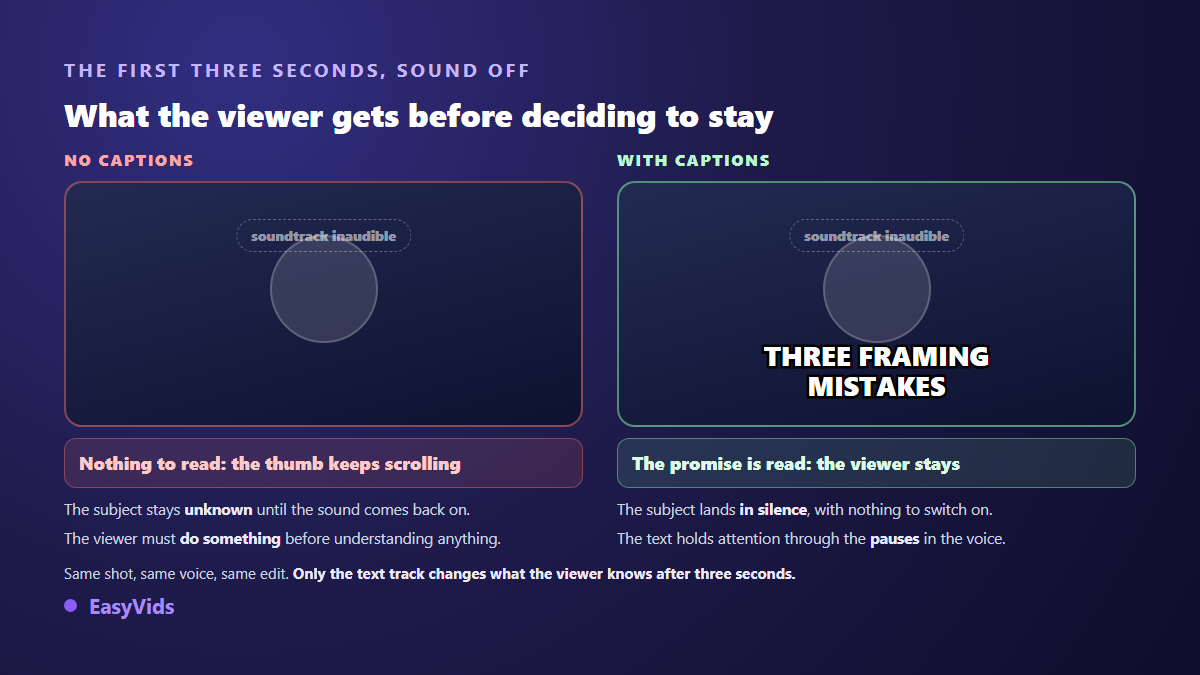
Reason 2: text wins the first three seconds
A video is won on its opening. The first three seconds have to carry a promise, and a voice over carries nothing while the sound is off. A text card does. That is the mechanism behind word by word animated captions on short formats: the motion catches the eye, the read word holds the attention. We took that style apart in our piece on word by word animated captions, settings and excesses included.
The effect does not stop at the hook. On a long video, text carries the viewer through the breathing spaces of the voice, those two or three seconds where the image alone says nothing. Someone drifting away reconnects on a read word. A caption adds no information: it keeps a thread alive.
Reason 3: hundreds of millions of viewers depend on them
The World Report on Hearing published by the World Health Organization in 2021 estimates that more than 1.5 billion people live with some degree of hearing loss, and projects close to 2.5 billion by 2050. That is not a niche audience, it is a considerable share of everyone online.
For those viewers an uncaptioned video is not less pleasant, it is unusable. The gap between a text track present and absent is not a comfort gap, it is the gap between accessible and inaccessible. And captioning helps far beyond its target audience, the way a ramp serves strollers as much as wheelchairs.
Reason 4: accessibility is now a written requirement
The Web Content Accessibility Guidelines published by the W3C place captions for prerecorded media at success criterion 1.2.2, which sits at level A, the lowest and most widely adopted tier. A spoken video with no captions therefore fails the very first step of a reference framework used worldwide.
On the regulatory side, European directive 2019/882 on accessibility requirements for products and services became applicable on 28 June 2025, and covers audiovisual media services and e-commerce among others. If you produce video for an organisation, a public service or a shop, whether captioning is desirable is no longer the question. Check the exact scope that applies to you against the text itself or your national authority: obligations vary with the size of the organisation and the nature of the service.
Reason 5: text settles what the ear cannot
A proper noun, a figure, a technical term, an acronym: these are the words ears miss most, and precisely the ones your viewer needs to retain. A regional accent, a fast delivery, a recording made in a reverberant room all produce the same effect. Captions remove the ambiguity without anyone having to scrub back.
The gain is even clearer for viewers who do not speak your language daily. Reading is easier than listening while you learn a language, because text does not run at the speed of spontaneous speech and it segments words for you. A video captioned in its own language reaches a far wider audience than the soundtrack alone allows.
Reason 6: a soundtrack cannot be read, a caption file can
A platform receiving your video knows nothing about what is said in it unless you hand that over in writing. A caption file provides exactly that: a timed, line by line text version. Internal search tools, automatic summaries and jump to passage features all draw on it. The most common format fits in a file of a few kilobytes, and our guide to the SRT file explains how to create, fix and import one.
A word of caution, because the promise is often oversold: no major platform has confirmed that captions mechanically improve a video's ranking. What is documented is something else, and it is sturdier. The YouTube help centre presents captions and their translation as a way to widen your audience, especially among viewers who do not speak the original language. The effect runs through viewers gained and extra watch time, not through a hidden algorithmic bonus. Captions act on what happens after the click; the click itself is decided by the title and the thumbnail, ground that our analysis of the thumbnail formula MrBeast made famous covers niche by niche.
Reason 7: the transcript pays twice
Captioning means producing a timed transcript of your own speech. That file is not just for display. It feeds translation into other languages without redoing the timing, chapter markers, the description you publish, the hunt for strong passages to cut into shorts, and even a written version of the video if you run a blog.
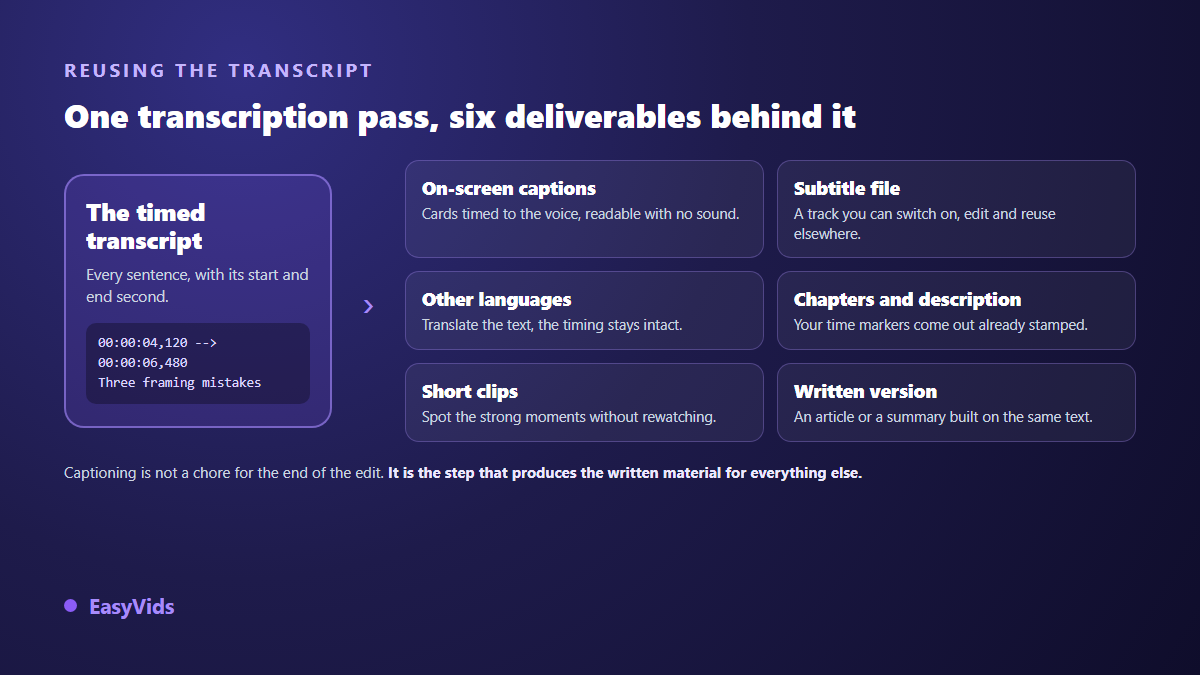
This is the least cited reason and the most profitable one. A captioned ten minute video leaves you several thousand usable words. Without a transcript you have to listen through the video again every single time you want to pull something out of it.
What platform auto captions do not solve
TikTok announced its automatic captions in April 2021, Instagram offers its own generated captions, and YouTube has produced them for years. You might think the problem is settled. It is only partly settled, for three concrete reasons.
- Reliability. The YouTube help centre states itself that automatic captions can get words wrong because of pronunciation, accents, dialects or background noise. Proper nouns and trade vocabulary are the first casualties.
- Platform lock in. Captions generated by a social network exist only on that network. Repost the video elsewhere, send it by message, embed it on a site: the text is gone.
- Style and placement. You control neither the size, nor the position, nor how the cards are split. On a vertical format the interface often covers the bottom of the frame, and the text ends up behind the buttons.
The working rule that follows is simple: generate the transcript yourself, proofread it, then decide whether to burn the text into the picture or supply a separate file. The two approaches do not carry the same consequences, and our comparison of burned in captions details what each one gains and costs you.
Adding captions with nothing to install
Captioning long required editing software installed on a machine. That is no longer true. In the online editor of the EasyVids studio, the Captions panel does the job straight in the browser, on the video sitting in your timeline.
- Pick the spoken language, or let automatic detection handle it. Nine languages are offered explicitly, from French to Chinese.
- Run the generation: the timeline audio is extracted, transcribed and returned as timed captions.
- The cards land on a text track. Each one is an independent element you can fix, resize, recolour or move.
- Proofread proper nouns, figures and acronyms first, then check the timing on two or three quick passages.
- Export. The text is rendered into the picture, so it shows up wherever the video is watched.
If you already have a caption file, the same panel imports it and drops it on the timeline without going through transcription again. The factory settings are the ones that work on most videos: short cards of seven words at most, bold white text, centred, capped at 80% of the frame width and lifted 5% off the bottom. You adjust them card by card afterwards. For the rest of the edit, our guide to online video editing covers the other tracks.
The mistakes that cancel the benefit
- Text set on a large screen, then watched on a phone where it is far too small.
- White text with no outline or background, dropped on a bright image: it vanishes every other line.
- Cards left at the very bottom, swallowed by the platform interface.
- Blocks so long nobody finishes them before they change.
- A transcript published without proofreading, proper nouns mangled.
- Captions burned in before cropping, then sliced off in the vertical export.
Vertical formats concentrate most of these traps, because the interface takes up a serious share of the frame. The specific settings for that case are laid out in our article on reel captions, heights included.
Frequently asked questions
Do captions really improve retention?
Published data points that way: in the 2019 Verizon Media and Publicis Media study, 80% of respondents said they are more likely to watch a video to the end when captions are available. Those are stated intentions, not traffic measurements. The serious check is to publish two comparable videos on your own channel and compare your curves.
Should a long video be captioned like a short one?
The principle holds, the style changes. On a short format watched muted, highly visible cards of two or three words work well. On a long video watched with sound, fuller and more discreet lines at the bottom of the frame read better and tire the eye less.
Are automatic captions good enough without proofreading?
No. Automatic transcription reaches a very good level on a clear voice, but it stays fallible on proper nouns, acronyms, figures and trade terms. Those are exactly the words carrying your information. A quick pass fixes most of it.
How many words should show at once?
Between two and seven words per card depending on format and speaking rate. The useful yardstick is duration: a card on screen for less than a second cannot be read, a card past four or five seconds makes the video feel stalled. Set the length and the timing follows.
Do captions spoil the picture?
Only when badly placed. A text block lifted above the interface zone, capped at two lines and given a clean outline hides nothing that matters. The real risk lies elsewhere: permanent text crossing a face or a product for the whole video.
Captioning is one of the rare production habits whose payoff is not up for debate. It costs a few minutes per video, it opens your content to people watching muted, to people who cannot hear, to people learning your language, and it leaves you a reusable transcript. The moment to start is the next video, not the previous hundred. Create your account and generate your first captions right in the browser, on the video you were about to publish anyway.